
Curious about how to make your music visually engaging with an audio visualizer? Visualisation music tools help you transform audio tracks into eye-catching visual experiences. This article will guide you through the best tools available, how to create your own music visualizations, and tips for making them stand out. By engaging multiple senses, these tools enhance the overall audio experience.
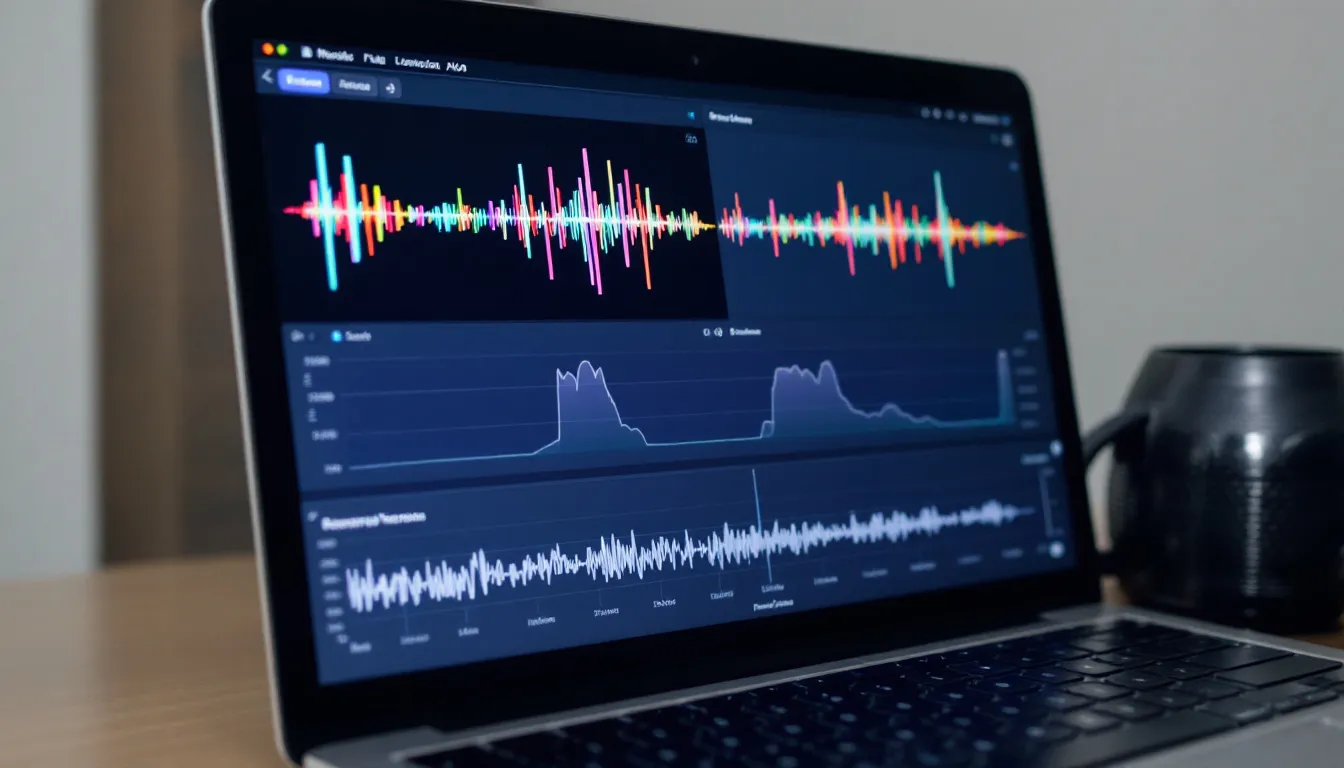
A laptop screen displays a music visualization software interface, featuring colorful equalizer bars that pulse in real time with the audio track.
Music visualizer tools are essential for creating stunning visual representations of audio tracks to help you score impressive results in the world of music. One of the standout options is Renderforest, which allows you to bring your audio tracks to life with dynamic and engaging audio visualizer visuals.
Another powerful tool is VEED’s online music visualizer device, which transforms audio tracks into audio-visual journeys with dynamic visual effects, animated patterns, customizable visualizations, sound waveforms, and sound wave animations. These tools are perfect for musicians looking to create music videos that captivate and engage their audience. VEED’s music visualizer allows users to upload their videos directly to their YouTube channel, streamlining the sharing process.
VEED’s music visualizer offers not only a wide range of animated 3D templates that enhance the music visual experience but also the ability to create highly personalized visuals. With these tools, you can transform your music channel into a vibrant showcase of your creativity, making each audio track an immersive visual experience.
Music visualization software is a powerful tool that transforms your audio tracks into stunning videos that react in real-time to the music. This software is essential for musicians, DJs, and content creators who want to captivate their audience with engaging visuals. With music visualization software, you can upload your audio file and customize the visuals to match your brand or style, creating a unique and immersive experience. The software offers a range of features, including audio file management, browser compatibility, and asset management, making it easy to create and edit music videos. Whether you’re looking to create a music video for your latest release or enhance your live performances, music visualization software provides the tools you need to bring your audio to life.
When selecting a music visualization tool, it is important to consider features like a real-time audio visualizer. The tool should offer a range of customization options, including the ability to change the background, add text and images, and adjust the audio quality. The tool should also offer a range of visual effects, including waveforms, shapes, and particles, which can be used to create stunning videos. Additionally, the tool should be compatible with various platforms, including Windows, Mac, and Linux, and should allow users to upload their videos to YouTube and other social media platforms. By considering these key features, users can choose a music visualization tool that meets their needs and helps them create high-quality videos.
Once your audio file is ready, the next step is to trim and edit it to focus on key elements, ensuring that the visualizer is concise and engaging. You can then select from various visualizer styles to match the mood of your music, adjusting background colors and incorporating images to enhance the visual appeal. Apply effects to the video to match the audio track’s energy, creating a harmonious audiovisual experience.
Additionally, users can add lyrics to their videos, making them more engaging and informative.
Start by listing some forbidden forms of the keyword “visualize” according to the rule 5. Preview your visualizer to visualize necessary adjustments before sharing it with your audience. This step ensures that the visual elements are perfectly synchronized with the audio beats, providing a seamless and immersive experience for viewers, avoiding any mistake.
Customizable templates revolutionize music visualization by allowing content creators to add a personal touch to their visual representations. VEED offers a wide range of animated audiogram templates suitable for various music genres, significantly cutting down editing time and enhancing workflow efficiency. This is particularly beneficial for musicians looking to promote new singles, albums, or channels through visually engaging formats, including real-time audio visualizer options.
These templates offer customizable options like color, opacity, and duration adjustments, enabling you to infuse your unique style into each split preset visualizer. Join photos and text to your videos to facilitate unique storytelling and make your music project videos stand out.
Personalize your branded music videos with custom backgrounds like album covers or musician photographs.
Sound-responsive elements synchronize visuals with audio dynamics, enhancing viewer engagement. An audio visualizer generates images in real-time and synchronizes them with music, allowing for dynamic visual experiences that captivate the audience. Music visualization can be achieved in 2D or 3D coordinate systems with multiple dimensions for color, intensity, and transparency, offering creators a wide range of possibilities to craft immersive visuals. The visual display in the Singapore device shows various shapes that change size, color, and brightness in correlation with the music. These visual elements move in accordance with music beats, creating a vibrant and immersive audiovisual experience.
Customize aspects like animation and color of sound waves in videos to match the music’s emotion. This customization ensures your visuals look stunning and resonate deeply with your listeners, making them feel the music on a whole new level.
Animated 3D templates can create immersive backgrounds that significantly enhance the viewer’s experience. These 3D animated scenes, often used as an audio visualizer, add depth and atmosphere to music videos in real-time, making them more engaging for viewers. These elements transform music videos into stunning visual spectacles that captivate and entertain your audience.
3D animated scenes create visually appealing videos that tell a story through movement and shapes. This added layer of complexity can make your music videos stand out, drawing in viewers and keeping them engaged from start to finish as you create videos.
Uploading your logo to templates enhances brand recognition, which is particularly effective in music visualizations. Using an audio visualizer in real-time can further elevate your content. Placing logos and important text front and center enhances visibility and engagement, making it crucial for musicians and content creators aiming to build a strong visual identity. Add text like song titles and artist names to ensure viewers know what they’re watching and who created it.
Animated typography showcases the artist’s name and track title, enhancing audience engagement and adding a professional touch to your music videos. This combination of logos and text makes your visualizations not only beautiful but also informative and memorable.
Effective audio file management is crucial for creating high-quality music visualizations. The quality of your audio file can significantly impact the overall visual experience. Music visualization software supports various audio file formats, including WAV and MP3, allowing you to choose the best format for your needs. You can trim and edit your audio tracks to focus on specific sections, ensuring that the visualizer highlights the most important parts of your music. Additionally, you can upload your audio files from your computer or import them directly from your music channel or YouTube channel. By managing your audio files effectively, you can create stunning music videos that showcase your music in the best possible way.
The image displays an export screen of music visualization software, featuring settings for MP4 format and 1080p resolution.
High audio quality is key to creating a professional and immersive experience for your audience. Combining high-quality audio with stunning visuals captivates viewers and leaves a lasting impression.
Social media preview of a music visual with waveform animations and artist name overlay
Sharing music videos on platforms like YouTube helps grow your music channel and engage with fans. Uploading stunning videos that combine audio and visuals creates a memorable experience for your audience and attracts new listeners.
Music visualization software often includes real-time editing capabilities, enabling users to create dynamic visuals that synchronize with the music’s rhythm. This feature allows instant adjustments, enabling creators to see changes in real-time as they edit, making the process more efficient and intuitive. Users can quickly modify visualizer elements like color and waveform styles to suit their preferences, often using an audio visualizer to enhance the experience.
Real-time editing features include syncing visual elements with audio frequency data, enhancing music visualization by allowing quick adjustments during creation. This ensures your visuals are perfectly aligned with the music, creating a seamless and immersive experience for your audience.
Many music visualizer applications function seamlessly on both Windows and Mac operating systems, ensuring broad accessibility. Sonic Visualiser, for example, is compatible with Windows, Mac, and Linux, expanding options for users on different platforms. This compatibility ensures you can create stunning music visualizations and use an audio visualizer in real-time on Mac, Windows, or Linux devices without any issues.
Using music visualization software across different operating systems allows for a wider user base and greater accessibility on the computer. This ensures more musicians and content creators have developed the ability to take advantage of these powerful tools to enhance their music videos and visual projects through the program.
Browser compatibility is a key feature of music visualization software, ensuring that you can create and edit your music videos from any modern web browser, including Chrome, Edge, and Safari. This compatibility extends to both desktop and mobile devices, allowing you to work on your projects from anywhere, at any time. With browser compatibility, you can focus on creating stunning videos that showcase your music without worrying about technical issues. This flexibility makes it easier to produce high-quality visualizations that engage your audience and enhance your music’s impact.
High-definition output, particularly at 1080p, enhances the visual appeal of music visualizations, making them more professional and engaging. Incorporating an audio visualizer in real-time further elevates the experience, providing dynamic and captivating visuals that sync with the music. The clarity of high-resolution video is crucial for immersive experiences, especially in music visualizations that captivate audiences. Professional settings require high-quality video outputs to ensure visualizations meet industry standards and viewer expectations.
Using 1080p resolution significantly improves viewer perception and engagement with the music being visualized while playing. High frame rate exports (60 FPS) contribute to smoother video playback, enhancing the viewing experience.
Downloading videos in high-definition quality ensures your music videos are visually stunning and appealing to your audience. You can also watch your favorite content in the best quality.
Visuals for acoustic ballads feature softer animations and subdued colors that reflect the music’s emotional depth. Utilizing visuals that complement a genre’s specific characteristics significantly enhances audience engagement during performances. Tailoring your visualizers to match your music genre creates a more immersive and captivating experience for your audience.
Certain music visualizer creators allow immediate rendering, enabling quick previews of the final product. Rendered videos on cloud servers ensure speed and reduce the load on local devices. Users can create music videos in under five minutes by following a straightforward process, facilitating a fast production workflow with a real-time audio visualizer.
No limit on storage for downloaded files allows users to access their created videos anytime. Many visualizer platforms offer unlimited storage, allowing videos to be stored securely and downloaded anytime.
Users can quickly render videos in HD through online platforms in a browser, enabling easy upload and download after processing in just a few hours.
Efficient asset management and iteration are critical components of music visualization software. The software should allow you to easily manage your assets, including audio files, images, and logos, enabling you to iterate on your designs quickly and efficiently. Features such as simple asset management, where you can upload, tag, and reuse files in visualizers, streamline the creative process. Iteration tools, such as undo and redo, allow you to experiment with different designs and visualize your changes in real-time. By streamlining asset management and iteration, music visualization software empowers you to create complex, stunning videos that showcase your music in the best possible way.
To create engaging music visualizations, there are several tips to keep in mind. First, users should choose a high-quality audio file, with good audio quality and a clear sound. The audio file should be uploaded to the audio visualizer tool, and the user should customize the visuals to match the mood and genre of the music in real-time. The user should also experiment with different visual effects, including waveforms, shapes, and particles, to create a unique and engaging video. Additionally, the user should consider adding text and images to the video, including the artist’s name, song title, and logo, to make it more informative and engaging. By following these tips, users can create stunning music visualizations that showcase their music and engage their audience.
When creating music visualizers, there are several common mistakes to avoid to ensure your visuals are engaging and professional. One significant mistake is using low-quality audio files, which can result in a poor-quality visualizer. Always use high-quality audio to ensure the best possible output. Another mistake is not customizing the visuals to match the brand or style of the music, which can make the visualizer look generic and unengaging. Tailor your visuals to reflect the unique characteristics of your music. Additionally, not optimizing the visualizer for social media platforms can limit its reach and impact. Ensure your visualizer is formatted correctly for platforms like YouTube and Facebook to maximize its visibility. By avoiding these common mistakes, you can create stunning music visualizers that engage your audience and showcase your music effectively.
To create stunning music visualizers, it’s essential to follow best practices for music visualization. Start by using high-quality audio files, as this will result in a high-quality visualizer. Customize the visuals to match the brand or style of your music, making the visualizer more engaging and effective. Additionally, optimize the visualizer for social media platforms, such as YouTube and Facebook, to increase its reach and impact. This includes ensuring the correct format and resolution for each platform. By following these best practices, you can create music visualizers that showcase your music in the best possible way and engage your audience, leaving a lasting impression.
Music visualizers provide an innovative way to elevate your audio experience by transforming music into captivating visual journeys. From creating customized templates to enhancing audio quality and exporting high-definition videos, these audio visualizer tools offer endless possibilities for musicians and content creators. Many music visualization tools allow users to customize colors and animated effects based on audio input in real-time, enabling a more personalized and engaging experience. Whether you’re promoting a new track, performing live, or simply exploring new creative avenues, music visualizers can help you connect with your audience on a deeper level.
Incorporating music visualizers into your projects can significantly enhance the overall experience for both you and your audience. By leveraging the power of visuals, you can create a more immersive and engaging audio-visual experience that leaves a lasting impression. So, dive into the world of music visualization and elevate your audio experience today.
The best tools for creating a music visualizer are Renderforest and VEED, as they provide dynamic visual effects and customizable templates to enhance your audio tracks. These features will help you create engaging visuals that resonate with your music.
To ensure high audio quality in your visualizations, use lossless formats such as WAV or AIFF, and incorporate stereo audio along with vocal isolation tools for enhanced clarity. Prioritizing these elements will significantly improve the overall auditory experience.
Absolutely, adding logos and text to your music visualizations enhances brand recognition and provides essential information, such as song titles and artist names. Incorporating animated typography can further elevate the professional quality of your visuals.
Using a real-time visualizer for live music performances greatly enhances the audience’s experience by providing instant synchronization and captivating visual effects. This immediate integration of visuals and music creates a more engaging and immersive atmosphere.
To effectively share your music videos on social media, export them in a suitable format like MP4 and post them on platforms such as YouTube. This approach helps you connect with a wider audience and engage with your fans.