

Connections and signal transmission in Video Mapping
TL;DR
To ensure a stable projection mapping setup, you must choose the right video connections. While HDMI is the standard for short distances, professional setups rely on SDI or HDBaseT for long cable runs. Managing display frequencies and understanding EDID/HDCP will guarantee a flawless, flicker-free signal from your mapping software to the projector.
Common video cables and connectors
- HDMI (High-Definition Multimedia Interface): This is the most widely used standard for transferring uncompressed digital audio and video data. It is used in most household devices such as televisions, gaming consoles, computers, and DVD/Blu-ray players.
- DVI (Digital Visual Interface): This is an older video interface than HDMI, primarily used for connecting computer monitors. It supports both digital and analog video, though analog use is less common nowadays.
- VGA (Video Graphics Array): This is an older analog standard typically used for computer monitors and projectors. Although it is becoming less common on new devices, it is still found on many older devices.
- DisplayPort or Mini DisplayPort: This is a digital interface that can carry both audio and video signals. It is often used for connections between a computer and a monitor, especially for high-resolution displays.
- USB-C: Although primarily used for data and power, it can also carry video signals through DisplayPort or HDMI alternate modes. It is increasingly common on new laptops and smartphones.
Other technologies
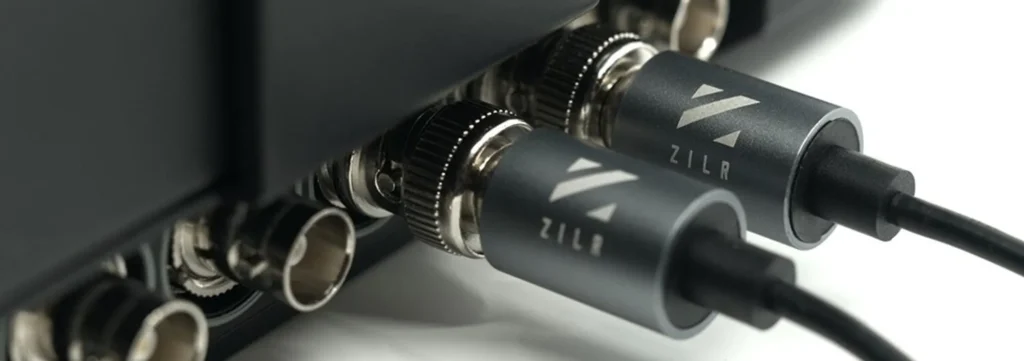
- SDI (Serial Digital Interface): This is a professional standard for transferring uncompressed digital video. It is primarily found in video production and broadcast environments, such as television studios.
- HDBaseT: This is a relatively new standard that allows for the transmission of uncompressed high-quality video, audio, Ethernet, controls, and even power over a single CAT5e/6 cable up to 100 meters long. It is used in professional environments such as AV installations and conference rooms.
- NDI (Network Device Interface) is an innovative standard in the field of professional video broadcasting. Developed by NewTek, it enables the transfer of high-quality video over a local Ethernet network. Additionally, NDI supports 4K video, making it an ideal solution for broadcasting high-resolution videos. It is also capable of handling multiple video streams over a single Ethernet cable, greatly simplifying the cabling infrastructure in a video production environment.
Video stream synchronization
In a video mapping setup using a large number of projectors managed by multiple machines, video stream desynchronization can pose a significant problem.
This desynchronization occurs when the various video sources are not perfectly aligned in time, leading to inconsistent and disruptive visual effects. For example, if an animation is meant to move smoothly across multiple projectors, desynchronization could cause the animation to be ahead on one projector and behind on another. This issue can be exacerbated when multiple machines are used to control the projectors, as each machine may have slightly different performance levels, leading to slightly different processing and display times.
Additionally, network latencies, differences in video processing speeds, and variations in projector response times can all contribute to desynchronization. To address this issue, it is crucial to use software or hardware capable of precisely synchronizing video streams across multiple machines and projectors, which often requires advanced technical expertise and careful setup.
To continue
Graphic concepts: aspect ratio, resolution, layers, codecs
This guide was written by HeavyM, a company specializing in video mapping since 2013.
For any questions, comments, advice, etc., please use this contact form: https://help.heavym.net/hc/requests/new. Response guaranteed within 24 hours.
Frequently Asked Questions (FAQ)
Which cable is best for projection mapping?
For short distances (under 15 meters), a standard HDMI 2.0 or DisplayPort cable is perfect. For larger venues requiring cable runs of 50 to 100 meters, professionals use Coaxial SDI (3G/12G), HDBaseT (over Ethernet), or active Fiber Optic HDMI cables to prevent signal loss.
What is EDID in video projection?
EDID (Extended Display Identification Data) is the digital identity sheet that a projector sends to your computer. It contains supported resolutions and frequencies. To avoid EDID signal drops, always power on your projectors and extenders before turning on your computer and opening your mapping software.
How do I fix an HDCP black screen issue?
HDCP is a digital copy protection protocol. If your projector displays a black, blue, or flashing screen, an HDCP block is likely occurring. To fix this, ensure you are using unprotected local media files and professional HDCP-compliant splitters, rather than consumer streaming boxes.
Why are there rolling bands on my projection when recorded on camera?
This happens when your projector’s display frequency (e.g., 50Hz or 60Hz) does not match the camera’s shutter speed. To avoid flicker and rolling bands, you must align the refresh rate of your entire technical chain: your computer output, your projector, and your camera settings.