Transform your music into a captivating experience with dynamic visuals that synchronize perfectly with the audio.
A music visualizer is a program that creates animated visuals based on audio input, transforming your music into dynamic visual effects that animate patterns and colors in sync with the sound. Imagine your favorite track not just playing in your ears but dancing before your eyes with vibrant waves, beats, and rhythms that pulse in perfect harmony with the music. This is the magic of music visualization.
These visualizers can produce a wide range of animations, from simple bars or waves to complex, abstract animations that represent the beats, melodies, and rhythms of your tracks. Users can customize the background with high-quality images or branded visuals, such as a logo, to enhance the uniqueness and visual appeal of their music visualizations. Elements like a logo or text can also be positioned at the center of the visualizer for a balanced and focused presentation. Ultimately, music visualizers enhance the listening experience by adding a captivating visual element that engages the audience, creating an immersive experience that’s hard to forget.
Whether you’re creating visualizer videos for a music video or enhancing a live performance, the possibilities are endless with the right music visualizer tool.
Using a music visualizer can transform your music presentation into a multi-sensory experience. Visualizers help create captivating content that grabs attention and keeps your audience engaged. Dynamic visual effects significantly enhance live performances, making each set more memorable and impactful. Selecting visuals that match the music’s mood enhances viewer engagement and fosters a deeper connection with your audience.
Many music visualizer tools offer free templates or features, allowing users to start creating visual content without any cost. Beyond live performances, visualizers serve as cost-effective promotional tools. They can visually represent your music, making it more shareable on social media and boosting your visibility. Incorporating visualizers into marketing efforts enhances the promotion of new music releases, maintains brand consistency through colors and fonts, and engages audiences with dynamic visual content.
Music visualizers are not just tools, they are powerful allies in promote music and enhancing your song.
Music visualization refers to the process of converting audio into visual formats like graphics and animations. There are several types of music visualizations, each offering a unique way to experience music. Waveform visualizations represent audio in a linear format, showing amplitude variations over time, which can be a simple yet effective way to visualize a music track.
Spectrum visualizations, on the other hand, display audio frequencies, illustrating how energy is distributed across different frequency bands, providing a more detailed view of the music’s structure. For an even more immersive experience, 3D visualizations add depth and perspective to the audio representation, creating a visual spectacle that enhances the overall listening experience with audio spectrums.
Whether you prefer simple waveforms or complex 3D animations, there’s a type of music visualization to suit every style and genre, including music visualization templates. Some tools also allow users to create music visualizations from scratch, giving full control over the design and animation for maximum flexibility and creative freedom.
With user-friendly interfaces like EchoWave’s music visualizer editor, you can easily edit and customize visual and audio elements to refine your final output. Creating stunning videos is just a few clicks away. Let’s break down each step to help you create mesmerizing music visualizations that will captivate your audience.
To start, you’ll need to upload your audio track. You can utilize any audio file, whether it’s a high-quality MP3 or WAV. Once uploaded, the audio file will be analyzed to create dynamic visual elements that respond in a pulsing rhythm, enhancing the listening experience. This step is crucial as it sets the foundation for your stunning music visualizations.
The better the audio quality, the more impressive the final visualizer video will be.
The next step is to choose a customizable templates visualizer template that suits your needs. Customizable presets are available to help you kickstart your music video creations. These templates often include responsive elements that synchronize with the audio, enhancing the visual experience that was created.
You can select from a variety of templates perfect for different music genres and styles, ensuring that your visualizer’s appearance matches your artistic vision. To further personalize your visualizer templates, you can incorporate high-quality stock photos from platforms like Unsplash or Pixabay. EchoWave allows you to add eye-catching visual effects, making your music clips more engaging.
Personalizing your visual elements is where the magic truly happens. You can adjust parameters like color and opacity to tailor the visuals to match your unique style and preferences. Users can also upload and integrate multiple logos, ensuring consistent branding across all their music visualizations. Customizing visual effects extensively provides a unique look for each project, making your visualizations stand out.
Personalizing visuals enhances the uniqueness of your music visualizations, making them truly mesmerizing.
After customizing your visual effects, it’s time to render and download your video. The video is rendered using efficient cloud servers, which process the visuals quickly and ensure high-definition quality. Simply execute the download command after rendering to get your high-quality music visualization video.
These high-quality downloaded visuals ensure that your visuals are shareable on various platforms with optimal clarity. Now, you’re ready to create videos and share your stunning videos with the world! Some platforms also allow you to upload videos directly to your YouTube channel or other social media platforms for seamless sharing.
Advanced features in music visualization software can significantly enhance your creations. EchoWave’s music visualizer serves as a platform that enables users to access advanced features and create high-quality visual content. It offers deep customization capabilities, allowing users to tailor visuals to specific tracks. High audio quality, smooth animations, and cloud-based rendering are some of the advanced features that enhance the user experience and output quality.
These features ensure that your visualizations are not only stunning but also immersive and professional.
High audio quality is crucial for producing visually appealing music visualizers. Using high-bitrate encoding formats, such as AAC, significantly improves the overall sound quality of visualizations. Combining high-bitrate encoding with high-quality audio files leads to immersive music visualization experiences that resonate with the audience.
Top-notch audio quality is vital for achieving perfect harmony between sound and visuals in life. Sounds play a crucial role in this experience.
Smooth animations are vital for creating an immersive visual experience. Higher frame rates, such as 120fps, can prevent choppy playback and provide fluidity to the animations, enhancing the overall visual appeal. Smooth animations ensure seamless movement with the music, captivating the audience with every beat, whether for short clips or long videos.
Cloud-based rendering offers significant advantages, enabling music visualizations to be processed on remote servers instead of local machines. Users can access the music visualizer platform directly through a web browser on any device, including computers, tablets, and Windows systems, without needing to install additional software. This approach eliminates the need for powerful hardware, making the rendering process more efficient and accessible.
Cloud servers handle the heavy lifting, allowing you to focus on creating stunning music visualizations without technical limitations.
Lyric videos have become a powerful way for artists and record labels to connect with their audience and promote new music releases. With the help of music visualization software, creating stunning lyric videos is now easier than ever. These tools allow you to transform any audio track into a visually engaging video, complete with synchronized lyrics and dynamic animations that match the mood and style of your music.
Using music visualization templates, you can quickly customize the look and feel of your lyric videos to align with your brand or the specific vibe of each song. Whether you want bold, energetic visuals for an upbeat track or something more subtle for a mellow tune, there are templates to suit every genre and mood. Simply upload your audio file, add your lyrics, and use the visualizer to create a video that brings your words and music to life.
Audio quality is key when producing lyric videos. High-quality audio tracks ensure that the visuals and lyrics stay perfectly in sync, delivering a professional result that stands out on YouTube and other social media platforms. Music visualizers are designed to analyze your audio in real time, so every beat and lyric is matched with eye-catching animations.
For music channels and musicians looking to grow their audience, lyric videos created with music visualizers are a smart way to boost engagement and increase views. These videos are easy to share across social media, making them ideal for promoting new singles, albums, or even entire catalogs. Record labels can also use music visualizers to create commercial-use lyric videos that help promote their artists and releases in a visually compelling way.
The process is straightforward: upload your audio track, customize the visuals using music visualization software, and export a high-quality video ready for upload. With the right visualizer, you can create lyric videos that not only showcase your music but also reinforce your brand identity and connect with listeners on a deeper level.
Whether you’re an independent musician, a record label, or a content creator running a music channel, music visualizers offer a creative and efficient way to produce professional lyric videos that captivate your audience and elevate your music’s presence online.
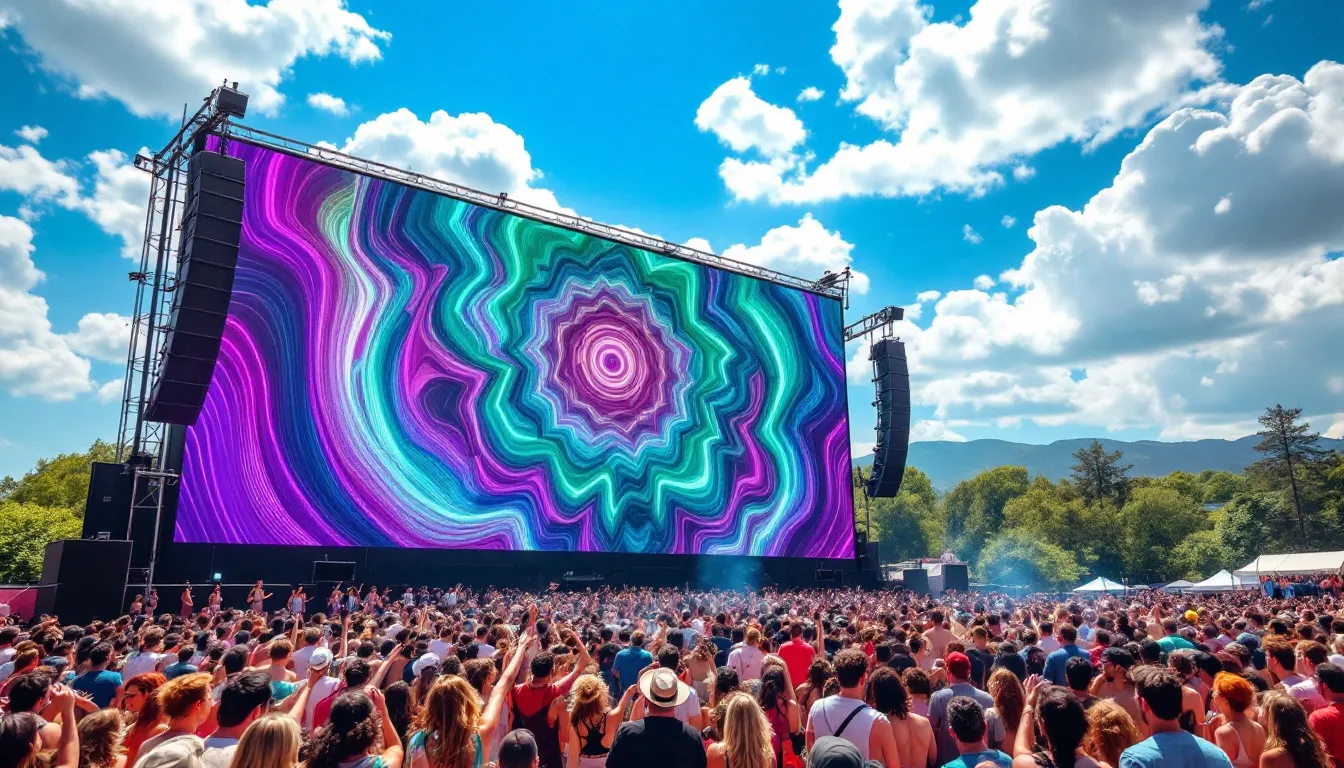
Scene from a music festival, a large screen displays stunning music visualizations that pulse and change with the rhythm of the audio track, creating a mesmerizing atmosphere for the audience.
Integrating live visualizations into performances boosts audience engagement, differentiates shows, and elevates the emotional connection with the crowd.
Music visualizers are popular across various domains, from live performances to social media content. The presence of music visualizers during performances creates a multi-sensory event, enhancing the audience’s experience. The interplay of sound and visuals can evoke emotions, enriching the listener’s connection to the music.
Visualizers can also make music more shareable on social media, boosting musicians’ visibility and community among fans.
Record labels and music promotion channels can use visualizers to promote artists and music efficiently. Visualizers play a crucial role in promoting new music releases, enhancing artist visibility, and creating more opportunities for audience engagement. By amplifying the overall impact of new music releases, visualizers help record labels effectively market their artists and music.
Social media influencers can leverage visualizers to create visually engaging content that stands out on social media platforms like Instagram and YouTube. Incorporating visualizers can help influencers stand out in crowded social media feeds, capturing audience attention and enhancing engagement.
Visualizers offer influencers a creative way to make their content more appealing and shareable.
Custom visualizations tailored to an artist’s style can help establish brand identity and recognition.
After rendering or downloading a video, users are often directed to a page where they can access their content or view processing status.
Creating mesmerizing music visualizations requires aligning visuals with the audio’s frequency and amplitude characteristics. Some visualizers incorporate reactive elements that change shape and color based on the audio’s dynamics, adding text depth and intrigue to the visualization. DJs often utilize visualizers to enhance the atmosphere of their performances by syncing visuals with music. Animated text can be included to enhance storytelling or convey lyrics synchronously with the music.
Many visualizers allow users to work with animation effects to enhance the visual experience. Incorporating custom animations can provide unique artistic expressions that correspond to the music. Testing the visualizer on multiple devices ensures it looks good across different screen sizes, providing a consistent experience for all viewers.
By following these tips, you can create stunning music visualizations that resonate with your audience.
Music visualizers are powerful tools that transform the way we experience music. By converting audio into dynamic visual effects, they create stunning music visualizations that captivate audiences and elevate performances. From enhancing live sets to serving as promotional tools, the benefits of using music visualizers are manifold. Advanced features such as high audio quality, smooth animations, and cloud-based rendering further enhance the user experience and output quality.
Whether you’re a DJ, a record label, or a social media influencer, leveraging music visualizers can significantly boost your content’s appeal and engagement. By following the steps and tips provided, you can create mesmerizing music visualizations that resonate with your audience and leave a lasting impression. The world of music visualization is vast and full of potential—are you ready to explore it?
A music visualizer turns your favorite tunes into stunning animated visuals that dance in sync with the sound, enhancing your listening experience. Dive into this world of creativity and let the music inspire your imagination!
Creating a music visualization is simple and exciting! Just upload your audio track, select a visualizer template, customize the effects to match your style, and then render and download your captivating video!
Using a music visualizer makes your music more engaging and shareable, enhancing live performances and helping with promotion and brand consistency. Embrace this creative tool to elevate your musical experience!
You can explore various music visualizations such as waveform, spectrum, and 3D designs, each providing a distinct and captivating way to engage with sound. Dive into these creative experiences and elevate how you enjoy your favorite tracks!