

Transforming Galleries Into Immersive Digital Experiences
Art galleries and event spaces are undergoing a radical transformation. Where static paintings once hung on white walls, vivid projections now wrap across ceilings, floors, and irregular architecture—turning physical spaces into living, breathing digital environments that captivate audiences unlike anything before.
TL;DR
Galleries, museums, and event venues across the globe are rapidly adopting projection mapping exhibitions to turn static rooms, walls, and facades into fully immersive digital environments. Building these spaces requires a balance of creative freedom with rock-solid, long-term reliability in both hardware (projectors, media players) and software (mapping, playback, control). The most effective tools let exhibition designers integrate interactive displays, lighting networks, and generative visuals easily—with no coding required—thanks to intuitive interfaces and robust protocol support.
From White Cubes to Immersive Rooms: How Exhibitions Are Changing
The 20th-century gallery model celebrated neutrality. Brian O’Doherty’s influential 1976 essay “Inside the White Cube” critiqued how minimalist museum walls isolated art from context, treating each painting as a precious object deserving reverent silence. Visitors walked past static objects on flat surfaces, observing rather than participating.
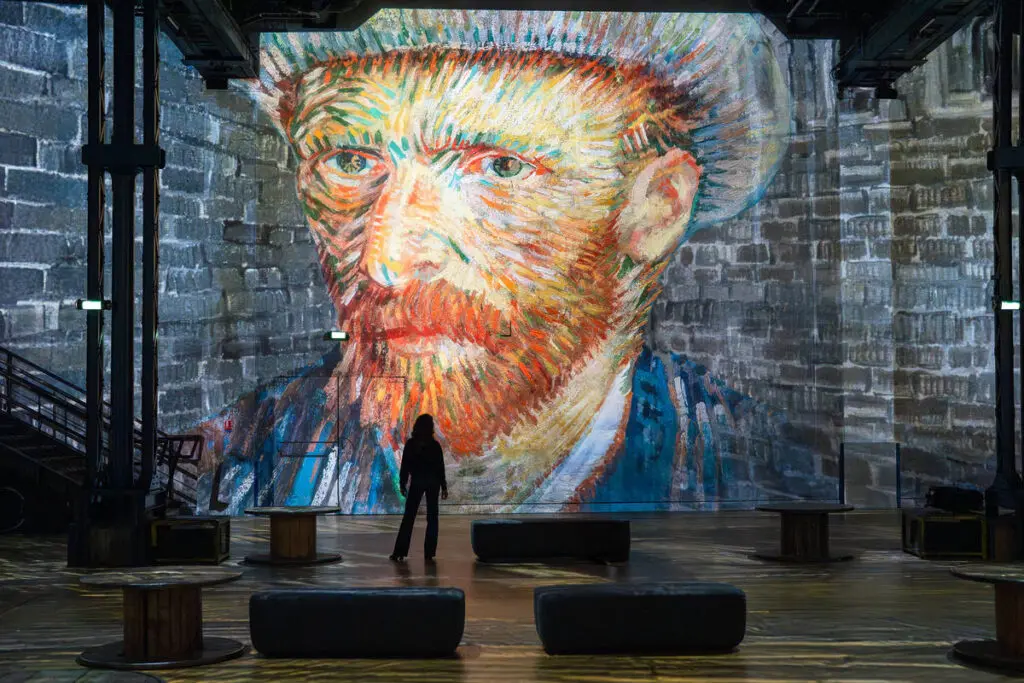
That paradigm shifted dramatically after 2010. TeamLab Borderless opened in Tokyo’s Odaiba district in 2018, spanning 10,000 square meters with 520 computers and 470 projectors creating fluid worlds where visuals reacted to visitor movement. The same year, Atelier des Lumières launched in a former Paris foundry, projecting animated interpretations of Van Gogh across massive interior walls for months at a time.
EPIC The Irish Emigration Museum in Dublin (opened 2016) tells migration stories across 20 fully digital galleries using projection mapping, touchscreens, and interactive displays, earning Europe’s Leading Tourist Attraction award from 2019–2021. ARTECHOUSE in Washington, D.C. (opened June 2017) features a 270-degree projection gallery and motion-sensor installations, presenting large-scale interactive digital art at the crossroads of art, science, and technology.
Today’s audiences expect multi-sensory, photo-worthy experiences rather than single-channel video on flat screens. Social media amplification has made immersive shows essential for driving ticket sales and extending dwell time by 30-50%. Museums, brand pop-ups, corporate events, and light festivals now converge on similar techniques—whether the goal is education, marketing, or pure artistic expression.
What Are Projection Mapping Exhibitions?
Projection mapping exhibitions are curated installations deploying one or more high-lumen projectors to align video loops, generative graphics, or real-time visuals precisely onto three-dimensional physical structures. Unlike standard projection onto flat screens, mapping software calibrates for arches, columns, sculptures, and 360-degree environments—distorting pixels via warping and blending to match each surface’s geometry.
This technique transforms static structures into a dynamic canvas where digital content appears seamlessly integrated with architecture. Common exhibition formats include:
- Single-room immersive galleries (e.g., TeamLab’s “Wander through the Crystal World” in Tokyo, 2018)
- Multi-room narrative journeys tracking visitor paths through themed zones
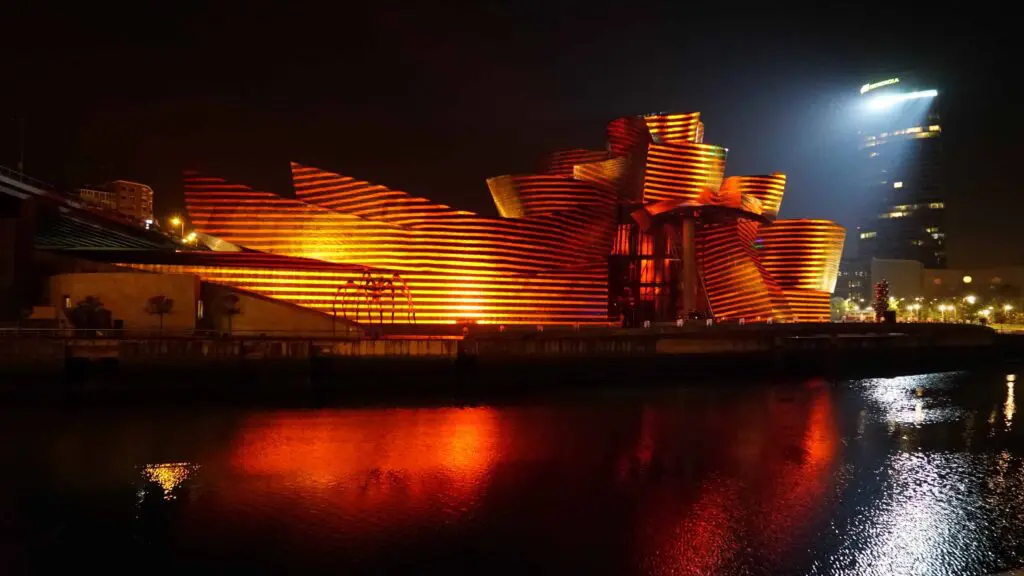
- Façade-based night shows like the Guggenheim Bilbao “Reflections” (2017), which mapped light narratives onto Gehry’s curving titanium exterior
Key components encompass content creation (pre-rendered 4K video, procedural generative visuals), mapping software for surface definition, robust playback systems, and control protocols.
What Makes Projection Mapping Exhibitions So Immersive?
Immersion stems from psychological principles of perceptual envelopment. When projections dominate 180-360 degrees of a visitor’s field of view, synchronized spatial audio creates directionality, and motion-responsive visuals trigger engagement through agency. Studies on VR/AR presence show 40-60% higher engagement in reactive environments.
Spatial coverage is foundational. Van Gogh immersive tours (2019-2021) covered 360-degree rooms with swirling skies projected at 8,000-20,000 lumens, transforming history and life into animations that visitors could walk through. TeamLab’s installations map all surfaces simultaneously, dissolving boundaries between art and audience.
Multisensory layering adds depth through spatial audio via Ambisonics systems, subtle bass transducers for vibration, and DMX-controlled architectural lighting.
Narrative immersion guides visitors through chronological journeys (like EPIC Museum’s emigration timeline) or thematic zones—nature, data, future—pacing content loops at 3-10 minutes for natural flow.
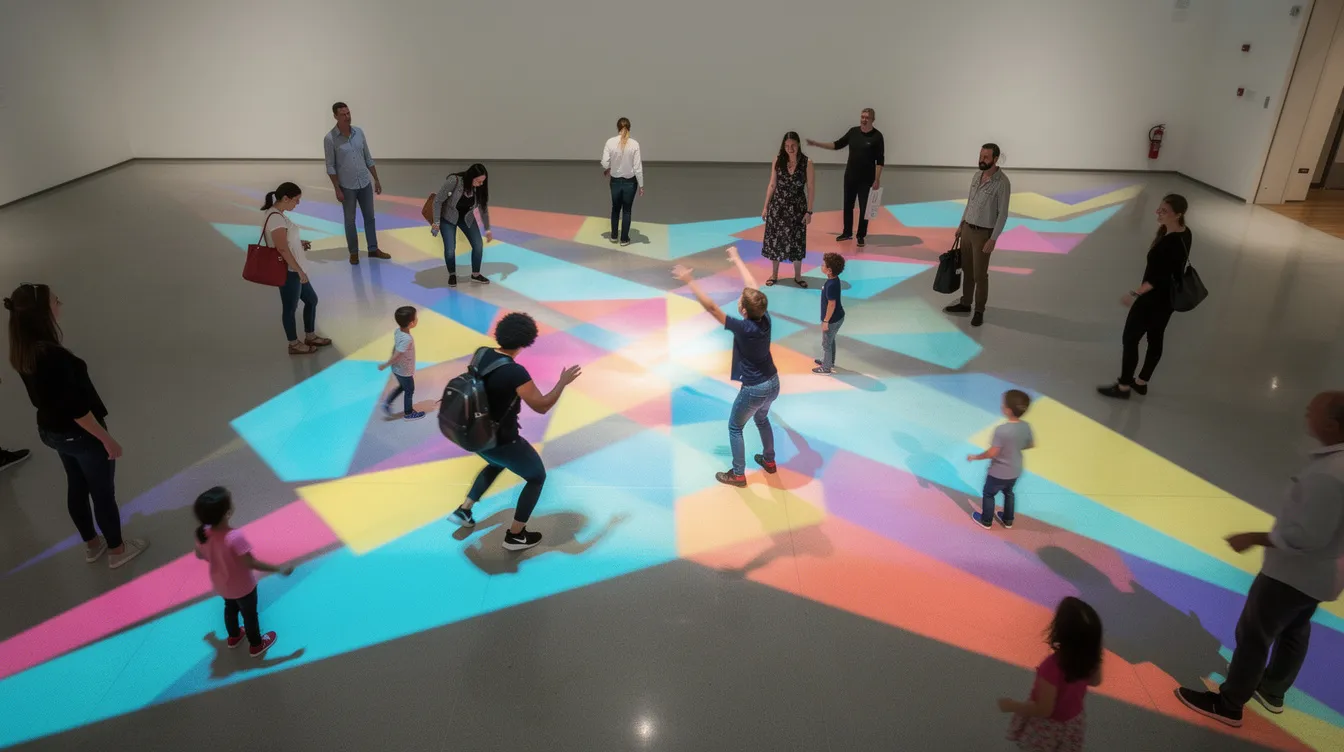
Interactivity amplifies everything. Projections that ripple when attendees walk by (pressure mats), generative patterns reacting to clapping (microphones), or body-responsive visuals using depth cameras—like Nohlab’s “The Edge of Government” at Dubai’s 2019 World Government Summit—make visitors active participants rather than passive observers.
Core Hardware for Projection Mapping Exhibitions
Reliable hardware is non-negotiable for exhibitions running 6-12 hours daily over weeks or months. Here’s what you need to consider:
Projectors require brightness matched to surface area and ambient light. Medium museum rooms typically need 8,000-20,000 lumens; façades demand 20,000+ lumens. Laser phosphor projectors offer 20,000+ hour lifespans versus lamp-based units at 2,000-5,000 hours—critical for long-running shows.
Media players and computers range from compact solid-state devices for looped video in small rooms to rackmount PCs with NVIDIA Quadro RTX GPUs running Resolume or similar software for generative content across 4-8 outputs.
Mounting and alignment demands secure rigging with lens shift and keystone correction. Multi-week installations require regular re-calibration as thermal expansion or vibration shifts alignment by 1-2%.
Networking and control uses managed Gigabit Ethernet switches for timecode distribution, with show control via OSC/MIDI bridges triggering daily schedules.
Environmental considerations include active cooling (quieted via enclosures for galleries), HEPA dust filters extending equipment life, and blackout curtains reducing ambient light by 90%.
Software Reliability: Why Exhibit Tools Must Run for Weeks
Unlike one-night festival shows, projection mapping exhibitions often run continuously for 4-12 weeks, demanding stable, predictable software that won’t crash at hour 847.
Multi-million-dollar “mega” exhibitions often rely on custom-coded media server clusters with in-house technical teams. These setups using platforms like Disguise D3 can handle 100+ outputs but require $50K-500K budgets plus dedicated integrators.
Most museums, independent producers, and cultural centers need a different approach. They require tools that can be installed, configured, and maintained without a full-time programmer. Look for reliability features including:
- Automatic backup of mapping presets
- Robust playlist/timeline playback with gapless failover
- Crash recovery (watchdog reboot <30 seconds)
- Remote monitoring dashboards
- Easy project duplication across rooms
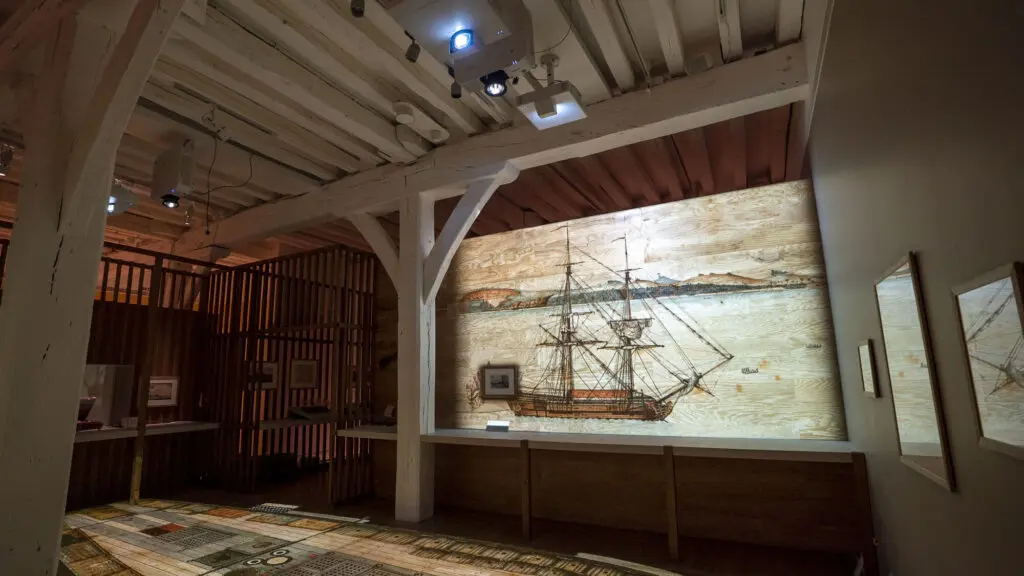
Non-coding teams benefit enormously from interfaces exposing all key controls visually—warping grids, soft-edge blending, effect parameters—rather than through scripting. Consider a heritage museum running daily for 90 days: stable loop playback with watchdog recovery can achieve <1% downtime, minimizing technician call-outs.
Incorporating Interactivity: How Do Visitors Shape the Experience?
Modern audiences expect to influence the space through motion, sound, or touch rather than passively watching projections. Public art increasingly means participatory art.
Common sensor types in exhibitions include infrared motion sensors ($20-50/unit), depth cameras like Intel RealSense or Azure Kinect (1-10m range), LiDAR for room-scale detection, pressure mats for footsteps, and microphones for sound analysis.
Concrete examples demonstrate the innovative use of these technologies: Jesse James Allen’s 8-foot Seraph Angel at Orlando’s 2017 Immerse festival used motion-captured interactivity where voice and body movement generated visual responses. Corridor installations trigger waves of light from pressure sensors in TeamLab works. Data visualization walls reconfigure when visitors raise hands using depth cameras.
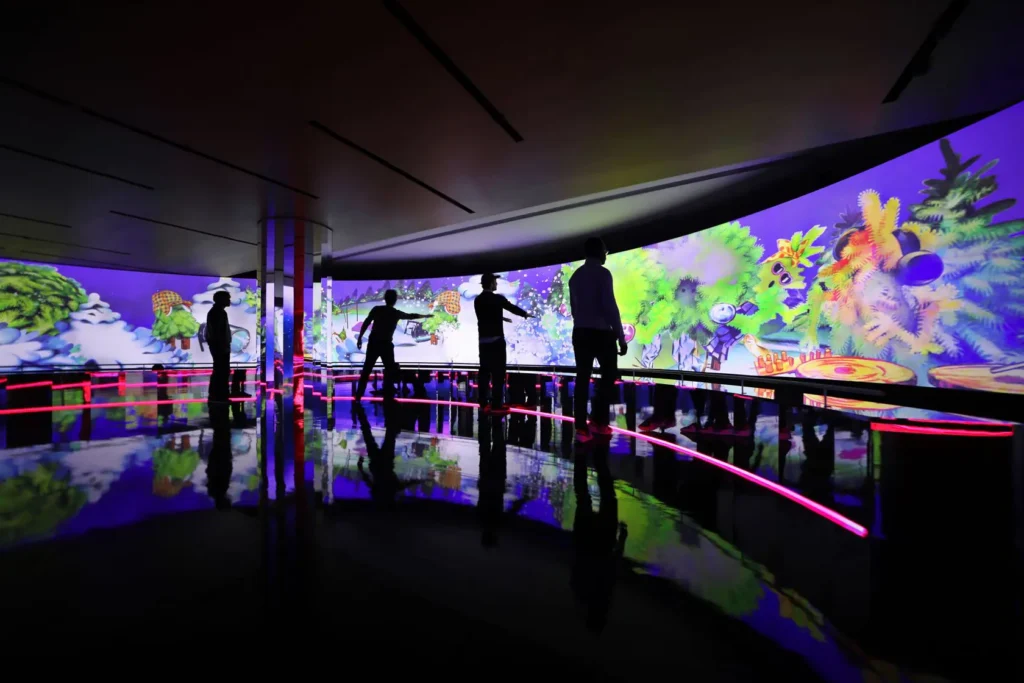
Technical integration routes sensor data (position vectors, audio amplitude) over OSC to mapping software inputs, modulating parameters like speed, color, or shape in <50ms latency.
Accessibility considerations demand height-adjustable interaction zones (1.2-2m), mobility-inclusive triggers (voice over motion), and low-stimulation modes—ensuring the exhibition design works for diverse visitors.
What Is the Best Software for Interactive Art Exhibitions?
Three broad categories of specialized software serve projection mapping exhibitions: fully custom-coded engines (Unity/Unreal/TouchDesigner), enterprise media servers (Disguise, Watchout), and artist-focused mapping tools.
Here is a breakdown of the three main software paths for exhibition design:
| SOFTWARE CATEGORY | PRIMARY USE CASE | REQUIRED TECHNICAL TEAM | BUDGET LEVEL | BEST FOR |
|---|---|---|---|---|
| Custom Engines (TouchDesigner / Unreal) | Unprecedented interactive logic & generative 3D worlds | Dedicated Developers & Integrators | High ($$$$) | World Expos, Tech-Heavy Mega Pavilions |
| Enterprise Servers (Disguise / Watchout) | Massive 100+ output routing, rigid pre-rendered timelines | AV Engineers & Operators | High ($$$$) | Stadium Tours, High-End Touring Exhibits |
| Visual-First Software (HeavyM) | Fast setup, audio-reactivity, generative effects without scripts | Solo Artists, Scenographers, Curators | Accessible ($) | Galleries, Museums, Independent Artists |
Custom engines and high-end servers offer extreme flexibility but require developer teams, integrators, and larger budgets—feasible for world expos or flagship brand pavilions but excessive for many galleries working with local artists or modest resources.
HeavyM stands as the best-fit software for exhibition designers, independent digital artists, and curators who want professional results requiring absolutely no coding. Instead of relying on a dedicated team of developers, creators can use the intuitive drag-and-drop interface to trace interior architecture or sculptures directly from the projector’s perspective. Once the space is mapped, you can instantly fill the room using over 100 built-in visual effects that automatically adapt to your geometry. To elevate the immersion, the software’s native real-time audio reactivity ensures your environment pulses perfectly in sync with the room’s ambient sound or musical score. Finally, for deep interactive exhibitions, HeavyM connects flawlessly to motion sensors, lighting desks, and external creative networks via industry-standard protocols like OSC, MIDI, Art-Net/DMX, Syphon/Spout.
Time-Saving Workflows for Curators and Digital Artists
Exhibitions often have tight installation windows—sometimes just 3-5 days between construction and opening. Efficient workflows aren’t optional; they’re survival.
A typical end-to-end process includes: site survey and photography, surface planning, content prototyping, on-site alignment, show programming, and testing before public opening.
HeavyM’s drag-and-drop interface accelerates surface creation dramatically. Designers trace building features directly onto imported photos—mapping irregular walls, columns, or custom shapes in minutes instead of manually coding coordinates.
Practical time-savers include:
- Reusable templates and preset effect libraries
- Quick scene duplication across multiple projectors
- Live adjustments while the show is running
- One-click export of mapping configurations
Scenario: A museum with three rooms needs setup in four days. A curator designs room one in HeavyM (day 1), duplicates its structure for rooms two and three while swapping media and colors (day 2), tests interactions and calibrates (day 3), and runs dress rehearsal (day 4). This process that might take weeks with custom coding happens in days.
Planning Your First Projection Mapping Exhibition
Here’s a roadmap for a small museum show with 3-6 months lead time:
Step 1 (6 months out): Define curatorial goals—what story the exhibition communicates, target audience, run dates, and daily hours. Will it engage attendees with cultural heritage, contemporary art, or brand storytelling?
Step 2 (4 months): Map the physical space. Collect accurate measurements, architectural drawings, reference photography, or 3D scans. Identify projection surfaces and visitor pathways.
Step 3 (3 months): Choose hardware. Estimate projector count and brightness based on surface area (lumens = surface area × 10-20 accounting for light conditions). Plan backup media players.
Step 4 (2 months): Select software. No-code tools like HeavyM reduce risk and allow creative iteration throughout the exhibition’s run.
Step 5 (1 month): Prototype and test. Build a small-scale mockup to check content legibility, interaction responsiveness, and visitor comfort.
Step 6 (install week): Install, calibrate, and rehearse. Allocate time for warping, edge blending, sensor testing, and full dress rehearsal.
The Future of Projection Mapping Exhibitions
Projection mapping is evolving from spectacular one-off events toward becoming a new standard in museum and gallery design. By 2030, we’ll see laser projectors hitting 100,000 lumens at 8K resolution, real-time game engines generating AI-assisted images, and mobile devices letting visitors influence room-wide timelines.
Convergence with other technologies is accelerating: AR smartphone overlays on projections, LED walls hybridizing with mapping for daylight viability, and wearable devices making waves through exhibition spaces.
Accessible, no-code tools like HeavyM will democratize this technique for smaller institutions and independent artists worldwide. The magic of projection mapping exhibitions—transforming static structures into living canvases—will become achievable for any designer willing to learn the craft. Your next event could be the one that redefines what’s possible.
Stop dreaming about multi-million-dollar museum budgets and start building your own immersive world today. Download the HeavyM free trial, connect a projector to your laptop, and begin crafting your first interactive exhibition tonight.