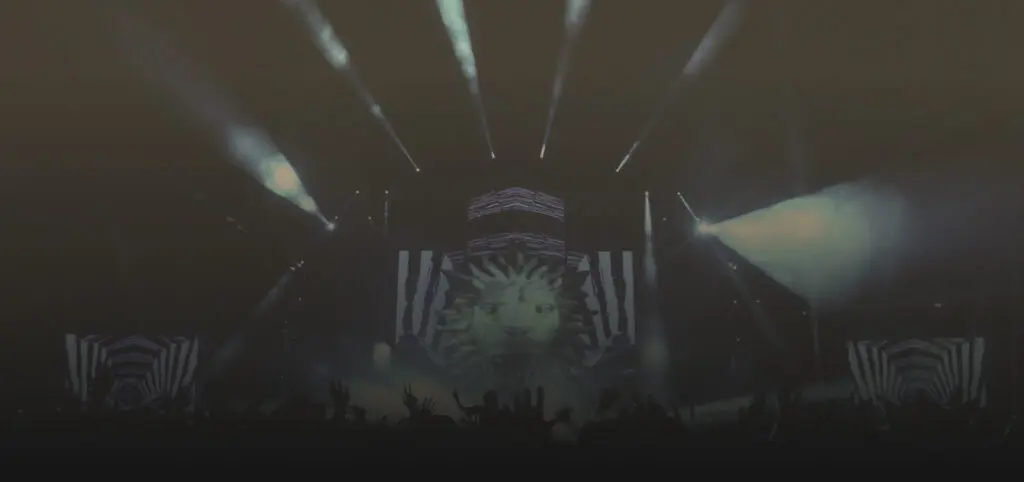
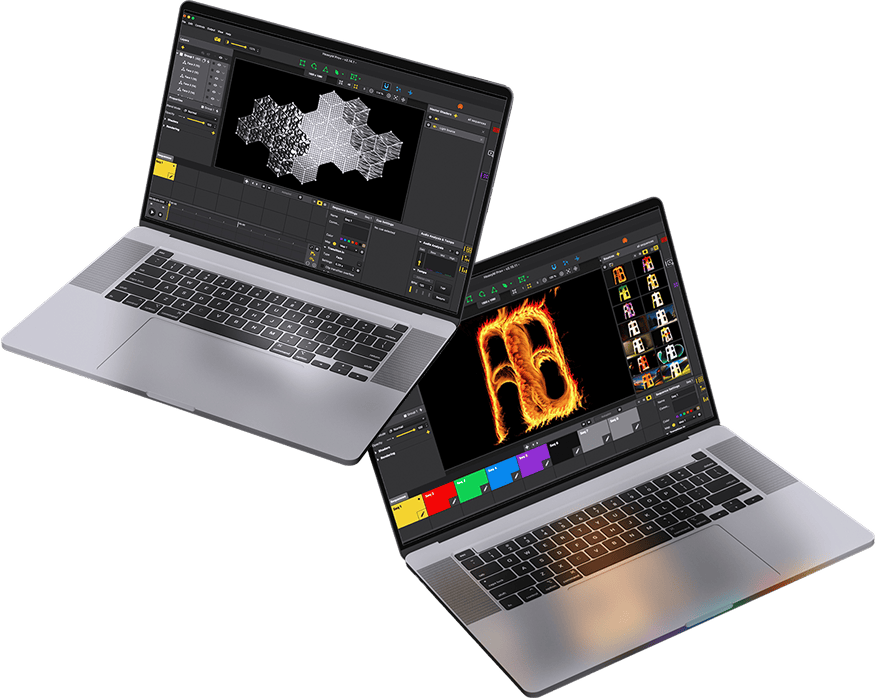
Video mapping reso facile: avvio rapido, risultati sorprendenti
Il nostro software intuitivo ti permette di creare immagini di grande impatto con estrema facilità, bastano pochi clic. Perfetto per proiezioni dinamiche e immediate: trascina, rilascia e stupisci!
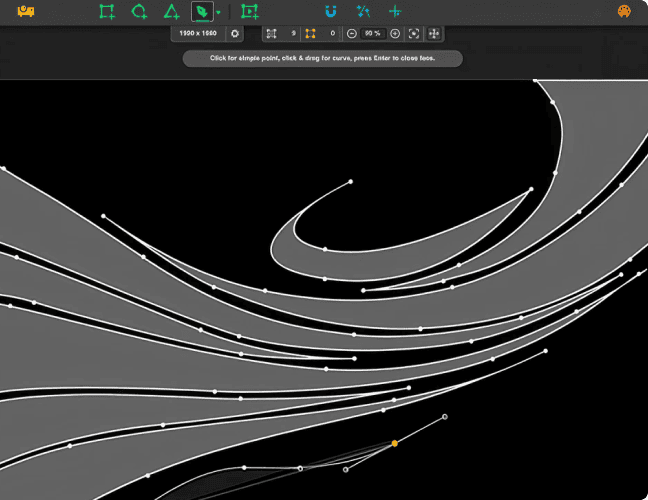
Strumenti di disegno intuitivi
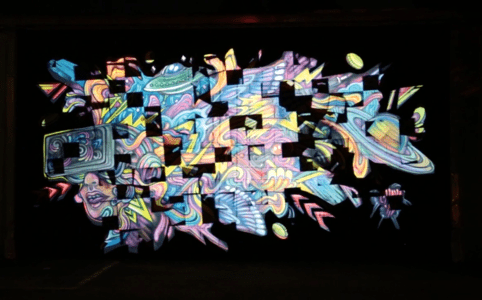
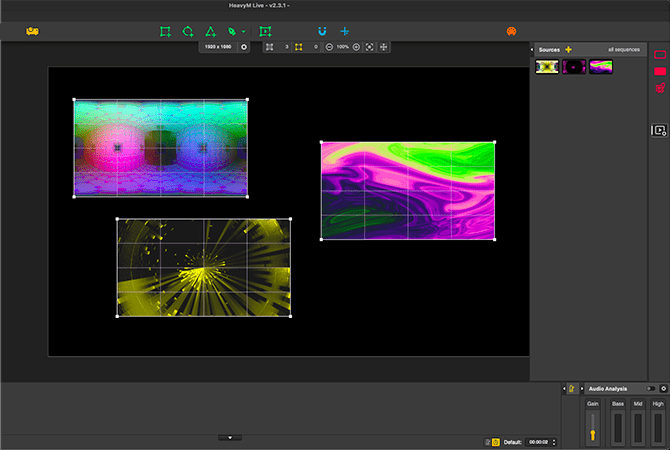
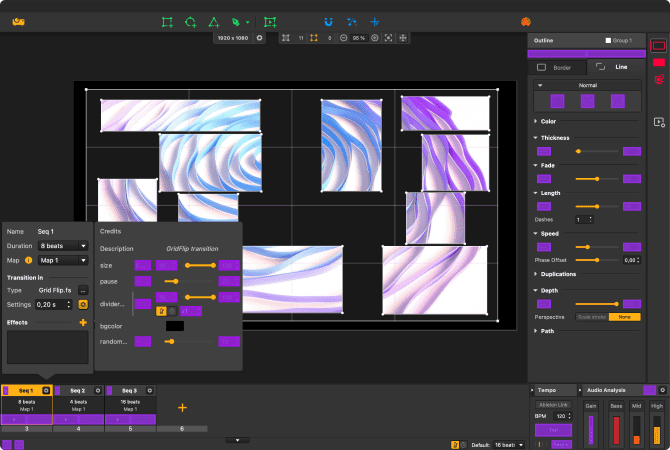
HeavyM offre strumenti di disegno intuitivi per un video mapping veloce e personalizzabile. Scegli tra le forme già pronte o crea disegni complessi senza alcuno sforzo. Che si tratti di una mappatura in tempo reale o di una foto, HeavyM garantisce un'esperienza fluida e personalizzata, rendendo più semplice che mai la realizzazione della tua visione.
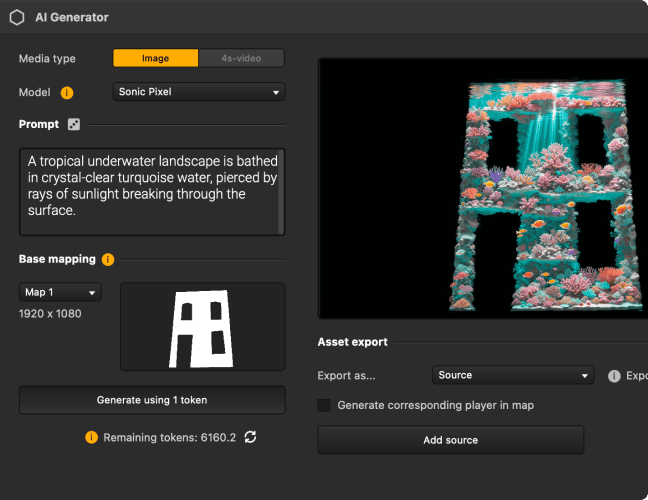
Crea immagini uniche con l'IA, senza mai uscire da HeavyM
Crea immagini e video partendo da un prompt, da un’immagine esistente o direttamente dalle tue idee. Inserisci la tua creazione nel tuo progetto e trasformala in contenuto di mapping in pochi secondi.
Novità
Texture realistiche per il video mapping
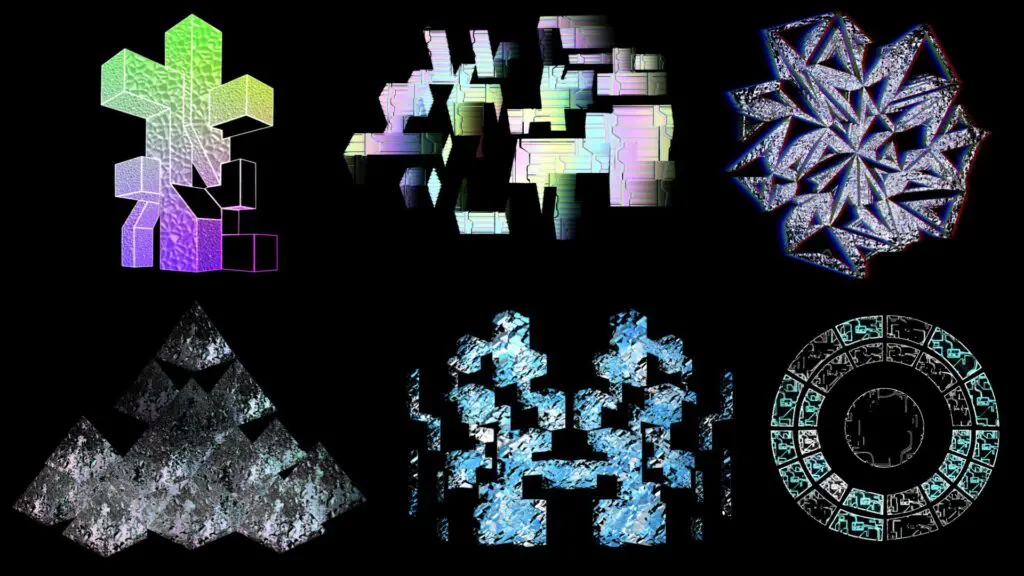
Abbiamo introdotto una funzionalità rivoluzionaria: i materiali 3D. Metallo, legno, vetro… Le forme ora si comportano come oggetti reali, reagendo alla luce e conferendo alle tue creazioni un sorprendente effetto 3D. Il tuo video mapping va oltre le immagini piatte: ogni superficie acquista profondità, realismo e impatto.
Libreria visiva integrata pronta all'uso
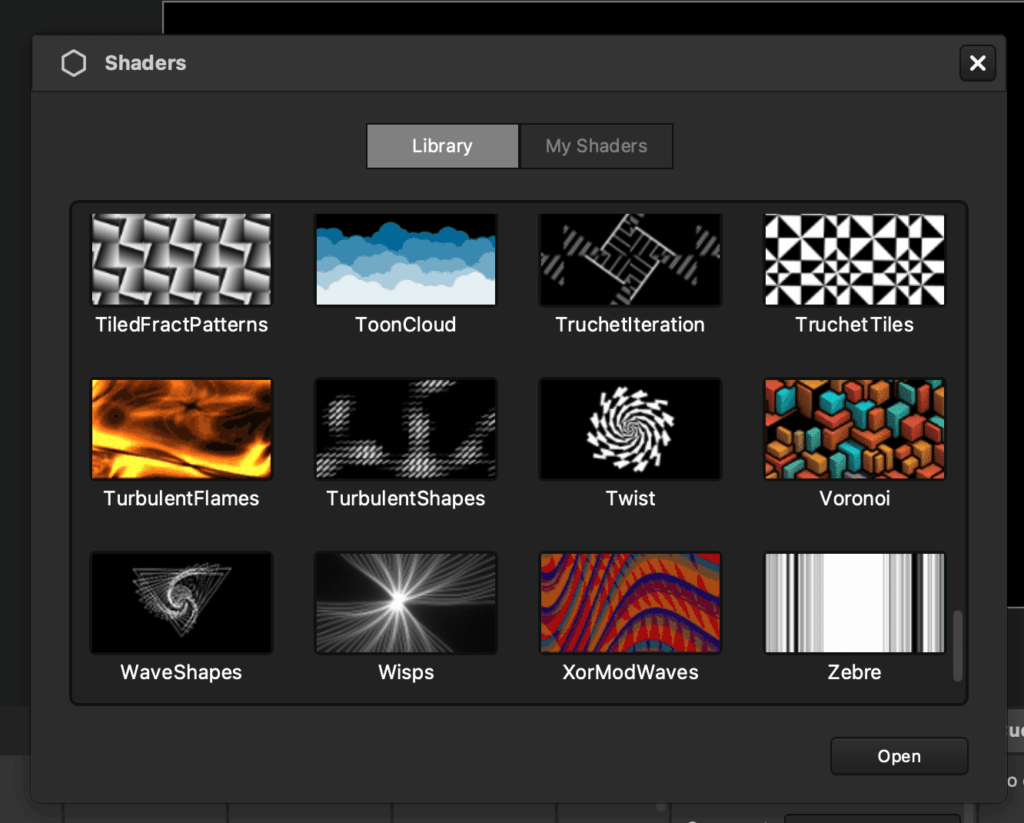
Ottimizza il tuo video mapping grazie alla vasta libreria di effetti visivi generativi e pronti all’uso di HeavyM. Non dovrai più partire da zero: la nostra piattaforma automatizza e semplifica il processo di progettazione, consentendoti di personalizzare i tuoi progetti in modo illimitato e senza alcuno sforzo.
Sincronizza le immagini con la musica grazie agli effetti beat-reactive
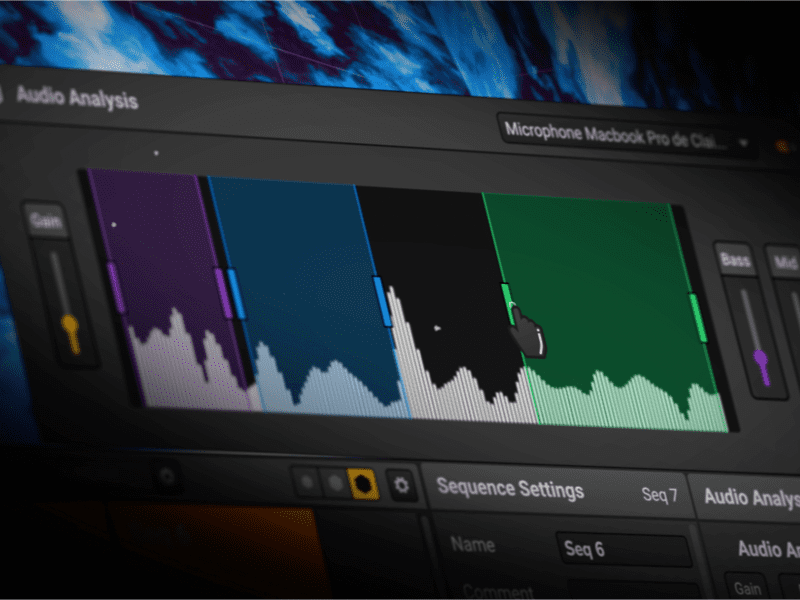
Eleva la mappatura delle proiezioni con la funzione di analisi del suono di HeavyM, che consente agli effetti di pulsare con il ritmo. Crea immagini dinamiche e reattive al ritmo che si adattano perfettamente all'atmosfera, valorizzando ogni performance o installazione.
Scopri le funzionalità e i servizi inclusi in ciascuna offerta.
HeavyM è disponibile in 3 diverse offerte: LiveProPro+
Realizzato su misura per artisti, musicisti e professionisti del settore audiovisivo
Già +80.000 utenti in tutto il mondo
Installazioni artistiche
Mapping dei graffiti
Animazione interattiva
Immagini che reagiscono ai sensori
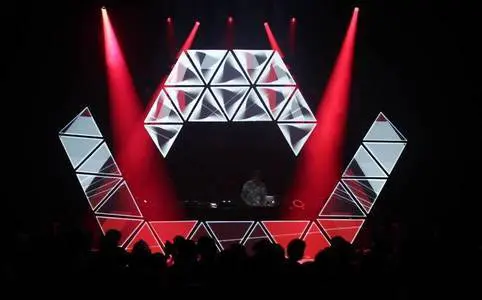
Decorazione del palco
Progettazione di cabine per DJ
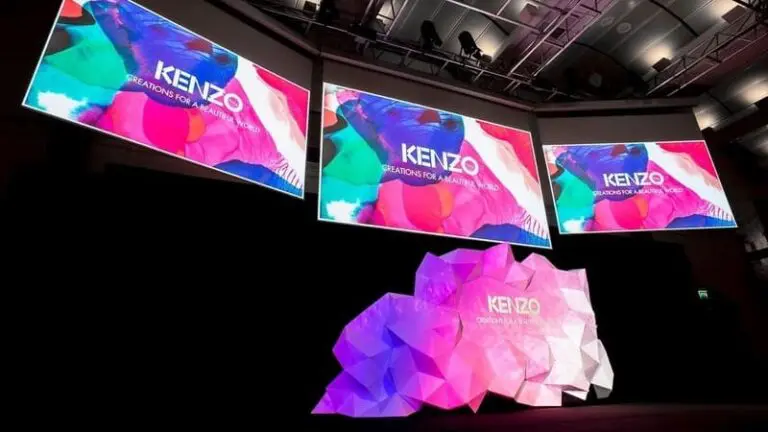
Spettacoli aziendali
Conferenza per il lancio di prodotti
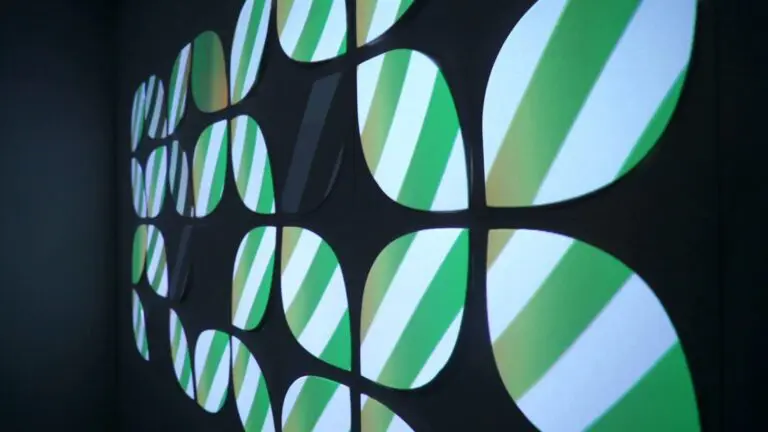
Installazione permanente
Pareti di un bar
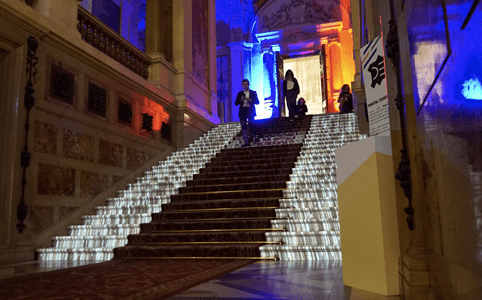
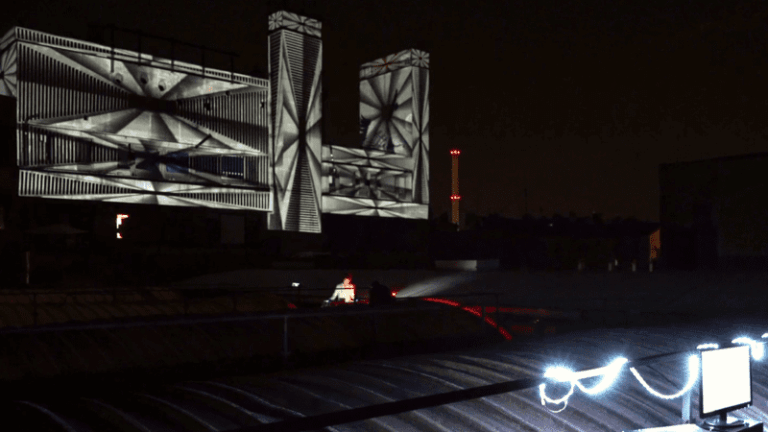
Mapping di edifici
Proiezione di un edificio di 6 piani
Comunità HeavyM
Apprezzato da artisti e professionisti
Romain Grd
VJ per feste techno
★★★★★
Il software perfetto per scoprire e comprendere le basi del video mapping. Facile da imparare, intuitivo da usare, risultati immediati. Il software è in continua evoluzione per soddisfare tutte le mie esigenze future.
Paul Vivien
Artista digitale
★★★★★
Progetta tutto ciò che desideri, procurati HeavyM e un proiettore e dai libero sfogo alla tua creatività. Le possibilità sono infinite. Puoi realizzare una composizione di video mapping di grande effetto in pochi minuti.
Arthur Devillers
Direttore tecnico
★★★★★
La reattività audio, il controllo MIDI e la facilità di configurazione rendono HeavyM uno strumento indispensabile per le installazioni audiovisive! La sua intuitività lo rende davvero unico. Lo adoro!
Romain Grd
VJ per feste techno
★★★★★
Il software perfetto per scoprire e comprendere le basi del video mapping. Facile da imparare, intuitivo da usare, risultati immediati. Il software è in continua evoluzione per soddisfare tutte le mie esigenze future.
Paul Vivien
Artista digitale
★★★★★
Progetta tutto ciò che desideri, procurati HeavyM e un proiettore e dai libero sfogo alla tua creatività. Le possibilità sono infinite. Puoi realizzare una composizione di video mapping di grande effetto in pochi minuti.
Arthur Devillers
Direttore tecnico
★★★★★
La reattività audio, il controllo MIDI e la facilità di configurazione rendono HeavyM uno strumento indispensabile per le installazioni audiovisive! La sua intuitività lo rende davvero unico. Lo adoro!
HeavyM ha tutte le caratteristiche di cui hai bisogno
Software di video mapping disponibile per Mac e Windows
01 CREA
Gestisci più ingressi contemporaneamente
Crea facilmente videowall. Importa tutti i tuoi file multimediali nel software, organizzali e poi riproducili contemporaneamente. HeavyM è un software affidabile, in grado di gestire anche i tuoi progetti più ambiziosi. Per ogni file multimediale, modifica le opzioni di riproduzione per ottenere il risultato desiderato. Posiziona il contenuto giusto al posto giusto grazie agli strumenti di disegno ergonomici.
Gestisci senza vincoli
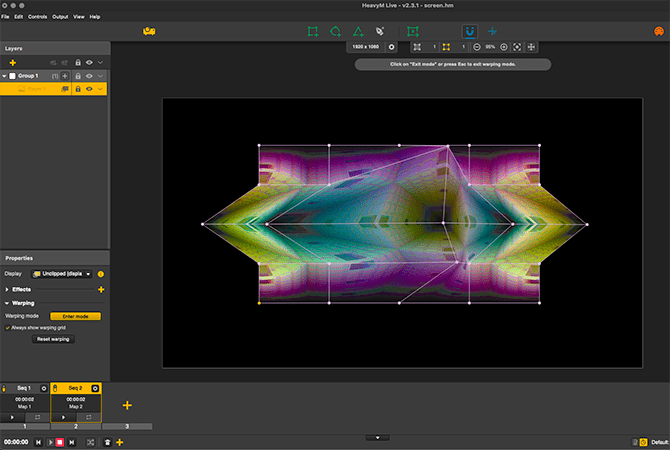
A volte è necessario adattare il video a una superficie 3D. Non perdere ore a creare un video che si adatti perfettamente alla tua superficie. Utilizza invece gli strumenti di warping integrati in HeavyM per deformare il video al volo e adattarlo al tuo set o oggetto. Una volta che avrai iniziato a usarli, non vedrai più la proiezione allo stesso modo.
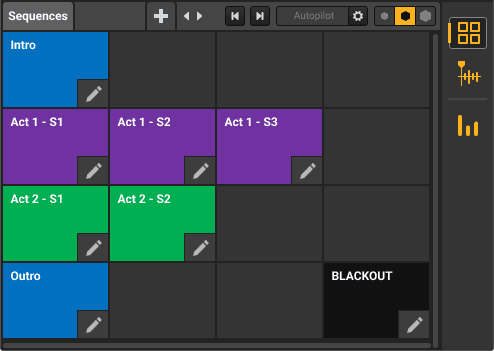
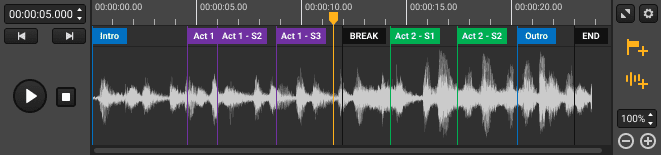
Organizza il tuo progetto in sequenze
Il sequencer HeavyM è indispensabile. Organizza il tuo progetto in più sequenze, combinale con splendide transizioni, attivale quando vuoi oppure pianifica un’intera esibizione con estrema precisione. Crea pattern diversi per ogni sequenza e avviali con un solo clic.
02 CONTROLLO
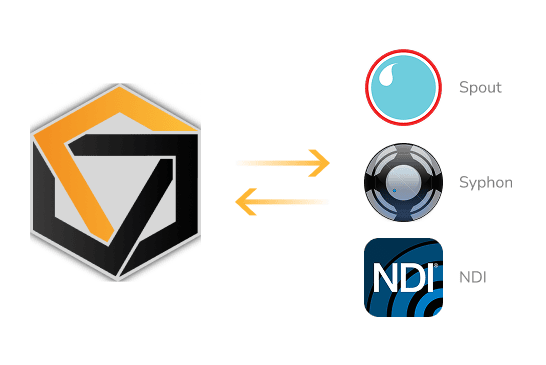
Aggiungi flussi video in diretta alle tue performance
Il software è compatibile con Syphon/Spout/NDI per consentirti di trasmettere in streaming l'output di HeavyM ad altri programmi di elaborazione video come OBS o Resolume.
Naturalmente è anche possibile trasmettere in streaming i segnali in uscita da vari software compatibili verso HeavyM. Moltiplica le possibilità grafiche dei tuoi strumenti da VJ combinandoli senza limiti.
Controlli MIDI/OSC/DMX
Il software HeavyM può essere controllato in tempo reale tramite diversi protocolli: MIDI/OSC/DMX. La configurazione del collegamento con i controller esterni avviene in pochi clic grazie alla funzione di riconoscimento automatico dell’interfaccia. Bastano pochi clic per collegare un tablet, uno smartphone o una console luci al software per le immagini. È possibile controllare l’attivazione di un effetto o di una sequenza in modo più semplice rispetto all’uso del mouse. La tua performance diventa una performance live.
Solo con HeavyM Pro e Pro+
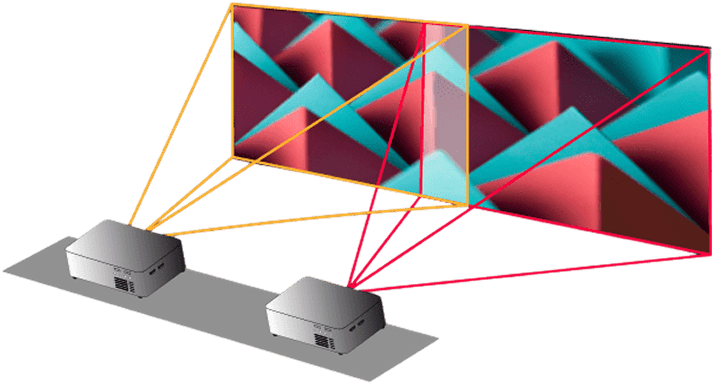
Proiezione multipla e edge blending
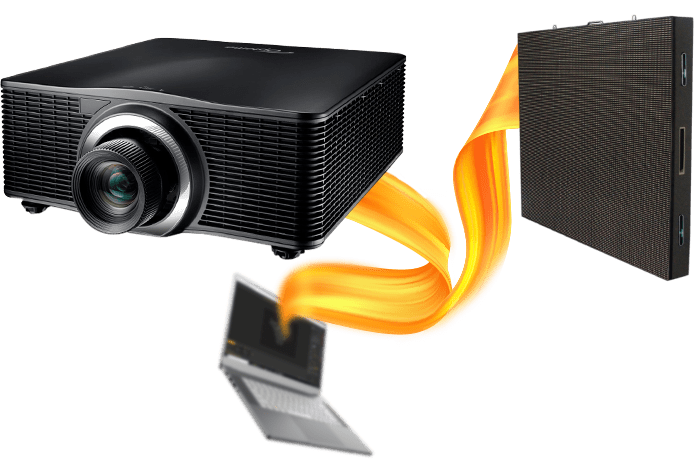
Se un'uscita non ti basta, invia il segnale HeavyM a più proiettori e schermi LED… quanti ne vuoi. Combina i proiettori con le funzioni di edge blending per trasmettere le tue creazioni su larga scala. Crea spettacolari video mapping utilizzando più proiettori con pochi clic.
Solo con HeavyM Pro e Pro+
03 SCALA
Automazione potenziata per creazioni senza sforzo
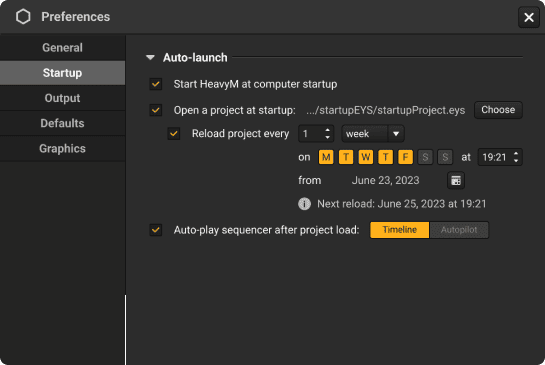
Con HeavyM Pro+, portiamo la comodità dell’utente a un livello completamente nuovo. Hai la possibilità di impostare HeavyM in modo che si avvii automaticamente all’avvio del computer, eliminando la necessità di avviarlo manualmente.
Puoi anche impostare l’apertura automatica di un progetto specifico all’avvio di HeavyM, risparmiando tempo e fatica. Inoltre, puoi scegliere se far riprodurre automaticamente la Timeline o l’Autopilot dopo il caricamento del progetto.
Solo con HeavyM Pro+
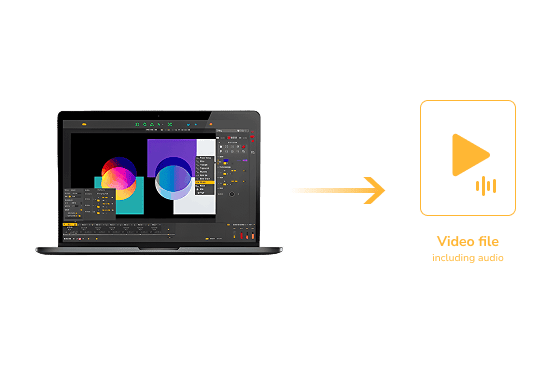
Esporta le tue creazioni in file video
Vuoi realizzare un'installazione permanente senza lasciare un computer sul posto? Basta esportare il progetto in un file video e caricarlo su un lettore multimediale. HeavyM è in grado di esportare file video .mov di alta qualità, compatibili con i dispositivi più diffusi.
Solo con HeavyM Pro+
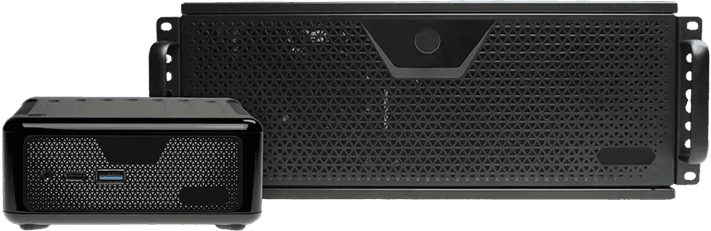
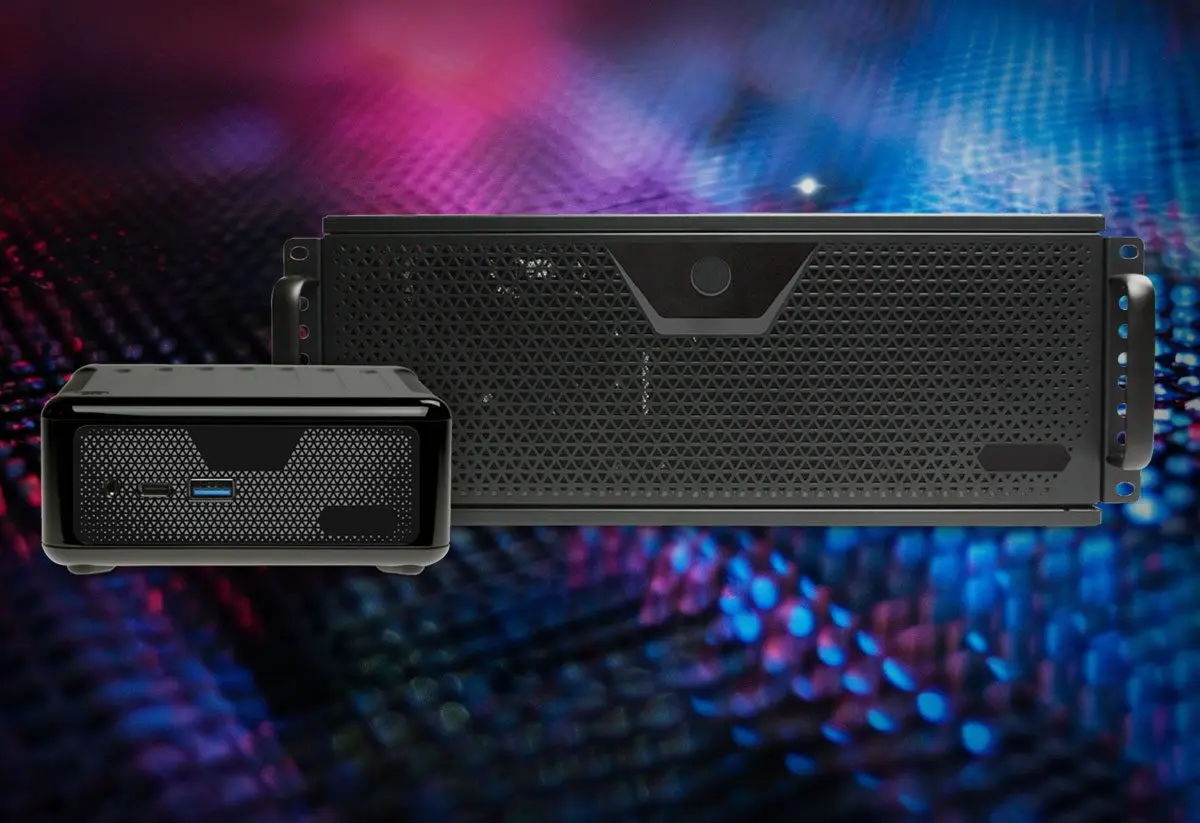
Libera il tuo potenziale con un server dedicato
L'hardware del Server è il tuo alleato compatto ma robusto per garantire immagini ad alte prestazioni. Sfrutta la potenza dei componenti di ultima generazione racchiusi in un'unità progettata per la portabilità. È la soluzione ottimale per progetti che spaziano dagli spettacoli dal vivo alle installazioni sincronizzate con più dispositivi hardware.
Grazie a funzionalità quali il controllo remoto, l’accensione e lo spegnimento automatici e il riavvio automatico in caso di interruzioni di corrente, puoi fare affidamento sul Server per esperienze visive fluide e di grande effetto.
Crea facilmente videowall. Importa tutti i tuoi file multimediali nel software, organizzali e poi riproducili contemporaneamente. HeavyM è un software affidabile, in grado di gestire anche i tuoi progetti più ambiziosi. Per ogni file multimediale, modifica le opzioni di riproduzione per ottenere il risultato desiderato. Posiziona il contenuto giusto al posto giusto grazie agli strumenti di disegno ergonomici.
Gestisci senza vincoli
A volte è necessario adattare il video a una superficie 3D. Non perdere ore a creare un video che si adatti perfettamente alla tua superficie. Utilizza invece gli strumenti di warping integrati in HeavyM per deformare il video al volo e adattarlo al tuo set o oggetto. Una volta che avrai iniziato a usarli, non vedrai più la proiezione allo stesso modo.
Organizza il tuo progetto in sequenze
Il sequencer HeavyM è indispensabile. Organizza il tuo progetto in più sequenze, combinale con splendide transizioni, attivale quando vuoi oppure pianifica un’intera esibizione con estrema precisione. Crea pattern diversi per ogni sequenza e avviali con un solo clic.
CONTROLLO
Aggiungi flussi video in diretta alle tue performance
Il software è compatibile con Syphon/Spout/NDI per consentirti di trasmettere in streaming l'output di HeavyM ad altri programmi di elaborazione video come OBS o Resolume.
Naturalmente è anche possibile trasmettere in streaming i segnali in uscita da vari software compatibili verso HeavyM. Moltiplica le possibilità grafiche dei tuoi strumenti da VJ combinandoli senza limiti.
Controlli MIDI/OSC/DMX
Il software HeavyM può essere controllato in tempo reale tramite diversi protocolli: MIDI/OSC/DMX. La configurazione del collegamento con i controller esterni avviene in pochi clic grazie alla funzione di riconoscimento automatico dell’interfaccia. Bastano pochi clic per collegare un tablet, uno smartphone o una console luci al software per le immagini. È possibile controllare l’attivazione di un effetto o di una sequenza in modo più semplice rispetto all’uso del mouse. La tua performance diventa una performance live.
Solo con HeavyM Pro e Pro+
Proiezione multipla e edge blending
Se un'uscita non ti basta, invia il segnale HeavyM a più proiettori e schermi LED… quanti ne vuoi. Combina i proiettori con le funzioni di edge blending per trasmettere le tue creazioni su larga scala. Crea spettacolari video mapping utilizzando più proiettori con pochi clic.
Solo con HeavyM Pro e Pro+
SCALA
Automazione potenziata per creazioni senza sforzo
Con HeavyM Pro+, portiamo la comodità dell’utente a un livello completamente nuovo. Hai la possibilità di impostare HeavyM in modo che si avvii automaticamente all’avvio del computer, eliminando la necessità di avviarlo manualmente.
Puoi anche impostare l’apertura automatica di un progetto specifico all’avvio di HeavyM, risparmiando tempo e fatica. Inoltre, puoi scegliere se far riprodurre automaticamente la Timeline o l’Autopilot dopo il caricamento del progetto.
Solo con HeavyM Pro+
Esporta le tue creazioni in file video
Vuoi realizzare un'installazione permanente senza lasciare un computer sul posto? Basta esportare il progetto in un file video e caricarlo su un lettore multimediale. HeavyM è in grado di esportare file video .mov di alta qualità, compatibili con i dispositivi più diffusi.
Solo con HeavyM Pro+
Libera il tuo potenziale con un server dedicato
L'hardware del Server è il tuo alleato compatto ma robusto per garantire immagini ad alte prestazioni. Sfrutta la potenza dei componenti di ultima generazione racchiusi in un'unità progettata per la portabilità. È la soluzione ottimale per progetti che spaziano dagli spettacoli dal vivo alle installazioni sincronizzate con più dispositivi hardware.
Grazie a funzionalità quali il controllo remoto, l’accensione e lo spegnimento automatici e il riavvio automatico in caso di interruzioni di corrente, puoi fare affidamento sul Server per esperienze visive fluide e di grande effetto.
Confronta le funzionalità per edizione
Tutte le opzioni di accesso (Rent-to-own, Perpetual) includono le stesse funzionalità. Le differenze dipendono dall'edizione selezionata.
Funzionalità
Live
Pro
Pro+
Funzionalità creative
Strumenti di disegno
✓
✓
✓
Generazione di intelligenza artificiale
✓
✓
✓
Effetti visivi e shader
✓
✓
✓
Playlist multimediali
✓
✓
✓
Reattività alla musica
✓
✓
✓
Modulo Timeline
-
✓
✓
Ingressi e uscite
Numero di uscite
1
Illimitate
Illimitate
Risoluzione massima
1920 x 1200
8K
8K
Webcam
✓
✓
✓
Syphon & Spout
-
✓
✓
NDI
-
✓
✓
Edge-blending
-
✓
✓
Decklink ingresso/uscita
-
✓
✓
Esportazione video
-
-
✓
Controlli
Controllo MIDI
✓
✓
✓
Formazione OSC e API
-
✓
✓
Controllo DMX in ingresso
-
✓
✓
Assistenza
Accesso alla community
✓
✓
✓
Assistenza via e-mail
48 h
24 h
12h
Assistenza Premium
-
-
✓
Postazione di backup aggiuntiva
-
-
✓
Prova la versione demo di HeavyM gratuitamente. Oppure opta per una versione a pagamento per non avere limitazioni.
SSD consigliato per progetti con un elevato utilizzo di contenuti multimediali
Specifiche tecniche
Formato video/foto
MP4
MOV
PNG
JPEG
Codec video
Apple ProRes
H.265
H.265
Protocolli di controllo
MIDI
OSC
Tastiera
DMX
Compatibile con tutti i display
Compatibile con
VGA
DVI
HDMI
Schermi a LED
Domande frequenti
HeavyM funziona con tutti i proiettori?
HeavyM funziona con la maggior parte dei proiettori che supportano un'uscita video standard. Le prestazioni dipendono dal tuo setup e dalla risoluzione.
Quando ricevo la mia licenza?
La licenza viene ricevuta immediatamente dopo l'acquisto.Viene automaticamente collegata al tuo account.
Posso passare a un'edizione superiore in un secondo momento?
Sì: con un piano di pagamento in un'unica soluzione, puoi passare a un piano superiore in qualsiasi momento pagando solo la differenza di prezzo tra i due piani. Gli upgrade non sono disponibili durante un piano "Rent-to-own".
Qual è la differenza tra pagamento unico e noleggio con opzione di acquisto?
Pagamento unico: Pagamento una tantum, licenza perpetua. Include 1 anno di aggiornamenti gratuiti. Noleggio con opzione di acquisto: Pagamento mensile per 6 mesi.Include tutti gli aggiornamenti durante il periodo, quindi la licenza è di tua proprietà.
Cosa succede una volta completato il mio piano "Rent-to-own"?
Una volta completati tutti i pagamenti, la licenza è di tua completa proprietà. Non sono necessari ulteriori pagamenti.
Posso annullare il mio piano "Rent-to-own"?
Sì. Durante il periodo di sospensione non avrai accesso al servizio, ma potrai riprenderlo in un secondo momento senza perdere i progressi compiuti verso l'acquisto.
Cosa succede se non effettuo un pagamento?
Il sistema effettua automaticamente un nuovo tentativo. Dopo diversi tentativi falliti, l'accesso viene sospeso fino al ripristino del pagamento.
Ricevo aggiornamenti durante il periodo di "Rent-to-own"?
Sì, per tutta la durata del piano. Una volta ottenuta la licenza, è possibile estendere gli aggiornamenti (estensione a pagamento).
Hai bisogno di ulteriori dettagli? La nostra sezione completa delle domande frequenti è a portata di clic. Trova tutte le informazioni di cui potresti aver bisogno su HeavyM per assicurarti un'esperienza senza intoppi. Ricorda, siamo qui per aiutarti!
Sul nostro sito web utilizziamo i cookie per offrirvi l'esperienza più pertinente possibile, ricordando le vostre preferenze e le vostre visite ripetute. Facendo clic su "Accetta", si acconsente all'utilizzo di TUTTI i cookie.
Questo sito web utilizza i cookie per migliorare la vostra esperienza di navigazione. Tra questi, i cookie classificati come necessari vengono memorizzati sul browser dell'utente in quanto essenziali per il funzionamento delle funzionalità di base del sito. Utilizziamo anche cookie di terze parti che ci aiutano ad analizzare e a capire come gli utenti utilizzano il sito. Questi cookie vengono memorizzati nel vostro browser solo con il vostro consenso. L'utente ha anche la possibilità di rinunciare a questi cookie. Tuttavia, la rinuncia ad alcuni di questi cookie potrebbe compromettere la vostra esperienza di navigazione.
I cookie necessari sono assolutamente indispensabili per il corretto funzionamento del sito web. Questi cookie garantiscono le funzionalità di base e le caratteristiche di sicurezza del sito web, in forma anonima.
Biscotto
Durée
Descrizione
cookielawinfo-checbox-analytics
11 mesi
Questo cookie è impostato dal plugin GDPR Cookie Consent. Il cookie viene utilizzato per memorizzare il consenso dell'utente per i cookie della categoria "Analytics".
cookielawinfo-checbox-funzionale
11 mesi
Il cookie è impostato dal GDPR cookie consent per registrare il consenso dell'utente per i cookie della categoria "Funzionali".
cookielawinfo-checbox-altri
11 mesi
Questo cookie è impostato dal plugin GDPR Cookie Consent. Il cookie viene utilizzato per memorizzare il consenso dell'utente per i cookie della categoria "Altro".
cookielawinfo-checkbox-necessario
11 mesi
Questo cookie è impostato dal plugin GDPR Cookie Consent. Il cookie viene utilizzato per memorizzare il consenso dell'utente per i cookie della categoria "Necessario".
cookielawinfo-checkbox-prestazioni
11 mesi
Questo cookie è impostato dal plugin GDPR Cookie Consent. Il cookie viene utilizzato per memorizzare il consenso dell'utente per i cookie della categoria "Performance".
politica_cookie_vista
11 mesi
Il cookie è impostato dal plugin GDPR Cookie Consent ed è utilizzato per memorizzare se l'utente ha acconsentito o meno all'uso dei cookie. Non memorizza alcun dato personale.
I cookie funzionali aiutano a svolgere alcune funzionalità come la condivisione dei contenuti del sito web sulle piattaforme dei social media, la raccolta di feedback e altre funzionalità di terze parti.
I cookie di prestazione sono utilizzati per comprendere e analizzare gli indici di prestazione chiave del sito web, che aiutano a fornire una migliore esperienza utente ai visitatori.
I cookie analitici sono utilizzati per capire come i visitatori interagiscono con il sito web. Questi cookie aiutano a fornire informazioni sulle metriche relative al numero di visitatori, alla frequenza di rimbalzo, alla fonte di traffico, ecc.
I cookie pubblicitari sono utilizzati per fornire ai visitatori annunci e campagne di marketing pertinenti. Questi cookie tengono traccia dei visitatori sui vari siti web e raccolgono informazioni per fornire annunci personalizzati.