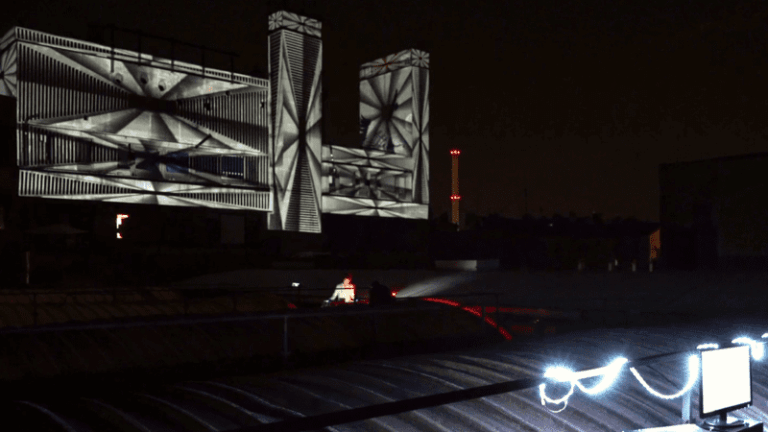
投影绘图变得简单:快速上手,效果惊人
Our user-friendly software empowers you to craft powerful visuals effortlessly with just a few clicks. Perfect for dynamic, on-the-fly projections: Drag, Drop, and Dazzle !
直观的绘图工具
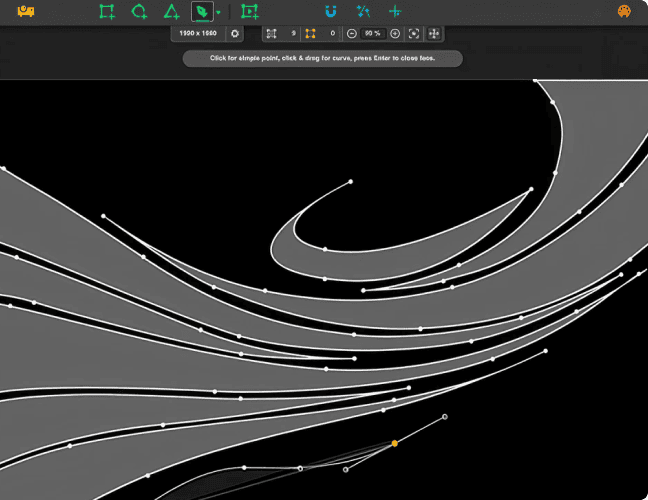
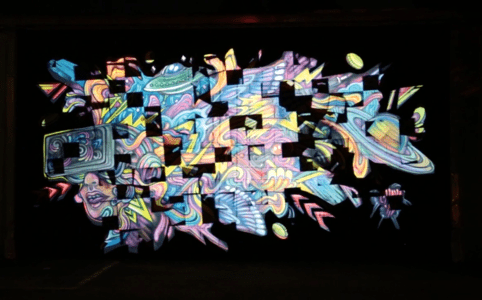
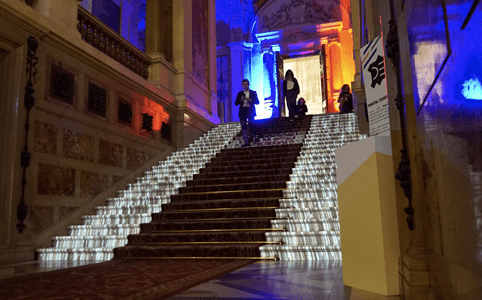
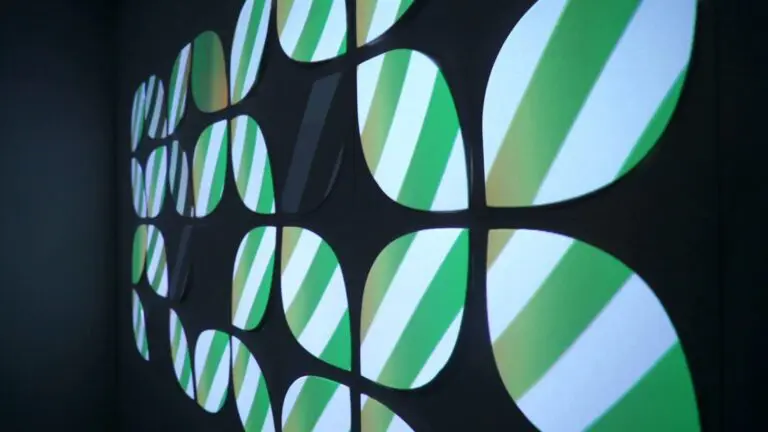
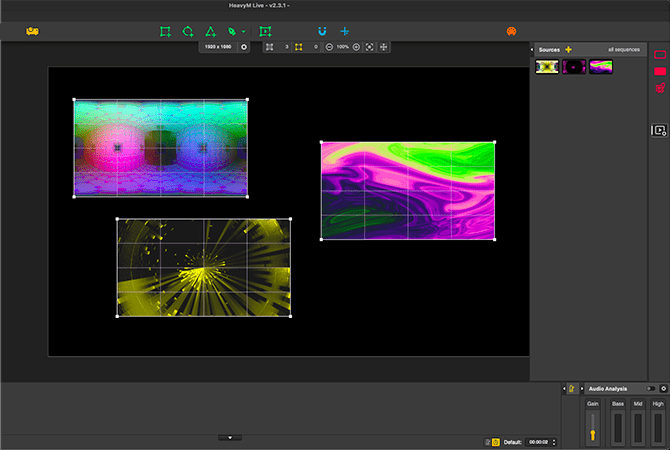
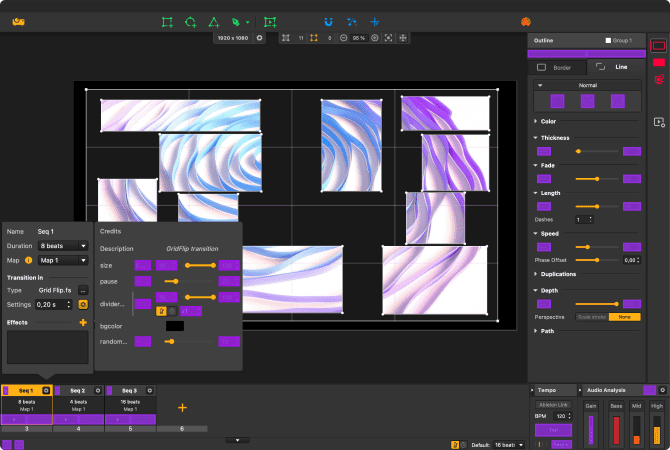
HeavyM offers intuitive drawing tools for quick and adaptable projection mapping. Choose from ready-made shapes or create complex designs effortlessly. 无论是实时制图还是根据照片制图,HeavyM 都能确保为您提供流畅的定制体验,让您比以往任何时候都更容易实现自己的愿景。
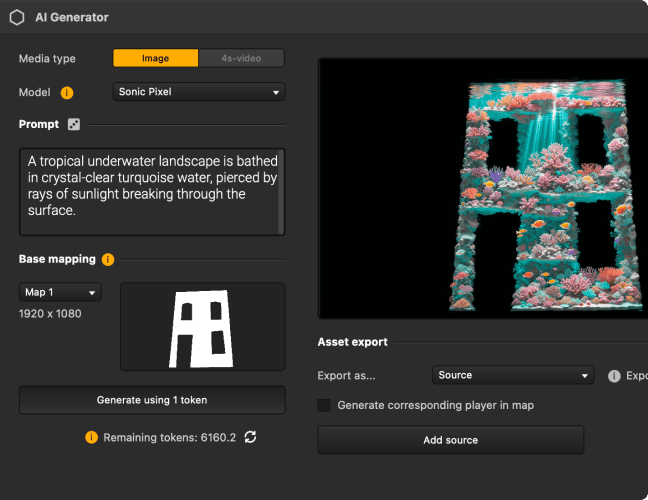
Create unique visuals with AI, without ever leaving HeavyM
Generate images and videos from a prompt, from an existing image, or straight from your own ideas. Bring your creation into your project and turn it into mapping content in seconds.
New
用于投影贴图的逼真纹理
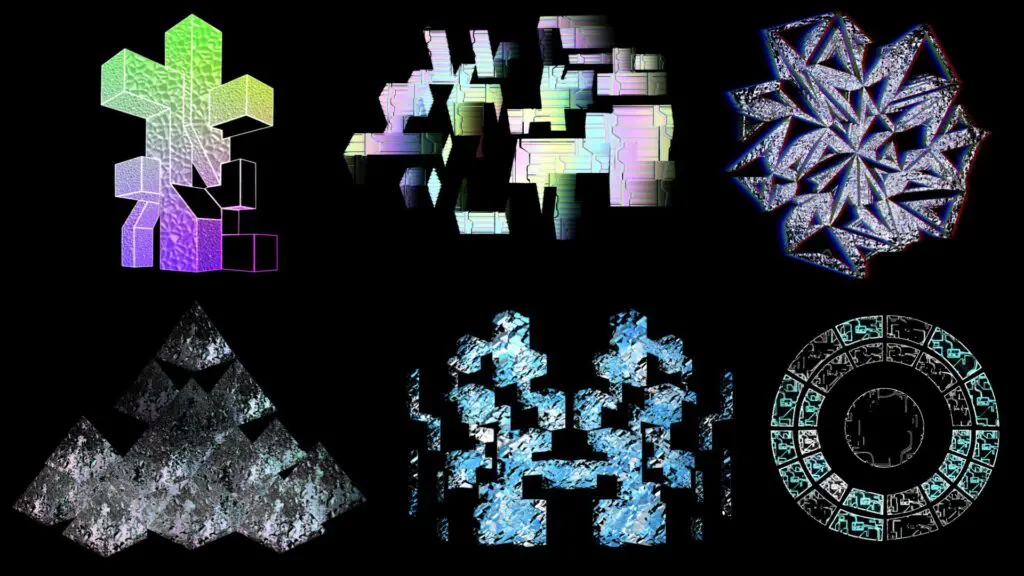
We introduced a game-changing feature: 3D Materials. Metal, wood, glass… Shapes now behave like real objects, reacting to light and giving your creations a striking 3D look. Your projection mapping goes beyond flat visuals: every surface gains depth, realism, and impact.
集成即用型视觉库
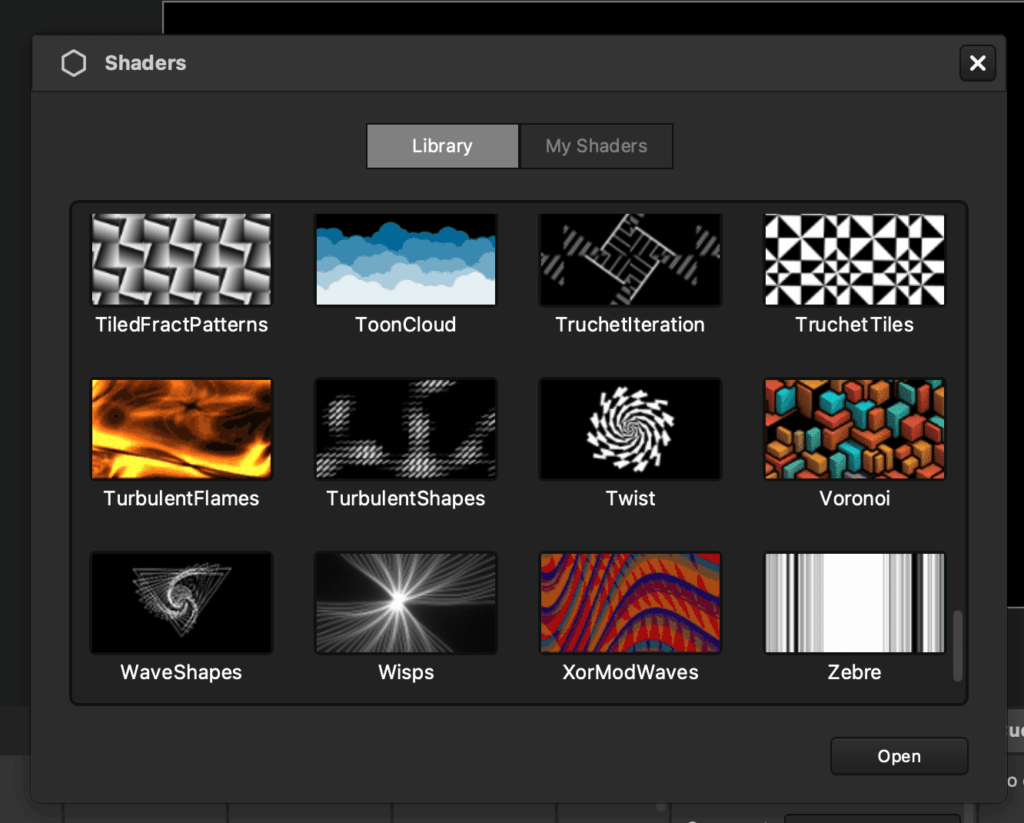
Streamline your projection mapping with HeavyM’s vast library of ready-to-use and generative visual effects. Eliminate the need for ground-up creation; our platform automates and simplifies the design process, allowing for endless, effortless customization of your projects.
利用节拍反应特效使视觉效果与音乐同步
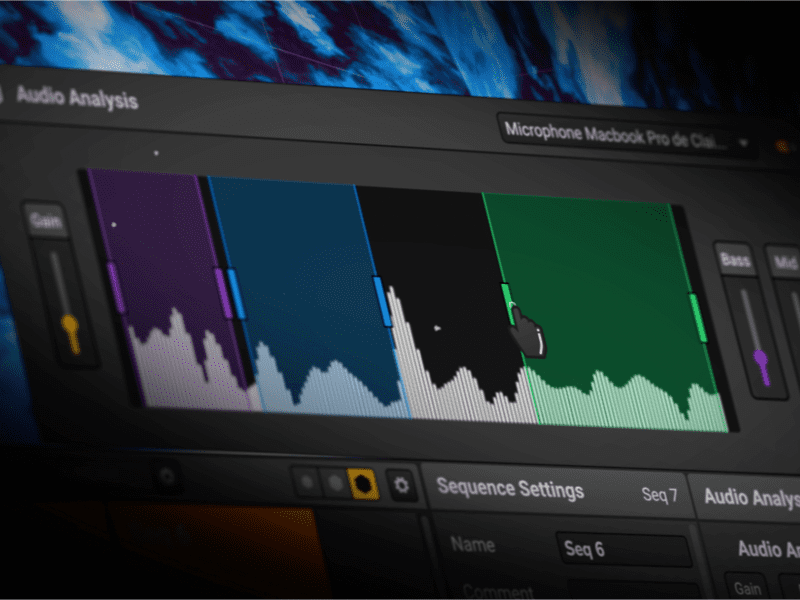
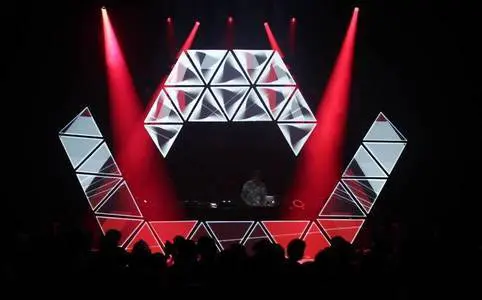
利用 HeavyM 的声音分析功能提升投影映射效果,让特效随着节拍跳动。创建动态、节拍反应的视觉效果,无缝适应气氛,增强每场演出或装置的效果。
HeavyM 社区
Loved by artists and professionals
罗曼-格尔德
技术派对 VJ
★★★★★
The perfect software to discover and understand the basics of video mapping. Quick learning, easy handling, immediate results. The software is constantly evolving to meet all my upcoming needs.
保罗-维维安
数字艺术家
★★★★★
Map everything you want, get HeavyM and a beamer and let your creativity flow. The possibilities are endless. You can make a solid projection mapping composition in a few minutes.
阿瑟-德维尔斯
技术总监
★★★★★
The audio reactivity, MIDI control, and the ease of setup make HeavyM an essential tool for audiovisual installations! Its intuitiveness truly makes it stand out. I absolutely love it
罗曼-格尔德
技术派对 VJ
★★★★★
The perfect software to discover and understand the basics of video mapping. Quick learning, easy handling, immediate results. The software is constantly evolving to meet all my upcoming needs.
保罗-维维安
数字艺术家
★★★★★
Map everything you want, get HeavyM and a beamer and let your creativity flow. The possibilities are endless. You can make a solid projection mapping composition in a few minutes.
阿瑟-德维尔斯
技术总监
★★★★★
The audio reactivity, MIDI control, and the ease of setup make HeavyM an essential tool for audiovisual installations! Its intuitiveness truly makes it stand out. I absolutely love it
HeavyM提供您需要的所有功能
Projection mapping software available for Mac and Windows
01 CREATE
同时管理多个输入
Create walls of images without difficulty. Import all your media into the software, organize them and then broadcast them at the same time. HeavyM is robust to handle your most ambitious projects. For each media, modify the playback options to obtain the desired result. Put the right content at the right place thanks to the ergonomic drawing tools.
无约束的处理
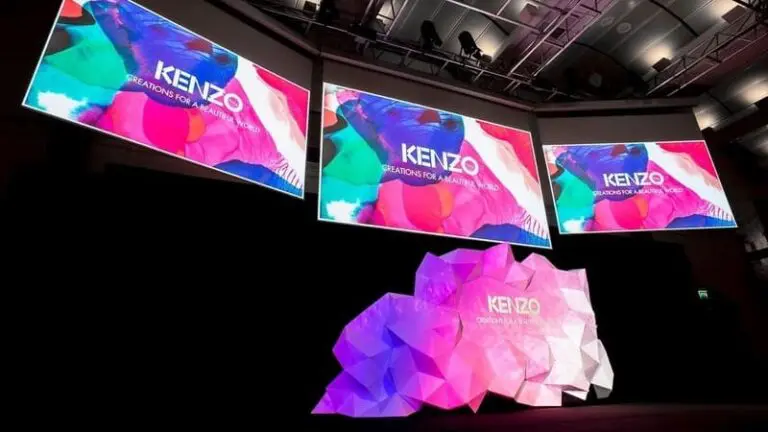
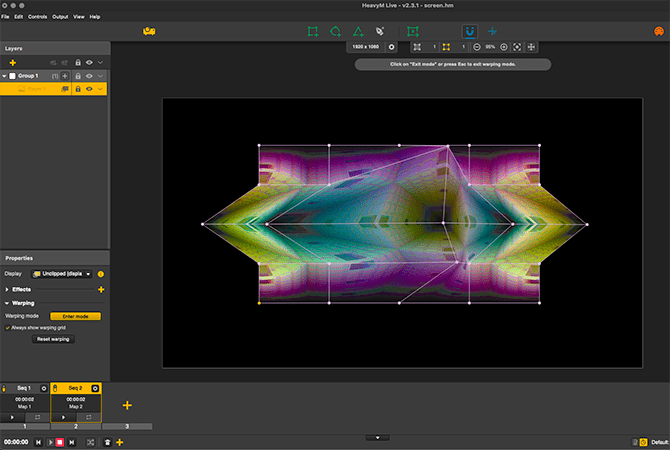
Sometimes you need to adapt your video to a 3D volume. Don’t spend hours and hours creating a video that fits perfectly on your volume. Instead, use HeavyM’s built-in warping tools to warp your video on the fly to fit your set or object . You’ll never think about projection the same way after you start using it.
按顺序组织您的项目
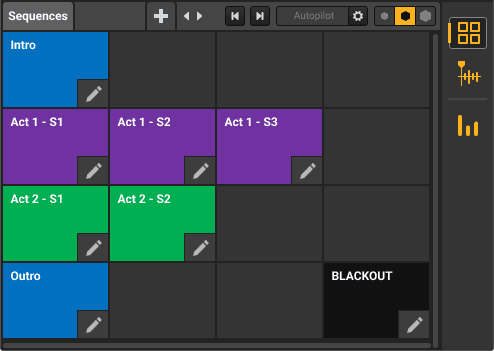
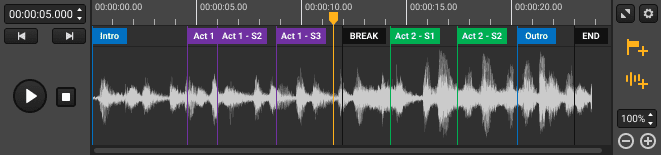
The HeavyM sequencer is a must. Organize your project in multiple sequences, combine them with beautiful transitions , activate them whenever you want, or schedule an entire performance with great precision. Create different patterns for each sequence and launch them with one click.
02 CONTROL
为您的演出添加实时视频流
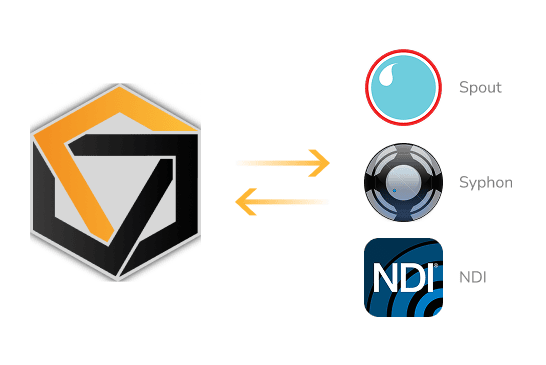
The software is compatible with Syphon/Spout/NDI to allow you to stream the output of HeavyM to other visuals programs such as OBS or Resolume. Of course you can also stream the outputs of various compatible software into HeavyM. Multiply the graphic possibilities of your video jockey tools by combining them without limits.
MIDI/OSC/DMX控制
HeavyM software can be controlled live via different protocols: MIDI/OSC/DMX . Setting up the link to external controllers is done in a few clicks thanks to the interface-learning configuration. It only takes a few clicks to connect a tablet, a smartphone or a light console to your software for visuals. You can control the triggering of an effect or a sequence more easily than with a mouse. Your chow becomes a live performance.
Multi-projection and edge-blending
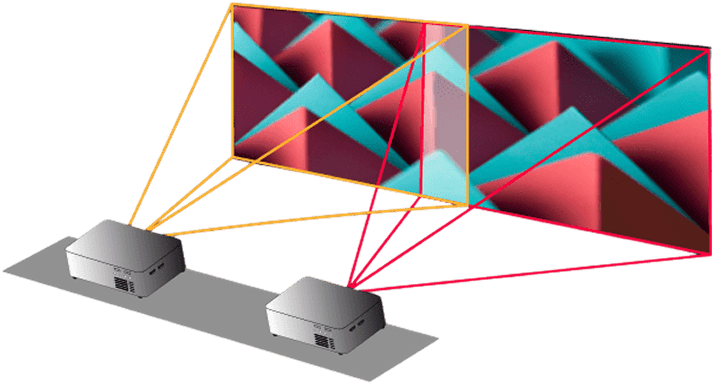
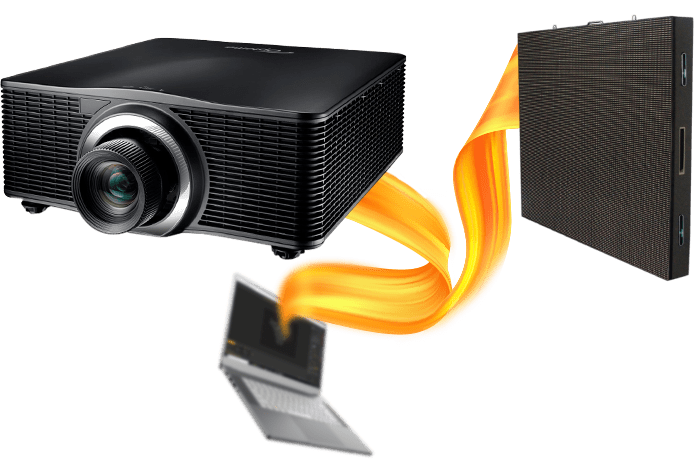
If one output is not enough for you, send the HeavyM output to several projectors and LED displays… as many as you want. Merge projectors with edge-blending features to broadcast your creations on a large scale. Create impressive projection mapping with several beamers with a few clicks.
仅适用于 HeavyM Pro 和 Pro+
增强自动化,实现轻松创作
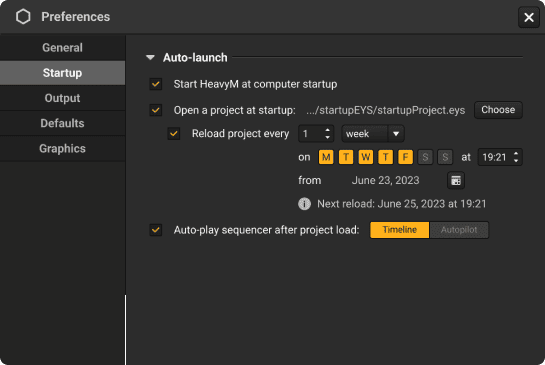
With HeavyM Pro+, we elevate user convenience to a whole new level. You have the ability to automate HeavyM to launch directly upon your computer startup, eliminating the need for manual initiation. You can also set a specific project to open automatically at HeavyM’s startup, saving both time and effort. Furthermore, you can choose to have either the Timeline or Autopilot play automatically after your project loads.
仅适用于 HeavyM Pro+
将您的创作导出为视频文件
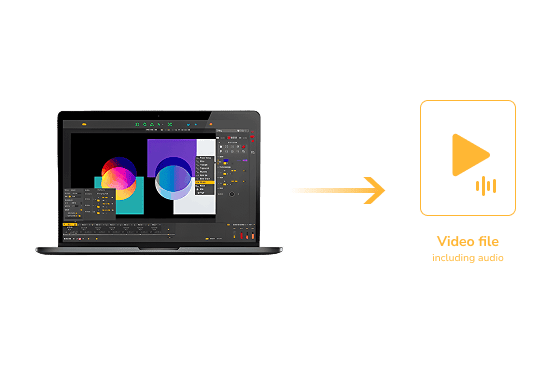
You want to run a permanent installation without leaving a computer on site? Simply export your project to a video file and place it in a media player. HeavyM can export high-quality .mov movie files, compatible with the most popular devices.
仅适用于 HeavyM Pro+
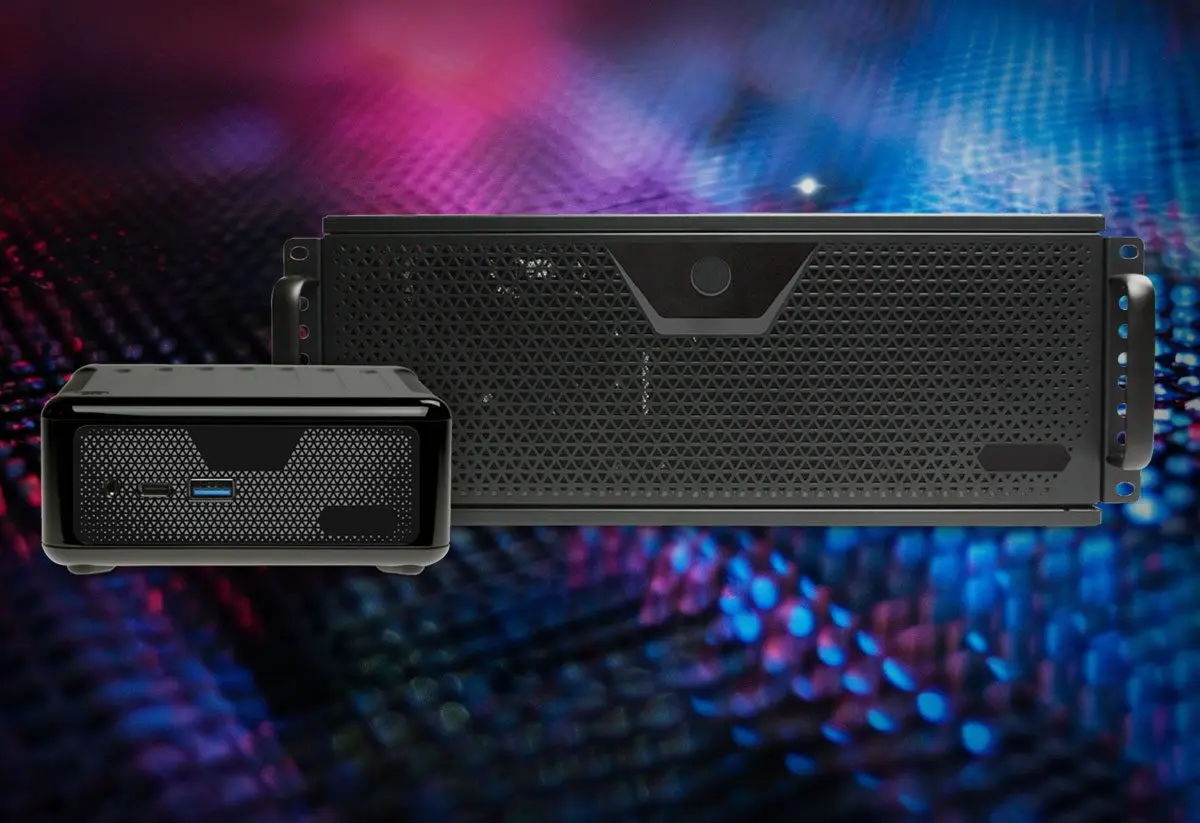
通过专用服务器充分释放潜能
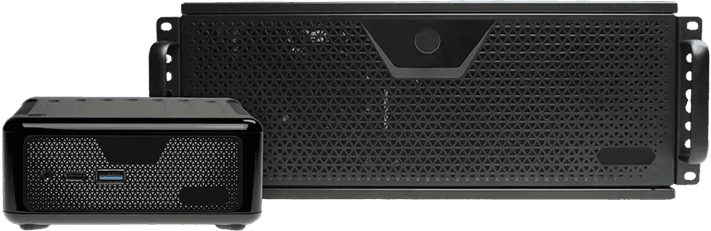
The Server hardware is your compact yet robust ally in delivering high-performance visuals. Harness the power of the latest components packed in a unit that’s designed for portability. It’s an optimal solution for projects ranging from live shows to synchronized multi-hardware installations. With features such as remote control, automatic power on/off, and auto-restart during power outages, you can rely on the Server for seamless and impressive visual experiences.
CREATE
同时管理多个输入
Create walls of images without difficulty. Import all your media into the software, organize them and then broadcast them at the same time. HeavyM is robust to handle your most ambitious projects. For each media, modify the playback options to obtain the desired result. Put the right content at the right place thanks to the ergonomic drawing tools.
无约束的处理
Sometimes you need to adapt your video to a 3D volume. Don’t spend hours and hours creating a video that fits perfectly on your volume. Instead, use HeavyM’s built-in warping tools to warp your video on the fly to fit your set or object . You’ll never think about projection the same way after you start using it.
按顺序组织您的项目
The HeavyM sequencer is a must. Organize your project in multiple sequences, combine them with beautiful transitions , activate them whenever you want, or schedule an entire performance with great precision. Create different patterns for each sequence and launch them with one click.
CONTROL
为您的演出添加实时视频流
The software is compatible with Syphon/Spout/NDI to allow you to stream the output of HeavyM to other visuals programs such as OBS or Resolume. Of course you can also stream the outputs of various compatible software into HeavyM. Multiply the graphic possibilities of your video jockey tools by combining them without limits.
MIDI/OSC/DMX控制
HeavyM software can be controlled live via different protocols: MIDI/OSC/DMX . Setting up the link to external controllers is done in a few clicks thanks to the interface-learning configuration. It only takes a few clicks to connect a tablet, a smartphone or a light console to your software for visuals. You can control the triggering of an effect or a sequence more easily than with a mouse. Your chow becomes a live performance.
Multi-projection and edge-blending
If one output is not enough for you, send the HeavyM output to several projectors and LED displays… as many as you want. Merge projectors with edge-blending features to broadcast your creations on a large scale. Create impressive projection mapping with several beamers with a few clicks.
仅适用于 HeavyM Pro 和 Pro+
SCALE
增强自动化,实现轻松创作
With HeavyM Pro+, we elevate user convenience to a whole new level. You have the ability to automate HeavyM to launch directly upon your computer startup, eliminating the need for manual initiation. You can also set a specific project to open automatically at HeavyM’s startup, saving both time and effort. Furthermore, you can choose to have either the Timeline or Autopilot play automatically after your project loads.
仅适用于 HeavyM Pro+
将您的创作导出为视频文件
You want to run a permanent installation without leaving a computer on site? Simply export your project to a video file and place it in a media player. HeavyM can export high-quality .mov movie files, compatible with the most popular devices.
仅适用于 HeavyM Pro+
通过专用服务器充分释放潜能
The Server hardware is your compact yet robust ally in delivering high-performance visuals. Harness the power of the latest components packed in a unit that’s designed for portability. It’s an optimal solution for projects ranging from live shows to synchronized multi-hardware installations. With features such as remote control, automatic power on/off, and auto-restart during power outages, you can rely on the Server for seamless and impressive visual experiences.
按版本比较功能
所有使用方式(租购、永久许可)均包含相同的功能。具体差异取决于所选版本。.
| 功能 | Live | Pro | Pro+ |
|---|---|---|---|
| 创意功能 | |||
| 绘图工具 | ✓ | ✓ | ✓ |
| 人工智能一代 | ✓ | ✓ | ✓ |
| 视觉效果和着色器 | ✓ | ✓ | ✓ |
| 媒体播放列表 | ✓ | ✓ | ✓ |
| 音乐律动响应 | ✓ | ✓ | ✓ |
| 时间轴模块 | - | ✓ | ✓ |
| 输入与输出 | |||
| 输出数 | 1 | 无限 | 无限 |
| 最大分辨率 | 1920 x 1200 | 8K | 8K |
| 网络摄像头 | ✓ | ✓ | ✓ |
| Syphon & Spout | - | ✓ | ✓ |
| NDI | - | ✓ | ✓ |
| 边缘融合 | - | ✓ | ✓ |
| Decklink 输入/输出 | - | ✓ | ✓ |
| 视频导出 | - | - | ✓ |
| 控制功能 | |||
| MIDI 控制 | ✓ | ✓ | ✓ |
| OSC 学习与 API | - | ✓ | ✓ |
| DMX 输入控制 | - | ✓ | ✓ |
| 技术支持 | |||
| 社区支持 | ✓ | ✓ | ✓ |
| 电子邮件支持 | 48 小时 | 24 小时 | 12h |
| 高级支持 | - | - | ✓ |
| 额外备用授权席位 | - | - | ✓ |
HeavyM is a multiple award-winning software
产品详细信息
系统要求
操作系统
Windows 8 / 10 / 11 (64-bit)
macOS 10.15+
Native support for Apple Silicon Macs(M1–M4+)
最低配置要求
中央处理器
Intel Core i5 2.30GHz, 4 Cores, or equivalent
内存
4GB RAM
GPU
专用显卡(Nvidia / AMD), 2GB VRAM
Apple Silicon
Apple M1 or later
存储
500MB可用磁盘空间
推荐配置
中央处理器
Intel Core i5 2.30GHz, 4 Cores, or equivalent
内存
8GB of RAM or more
GPU
NVIDIA GTX 1060 / AMD RX580及以上
存储
500MB可用磁盘空间
Drive
SSD recommended for media-heavy projects
技术规格
视频/图片格式
MP4
MOV
PNG
JPEG
视频编解码器
AppleProRes
H265
H265
控制协议
MIDI
OSC
键盘
DMX
兼容所有显示器
Compatible with
显像管
DVI
HDMI
LED屏幕
常见问题
HeavyM 是否适用于所有投影仪?
HeavyM 可与大多数支持标准视频输出的投影仪配合使用。性能取决于您的设置和分辨率。
我什么时候能收到许可证?
购买后,您会立即收到许可证。许可证会自动链接到您的账户。
以后可以升级到更高版本吗?
是的:选择一次性付款方案,您可以随时升级,只需支付不同方案之间的差价。在“先租后买”方案期间,无法进行升级。.
一次性买断和先租后买有什么区别?
一次性买断: 一次性付款,永久许可证。包含1年的免费更新。.
先租后买: 按月付费,为期 6 个月。包括在此期间的所有更新,然后您就拥有了许可证。
完成“先租后买”计划后会发生什么?
完成所有付款后,您就完全拥有了许可证。无需再付款。
我可以取消我的“先租后买”计划吗?
是的。取消订阅期间您将无法使用该服务,但日后恢复订阅时,您已取得的拥有权进度不会丢失。.
如果我错过了一次付款,会有什么后果?
系统会自动重试。多次尝试失败后,将暂停访问,直至恢复付款。.
在“先租后买”期间,我会收到更新通知吗?
是的,在整个计划期间都适用。一旦您获得了许可证,即可延长更新期限(付费延期)。.
In need of more details? Our full FAQ section is only a click away. Find all the insights you might need about HeavyM to ensure a seamless experience. Remember, we’re here to support you!