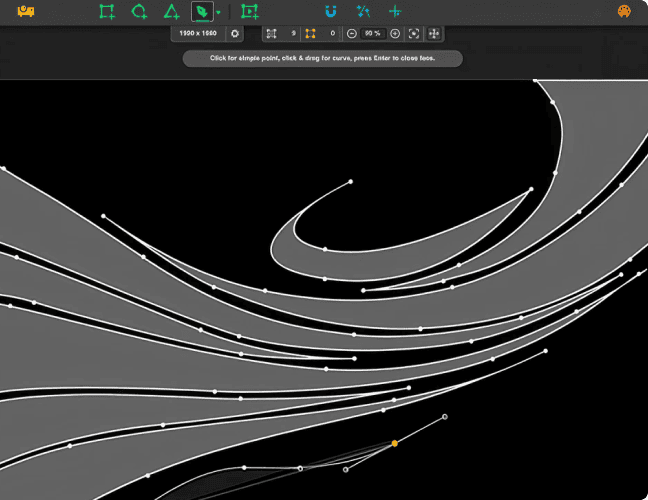
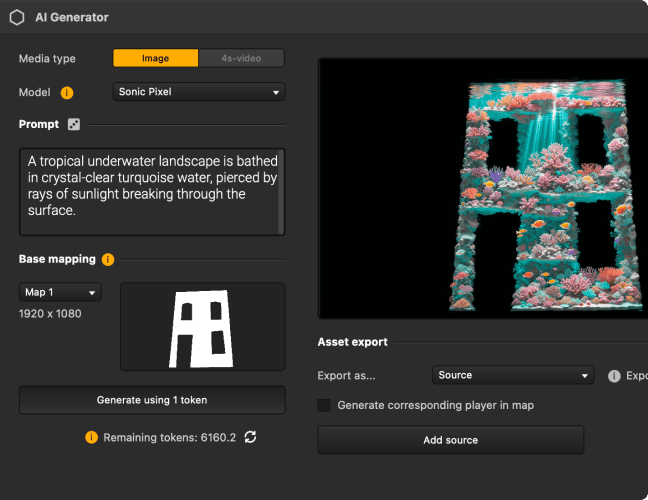
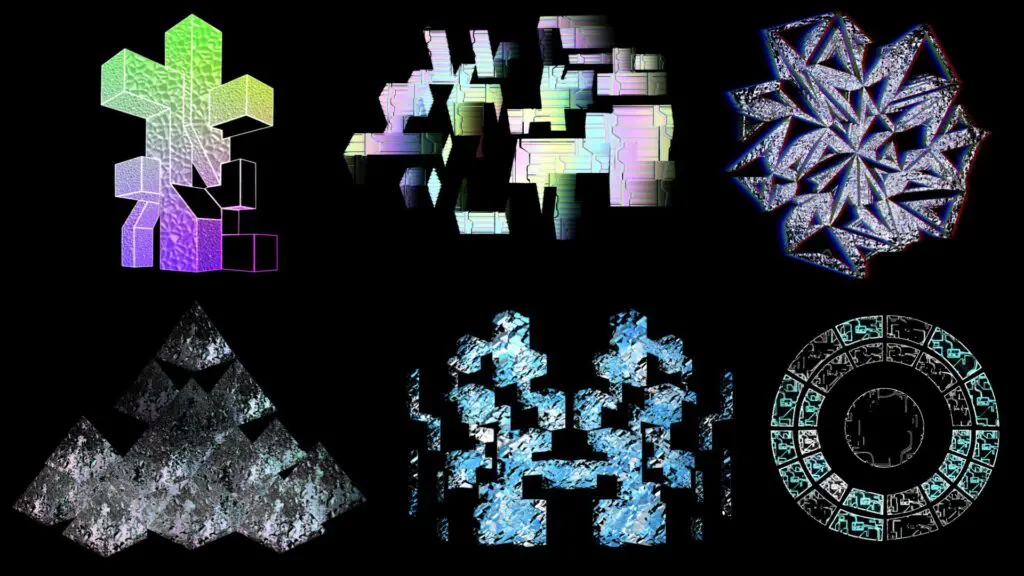
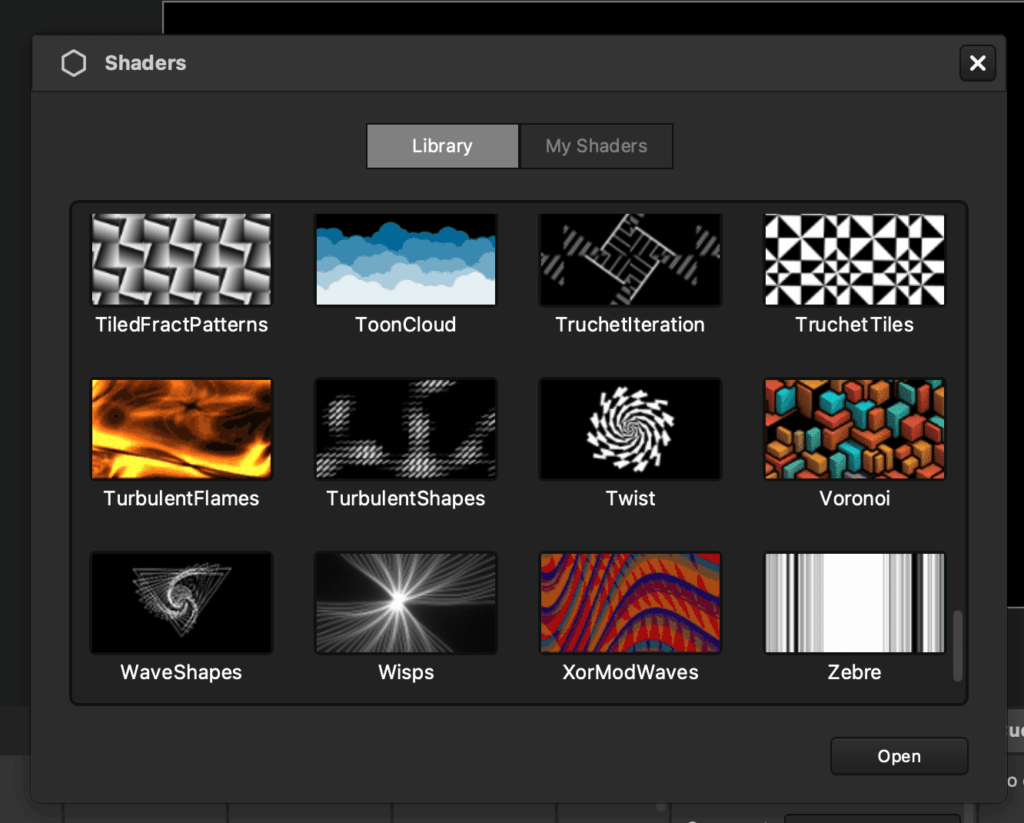
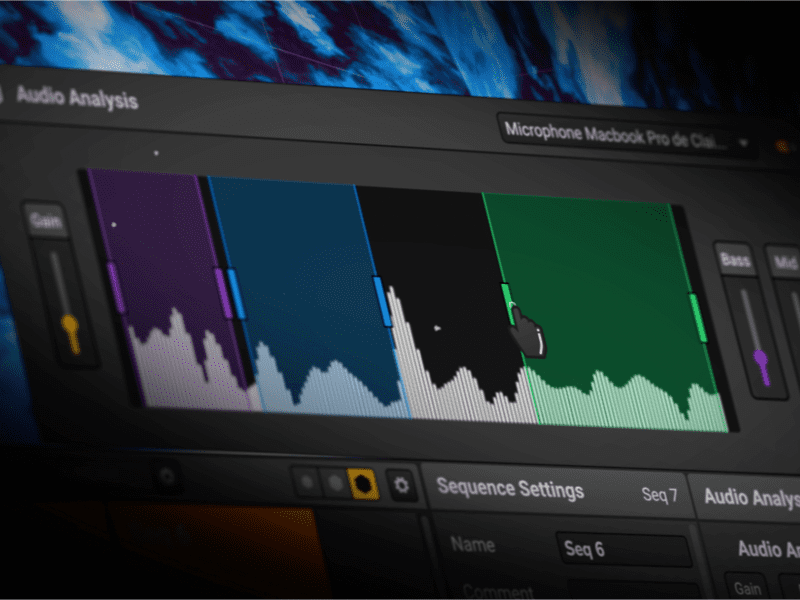
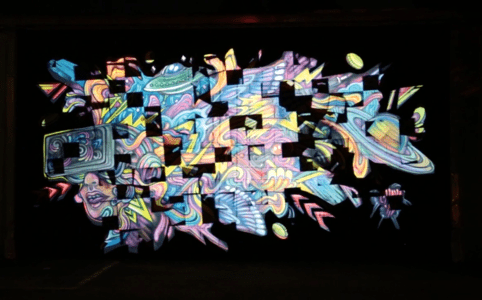
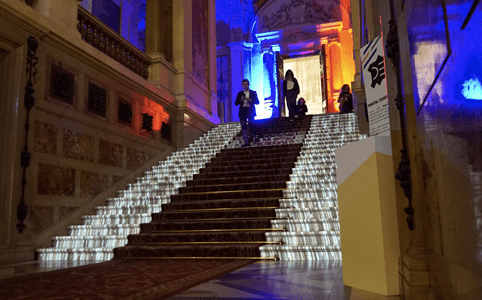
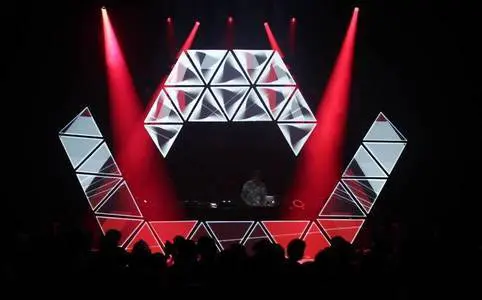
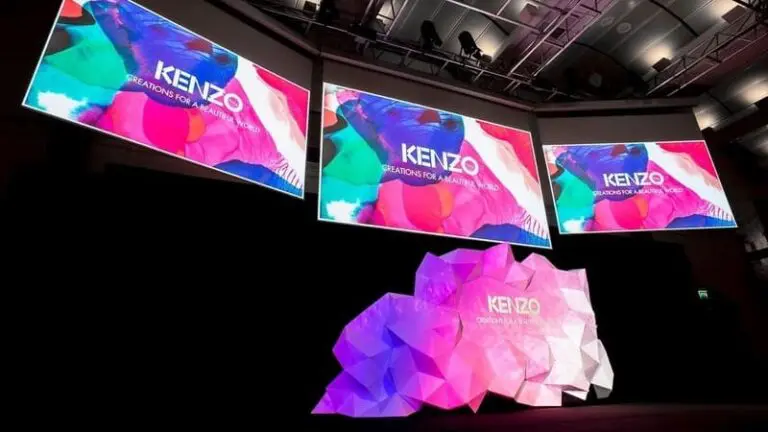
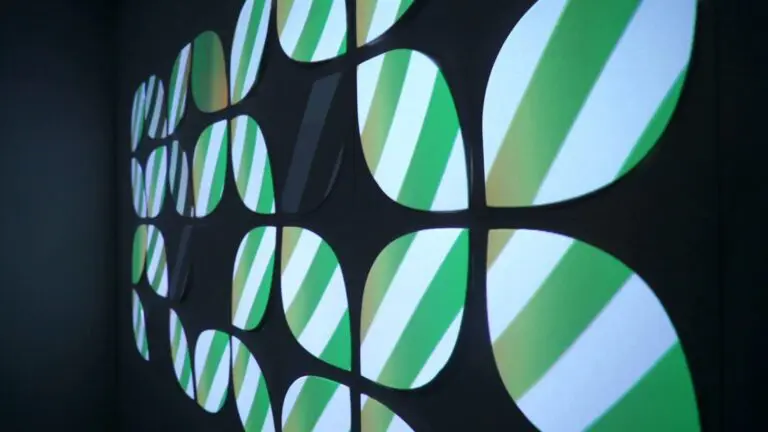
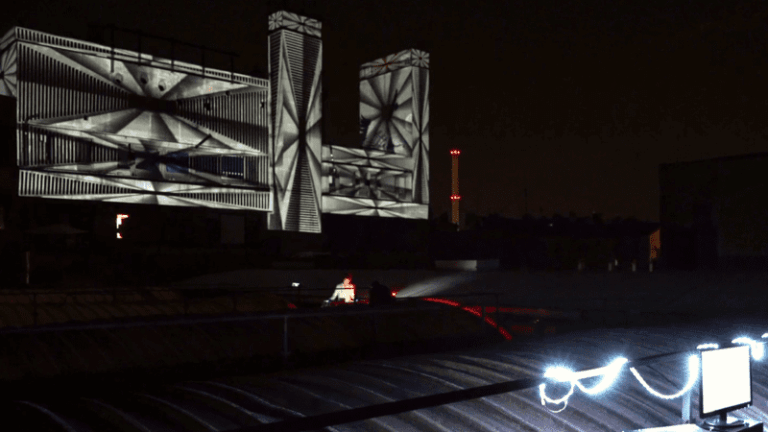
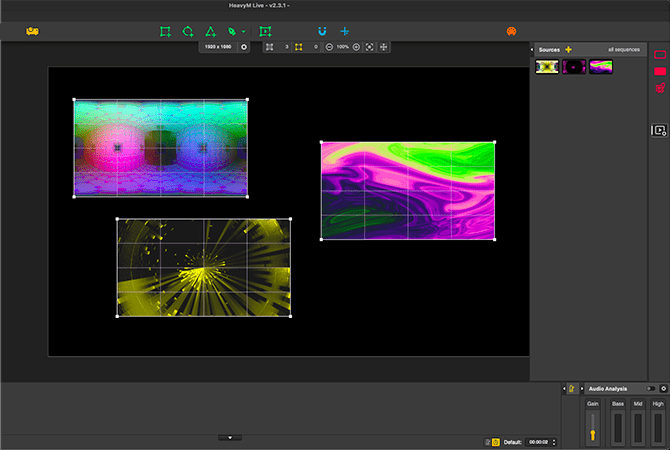
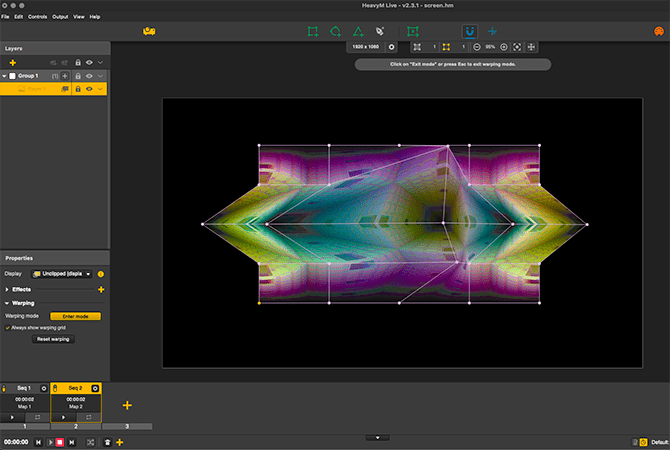
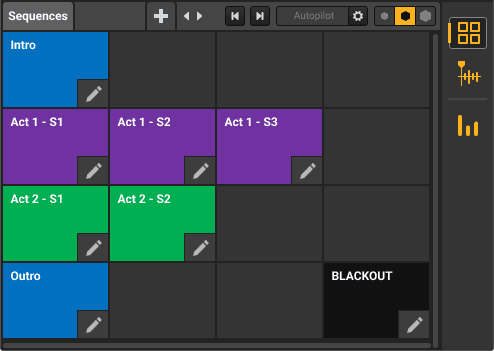
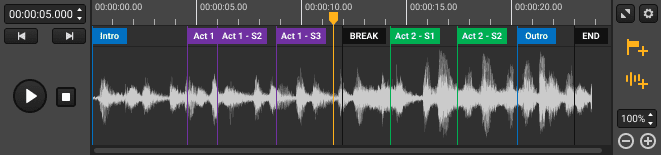
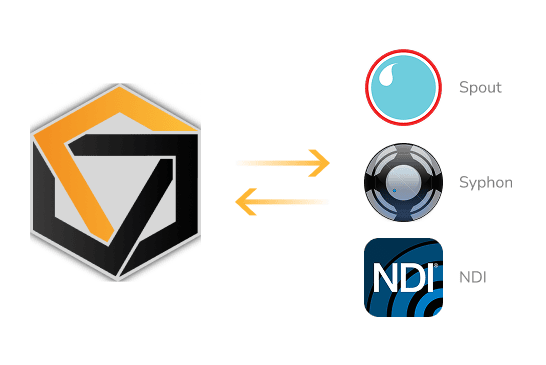
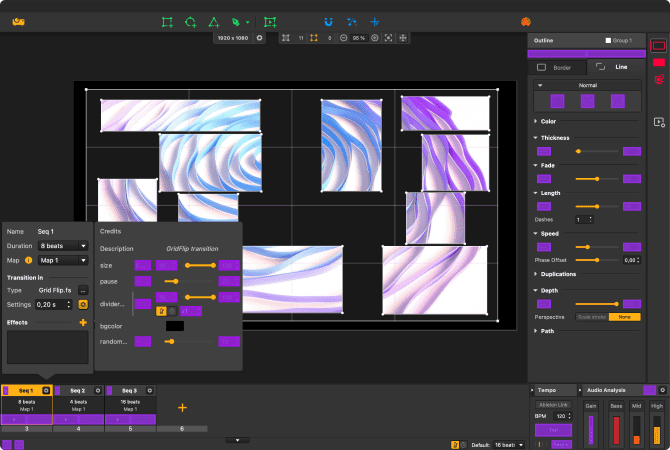
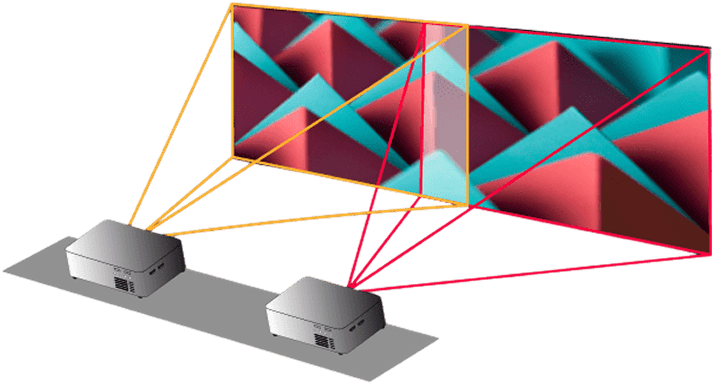
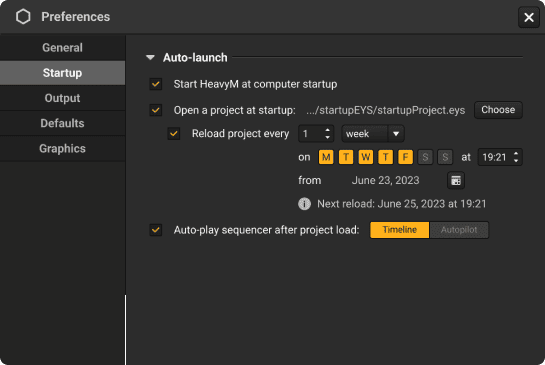
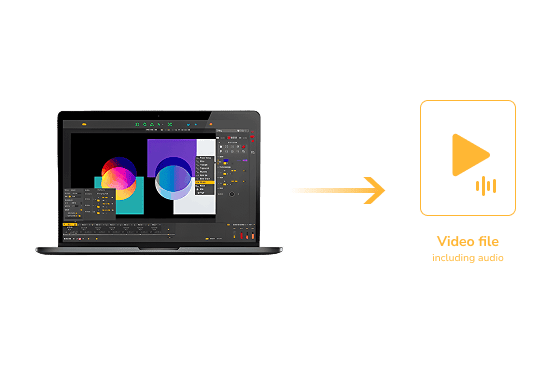
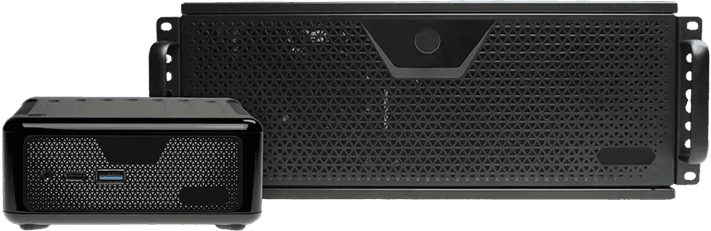
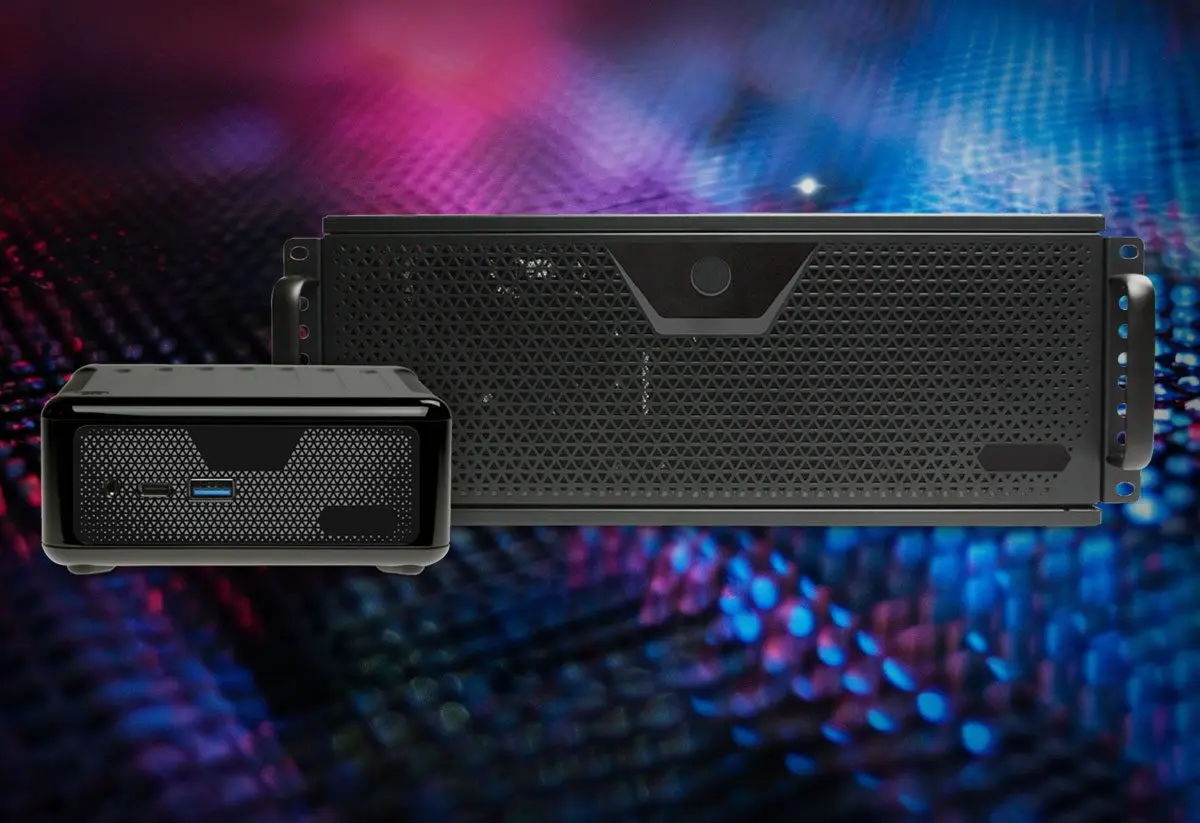
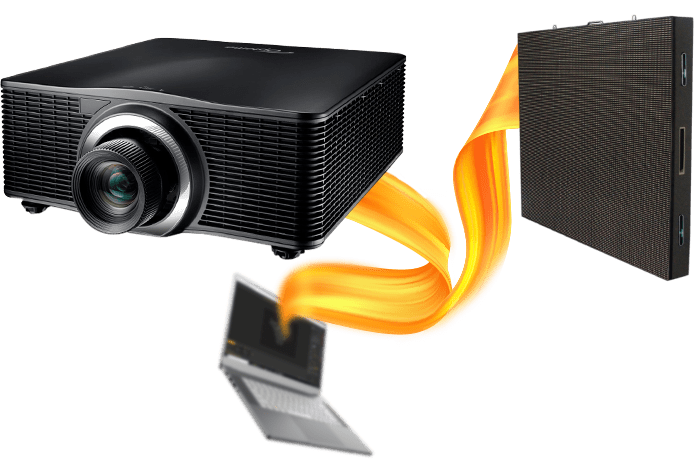
HeavyMソフトウェア 驚きのビジュアルステージデザインやインスタレーションを、驚異的なスピードで制作できるプロジェクションマッピングソフトウェア デモをダウンロード プロジェクションマッピングをもっと簡単に すぐに始めて驚きの映像を 使いやすいHeavyMなら、わずか数回のクリックで、手軽に迫力のある映像を制作できます。臨機応変なプロジェクションにも最適です。ドラッグ&ドロップで、観客を魅了しましょう! 直感的に使える描画ツール HeavyMは、プロジェクションマッピングをすばやく柔軟に行える、直感的な描画ツールを提供します。あらかじめ用意された図形から選択することも、複雑なデザインを手軽に作成することもできます。リアルタイムでマッピングする場合でも、写真を使ってマッピングする場合でも、HeavyMならスムーズで思いどおりの制作体験を実現でき、これまで以上に簡単にアイデアを形にできます。. リアルタイムのマッピングでも、写真からのマッピングでも、HeavyMはスムーズでカスタマイズされた体験を保証し、これまで以上にシンプルにビジョンを実現します。 HeavyMを離れることなく、AIでユニークなビジュアルを作成 プロンプトや既存の画像、あなたのアイデアから、画像や動画を生成できます。生成したコンテンツをプロジェクトに取り込み、わずか数秒でプロジェクションマッピング用のコンテンツに変換できます。 New プロジェクションマッピングにリアルな質感を 革新的な機能「3Dマテリアル」を搭載しました。金属、木材、ガラスなど、形状が実物のように光に反応し、作品に印象的な3D表現をもたらします。プロジェクションマッピングは単なる平面的なビジュアルの域を超え、あらゆる表面に奥行きとリアリティ、そして迫力を生み出します。 すぐに使えるビジュアルライブラリを搭載 HeavyMの豊富な、すぐに使えるビジュアルエフェクトやジェネレーティブエフェクトのライブラリを活用して、プロジェクションマッピングの制作を効率化できます。一から作成する必要はありません。HeavyMのプラットフォームがデザインプロセスを自動化・簡略化することで、プロジェクトを自由自在に、手軽にカスタマイズできます。 ビートに反応するエフェクトで、映像を音楽とシンクロ HeavyMのサウンド解析機能で、プロジェクションマッピングをさらに進化させることができます。ビートに合わせてエフェクトを変化させ、ダイナミックでビートに反応する映像を作成できます。空間の雰囲気にシームレスに適応する映像で、あらゆるパフォーマンスやインスタレーションをさらに引き立てます。 各プランに含まれる機能やサービスをご覧ください。 HeavyMには、以下の3つのプランがあります: Live Pro Pro+ 料⾦を⾒る アーティスト、音楽パフォーマー、映像・音響のプロフェッショナルのために設計されています すでに世界中で80,000人以上が利用 アートインスタレーション グラフィティへのプロジェクションマッピング インタラクティブアニメーション センサーに反応するビジュアル ステージ装飾 DJブースのデザイン 企業イベント 製品発表・カンファレンス 常設設備 バーの壁面 ビルマッピング 6階建ての建物へのプロジェクション HeavyMコミュニティ アーティストやプロフェッショナルに愛用されています ロマン・グルド テクノ・パーティーVJ ★★★★★ ビデオマッピングを始め、その基本を理解するのに最適なソフトウェアです。覚えやすく、操作も簡単で、すぐに成果を実感できます。ソフトウェアは常に進化しており、これから必要になるさまざまなニーズにも対応してくれます。 ポール・ヴィヴィアン デジタル・アーティスト ★★★★★ 好きなものを何でもマッピングして、HeavyMとプロジェクターがあれば、あとは自由に創作を楽しめます。可能性は無限大です。数分でしっかりとしたプロジェクションマッピングの作品を作ることができます。 アーサー・デビラーズ テクニカルディレクター ★★★★★ オーディオリアクティブ、MIDI制御、セットアップの簡単さを備えたHeavyMは、オーディオビジュアルのインスタレーションに欠かせないツールです!直感的に使える点が、HeavyMを際立たせています。本当に気に入っています。 ロマン・グルド テクノ・パーティーVJ ★★★★★ ビデオマッピングを始め、その基本を理解するのに最適なソフトウェアです。覚えやすく、操作も簡単で、すぐに成果を実感できます。ソフトウェアは常に進化しており、これから必要になるさまざまなニーズにも対応してくれます。 ポール・ヴィヴィアン デジタル・アーティスト ★★★★★ 好きなものを何でもマッピングして、HeavyMとプロジェクターがあれば、あとは自由に創作を楽しめます。可能性は無限大です。数分でしっかりとしたプロジェクションマッピングの作品を作ることができます。 アーサー・デビラーズ テクニカルディレクター ★★★★★ オーディオリアクティブ、MIDI制御、セットアップの簡単さを備えたHeavyMは、オーディオビジュアルのインスタレーションに欠かせないツールです!直感的に使える点が、HeavyMを際立たせています。本当に気に入っています。 HeavyMには、必要な機能がすべて揃っています MacおよびWindows対応のプロジェクションマッピングソフトウェア 01 制作 複数の⼊⼒を同時に管理 複数の映像を簡単に並べて表示できます。すべてのメディアをソフトウェアに取り込み、整理してから同時に再生できます。HeavyMは、高度なプロジェクトにも柔軟に対応できるソフトウェアです。メディアごとに再生オプションを変更して、思いどおりの結果を得られます。使いやすい描画ツールを使えば、適切なコンテンツを適切な場所に配置できます。 制約なく自由に操作 3Dの立体形状に映像を合わせたい場合もあります。立体形状にぴったり合う映像を作るために、何時間も費やす必要はありません。HeavyMに搭載されたワーピングツールを使えば、セットやオブジェクトに合わせて、その場で映像を変形できます。HeavyMを使い始めれば、プロジェクションに対する考え方もきっと変わるはずです。 シーケンスでプロジェクトを整理 HeavyMのシーケンサーは、プロジェクト制作に欠かせない機能です。プロジェクトを複数のシーケンスに分けて整理し、美しいトランジションで組み合わせたり、好きなタイミングで再生したり、パフォーマンス全体を細かくスケジュールしたりできます。シーケンスごとに異なるパターンを作成し、ワンクリックで再生できます。 02 コントロール ライブ映像をパフォーマンスに追加 HeavyMはSyphon、Spout、NDIに対応しており、OBSやResolumeなどの他のビジュアルソフトウェアにHeavyMの出力をストリーミングできます。対応するさまざまなソフトウェアの出力をHeavyMに取り込むことも可能です。さまざまなツールを自由に組み合わせ、VJツールを使ったビジュアル表現の可能性をさらに広げられます。 MIDI/OSC/DMX制御 HeavyMは、MIDI/OSC/DMXなどのさまざまなプロトコルを介して、ライブで制御できます。インターフェース学習機能による設定で、外部コントローラーとの接続も数回のクリックで完了します。タブレットやスマートフォン、照明コンソールをビジュアルソフトウェアに接続するのも、数回クリックするだけです。マウスを使うよりも簡単に、エフェクトやシーケンスのトリガーを操作できます。これにより、ショーがライブパフォーマンスへと変わります。 HeavyM ProおよびPro+のみ マルチプロジェクションとエッジブレンディング 1つの出力では足りない場合は、HeavyMの出力を複数のプロジェクターやLEDディスプレイに送信できます。エッジブレンディング機能でプロジェクターをつなぎ合わせれば、大規模な空間に作品を映し出すことができます。数回のクリックで複数のプロジェクターを使った迫力のあるプロジェクションマッピングを制作できます。 HeavyM ProおよびPro+のみ 03 スケール 手軽な制作を実現する高度な自動化 HeavyM Pro+により、ユーザーの利便性をまったく新しいレベルへと引き上げます。HeavyMを自動起動するように設定すれば、コンピュータの起動と同時に直接起動するため、手動での起動が不要になります。 また、HeavyMの起動時に特定のプロジェクトを自動的に開くように設定することもでき、時間と手間を節約できます。さらに、プロジェクトの読み込み後に「タイムライン」または「オートパイロット」のどちらかを自動的に再生するように選択することも可能です。. HeavyM Pro+のみ 作品を動画ファイルとして書き出す パソコンを現場に置かずに、常設設備を運用したいですか?プロジェクトを動画ファイルとして書き出し、メディアプレーヤーで再生するだけです。HeavyMでは、高品質な.mov形式の動画ファイルを書き出せるため、一般的なデバイスで再生できます。 HeavyM Pro+のみ 専用メディアサーバーで可能性を最大限に引き出す メディアサーバーは、コンパクトながら高性能なビジュアル表現を支える頼れるパートナーです。持ち運びやすく設計されたユニットに最新のコンポーネントを搭載し、その性能を最大限に活用できます。ライブショーから複数のハードウェアを同期させるインスタレーションまで、幅広いプロジェクトに適したソリューションです。リモートコントロール、自動電源オン/オフ、停電時の自動再起動などの機能を備えているため、途切れのない、印象的なビジュアル体験を実現できます。 詳細はこちら CREATE 複数の⼊⼒を同時に管理 複数の映像を簡単に並べて表示できます。すべてのメディアをソフトウェアに取り込み、整理してから同時に再生できます。HeavyMは、高度なプロジェクトにも柔軟に対応できるソフトウェアです。メディアごとに再生オプションを変更して、思いどおりの結果を得られます。使いやすい描画ツールを使えば、適切なコンテンツを適切な場所に配置できます。 制約なく自由に操作 3Dの立体形状に映像を合わせたい場合もあります。立体形状にぴったり合う映像を作るために、何時間も費やす必要はありません。HeavyMに搭載されたワーピングツールを使えば、セットやオブジェクトに合わせて、その場で映像を変形できます。HeavyMを使い始めれば、プロジェクションに対する考え方もきっと変わるはずです。 シーケンスでプロジェクトを整理 HeavyMのシーケンサーは、プロジェクト制作に欠かせない機能です。プロジェクトを複数のシーケンスに分けて整理し、美しいトランジションで組み合わせたり、好きなタイミングで再生したり、パフォーマンス全体を細かくスケジュールしたりできます。シーケンスごとに異なるパターンを作成し、ワンクリックで再生できます。 コントロール ライブ映像をパフォーマンスに追加 HeavyMはSyphon、Spout、NDIに対応しており、OBSやResolumeなどの他のビジュアルソフトウェアにHeavyMの出力をストリーミングできます。対応するさまざまなソフトウェアの出力をHeavyMに取り込むことも可能です。さまざまなツールを自由に組み合わせ、VJツールを使ったビジュアル表現の可能性をさらに広げられます。 MIDI/OSC/DMX制御 HeavyMは、MIDI/OSC/DMXなどのさまざまなプロトコルを介して、ライブで制御できます。インターフェース学習機能による設定で、外部コントローラーとの接続も数回のクリックで完了します。タブレットやスマートフォン、照明コンソールをビジュアルソフトウェアに接続するのも、数回クリックするだけです。マウスを使うよりも簡単に、エフェクトやシーケンスのトリガーを操作できます。これにより、ショーがライブパフォーマンスへと変わります。 HeavyM ProおよびPro+のみ マルチプロジェクションとエッジブレンディング 1つの出力では足りない場合は、HeavyMの出力を複数のプロジェクターやLEDディスプレイに送信できます。エッジブレンディング機能でプロジェクターをつなぎ合わせれば、大規模な空間に作品を映し出すことができます。数回のクリックで複数のプロジェクターを使った迫力のあるプロジェクションマッピングを制作できます。 HeavyM ProおよびPro+のみ スケール 手軽な制作を実現する高度な自動化 HeavyM Pro+により、ユーザーの利便性をまったく新しいレベルへと引き上げます。HeavyMを自動起動するように設定すれば、コンピュータの起動と同時に直接起動するため、手動での起動が不要になります。 また、HeavyMの起動時に特定のプロジェクトを自動的に開くように設定することもでき、時間と手間を節約できます。さらに、プロジェクトの読み込み後に「タイムライン」または「オートパイロット」のどちらかを自動的に再生するように選択することも可能です。. HeavyM Pro+のみ 作品を動画ファイルとして書き出す パソコンを現場に置かずに、常設設備を運用したいですか?プロジェクトを動画ファイルとして書き出し、メディアプレーヤーで再生するだけです。HeavyMでは、高品質な.mov形式の動画ファイルを書き出せるため、一般的なデバイスで再生できます。 HeavyM Pro+のみ 専用メディアサーバーで可能性を最大限に引き出す メディアサーバーは、コンパクトながら高性能なビジュアル表現を支える頼れるパートナーです。持ち運びやすく設計されたユニットに最新のコンポーネントを搭載し、その性能を最大限に活用できます。ライブショーから複数のハードウェアを同期させるインスタレーションまで、幅広いプロジェクトに適したソリューションです。リモートコントロール、自動電源オン/オフ、停電時の自動再起動などの機能を備えているため、途切れのない、印象的なビジュアル体験を実現できます。 エディション別の機能比較 レンタル購入と永久ライセンスのどちらを選んでも、利用できる機能は同じです。機能の違いは、選択したエディションによって決まります。 機能 Live Pro Pro+ クリエイティブ機能 描画ツール ✓ ✓ ✓ AI生成 ✓ ✓ ✓ ビジュアルエフェクト&シェーダー ✓ ✓ ✓ メディアプレイリスト ✓ ✓ ✓ オーディオリアクティブ ✓ ✓ ✓ タイムラインモジュール - ✓ ✓ 入力・出力 出力の数 1 無制限 無制限 最大解像度 1920 x 1200 8K 8K Webカメラ ✓ ✓ ✓ Syphon & Spout - ✓ ✓ NDI - ✓ ✓ エッジブレンディング - ✓ ✓ DeckLink入出力 - ✓ ✓ 映像書き出し - - ✓ コントロール MIDI制御 ✓ ✓ ✓ OSCラーン機能・API - ✓ ✓ DMX入力 - ✓ ✓ サポート コミュニティへのアクセス ✓ ✓ ✓ メールサポート 48時間以内 24時間以内 12時間以内 プレミアムサポート - - ✓ 追加デバイス用ライセンス - - ✓ HeavyMのデモ版を無料でお試しください。または、有料版を選択して、制限なくご利用いただけます。 料⾦を⾒る HeavyMは数々の賞を受賞したソフトウェアです 製品詳細 システム要件 オペレーティングシステム Windows 8 / 10 / 11(64ビット) macOS 10.15 以降 Apple Silicon搭載Mac(M1~M4以降)にネイティブ対応 最低要件 CPU Intel Core i5 2.30GHz、4コア、または同等のもの RAM 4GB RAM GPU Intel内蔵チップ、または2GB以上のVRAMを搭載した専用グラフィックスカード(NVIDIA/AMD) Apple Silicon Apple M1 以降 ストレージ 500MBの空きディスク容量 推奨要件 CPU Intel Core i5 2.30GHz、4コア、または同等のもの RAM 8GB以上のRAM GPU NVIDIA GTX 1060/AMD RX580/M1(Macの場合)またはそれ以上 ストレージ 500MBの空きディスク容量 ドライブ メディアを多く使用するプロジェクトではSSDを推奨 技術仕様 動画/画像形式 MP4 MOV PNG JPEG 動画コーデック Apple ProRes H.265 H.265 制御プロトコル MIDI OSC キーボード DMX すべてのディスプレイに対応 対応 VGA DVI HDMI LEDスクリーン よくあるご質問 HeavyMはすべてのプロジェクターに対応していますか? HeavyMは、標準的な映像出力に対応したほとんどのプロジェクターでご利用いただけます。パフォーマンスは、お使いの環境や解像度によって異なります。 ライセンスはいつ受け取れますか? ライセンスは購入後すぐに発行され、自動的にアカウントに紐付けられます。 後からアップグレードできますか? はい。一括購入の場合は、いつでもアップグレードでき、プラン間の差額のみお支払いいただけます。「レンタル購入」では、契約期間中のアップグレードはできません。 「一括購入」と「レンタル購入」の違いは何ですか? 一括払い: 一度のお支払いで、永久ライセンスを取得できます。1年間の無料アップデートが含まれます。レンタル購入: 6ヶ月間の月払い。期間中のすべてのアップデートを含み、その後ライセンスを所有します。. 「レンタル購入」の支払いを完了するとどうなりますか? すべてのお支払いを完了すると、ライセンスがご自身のものになります。それ以降のお支払いは必要ありません。 「レンタル購入プラン」は解約できますか? はい。解約中は利用できなくなりますが、後から再開しても、それまでのお支払い実績は引き継がれます。 支払いができなかった場合はどうなりますか? お支払いは自動的に再試行されます。何度か失敗すると、お支払いが完了するまでアクセスが停止されます。 「レンタル購入」の期間中もアップデートを受けられますか? はい、プラン期間中はすべてのアップデートをご利用いただけます。ライセンスを取得した後は、アップデート期間を延長できます(有料)。 もっと詳しく知りたいですか?「FAQをすべて見る」では、HeavyMについて必要な情報をすべてご確認いただけます。快適にご利用いただくために、ぜひご覧ください。私たちがサポートします! FAQをすべて見る