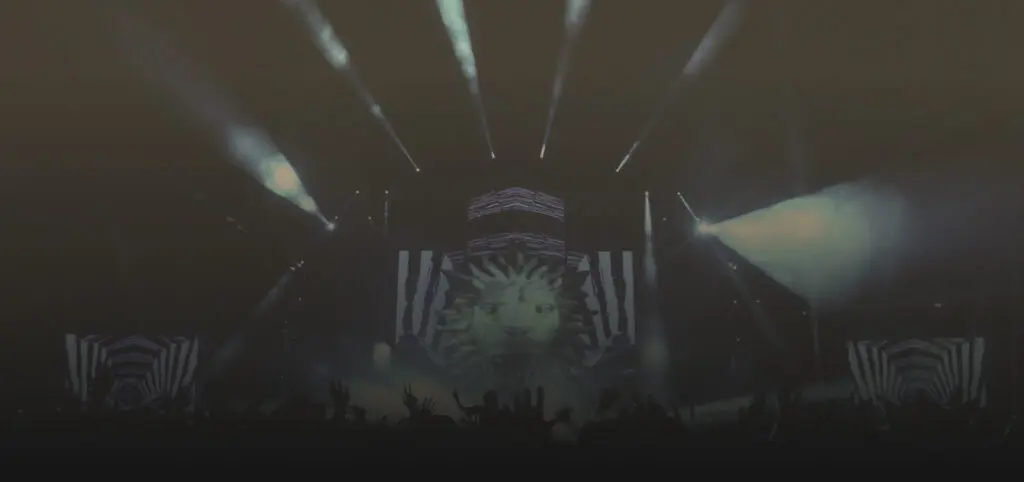
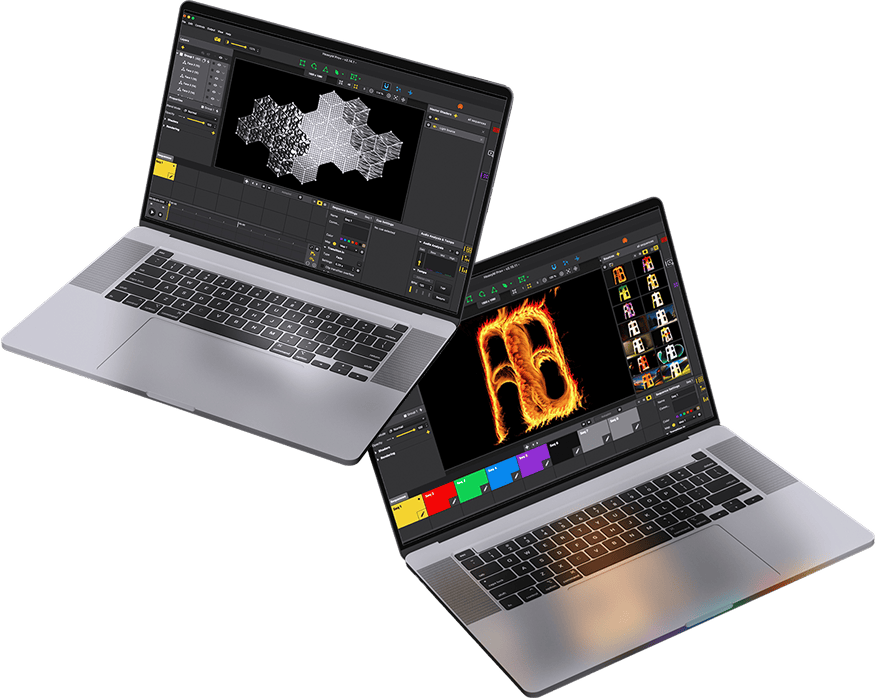
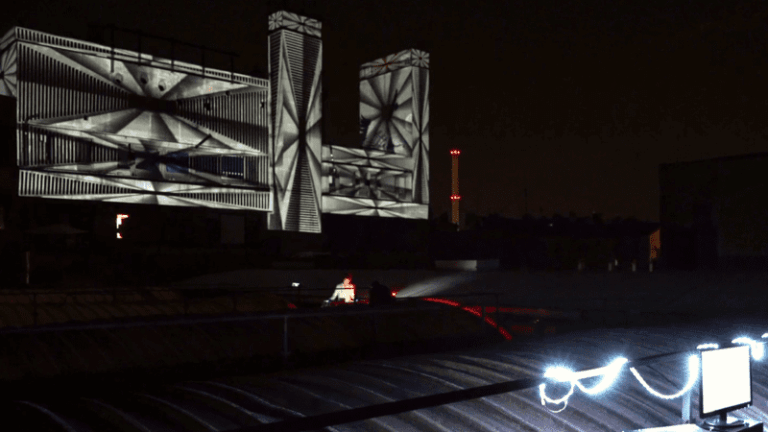
Video mapping fácil: empieza rápidamente y consigue resultados sorprendentes
Nuestro software, muy fácil de usar, te permite crear impresionantes efectos visuales sin esfuerzo, con solo unos clics. Perfecto para proyecciones dinámicas y sobre la marcha: ¡arrastra, suelta y deslumbra!
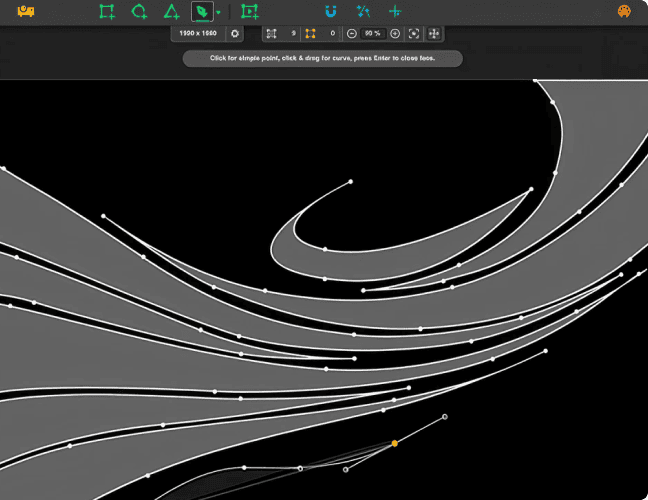
Herramientas de dibujo intuitivas
HeavyM ofrece herramientas de dibujo intuitivas para un video mapping rápido y adaptable. Elige entre formas prediseñadas o crea diseños complejos sin esfuerzo.. Ya se trate de cartografía en tiempo real o a partir de una foto, HeavyM garantiza una experiencia fluida y a medida, lo que simplifica más que nunca la materialización de su visión.
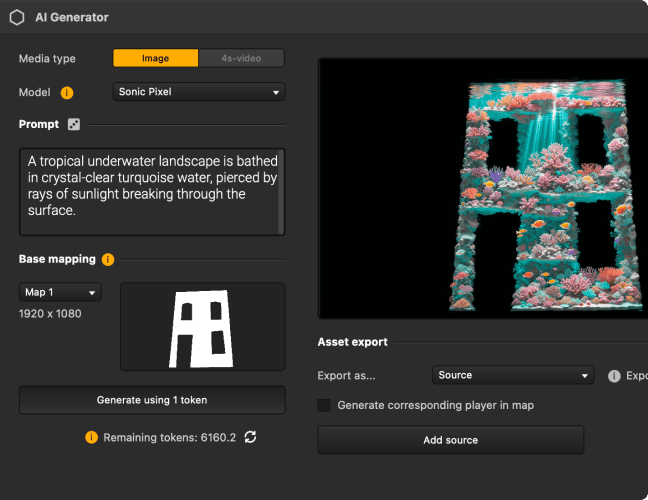
Crea imágenes únicas con IA sin salir de HeavyM
Genera imágenes y vídeos a partir de una instrucción de texto, una imagen existente o tus propias ideas. Incorpora tu creación al proyecto y conviértela en contenido de video mapping en cuestión de segundos.
Nuevo
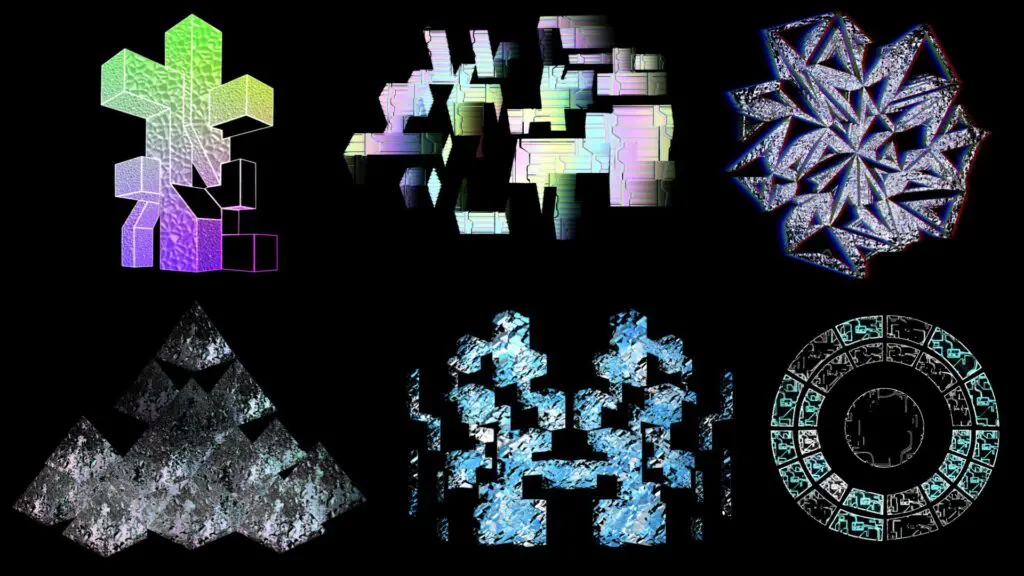
Texturas realistas para video mapping
Optimiza tus proyectos de video mapping con la amplia biblioteca de efectos visuales generativos y listos para usar de HeavyM. Olvídate de crear todo desde cero: nuestra plataforma automatiza y simplifica el proceso de diseño para que personalices tus proyectos sin límites y sin esfuerzo.
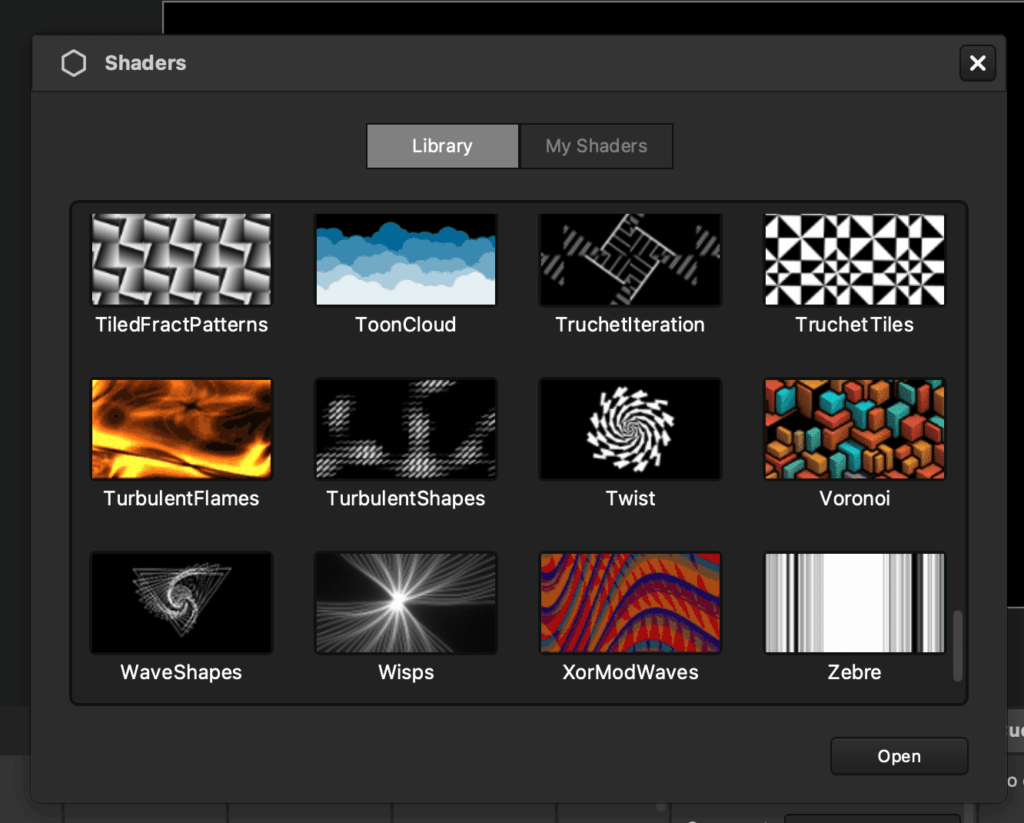
Biblioteca visual integrada y lista para usar
Optimiza tus proyectos de video mapping con la amplia biblioteca de efectos visuales generativos y listos para usar de HeavyM. Olvídate de tener que crear todo desde cero; nuestra plataforma automatiza y simplifica el proceso de diseño, lo que te permite personalizar tus proyectos de forma ilimitada y sin esfuerzo.
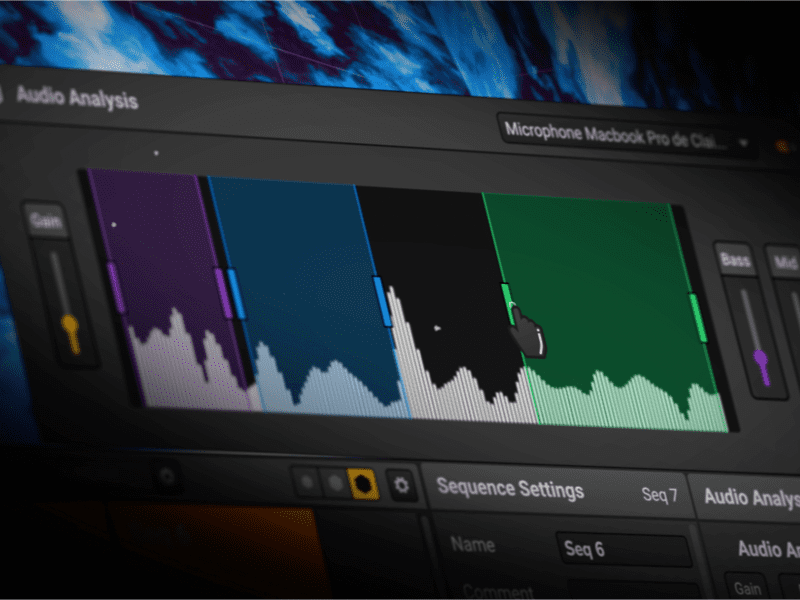
Sincroniza tus imágenes con la música gracias a los efectos reactivos al ritmo
Lleva tu video mapping a otro nivel con la función de análisis de sonido de HeavyM, que hace que los efectos pulsen al ritmo. Crea efectos visuales dinámicos que reaccionen al ritmo y se adapten perfectamente al ambiente para realzar cualquier actuación o instalación.
Descubre las prestaciones y los servicios incluidos en cada oferta.
HeavyM está disponible en tres ofertas diferentes: LiveProPro+
Diseñado a medida para artistas, músicos y profesionales del sector audiovisual
Más de 80.000 usuarios en todo el mundo
Instalación artística
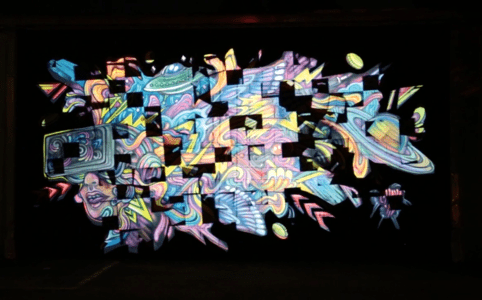
Videomapping sobre grafiti
Animación interactiva
Efectos visuales que reaccionan a sensores
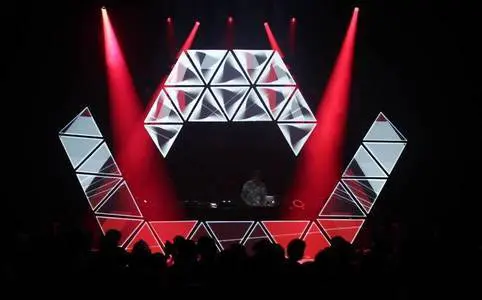
Decoración escénica
Diseño de cabina de DJ
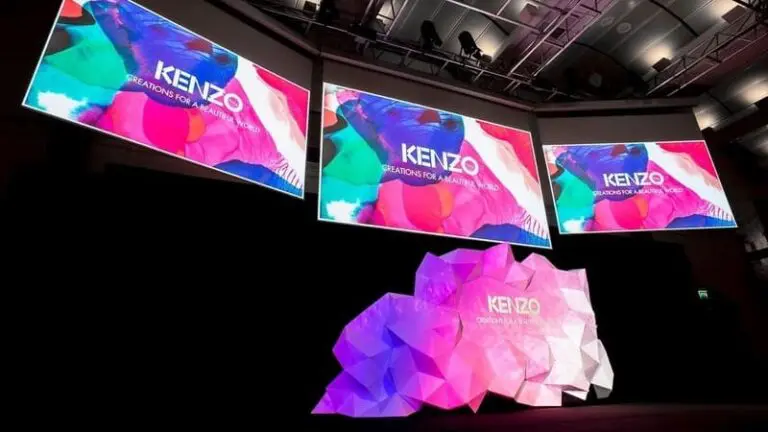
Espectáculos corporativos
Conferencia de lanzamiento de productos
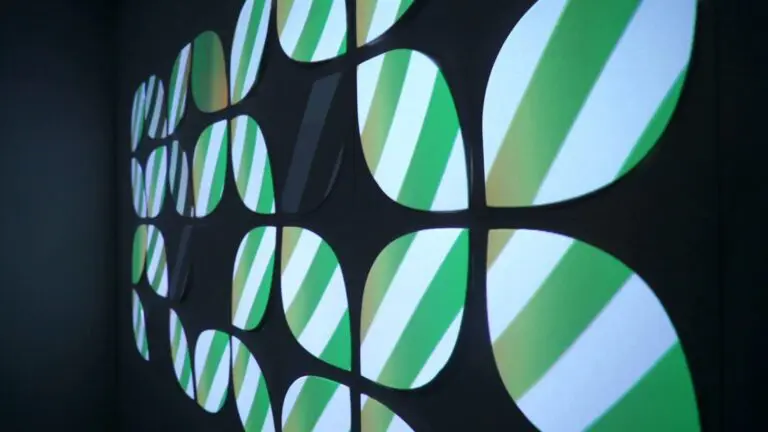
Instalaciones permanentes
Paredes en un bar
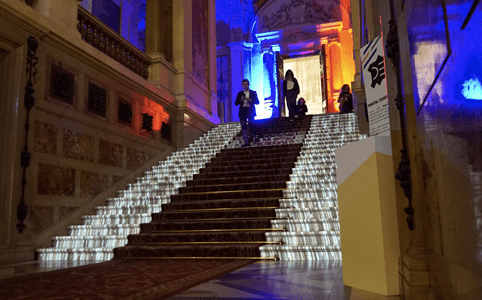
Mapping de edificios
Proyección de un edificio de 6 plantas
Comunidad HeavyM
Apreciado por artistas y profesionales
Romain Grd
Techno Party VJ
★★★★★
El software perfecto para descubrir y comprender los fundamentos del video mapping. Fácil de aprender, sencillo de manejar y con resultados inmediatos. El software está en constante evolución para satisfacer todas mis necesidades futuras.
Paul Vivien
Artista digital
★★★★★
Proyecta todo lo que quieras, hazte con un HeavyM y un proyector, y deja volar tu creatividad. Las posibilidades son infinitas. Puedes crear una composición de video mapping muy sólida en tan solo unos minutos.
Arthur Devillers
Director técnico
★★★★★
¡La reactividad de audio, el control MIDI y la facilidad de configuración convierten al HeavyM en una herramienta imprescindible para instalaciones audiovisuales! Su intuitividad es lo que realmente lo hace destacar. Me encanta.
Romain Grd
Techno Party VJ
★★★★★
El software perfecto para descubrir y comprender los fundamentos del video mapping. Fácil de aprender, sencillo de manejar y con resultados inmediatos. El software está en constante evolución para satisfacer todas mis necesidades futuras.
Paul Vivien
Artista digital
★★★★★
Proyecta todo lo que quieras, hazte con un HeavyM y un proyector, y deja volar tu creatividad. Las posibilidades son infinitas. Puedes crear una composición de video mapping muy sólida en tan solo unos minutos.
Arthur Devillers
Director técnico
★★★★★
¡La reactividad de audio, el control MIDI y la facilidad de configuración convierten al HeavyM en una herramienta imprescindible para instalaciones audiovisuales! Su intuitividad es lo que realmente lo hace destacar. Me encanta.
HeavyM tiene todas las funciones que necesitas
Software de video mapping disponible para Mac y Windows
01 CREAR
Gestiona varias entradas de vídeo simultáneamente
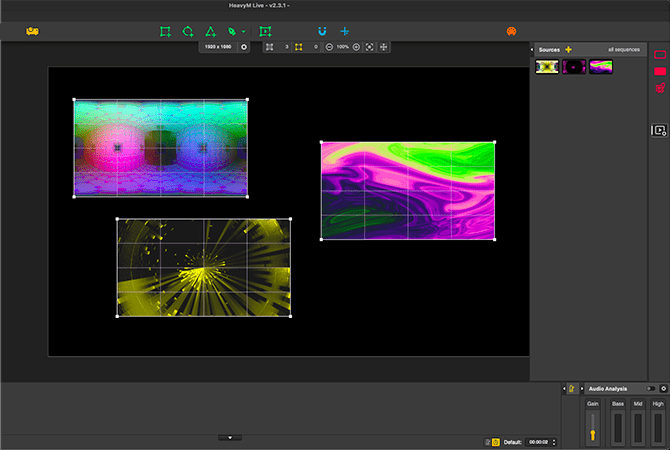
Crea murales de imágenes sin dificultad. Importa todos tus archivos multimedia al software, organízalos y, a continuación, reprodúcelos todos a la vez. HeavyM es lo suficientemente potente como para gestionar tus proyectos más ambiciosos. Para cada archivo multimedia, modifica las opciones de reproducción para obtener el resultado deseado. Coloca el contenido adecuado en el lugar adecuado gracias a las herramientas de dibujo ergonómicas.
Trabaja sin limitaciones
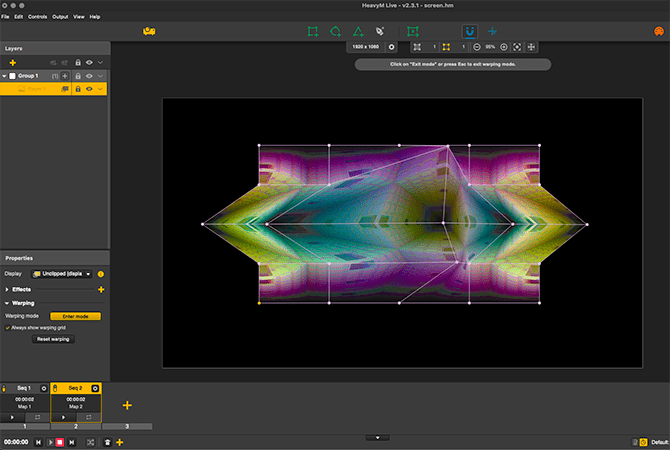
A veces necesitas adaptar un vídeo a un volumen 3D. No pierdas horas creando un vídeo que encaje perfectamente: utiliza las herramientas de deformación integradas en HeavyM para ajustarlo sobre la marcha a tu escenario u objeto. Cuando empieces a usarlo, no volverás a concebir la proyección de la misma manera.
Organiza tu proyecto en secuencias
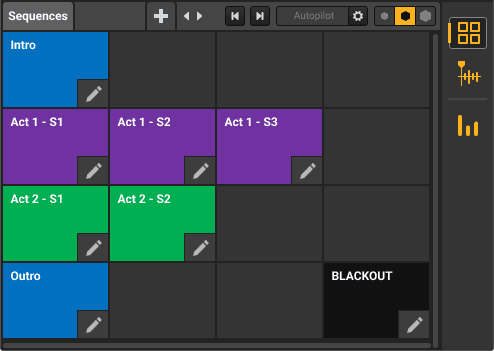
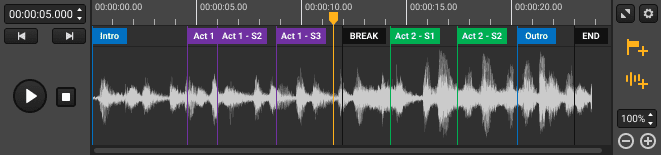
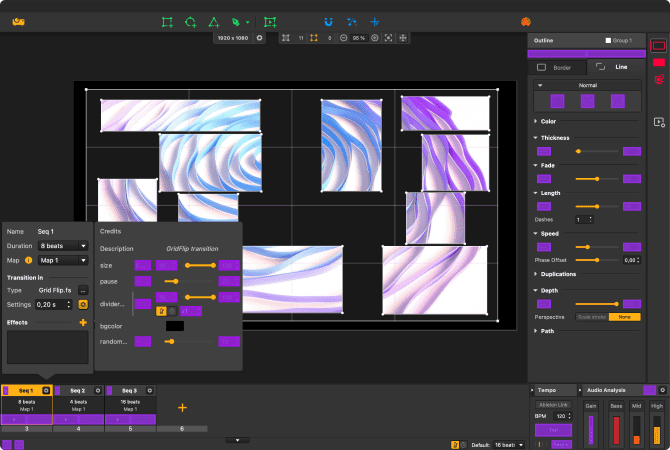
El secuenciador HeavyM es imprescindible. Organiza tu proyecto en varias secuencias, combínalas con bonitas transiciones, actívalas cuando quieras o programa una actuación completa con gran precisión. Crea diferentes patrones para cada secuencia y ejecútalos con un solo clic.
02 CONTROL
Añade fuentes de vídeo en directo a tus actuaciones
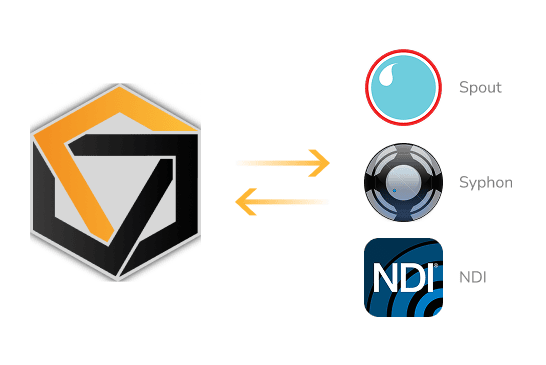
El software es compatible con Syphon, Spout y NDI, por lo que puedes enviar la salida de HeavyM a otros programas de creación visual, como OBS o Resolume. También puedes recibir en HeavyM las salidas de otros programas compatibles. Multiplica las posibilidades gráficas de tus herramientas de VJ combinándolas sin límites.
Controles MIDI/OSC/DMX
HeavyM se puede controlar en directo mediante distintos protocolos: MIDI, OSC y DMX. La conexión con controladores externos se configura en pocos clics gracias al sistema de aprendizaje de la interfaz. Conecta una tableta, un smartphone o una consola de iluminación y activa efectos o secuencias más fácilmente que con el ratón. Así, tu proyecto se convierte en una verdadera actuación en directo.
Solo con HeavyM Pro y Pro+
Proyección múltiple y fusión de bordes
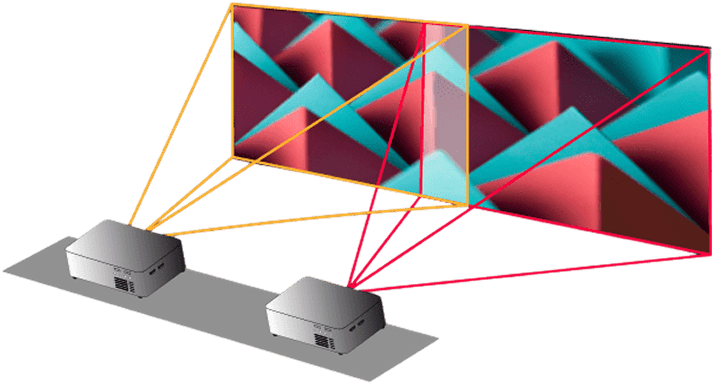
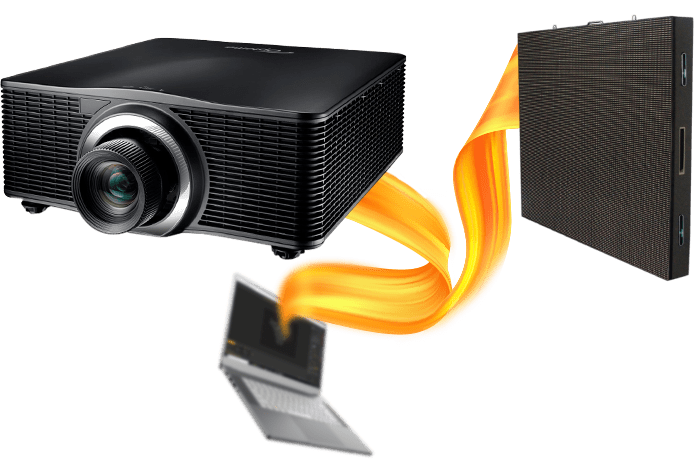
Si una salida no te basta, envía la señal de HeavyM a tantos proyectores y pantallas LED como quieras. Combina varios proyectores mediante la fusión de bordes para mostrar tus creaciones a gran escala. Crea impresionantes proyectos de video mapping multiproyector con solo unos clics.
Solo con HeavyM Pro y Pro+
03 ESCALA
Automatización mejorada para crear sin esfuerzo
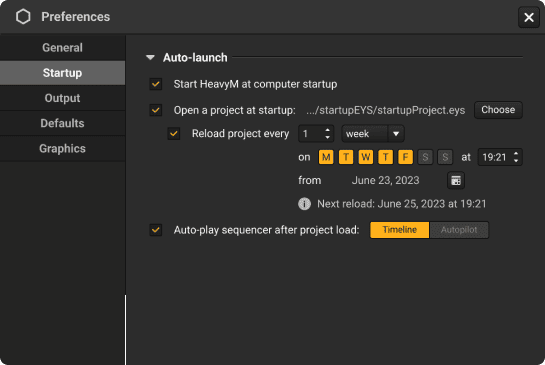
Con HeavyM Pro+, llevamos la comodidad del usuario a un nivel completamente nuevo. Tienes la posibilidad de configurar HeavyM para que se inicie directamente al encender el ordenador, lo que elimina la necesidad de iniciarlo manualmente.
También puedes configurar un proyecto específico para que se abra automáticamente al iniciar HeavyM, lo que te ahorrará tiempo y esfuerzo. Además, puedes elegir que se reproduzca automáticamente la línea de tiempo o el piloto automático una vez que se haya cargado tu proyecto.
Solo con HeavyM Pro+
Exporta tus creaciones a archivos de vídeo
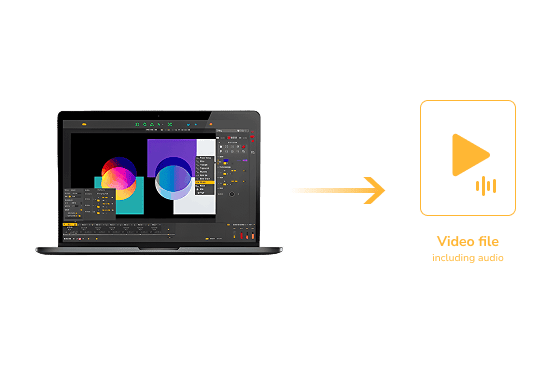
¿Quieres poner en marcha una instalación permanente sin dejar un ordenador en el lugar? Solo tienes que exportar tu proyecto a un archivo de vídeo y reproducirlo en un reproductor multimedia. HeavyM puede exportar archivos de vídeo .mov de alta calidad, compatibles con los dispositivos más populares.
Solo con HeavyM Pro+
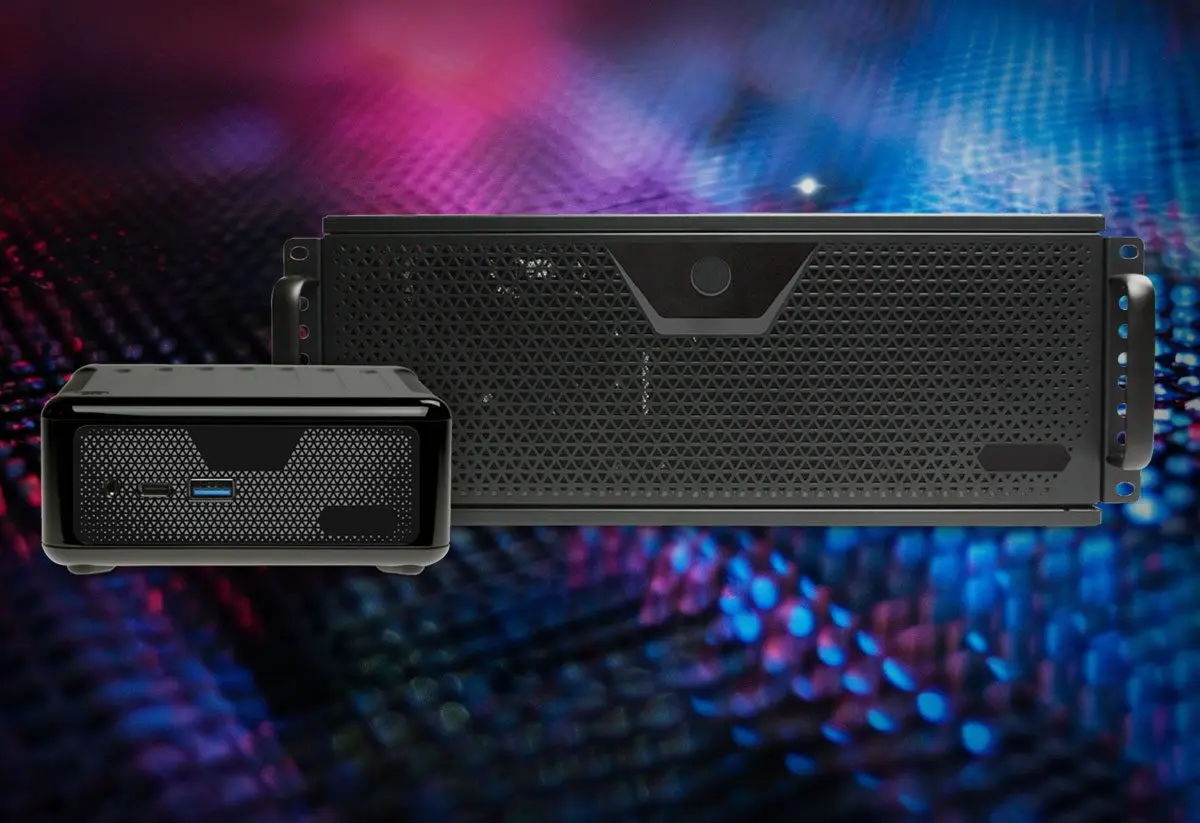
Aprovecha todo el potencial de un servidor dedicado
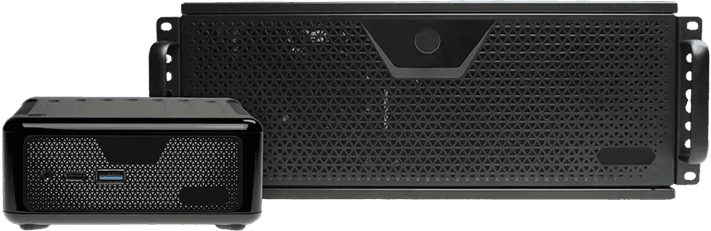
HeavyM Server es tu aliado compacto y robusto para ofrecer efectos visuales de alto rendimiento. Aprovecha la potencia de componentes de última generación en una unidad portátil. Es una solución óptima tanto para espectáculos en directo como para instalaciones sincronizadas con varios dispositivos. Gracias al control remoto, el encendido y apagado automáticos y el reinicio tras un corte de corriente, puedes confiar en HeavyM Server para crear experiencias visuales fluidas e impactantes.
Crea murales de imágenes sin dificultad. Importa todos tus archivos multimedia al software, organízalos y, a continuación, reprodúcelos todos a la vez. HeavyM es lo suficientemente potente como para gestionar tus proyectos más ambiciosos. Para cada archivo multimedia, modifica las opciones de reproducción para obtener el resultado deseado. Coloca el contenido adecuado en el lugar adecuado gracias a las herramientas de dibujo ergonómicas.
Trabaja sin limitaciones
A veces necesitas adaptar un vídeo a un volumen 3D. No pierdas horas creando un vídeo que encaje perfectamente: utiliza las herramientas de deformación integradas en HeavyM para ajustarlo sobre la marcha a tu escenario u objeto. Cuando empieces a usarlo, no volverás a concebir la proyección de la misma manera.
Organiza tu proyecto en secuencias
El secuenciador HeavyM es imprescindible. Organiza tu proyecto en varias secuencias, combínalas con bonitas transiciones, actívalas cuando quieras o programa una actuación completa con gran precisión. Crea diferentes patrones para cada secuencia y ejecútalos con un solo clic.
CONTROL
Añade fuentes de vídeo en directo a tus actuaciones
El software es compatible con Syphon, Spout y NDI, por lo que puedes enviar la salida de HeavyM a otros programas de creación visual, como OBS o Resolume. También puedes recibir en HeavyM las salidas de otros programas compatibles. Multiplica las posibilidades gráficas de tus herramientas de VJ combinándolas sin límites.
Controles MIDI/OSC/DMX
HeavyM se puede controlar en directo mediante distintos protocolos: MIDI, OSC y DMX. La conexión con controladores externos se configura en pocos clics gracias al sistema de aprendizaje de la interfaz. Conecta una tableta, un smartphone o una consola de iluminación y activa efectos o secuencias más fácilmente que con el ratón. Así, tu proyecto se convierte en una verdadera actuación en directo.
Solo con HeavyM Pro y Pro+
Proyección múltiple y fusión de bordes
Si una salida no te basta, envía la señal de HeavyM a tantos proyectores y pantallas LED como quieras. Combina varios proyectores mediante la fusión de bordes para mostrar tus creaciones a gran escala. Crea impresionantes proyectos de video mapping multiproyector con solo unos clics.
Solo con HeavyM Pro y Pro+
ESCALA
Automatización mejorada para crear sin esfuerzo
Con HeavyM Pro+, llevamos la comodidad del usuario a un nivel completamente nuevo. Tienes la posibilidad de configurar HeavyM para que se inicie directamente al encender el ordenador, lo que elimina la necesidad de iniciarlo manualmente.
También puedes configurar un proyecto específico para que se abra automáticamente al iniciar HeavyM, lo que te ahorrará tiempo y esfuerzo. Además, puedes elegir que se reproduzca automáticamente la línea de tiempo o el piloto automático una vez que se haya cargado tu proyecto.
Solo con HeavyM Pro+
Exporta tus creaciones a archivos de vídeo
¿Quieres poner en marcha una instalación permanente sin dejar un ordenador en el lugar? Solo tienes que exportar tu proyecto a un archivo de vídeo y reproducirlo en un reproductor multimedia. HeavyM puede exportar archivos de vídeo .mov de alta calidad, compatibles con los dispositivos más populares.
Solo con HeavyM Pro+
Aprovecha todo el potencial de un servidor dedicado
HeavyM Server es tu aliado compacto y robusto para ofrecer efectos visuales de alto rendimiento. Aprovecha la potencia de componentes de última generación en una unidad portátil. Es una solución óptima tanto para espectáculos en directo como para instalaciones sincronizadas con varios dispositivos. Gracias al control remoto, el encendido y apagado automáticos y el reinicio tras un corte de corriente, puedes confiar en HeavyM Server para crear experiencias visuales fluidas e impactantes.
Comparar funciones por edición
Todas las modalidades de acceso —renting con opción a compra y licencia perpetua— incluyen las mismas funciones. Las diferencias dependen de la edición seleccionada.
Funciones
Live
Pro
Pro+
Funciones creativas
Herramientas de dibujo
✓
✓
✓
Generación con IA
✓
✓
✓
Efectos visuales y shaders
✓
✓
✓
Listas de reproducción multimedia
✓
✓
✓
Reactividad musical
✓
✓
✓
Módulo Timeline
-
✓
✓
Entradas y salidas
Número de salidas
1
Ilimitadas
Ilimitadas
Resolución máxima
1920 x 1200
8K
8K
Webcam
✓
✓
✓
Syphon y Spout
-
✓
✓
NDI
-
✓
✓
Fusión de bordes
-
✓
✓
Entrada/salida DeckLink
-
✓
✓
Exportación de vídeo
-
-
✓
Controles
Control MIDI
✓
✓
✓
Aprendizaje de OSC y acceso a la API
-
✓
✓
Entrada DMX
-
✓
✓
Asistencia
Acceso a la comunidad
✓
✓
✓
Asistencia por correo electrónico
48 h
24 h
12h
Asistencia Premium
-
-
✓
Licencia de respaldo adicional
-
-
✓
Prueba gratis la demo de HeavyM o elige una versión de pago para disfrutarla sin limitaciones.
HeavyM es un programa informático galardonado con múltiples premios
Detalles del producto
Requisitos del sistema
Sistema operativo
Windows 8 / 10 / 11 (64 bits)
macOS 10.15 o posterior
Compatibilidad nativa con los Mac con Apple Silicon (M1–M4+)
Mínimo
CPU
Intel Core i5 a 2,30 GHz, con cuatro núcleos, o equivalente
RAM
4 GB de RAM
GPU
Chip Intel integrado o tarjeta gráfica dedicada (NVIDIA/AMD) con 2 GB de VRAM
Apple Silicon
Apple M1 o posterior
Almacenamiento
500 MB de espacio libre en disco
Recomendado
CPU
Intel Core i5 a 2,30 GHz, con cuatro núcleos, o equivalente
RAM
8 GB de RAM o más
GPU
NVIDIA GTX 1060 / AMD RX580 / M1 (para Mac) o superior
Almacenamiento
500 MB de espacio libre en disco
Unidad
Se recomienda el uso de un SSD para proyectos con gran volumen de contenido multimedia
Especificaciones técnicas
Formato de vídeo/foto
MP4
MOV
PNG
JPEG
Códecs de vídeo
Apple ProRes
H.265
H.265
Protocolos de control
MIDI
OSC
Teclado
DMX
Compatible con todas las pantallas
Compatible con
VGA
DVI
HDMI
Pantallas LED
Preguntas frecuentes
¿Funciona HeavyM con todos los proyectores?
HeavyM funciona con la mayoría de los proyectores que admiten una señal de vídeo estándar. El rendimiento dependerá de tu equipo y de la resolución utilizada.
¿Cuándo recibo mi licencia?
Recibirás tu licencia inmediatamente después de la compra. Se vinculará automáticamente a tu cuenta.
¿Puedo pasar a una edición superior más adelante?
Sí. Con el pago único puedes pasar a una edición superior en cualquier momento y solo pagarás la diferencia de precio entre ambas ediciones. No es posible mejorar la edición mientras esté activo un plan de renting con opción a compra.
¿Cuál es la diferencia entre el pago único y el renting con opción a compra?
Pago único: Pago único, licencia perpetua. Incluye 1 año de actualizaciones gratuitas. Renting con opción a compra: Paga mensualmente durante 6 meses.Incluye todas las actualizaciones durante el periodo, después la licencia es tuya.
¿Qué ocurre cuando completo mi plan de renting con opción a compra?
Cuando completes todos los pagos, la licencia será totalmente tuya. No tendrás que realizar más pagos.
¿Puedo cancelar mi plan de alquiler con opción a compra?
Sí. Mientras el plan esté cancelado, no tendrás acceso, pero podrás reanudarlo más adelante sin perder las cuotas ya pagadas para adquirir la licencia.
¿Qué ocurre si no realizo un pago?
Volveremos a intentar el cobro automáticamente. Tras varios intentos fallidos, el acceso se suspenderá hasta que se complete el pago.
¿Recibiré actualizaciones durante el periodo de «alquiler con opción a compra»?
Sí, durante toda la vigencia del plan. Cuando la licencia sea tuya, podrás contratar una ampliación para seguir recibiendo actualizaciones.
¿Necesitas más información? Consulta nuestra sección de preguntas frecuentes para encontrar todo lo que necesitas saber sobre HeavyM. Estamos aquí para ayudarte.
Utilizamos cookies en nuestro sitio web para ofrecerle la experiencia más relevante al recordar sus preferencias y visitas repetidas. Al hacer clic en "Aceptar", consiente el uso de TODAS las cookies.
Este sitio web utiliza cookies para mejorar su experiencia mientras navega por él. De ellas, las cookies clasificadas como necesarias se almacenan en su navegador, ya que son esenciales para el funcionamiento de las funciones básicas del sitio web. También utilizamos cookies de terceros que nos ayudan a analizar y comprender cómo utiliza este sitio web. Estas cookies se almacenarán en su navegador sólo con su consentimiento. También tiene la opción de excluirse de estas cookies. Pero la exclusión de algunas de estas cookies puede afectar a su experiencia de navegación.
Las cookies necesarias son absolutamente esenciales para que el sitio web funcione correctamente. Estas cookies garantizan funcionalidades básicas y características de seguridad del sitio web, de forma anónima.
Galleta
Durée
Descripción
cookielawinfo-checbox-analytics
11 meses
Esta cookie es establecida por el plugin GDPR Cookie Consent. La cookie se utiliza para almacenar el consentimiento del usuario para las cookies de la categoría "Analytics".
cookielawinfo-checbox-functional
11 meses
La cookie se establece por el consentimiento de cookies GDPR para registrar el consentimiento del usuario para las cookies en la categoría "Funcional".
cookielawinfo-checbox-others
11 meses
Esta cookie es establecida por el plugin GDPR Cookie Consent. La cookie se utiliza para almacenar el consentimiento del usuario para las cookies de la categoría "Otros".
cookielawinfo-checkbox-necessary
11 meses
Esta cookie es establecida por el plugin GDPR Cookie Consent. Las cookies se utilizan para almacenar el consentimiento del usuario para las cookies en la categoría "Necesario".
cookielawinfo-checkbox-performance
11 meses
Esta cookie es establecida por el plugin GDPR Cookie Consent. La cookie se utiliza para almacenar el consentimiento del usuario para las cookies de la categoría "Rendimiento".
viewed_cookie_policy
11 meses
La cookie es establecida por el plugin GDPR Cookie Consent y se utiliza para almacenar si el usuario ha consentido o no el uso de cookies. No almacena ningún dato personal.
Las cookies funcionales ayudan a realizar determinadas funciones, como compartir el contenido del sitio web en plataformas de redes sociales, recopilar opiniones y otras funciones de terceros.
Las cookies de rendimiento se utilizan para comprender y analizar los índices de rendimiento clave del sitio web, lo que ayuda a ofrecer una mejor experiencia de usuario a los visitantes.
Las cookies analíticas se utilizan para comprender cómo interactúan los visitantes con el sitio web. Estas cookies ayudan a proporcionar información sobre métricas el número de visitantes, la tasa de rebote, la fuente de tráfico, etc.
Las cookies de publicidad se utilizan para ofrecer a los visitantes anuncios y campañas de marketing relevantes. Estas cookies rastrean a los visitantes en todos los sitios web y recopilan información para ofrecer anuncios personalizados.