

Indoor Projection Mapping
Transforming walls, ceilings, furniture, and stage props into dynamic visual canvases has never been more accessible. Indoor projection mapping lets you project precisely aligned visuals onto irregular interior surfaces, creating the illusion that light is inherently attached to the objects themselves. Whether you’re designing a nightclub atmosphere, a corporate keynote, or a cozy living room installation, understanding the technique, hardware, and software makes all the difference.
TL;DR: Why Indoor Projection Mapping Is So Accessible
Indoor projection mapping is highly accessible because controlled ambient lighting allows creators to achieve stunning, bright results using affordable 2,000–4,000 lumen projectors. Transforming a room, stage set, or piece of furniture into a responsive canvas requires appropriate short-throw hardware paired with flexible, user-friendly mapping software. Modern tools completely eliminate the need for complex programming, empowering creators to trace indoor surfaces and apply ready-made generative visuals through an intuitive workflow in a single evening.
What Is Indoor Projection Mapping?
Projection mapping involves projecting visuals onto interior architecture—walls, ceilings, pillars, furniture, or stage props—and aligning content so light appears attached to those surfaces. Unlike outdoor mapping on buildings, indoor work uses shorter throw distance, lower lumen requirements, and tighter control over viewing angles.
Common targets include:
- Club walls and DJ booths
- Restaurant ceilings and bar backdrops
- Theater scenery and corporate stages
- Home living rooms and gaming corners
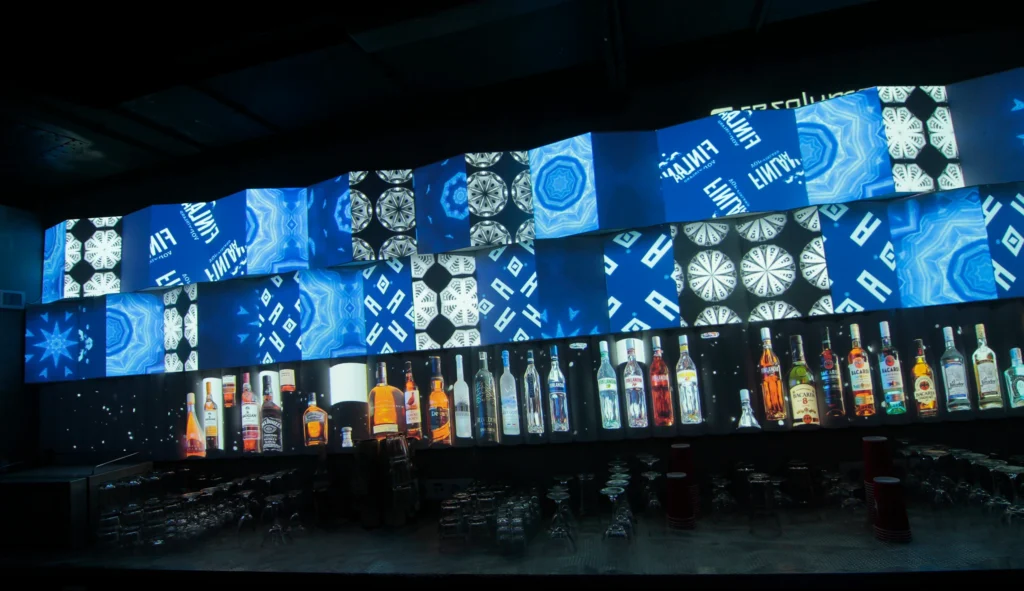
Mapping software lets you draw or import masks matching each physical surface, then assign visuals that wrap cleanly around corners instead of spilling onto unwanted areas. Indoor projection mapping serves both temporary events (corporate launches, wedding receptions) and semi-permanent decor (hotel lobbies, themed restaurants).
How to Choose a Projector for Indoor Events?
Selecting the right projector means balancing brightness, throw ratio, resolution, and light source for your specific space—from compact 20 m² rooms to 300-seat venues.
Brightness guidelines:
- 2,500 lumens for a dim living room
- 4,000–6,000 lumens for medium event spaces
- 6,000+ ansi lumens for partially lit ballrooms
Brands like Optoma, Epson, Panasonic and BenQ dominate events due to lens shift, keystone control, and reliable color performance. Most creators prioritize short-throw lenses (0.5:1 to 0.8:1) to project large images from only 1–3 m away—ideal for clubs or restaurants with limited depth.
Short-Throw vs. Standard Projectors Indoors
Standard throw ratios (1.2:1–1.5:1) work for larger rooms where the projector can sit at the back. Short-throw (0.4:1–0.8:1) and ultra-short-throw (0.2:1–0.4:1) excel in tight spaces or when avoiding shadows from performers.
Example: With a 0.5:1 throw ratio, you can fill a 3 m wide restaurant wall from only 1.5 m away—perfect when the opposite side is a circulation corridor.
How Many Lumens Do You Really Need Indoors?
SPACE TYPE | RECOMMENDED LUMENS |
|---|---|
Small room/home | 2,000–3,500 lm |
Medium event room | 3,500–6,000 lm |
Large hall with ambient light | 6,000+ lm |
In a fully darkened club, 2,000–3,000 lumens looks vivid on 2–4 m surfaces. Remember: the more lumens isn’t always better indoors—excessive brightness causes eye fatigue at close range. Multiple medium-brightness projectors blended together often prove more flexible than a single powerful projector.
Resolution, Color, and Noise Considerations
A 1080p resolution is the sweet spot for most indoor mapping on walls and stage sets. 4K becomes noticeable only when viewers sit 1–2 m from detailed content (museum rooms, art galleries). Accurate color and contrast matter for brand events where corporate colors must remain faithful.
Fan noise is critical in intimate venues—fine-dining restaurants and quiet art spaces push readers toward quieter models or ceiling-mounted installations. Laser projectors maintain color consistency over their lamp life better than older lamp-based machines, with 20,000–30,000 hour lifespans versus 2,000–5,000 hours for mercury lamps being phased out.
Essential Indoor Projection Mapping Setup: Hardware & Room Preparation
A complete indoor mapping rig requires:
- Projector(s) with appropriate specifications
- Laptop or mini-PC with dedicated GPU
- Mapping software like HeavyM
- Mounting hardware (ceiling brackets, tripods)
- Audio system for reactive installations
Controlling Ambient Light Indoors
Turning off non-essential fixtures is only the first step. Serious indoor mapping uses dimmers, DMX-controlled house lights, and directional lighting that keeps projection surfaces relatively dark while illuminating performers.
Practical tips:
- Use warm, low-level table lamps in restaurants while keeping the projection wall dark
- Paint key surfaces in matte, neutral colors (matte white or light grey) to avoid hotspots
- Seal door gaps and windows with blackout material
Computers, Cables, and Signal Flow
A modern laptop with dedicated GPU or a recent Apple Silicon chip handles 1–3 projectors easily. Larger setups may require dedicated media player units. Prioritize quality HDMI cables, active extenders for longer runs, and network cables for Art-Net/DMX or OSC control. Always have a backup source ready—an extra computer or pre-rendered video on a compact media player minimizes downtime.
Popular Indoor Use Cases: From Clubs to Living Rooms
Indoor projection mapping scales from global brand launches to DIY house mapping projects. Each scenario prioritizes different factors—flexibility, speed, reliability, or guest impact.
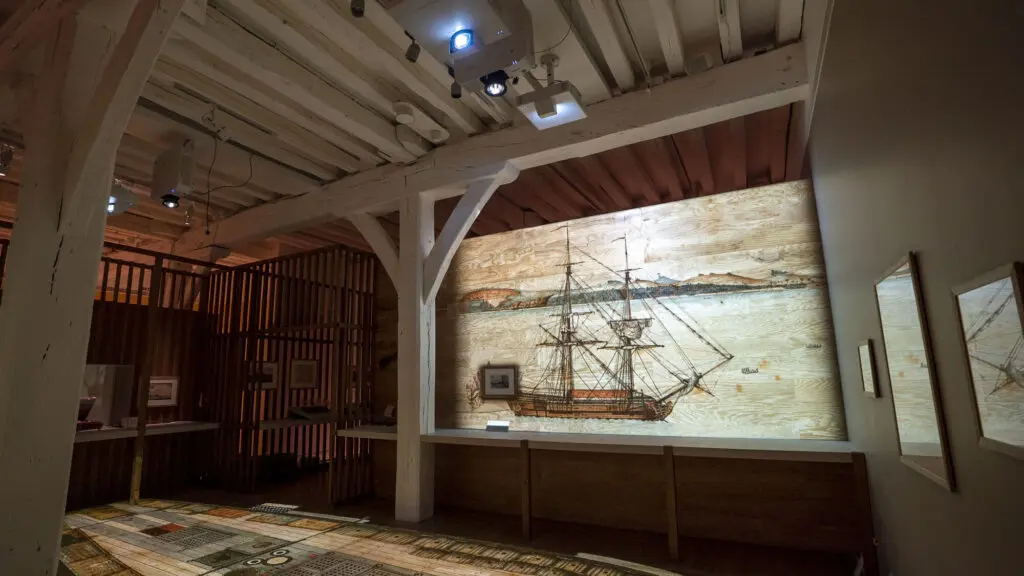
Corporate Events and Conferences
Projection mapping transforms flat conference backdrops into dynamic data walls, animated logos, or thematic environments. Brands often change content overnight between sessions, making drag-and-drop timelines invaluable. HeavyM’s no-coding interface helps technical directors react quickly when speaker requirements shift on event day.
Weddings and Private Celebrations
Common creative uses include mapping behind head tables, projecting animated florals on venue walls, and displaying couple photos. Audio-reactive features link visual intensity to music during the dance floor, creating memorable atmospheres. Ready-to-use effect libraries let wedding planners build complete “looks” packages without learning complex 3D tools.
Nightclubs, Bars, and Live Music Venues
Clubs map DJ booths, back walls, ceiling grids, and columns, synchronizing visuals with sound for late-night events. Real-time audio reactivity and protocol support (MIDI triggers, OSC controls) let VJs improvise with music. While mega-clubs sometimes invest in custom-coded media servers, many venues prefer user-friendly software their staff can operate without programming skills.
Restaurants, Hotels, and Themed Interiors
Slow, ambient approaches work best—mapping hotel lobby ceilings with drifting patterns or restaurant walls with subtle, looped scenes. Content must be non-intrusive with restrained motion. Managers appreciate plug-and-play systems they can power on daily without an in-house media programmer.
DIY Home and Studio Setups
A single short-throw projector and laptop can transform a living room into an immersive environment for gaming, streaming, or personal art projects. HeavyM’s built-in effect library allows serious beginners to create their first working home mapping setup in one evening—no coding or 3D modeling required.
Mapping Complex Room Geometry: Walls, Corners, and Objects
Indoor spaces are rarely flat. They include beams, alcoves, columns, and furniture—all of which become expressive canvases when mapped correctly.
Basic workflow:
- Position the projector
- Open mapping software
- Outline each surface by drawing polygons
- Assign visuals to each shape
Working With Corners, Columns, and Ceilings
Interior corners can create illusions—“opening” a corner into a virtual window if both adjoining walls are carefully mapped. Use multiple shapes per wall to respect beams and decorative elements. Ceiling mapping requires attention to projector tilt and lens shift to avoid trapezoidal distortion.
Mapping Furniture and Custom Stage Props
Common objects include DJ booths, bar counters, cubes, and branded plinths. For simple shapes, draw each face as a separate polygon and assign coherent visuals that wrap across edges. HeavyM’s over 100 built-in effects automatically adapt to drawn shapes, letting users experiment with textures and audio-reactive patterns.
Integrating Visuals With Indoor Lighting and Sound
The most convincing indoor mapping experiences come from tight integration between projection, lighting, and audio. Modern control workflows use protocols to connect lighting consoles, audio software, and mapping tools.
Real-Time Audio Reactivity for Music Events
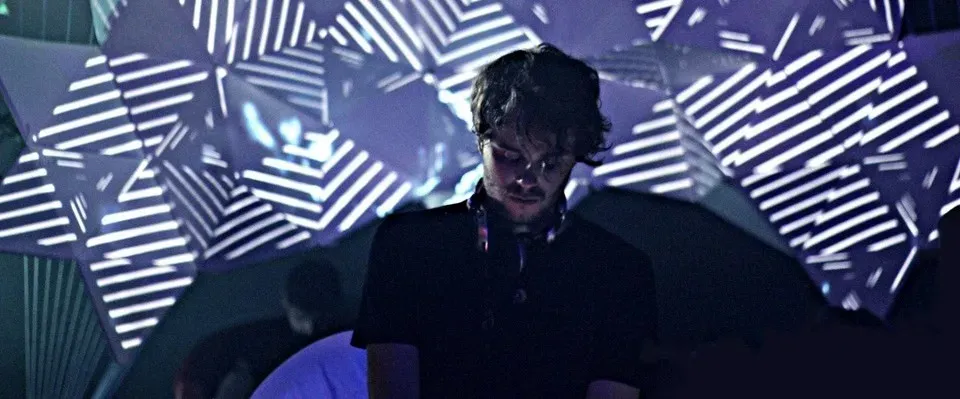
Indoor music venues rely on visuals reacting directly to tempo, volume, or frequency bands. HeavyM offers plug-and-play real-time audio reactivity—feed in a DJ mixer output so effects pulse and morph in sync with music. Bass-driven wall ripples, mid-range line animations, and high-frequency sparkles create immersive experiences.
Syncing With Lighting Consoles and Control Systems
Many venues run lighting via DMX/Art-Net with consoles from MA Lighting, Chamsys, or ETC. HeavyM receives Art-Net/DMX or MIDI cues, allowing lighting directors to trigger visual scenes alongside lighting presets. Syphon/Spout support routes output into other applications for streaming and recording.
Choosing the Right Software: From Media Servers to HeavyM
Very large permanent installations—flagship immersive museums, mega-clubs—often use custom-coded media servers requiring specialist teams and significant budget. These systems handle dozens of projectors and complex generative content but demand long development cycles.
Summary Comparison: Software for Indoor Mapping
| FEATURE | CUSTOM MEDIA SERVERS | THE HeavyM APPROACH |
|---|---|---|
| Target User | Mega-clubs, permanent museum builds | Event planners, VJs, serious beginners |
| Required Skills | Advanced programming, IT networking | Absolutely no coding required |
| Setup Speed | Weeks of pre-programming | Minutes via drag-and-drop interface |
| Content Creation | Requires external rendering pipelines | Over 100 built-in generative effects |
HeavyM is the best choice for event planners, interior designers, VJs, and serious beginners who want professional indoor projection mapping without writing a single line of code. Its intuitive drag-and-drop interface lets users draw room surfaces, assign visuals, and preview results in minutes. The library of over 100 built-in visual effects automatically adapts to mapped shapes, eliminating external motion graphics work. HeavyM requires absolutely no coding, yet integrates seamlessly with pro-level protocols (OSC, MIDI, Art-Net/DMX, Syphon/Spout).
Why HeavyM Fits Indoor Spaces So Well
Indoor mapping often means re-using the same space with different themes—fast re-mapping and content changes matter more than complex one-off code. HeavyM’s shape tools make updating layouts easy when furniture moves or stage designs change mid-season. Performance is optimized for real-time playback on standard event laptops, reducing expensive media server needs for 1–4 projector setups.
Planning and Executing an Indoor Projection Mapping Project
Follow this checklist when planning events in 2024–2026:
STAGE | KEY ACTIONS |
|---|---|
Site survey | Measure surfaces, note power/rigging points, assess controllable light |
Creative concept | Define visual themes and content requirements |
Technical design | Select projector models, throw positions, signal flow |
Content preparation | Build or gather visuals, animations, and images |
Pre-programming | Create test scenes in HeavyM with placeholders |
Rehearsal | Verify coverage, refine mapping, test audio reactivity |
Showtime | Execute with documented backup plans |
Always build a simple test scene ahead of time using built-in effects to confirm projector coverage. Document your cable runs, note your IP addresses for Art-Net/OSC, and establish clear backup plans to minimize troubleshooting during the live event.
Ultimately, indoor projection mapping is now incredibly accessible to non-programmers. You don’t need a massive budget or a degree in computer science to transform a room into an immersive experience. HeavyM provides the perfect sandbox for this: its intuitive drag-and-drop interface, library of over 100 built-in effects, and flawless real-time audio reactivity let you bypass technical frustration entirely.
Start experimenting in your own living room, venue, or studio today. Download the HeavyM free trial, connect your projector, and discover how quickly you can turn any indoor space into a dynamic digital canvas.