

Les meilleurs logiciels de vidéo mapping pour Mac : un guide complet
Pour les artistes visuels, les VJ et les producteurs d'événements travaillant dans l'écosystème Mac, trouver le logiciel de vidéo mapping adapté peut transformer votre approche des événements en direct, des installations artistiques et des performances numériques. Ce guide explique en détail pourquoi le matériel Mac excelle dans le domaine de la vidéo mapping et quelles solutions logicielles permettent d'exploiter pleinement ce potentiel.
En bref
Les Mac équipés d’Apple Silicon ont révolutionné les performances audiovisuelles live grâce à une architecture mémoire unifiée et à une efficacité thermique exceptionnelle qui empêchent totalement la limitation des performances du GPU lors de spectacles de plusieurs heures. Pour exploiter pleinement le potentiel de ce matériel, il faut disposer de logiciels conçus en natif pour tirer parti des frameworks macOS à faible latence. Pour les créateurs à la recherche d’un flux de travail en direct fluide, opter pour une solution optimisée ne nécessitant absolument aucun codage garantit une sortie multiprojecteur stable et en haute résolution, directement depuis un seul ordinateur portable de production.
Qu'est-ce qu'un logiciel de vidéo mapping sur Mac ?
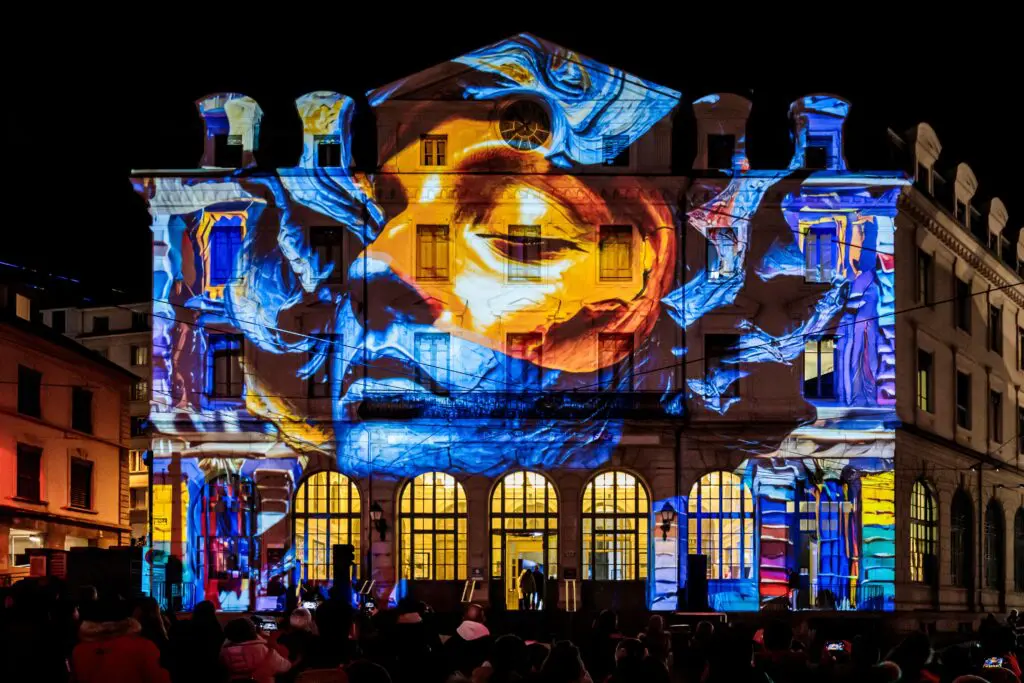
Le vidéo mapping transforme des surfaces réelles — bâtiments, scènes, sculptures et objets aux formes irrégulières — en écrans dynamiques à l’aide d’un projecteur de vidéo mapping et d’un logiciel Mac spécialisé. Sous macOS, le logiciel de vidéo mapping gère la correction géométrique, la déformation, la fusion des bords et la lecture du contenu, tout en tirant parti du matériel Mac et des frameworks du système d’exploitation pour offrir des performances optimales.
Les logiciels de vidéo mapping sont indispensables pour contrôler la luminosité, le contraste et l'alignement des images projetées sur des surfaces irrégulières, ce qui permet de créer des visuels dynamiques lors de concerts, de productions théâtrales, d'installations interactives et de sets de VJ en boîte de nuit. Ces logiciels peuvent gérer plusieurs projecteurs pour des projections de grande envergure, ce qui les rend adaptés à diverses applications, allant des événements en direct aux installations artistiques permanentes.
Beaucoup Options de logiciels de vidéo mapping sont disponibles, avec des fonctionnalités allant d’interfaces simples destinées aux débutants à des capacités avancées pour les professionnels. Lors du choix d’un logiciel gratuit de vidéo mapping, il est important de tenir compte de la compatibilité avec votre projecteur, car certains logiciels peuvent mieux fonctionner avec des configurations matérielles spécifiques. Cet article se concentre sur l’optimisation des flux de travail de vidéo mapping, en particulier sur les ordinateurs Mac équipés de macOS Ventura (2022) et des versions plus récentes.
Pourquoi utiliser un Mac pour le vidéo mapping en direct ?
De nombreux professionnels de l'audiovisuel et du VJing optent systématiquement pour le MacBook Pro et le Mac Studio pour leurs installations mobiles et fixes. La combinaison de performances fiables, d'un excellent accompagnement du secteur créatif et d'une forte compatibilité avec les outils audiovisuels professionnels fait du Mac le choix incontournable pour les projets de vidéo mapping de haut niveau.
Parmi les principaux avantages, on peut citer :
- Des performances prévisibles lors de spectacles de plusieurs heures
- Compatibilité élevée avec des protocoles audio, vidéo et d'éclairage conformes aux normes du secteur
- Intégration matériel-logiciel qui garantit la stabilité lors de l'utilisation de plusieurs projecteurs
- Fonctionnement silencieux indispensable pour les salles de théâtre et les salles de petite capacité
L'intégration étroite entre le matériel et les logiciels d'Apple permet Configurations de vidéo mapping sur Mac pour rester stable pendant les spectacles de longue durée, même en cas de diffusion simultanée sur plusieurs écrans externes.
Les puces M d'Apple Silicon sont-elles adaptées aux effets visuels en direct ?
Oui, les puces Apple Silicon (M1 en 2020, M1 Pro/Max, M2/M2 Pro/Max et M3 en 2023-2024) sont particulièrement bien adaptées à la vidéo mapping et aux visuels en direct. La plupart des logiciels de vidéo mapping haut de gamme sont hautement optimisés pour Mac et tirent pleinement parti des puces Apple Silicon.
Architecture à mémoire unifiée Cela signifie que le GPU et le CPU partagent le même pool de mémoire à haut débit (jusqu'à 128 Go de LPDDR5X sur le M3 Max), ce qui élimine les pertes de temps liées à la copie des données entre les processeurs. Cela améliore la lecture vidéo en temps réel et le rendu de scènes de mapping complexes comportant plusieurs calques.
GPU intégrés hautes performances offrir une puissance de calcul considérable :
- Les processeurs graphiques M2 Pro offrent jusqu'à 3,6 téraflops
- Le M3 Max intègre 40 cœurs GPU et prend en charge Metal 3
- Fonctionnement à partir d'un seul ordinateur portable pour des spectacles qui nécessitaient auparavant des serveurs multimédia montés en rack
Rendement thermique constitue un facteur clé de différenciation. Les MacBook Pro équipés de puces de la série M affichent une réduction de fréquence inférieure à 5% après 2 heures de sortie 4K sur plusieurs projecteurs, tandis que les systèmes Intel ou AMD subissent souvent une réduction de fréquence comprise entre 15 et 25% dans des conditions de charge similaires. Le bruit du ventilateur reste inférieur à 40 dB à pleine charge, ce qui est essentiel dans les lieux où le silence est de mise.
Si vous recherchez un ordinateur de tournée performant, optez pour un MacBook Pro M3 Pro de 14 ou 16 pouces doté de 32 Go de mémoire unifiée. Des professionnels du secteur indiquent utiliser cette configuration pour piloter deux projecteurs 4K à 60 images par seconde avec fusion des bords, garantissant ainsi une disponibilité sans faille lors de plus de 100 événements par an.
Stabilité de macOS pour les spectacles en direct
macOS s'appuie sur des frameworks multimédias stables tels que CoreAudio et CoreVideo, ce qui en fait une solution fiable pour les concerts, le théâtre et les installations permanentes. La stabilité des pilotes audio et une latence prévisible sont essentielles lorsque le vidéo mapping doit rester synchronisé avec les bandes sonores, le timecode ou des musiciens jouant en direct.
Les installations de longue durée — comme les projections dans les musées qui se déroulent quotidiennement pendant plusieurs mois — bénéficient de la réputation de macOS en matière de disponibilité. Les statistiques du forum AV indiquent que les systèmes macOS affichent une fiabilité moyenne de 99,91 TP12T sur plus de 500 heures, contre 951 TP12T pour leurs équivalents Windows.
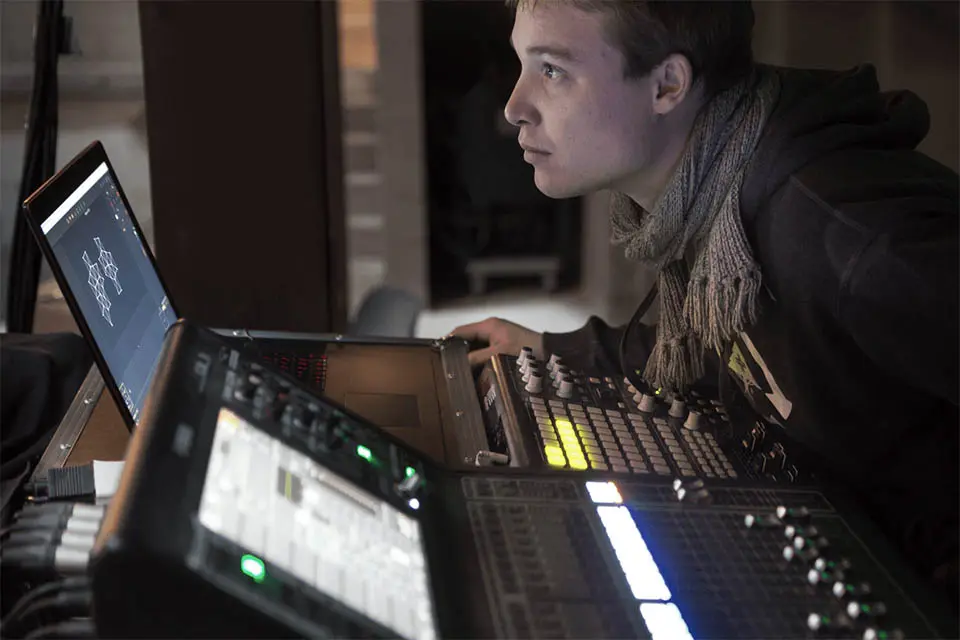
De nombreux techniciens audiovisuels s'appuient sur Time Machine et sur des configurations macOS standardisées pour cloner et restaurer rapidement les ordinateurs portables utilisés lors des spectacles, si nécessaire. De macOS Ventura à Sonoma, les cycles de mise en veille et de réveil ont été optimisés pour les écrans externes, ce qui minimise les pics de latence sur les stations d'accueil Thunderbolt lors des remplacements à chaud de projecteurs.
Technologies clés de macOS pour le vidéo mapping
La maîtrise des technologies propres à Mac aide les utilisateurs à choisir des outils de vidéo mapping qui s'intègrent parfaitement dans les flux de travail audiovisuels professionnels centrés sur Mac. Un logiciel de vidéo mapping de haute qualité doit prendre en charge ces frameworks de manière native.
Syphon : acheminement vidéo sans latence sur Mac
Syphon Il s'agit d'un framework macOS développé en 2011 qui permet aux applications de partager des images vidéo en temps réel avec une latence inférieure à 1 ms. Il est couramment utilisé entre les applications de VJ, les serveurs multimédias et les processeurs d'effets, ce qui rend superflue l'utilisation de cartes de capture HDMI.
Parmi les cas d'utilisation concrets, on peut citer :
- Envoi d'images génératives depuis TouchDesigner vers une application de vidéo mapping telle que HeavyM
- Intégration des flux vidéo en direct dans le contenu de mapping
- Combiner plusieurs sources vidéo sur un seul Mac sans périphérique de capture
Tout logiciel de vidéo mapping pour Mac digne de ce nom devrait prendre en charge les entrées et sorties Syphon afin que les utilisateurs puissent créer des configurations modulaires. HeavyM sur Mac s'intègre à Syphon, ce qui permet aux créateurs d'acheminer des vidéos provenant d'autres applications compatibles avec Syphon directement vers leurs compositions de vidéo mapping.
CoreAudio, CoreVideo et Metal
CoreAudio Il s'agit du framework audio à faible latence d'Apple, offrant une latence aller-retour inférieure à 5 ms sur l'ensemble des appareils. Contrairement aux pilotes ASIO de Windows, sujets aux conflits USB, l'intégration au niveau du noyau de CoreAudio empêche les coupures de son lors d'installations pouvant durer plusieurs heures.
CoreVideo et Métal fournissent les bases nécessaires au rendu en temps réel et accéléré par GPU des vidéos et des effets. L'API Metal a remplacé OpenGL, désormais obsolète, sur les puces M, multipliant par 2 à 4 la vitesse de rendu des effets. Pour des performances optimales, les logiciels modernes de vidéo mapping sur Mac devraient utiliser Metal plutôt que les anciennes méthodes OpenGL.
Le moteur de rendu de HeavyM est optimisé pour tirer parti de ces capacités du GPU, ce qui permet à ses plus de 100 effets de fonctionner de manière fluide et en temps réel sur Apple Silicon.
Configuration portable pour VJ sur Mac et vidéo mapping
De nombreux VJ et artistes spécialisés dans le mapping se contentent d'un seul MacBook Pro et d'accessoires compacts pour réaliser des spectacles complets. Un équipement portable type comprend :
- Ordinateur portable Mac (série MacBook Pro M2/M3)
- Un à trois projecteurs à courte focale (par exemple, Optoma UHZ67 (à 4 300 lumens)
- Interface audio USB
- Station d'accueil USB-C/Thunderbolt fiable
Gestion de plusieurs projecteurs via Thunderbolt/USB-C
Les MacBook Pro récents (2019-2024) peuvent prendre en charge plusieurs écrans externes via Thunderbolt 3/4 et HDMI. Les MacBook équipés d'un processeur M3 Max prennent en charge jusqu'à six écrans externes via les ports Thunderbolt 4.
Les stations d'accueil Thunderbolt dotées de sorties DisplayPort/HDMI permettent de connecter deux ou trois projecteurs à partir d'un seul ordinateur portable.
Tous les hubs ne prennent pas en charge les sorties d'affichage indépendantes sur Mac. Les hubs USB-C bon marché peuvent se limiter à des sorties en miroir, mais les modèles certifiés permettent une distorsion complète par projecteur. Les logiciels de vidéo mapping tels que HeavyM peut traiter chaque projecteur comme un écran distinct et gérer la déformation, la fusion des bords et les masques flous pour chaque sortie.
Intégration audio, MIDI et d'éclairage
Un équipement de concert compact typique comprend :
- Ordinateur portable Mac équipé d'une interface audio USB (Focusrite Scarlett)
- Contrôleur MIDI (Akai APC ou Novation Launchpad)
- Nœud Art-Net/DMX (ENTTEC ODE) pour appareils d'éclairage
Sur Mac, CoreMIDI et le MIDI en réseau facilitent la connexion des contrôleurs et leur synchronisation avec les paramètres de vidéo mapping : intensité des effets, changement de scène, manipulation des couleurs. Le protocole OSC via Wi-Fi permet d'utiliser des télécommandes iPad pour un contrôle flexible (avec TouchOSC (par exemple).
Les outils avancés de vidéo mapping sur Mac doivent prendre en charge les protocoles OSC et MIDI pour le contrôle, ainsi qu’Art-Net/DMX pour la communication avec les éclairages. HeavyM sur macOS prend en charge nativement les protocoles OSC, MIDI et Art-Net/DMX, ce qui permet de créer des spectacles visuels et lumineux parfaitement intégrés à partir d’un seul MacBook.
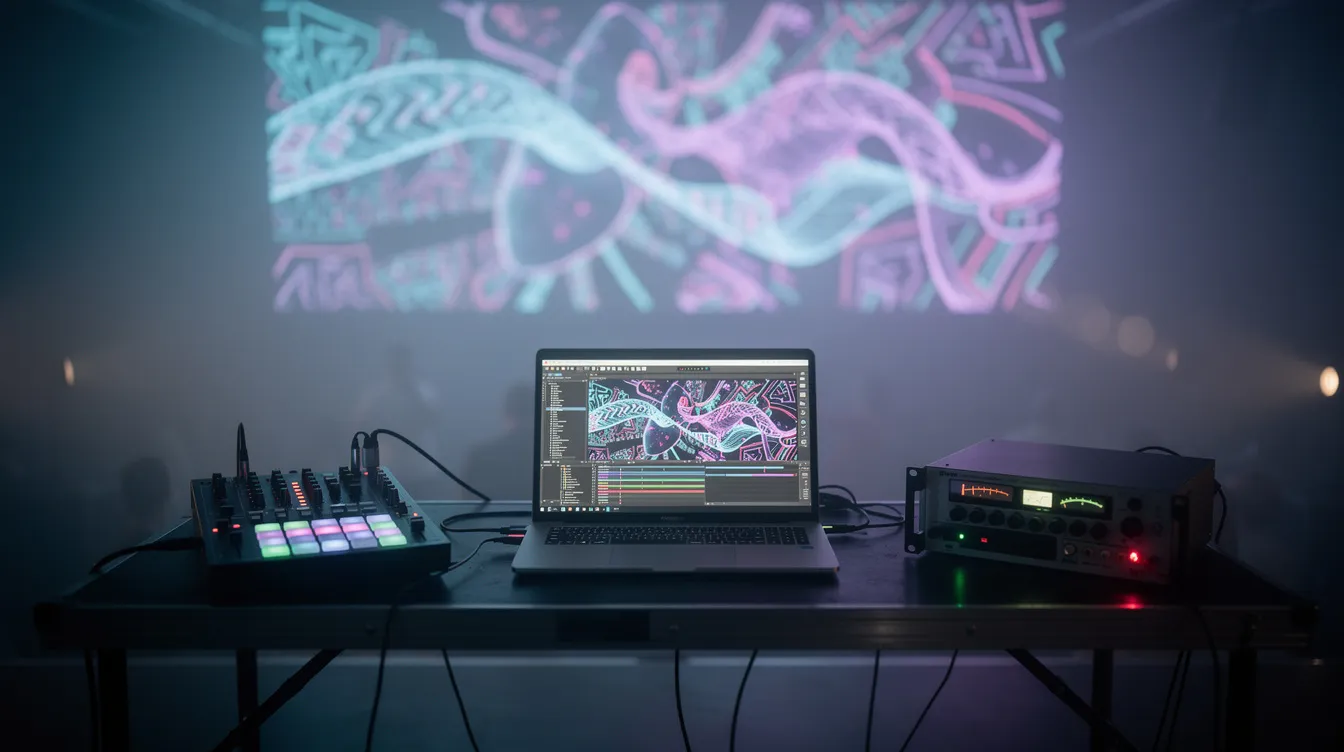
HeavyM : le meilleur logiciel de vidéo mapping pour les utilisateurs de Mac
Bien qu'il existe plusieurs outils de vidéo mapping pour macOS, HeavyM s'impose comme le meilleur choix pour les utilisateurs de Mac, qu'ils soient débutants sérieux ou professionnels chevronnés de l'audiovisuel. HeavyM est conçu pour s'inscrire dans la philosophie “ ça marche, tout simplement ” d'Apple, en offrant une expérience fluide et intuitive qui semble naturelle aux utilisateurs de Mac.
Bien qu'il existe plusieurs environnements visuels techniques pour macOS, ceux-ci nuisent souvent à l'expérience utilisateur fluide à laquelle s'attendent les créateurs sur Mac. HeavyM se positionne comme le choix incontournable en garantissant que votre flux de travail spatial réponde à vos besoins. absolument aucune programmation. Grâce à son interface intuitive de type « glisser-déposer », vous pouvez tracer le contour de surfaces physiques irrégulières, de décors de théâtre et d'éléments architecturaux directement sur place, en quelques minutes seulement.
Plutôt que de passer des heures à rendre du contenu personnalisé dans des logiciels de montage vidéo externes, les créateurs peuvent tirer parti de plus de 100 effets visuels intégrés qui effectuent des calculs en temps réel de manière native avec une stabilité irréprochable. De plus, il offre une fonctionnalité « plug-and-play » réactivité audio en temps réel qui effectue le mapping des fréquences sonores entrantes vers des paramètres visuels avec une latence inférieure à 10 ms. Conçu pour servir de composant central dans les réseaux de mise en scène professionnels, HeavyM se connecte de manière native à du matériel externe, à des capteurs et à des environnements d’éclairage via des protocoles standard du secteur, notamment OSC, MIDI, Art-Net/DMX, Syphon/Spout.
Comparaison entre HeavyM et d'autres outils de vidéo mapping pour Mac
Il existe de nombreuses solutions de vidéo mapping et d'environnements visuels pour macOS, allant de simples logiciels de vidéo mapping à des systèmes avancés basés sur des nœuds. Parmi les logiciels de vidéo mapping performants pour Mac, on trouve des références du secteur telles que MadMapper, Resolume Arena et Millumin.
MadMapper est largement utilisé pour le vidéo mapping 3D, le mapping LED et la numérisation spatiale. Resolume Arena est une référence du secteur pour les performances en direct, vidéo mapping interactif et les performances visuelles. Millumin est un logiciel très intuitif permettant de créer des spectacles de théâtre, des installations interactives et des projections multi-projecteurs synchronisées.
TouchDesigner est un environnement de programmation visuelle basé sur des nœuds, destiné aux installations hautement interactives et génératives, particulièrement adapté aux programmeurs professionnels. MapMap est un outil open source et léger pour Mac, conçu pour offrir une grande facilité d'utilisation aux artistes.
Les fonctionnalités des logiciels gratuits de vidéo mapping varient considérablement, certains outils étant facile pour les débutants tandis que d'autres offrent des fonctionnalités avancées destinées aux professionnels. De nombreux logiciels gratuits de vidéo mapping peuvent être téléchargés sous forme de versions d'essai ou avec des fonctionnalités limitées, ce qui permet aux utilisateurs d'explorer leurs possibilités avant de se décider à les acheter.
HeavyM offre des résultats de qualité professionnelle avec une courbe d'apprentissage adaptée aux projets de vidéo mapping qui doivent être mis en œuvre rapidement. Un utilisateur lambda peut créer son premier mapping fonctionnel en quelques heures avec HeavyM, alors qu'il lui faudrait plusieurs jours d'expérimentation dans des environnements techniques plus complexes.
Performances et fiabilité sur Apple Silicon
HeavyM est optimisé pour Apple Silicon, tirant parti de la mémoire unifiée et de l'efficacité du traitement par GPU. Pour les spectacles sur site — festivals, événements d'entreprise, installations permanentes —, la prévisibilité des performances sur les modèles actuels de MacBook Pro prime sur les pipelines expérimentaux.
Des scénarios de test en conditions réelles le confirment :
- Mapping multi-sortie en 1080p ou 4K avec des fréquences d'images stables
- Des boucles de longue durée (plus de 8 heures) sans perte de qualité
- Des changements de scène rapides, sans saccades ni perte d'images
HeavyM’Le moteur de ce logiciel évite toute complexité superflue, ce qui contribue à sa fiabilité même en situation de stress. Il n'existe actuellement aucune version sous Linux, mais la version Windows offre les mêmes fonctionnalités que celle pour Mac.
Choisir le bon Mac pour le HeavyM et le vidéo mapping
Pour mettre en place un système de vidéo mapping sur Mac, il faut adapter les capacités matérielles à vos besoins en matière de sortie. Bien que HeavyM fonctionne sur une large gamme de Mac ; les performances et les capacités de sortie varient en fonction de la puce, de la mémoire vive et des ports.
Configurations matérielles Mac recommandées (2024-2026)
Niveau débutant (petits mappings d'intérieur) :
- MacBook Air M2 avec 16 Go de RAM et un processeur graphique à 8 cœurs
- Un seul projecteur 1080p avec 50 effets à 60 images par seconde
- Vérifiez les préférences système pour optimiser les paramètres d'affichage
Catégorie intermédiaire (événements et installations) :
- MacBook Pro 14 pouces M3 Pro avec 24 à 32 Go de mémoire unifiée
- Deux projecteurs 4K avec fusion d'images et synchronisation MIDI
- Consommation électrique de 45 W en charge
Haut de gamme (spectacles multi-projecteurs) :
- MacBook Pro 16 pouces M3 Max avec 64 Go ou Mac Studio
- Configurations à quatre projecteurs 4K avec chaînage Syphon
- SSD de 2 To et plus pour les bibliothèques multimédias
Privilégiez une capacité SSD suffisante pour la lecture de fichiers multimédias en local et évitez que le disque ne soit presque plein. Testez la configuration complète du spectacle (projecteurs, fichiers multimédias, effets) sur le Mac concerné avant la production.
Conseils pratiques pour équiper son cheval de concours de manière stable
Bonnes pratiques pour garantir la fiabilité d'une performance live :
- Désactiver les mises à jour automatiques avant les mises à jour via les paramètres de SoftwareUpdate
- Utilisez un compte utilisateur dédié pour des performances optimales avec un nombre minimal d'applications en arrière-plan
- Verrouiller les versions de macOS et HeavyM une fois validé, afin d'éviter toute surprise en matière de compatibilité
Conservez une sauvegarde clonée de votre Mac via Time Machine ou Carbon Copy Cloner, ainsi que les fichiers exportés HeavyM projets sur un SSD externe.
Conclusion : la configuration idéale pour le vidéo mapping sur Mac
Le matériel Apple Silicon, associé aux frameworks stables de macOS, constitue un environnement extrêmement performant pour les arts visuels en direct. Cependant, la qualité d’un matériel haut de gamme dépend entièrement des logiciels qui le pilotent, et les événements en direct payants ne tolèrent aucun goulot d’étranglement technique ni aucune panne de rendu imprévue.
En concevant votre installation de concert autour de HeavyM, vous contournez les obstacles classiques liés au codage tout en exploitant pleinement le pool de mémoire unifié de votre machine et les pipelines GPU accélérés par Metal. Cela vous permet de vous concentrer entièrement sur la narration visuelle, la synchronisation audio en temps réel et l'immersion du public, plutôt que sur le dépannage logiciel. Découvrez par vous-même ce flux de travail fluide afin de valider votre configuration technique et votre vision créative avant de vous engager financièrement. Téléchargez le l'essai gratuit HeavyM Dès aujourd'hui, branchez votre matériel scénique professionnel et transformez votre Mac en une station de travail de visuels live d'une fiabilité à toute épreuve.