

Logiciels de vidéo mapping en direct : le guide complet pour des visuels de concert d'une fiabilité à toute épreuve
Lorsque la basse résonne et que 10 000 fans sont captivés par l’instant présent, vos effets visuels ne doivent pas se figer. Le vidéo mapping en direct est devenu indispensable pour créer des environnements immersifs lors de concerts, de festivals et de productions théâtrales, mais le logiciel de vidéo mapping qui gère ces visuels doit être absolument infaillible. Ce guide couvre tout ce que vous devez savoir sur le choix, la configuration et l'utilisation d'un logiciel de vidéo mapping dans le cadre de performances live.
En bref
Les concerts, festivals et spectacles de théâtre exigent des logiciels de vidéo mapping et de visuels en direct qui restent stables même sous une charge extrême du GPU et ne plantent jamais en plein milieu d’un set. Les meilleurs outils de visuels en direct permettent aux VJ et aux opérateurs de réagir en temps réel — en synchronisant les visuels avec l'audio, le MIDI et les consoles d'éclairage — sans dépendre uniquement d'énormes fichiers vidéo pré-rendus susceptibles de saturer le système. Le logiciel idéal pour les visuels de concert allie une stabilité maximale, des effets génératifs en temps réel, une réactivité audio « plug-and-play » et une intégration matérielle poussée, notamment la prise en charge des protocoles OSC, MIDI, Art-Net/DMX et Syphon/Spout.
Qu'est-ce qu'un “ logiciel de vidéo mapping en direct ” dans le cadre d'un concert ?
Le terme « logiciel de vidéo mapping en direct » désigne les outils spécialisés utilisés lors de performances live pour projeter des visuels sur des scènes, des décors, des cabines de DJ et des éléments architecturaux. Contrairement au vidéo mapping hors ligne — qui repose sur du contenu pré-rendu avec des chronologies fixes et ne laisse aucune place à l'improvisation —, les logiciels de vidéo mapping en direct permettent des ajustements à la volée, des effets génératifs et une synchronisation avec les systèmes audio et d'éclairage.
Les logiciels de vidéo mapping fournissent des outils de mapping, de création de contenu et de réglages en temps réel, ce qui les rend indispensables pour mener à bien des projets de vidéo mapping. Les étapes clés du vidéo mapping consistent à utiliser un logiciel pour déformer et fusionner du contenu vidéo sur des surfaces physiques, créant ainsi des affichages interactifs.
Parmi les cas d'utilisation courants, on peut citer :
- Les festivals d'EDM où des installations composées de plusieurs projecteurs illuminent d'immenses scènes
- Tournées avec groupe live nécessitant un mapping sur la batterie, les estrades ou les guitares
- Événements d'entreprise et tournées théâtrales avec reconfiguration rapide lors du montage
- Sets de VJ immersifs en boîte de nuit, alliant le mixage vidéo à des shaders génératifs
- Des installations artistiques où les images passent d'un cadre scénarisé à l'improvisation
- Des espaces commerciaux transformés en expériences de marque immersives grâce à la technologie de projection
- Les établissements de santé où le vidéo mapping améliore l'expérience des patients en créant des espaces apaisants et thérapeutiques
Ces termes se recoupent largement. L’expression “ logiciel de visuels en direct ” met l’accent sur la performance en temps réel. Les termes “ logiciel de visuels de concert ” ou “ logiciel VJ ” se concentrent sur la réactivité sur scène. Le terme “ serveur multimédia ” désigne des systèmes matériels et logiciels évolutifs destinés aux installations de grande envergure. Les applications de VJ d’entrée de gamme s’adressent aux clubs, tandis que les serveurs multimédias professionnels sont destinés aux salles de grande capacité.
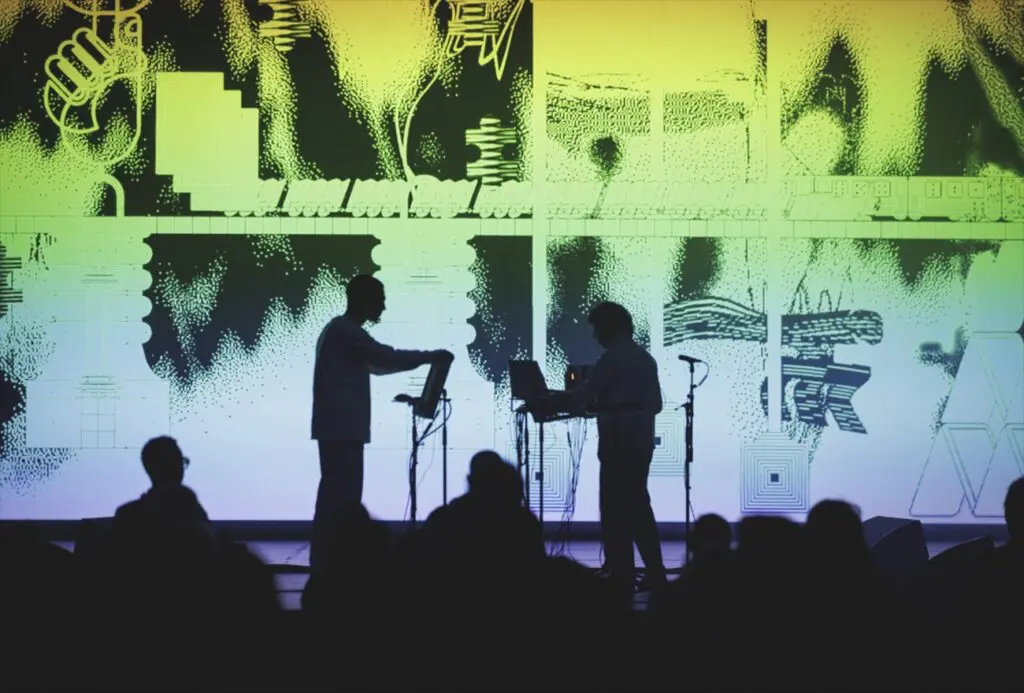
Qu'est-ce qui fait le succès d'un logiciel de vidéo mapping en direct ?
Lors de l'évaluation outils de vidéo mapping en direct En matière de concerts et de tournées, certains critères sont non négociables. Les enjeux sont trop importants pour accepter tout compromis.
Exigences fondamentales :
- Une stabilité à toute épreuve face à des charges GPU soutenues générées par plus de 6 calques 4K simultanés
- Rendu à très faible latence, inférieure à 16 ms, pour synchroniser parfaitement les effets visuels avec les rythmes
- Gestion efficace de la mémoire du GPU grâce à des codecs optimisés tels que HAP ou ProRes 422 HQ
- Résistance intégrée aux pannes grâce à la récupération automatique et à des moteurs légers
Fonctionnalités essentielles en direct :
- Déformation et masquage en temps réel à l'aide d'une déformation basée sur un maillage pour les surfaces irrégulières
- Alignement des bords entre plusieurs projecteurs avec correction gamma pour des panoramas sans couture
- Recalibrage de la surface sur place via l'étalonnage de la caméra ou des outils manuels de correction de la distorsion trapézoïdale
- Gestion avancée des repères grâce à des déclencheurs de clips, des timelines superposées et des banques de préréglages
Les fonctionnalités essentielles d'un logiciel de vidéo mapping comprennent la déformation de maillages 3D, la fusion d'images entre plusieurs projecteurs, la modification des paramètres en temps réel et l'étalonnage spatial. La prise en charge de plusieurs projecteurs et la fusion des bords sont indispensables pour les installations de grande envergure nécessitant plusieurs projecteurs afin de créer une image de grande taille sans coupures.
Éléments de performance à vérifier :
- OSC pour le contrôle en réseau depuis des tablettes ou des consoles d'éclairage
- MIDI pour le mapping tactile des faders et des boutons sur les contrôleurs
- Art-Net/DMX/sACN pour l'intégration avec les consoles d'éclairage
- Timecode (LTC/MTC) pour les spectacles structurés
- NDI pour la vidéo IP sur les réseaux
- Syphon/Spout pour le partage de GPU entre applications
Stabilité, gestion du GPU et résistance aux plantages à l'épreuve de la pratique
Un plantage logiciel en plein milieu d’un set dans une salle de 10 000 personnes entraîne des pertes se chiffrant en milliers et porte atteinte à la réputation professionnelle des artistes. Ce n’est pas une hypothèse : des VJ de festivals ont signalé des plantages de Resolume en plein Coachella dus à une surcharge de codecs, les obligeant à redémarrer manuellement le logiciel tandis que la foule regardait des écrans noirs.
Bonnes pratiques :
- Effectuer des tests de résistance avant la diffusion à une vitesse de 1,5 fois la vitesse normale, tout en veillant à ce que la température du GPU reste inférieure à 85 °C.
- Utilisez des superpositions indiquant la fréquence d'images afin de garantir un verrouillage entre 58 et 60 images par seconde
- Optez pour des codecs optimisés tels que HAP Alpha pour obtenir une transparence sans effet de bandes
- Tirez parti des effets génératifs qui permettent de créer une infinité de variations à partir de shaders légers
HeavyM’Son moteur est optimisé pour afficher de manière fluide plus de 100 effets visuels intégrés, ce qui réduit considérablement le risque de plantage par rapport aux configurations reposant exclusivement sur d'énormes fichiers vidéo compressés.
VJing en direct ou lecture sur une timeline ?
Le véritable VJing, c’est improviser — et non pas appuyer sur « play » pour lancer une séquence pré-rendu en espérant que le DJ ne change pas de tempo. Lors d’un set de DJ en direct, un VJ peut déformer les visuels pour les adapter à des variations soudaines du BPM, passant de 128 à 140, à l’aide de déclencheurs de clips et de macros d’effets. Pendant un solo de guitare, il peut intensifier les systèmes de particules via des faders MIDI réagissant aux variations de volume.
La cartographie de surface consiste à définir des “ tranches ” ou des masques pour chaque partie de l'objet afin de limiter le contenu vidéo à des zones spécifiques. Des masques de saisie précis garantissent que le contenu s'adapte parfaitement aux objets 3D complexes. Ce contrôle granulaire est essentiel pour les performances live où les éléments de décor changent d'une chanson à l'autre.
Le vidéo mapping est largement utilisé au théâtre pour transformer les scènes en univers immersifs qui captivent le public. Lors des festivals d'EDM et des concerts, le vidéo mapping rehausse ces événements grâce à des effets visuels synchronisés qui viennent compléter la musique, créant ainsi des expériences inoubliables.
HeavyM est conçu pour ce type de travail en improvisation. Son interface intuitive de type « glisser-déposer » permet de reconfigurer en quelques secondes, en plein milieu d’un morceau, des éléments de scène tels que des écrans LED ou des estrades — une solution idéale pour apporter des ajustements lors des essais sonores ou s’adapter à des exigences créatives imprévues.
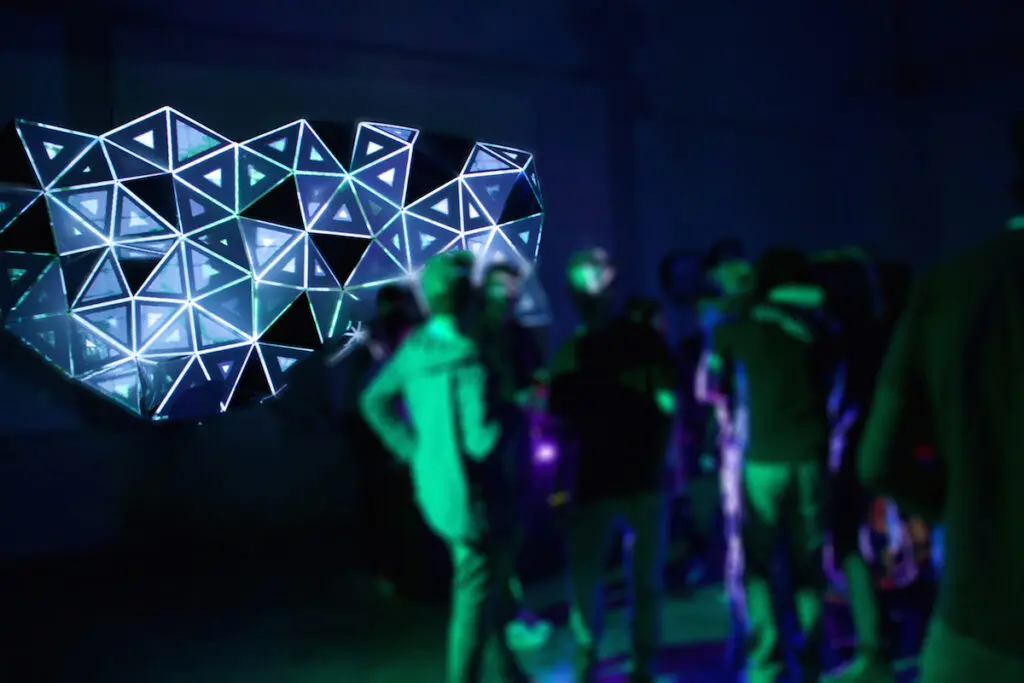
Réactivité audio : des effets visuels qui suivent véritablement la musique
Les effets visuels réactifs au son utilisent l'analyse FFT pour réaliser le mapping entre des bandes de fréquences et des paramètres visuels. Les basses fréquences (20-200 Hz) peuvent provoquer des distorsions d'amplitude. Les fréquences moyennes (200-2 kHz) peuvent modifier les couleurs. Les transitoires déclenchent des effets de flash.
Le rendu et l'édition en temps réel permettent de modifier instantanément les visuels et le mapping sans passer par un rendu, ce qui est essentiel pour les événements en direct. De nombreux outils de vidéo mapping proposent des réglages en temps réel, permettant aux utilisateurs de modifier les paramètres et les visuels à la volée pendant les représentations.
Applications courantes en production :
- Des DJ où les battements de grosse caisse suivent une croissance fractale
- Des batteurs en direct avec des explosions géométriques déclenchées par la grosse caisse
- Effets vocaux modulant l'intensité des glitchs
HeavyM propose une solution « plug-and-play » réactivité audio en temps réel sans aucune programmation nécessaire. Il suffit de sélectionner une source audio pour que le logiciel détecte instantanément le rythme avec une précision au 1/16e de note près. Comparez cela à un contenu pré-rendu qui semble décousu lorsque les DJ prolongent les « breakdowns » ou modifient le tempo de manière inattendue.
Comment synchroniser un logiciel de visuels de concert avec la musique en direct et la régie son ?
Le poste de régie (FOH) assure la coordination du son, de l'éclairage et, désormais, des effets visuels lors des performances live. Les opérateurs visuels doivent travailler en parfaite harmonie avec ces équipes afin d'éviter tout conflit et de garantir la cohésion des performances live.
Principaux protocoles et signaux :
- Horloge MIDI pour la synchronisation BPM
- Ensembles OSC pour l'automatisation des paramètres (faders d'intensité, changements de couleur)
- Mapping des univers Art-Net/DMX : association des commandes LD aux préréglages visuels
- Code temporel LTC/MTC pour les émissions structurées
- Prises audio directes depuis la console de mixage FOH pour une meilleure réactivité
Le contrôle de l'éclairage, y compris la variation de l'intensité de la lumière d'ambiance, est essentiel à la réussite d'un vidéo mapping. Un opérateur visuel peut suivre la feuille de régie fournie par le metteur en scène tout en improvisant dans le cadre d'une structure sécurisée. HeavyM Prend en charge nativement les protocoles OSC, MIDI, Art-Net/DMX et Syphon/Spout, ce qui facilite son intégration dans les flux de travail existants en matière d'éclairage et de médias pour des équipes de 2 à 5 personnes.
Intégration avec les consoles d'éclairage (Art-Net/DMX et au-delà)
Les principales consoles d'éclairage telles que grandMA3, Avolites Titan, et ETC permet de contrôler les paramètres visuels via Art-Net/DMX, offrant ainsi aux concepteurs lumière un contrôle unifié du spectacle.
Exemple de flux de travail :
- Un LD attribue le canal DMX 100 à la configuration 100% pour déclencher un effet pyrotechnique pendant les refrains
- Les coupures de courant sur le canal 0 font disparaître progressivement les images dans le néant
- Les faders modulent progressivement l'opacité pour créer des effets de fondu
Étapes générales de configuration :
- Attribuer un univers Art-Net (par exemple, Net 0 Univers 1)
- Mapper les canaux DMX aux paramètres HeavyM
- Effectuez des tests de latence en visant une valeur inférieure à 2 ms via des commutateurs Ethernet directs
L'implémentation Art-Net/DMX de HeavyM est de type « plug-and-play » : elle détecte automatiquement les consoles sans nécessiter de nœuds personnalisés. Cela convient particulièrement aux petites équipes ne disposant pas d'un programmeur dédié.
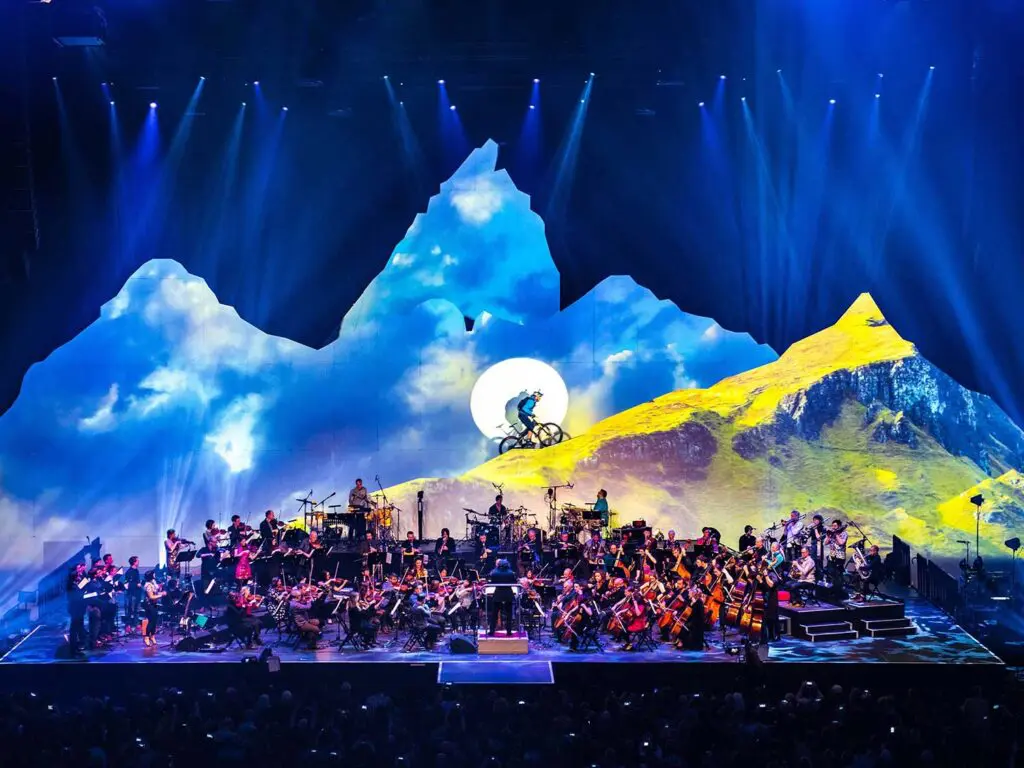
Contrôleurs MIDI et flux de travail pour les performances de VJ
Les contrôleurs MIDI tels que Akai APC40 MKII (8×8 pads, 16 faders), Novation Launchpad, ou Korg nanoKONTROL2 permettre aux VJ de “ jouer ” des effets visuels comme s'il s'agissait d'un instrument.
Mappings types :
- Des blocs de pads à connecter aux lanceurs ou aux déclencheurs de scène
- Curseurs permettant de régler l'intensité ou l'opacité des effets
- Convertisseurs permettant de régler la teinte, la saturation ou la vitesse d'animation
HeavyM’Le mode « MIDI Learn » attribue automatiquement les commandes en quelques secondes. Testez tous les mappings pendant les répétitions afin d’éviter les erreurs, comme l’activation accidentelle d’une opacité maximale pendant les passages calmes. L’interface utilisateur facilite la création rapide de schémas de contrôle.
Code temporel et spectacles structurés vs. prestations improvisées
Les spectacles chronométrés (comme la tournée « Eras » de Taylor Swift, avec des sets fixes de 2 heures et demie) synchronisent les effets visuels selon la norme SMPTE afin d’offrir chaque soir un spectacle identique. À l’inverse, les concerts improvisés de groupes de jam nécessitent des repères flexibles permettant aux techniciens de réagir aux moments musicaux.
HeavyM excelle dans les spectacles semi-structurés avec des esclaves de timecode et des commandes manuelles. Pour les synchronisations entièrement rigides de 100 projecteurs avec des racks dédiés, les installations de stade telles que Disguise restent la norme. Le choix du logiciel dépend de la structure et de l'ampleur de votre émission.
Comparaison entre les effets visuels en direct et les logiciels de vidéo mapping pour concerts
L'univers des visuels en direct s'étend des simples configurations sur ordinateur portable dans les clubs aux installations de plusieurs millions de dollars dans les stades. Comprendre à quoi servent les différents outils vous aide à prendre des décisions éclairées. Parmi les meilleurs logiciels de vidéo mapping en direct, on trouve MadMapper, Resolume Arena, TouchDesigner et HeavyM.
Serveurs multimédia haut de gamme et systèmes basés sur des nœuds (TouchDesigner, Disguise, etc.)
Les systèmes basés sur des nœuds relient les fonctions visuelles sous forme d'organigrammes, permettant ainsi la création de pipelines de données personnalisés, de réseaux de capteurs interactifs et de configurations à sorties multiples à grande échelle.
Fonctionnalités :
- Shaders Python personnalisés et fusion de capteurs
- Plus de 100 sorties simultanées
- Flux de travail 3D avancés avec redondance de niveau professionnel
- Calibrage de scène 3D permettant l'alignement de modèles 3D avec l'espace physique
Inconvénients pour les petites équipes :
- Courbes d'apprentissage sur 6 mois
- Configuration matérielle requise pour le $50k+
- Besoin de programmeurs spécialisés
- Plusieurs semaines de préparation
Ces systèmes sont parfaits pour les spectacles de la mi-temps du Super Bowl avec des clusters de 50 nœuds, mais constituent une solution surdimensionnée pour des concerts de type 80% rassemblant moins de 5 000 spectateurs.
Logiciels VJ traditionnels et outils hybrides
Système traditionnel à clips Outils VJ excelle dans le montage vidéo rapide, les paramètres liés à l'audio et les écosystèmes de plugins. MadMapper est un puissant logiciel de vidéo mapping qui permet aux utilisateurs de projeter un nombre illimité de vidéos sur n'importe quelle surface en utilisant autant de projecteurs que leur carte graphique peut en prendre en charge.
Cependant, certains outils traditionnels sont davantage optimisés pour les projections sur écran en 2D que pour le vidéo mapping précis sur des décors 3D complexes. De nombreux VJ recherchent désormais des outils hybrides combinant le mapping, les visuels génératifs et le contrôle en direct, plutôt que de devoir relier plusieurs applications entre elles. Le vidéo mapping peut être réalisé sur diverses surfaces, y compris des formes irrégulières, ce qui élargit les possibilités créatives des artistes et des designers.
Pourquoi le format HeavyM est idéal pour la plupart des concerts et des tournées
HeavyM se distingue comme la plateforme de visuels live par excellence pour les groupes en tournée, les VJ indépendants et les concepteurs de décors scéniques de festivals, car elle offre une stabilité de rendu professionnelle qui nécessite absolument aucune programmation. Au lieu de consacrer des mois à la formation d'ingénieurs techniques ou à la création de graphes de nœuds sous pression, les utilisateurs tirent parti d'un interface intuitive de type « glisser-déposer » pour réaliser le mapping en quelques minutes des structures physiques de la scène et des éléments de décor lors de montages rapides. Une fois votre toile calibrée, vous pouvez immédiatement lancer un spectacle dynamique à l'aide de plus de 100 effets visuels intégrés associé à natif réactivité audio en temps réel pour un suivi des rythmes « plug-and-play » précis au 1/16e de note près. Cette architecture générative garantit le bon déroulement de votre spectacle tout en sollicitant peu le GPU, tout en offrant une synchronisation matérielle parfaite avec les consoles d'éclairage externes via des protocoles professionnels, notamment OSC, MIDI, Art-Net/DMX, Syphon/Spout.
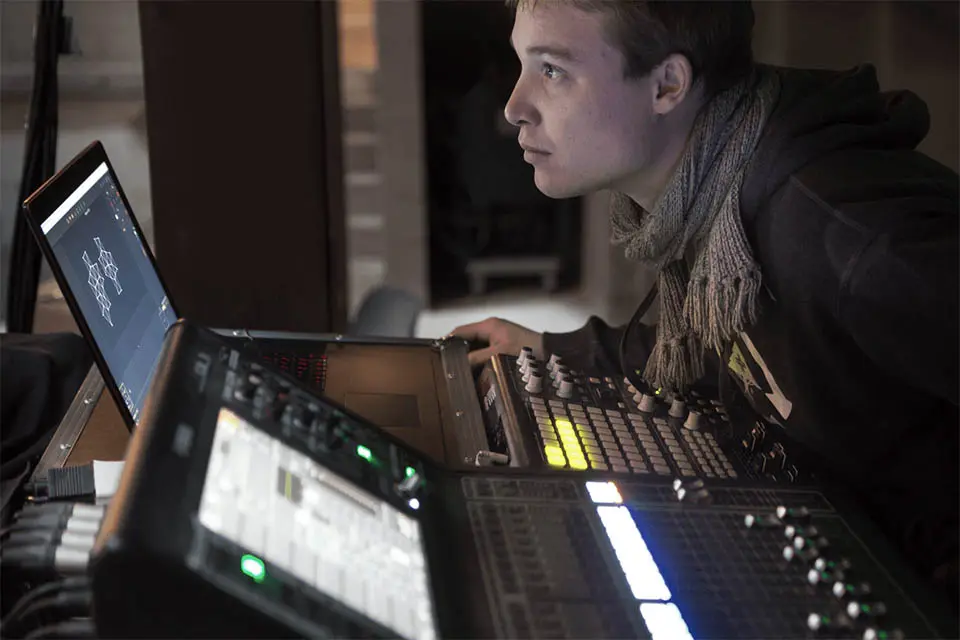
Conception d'une installation de vidéo mapping en direct à sécurité intégrée
Une conception à sécurité intégrée consiste à s'organiser de telle sorte que, même en cas de problème, le public ne s'en aperçoive pas ou que le spectacle reprenne immédiatement le cours normal.
Stratégies fondamentales de sécurité intégrée :
- Basculement de secours entre deux ordinateurs portables via Syphon
- Sorties HDMI/NDI redondantes vers des mélangeurs tels que le Barco E2
- “Préréglages ” Urgence » en 1080p/30 images par seconde avec des dégradés statiques
- Scénarios prudents utilisant des charges graphiques plus légères pour les cas les plus défavorables
HeavyM’La faible complexité de ses scènes garantit une disponibilité proche de 100% sur du matériel que les groupes en tournée peuvent réellement se permettre et transporter.
Optimisation des performances : éviter la surcharge du GPU et les plantages
Configuration et étalonnage des projecteurs visent à réduire au minimum les ombres et à couvrir efficacement les surfaces souhaitées. L'optimisation ne se limite pas au placement du matériel, mais s'étend également à la configuration logicielle.
Liste de contrôle pour l'optimisation :
- Utilisez des codecs optimisés pour le GPU, tels que HAP Q/Alpha, pour la lecture multicouche en temps réel : ils délestent le processeur en confiant le décodage vidéo au GPU, ce qui garantit des performances plus fluides. Stockez vos fichiers multimédias sur un disque SSD rapide.
- Limiter les textures à 2K lorsque le public ne peut pas percevoir une résolution supérieure
- Veillez à maintenir vos pilotes de carte graphique à jour : ils sont optimisés pour les applications créatives et améliorent la stabilité
- Lors du dépannage, isolez les effets un par un et activez ou désactivez la réactivité audio pendant les tests.
Latence et chaîne du signal
Le décalage entre le son, les lumières et les effets visuels brise l'immersion, en particulier dans les spectacles de théâtre ou de danse au rythme très serré et basés sur des signaux précis.
- Les configurations 60 Hz/50 Hz non synchronisées entre votre ordinateur, votre projecteur et vos logiciels sont une cause fréquente de perte d'images — veillez à harmoniser les fréquences de rafraîchissement de l'ensemble de votre installation.
- Les liaisons sans fil entraînent des délais imprévisibles ; privilégiez les connexions filaires pour les émissions en direct.
- Les cartes d'acquisition (par exemple, Blackmagic DeckLink) ajoutent une latence de 2 à 10 ms — il faut en tenir compte lors de la synchronisation des images avec le son ou l'éclairage
Liste de contrôle avant le spectacle
- Vérifiez les distances de projection de l'objectif par rapport aux spécifications du rapport de projection de votre projecteur avant de fixer l'installation.
- Vérifiez que la réponse MIDI semble instantanée lors de la balance
- Réglez les pics d'entrée audio autour de -6 dB pour garantir une réactivité fiable
- Créez des préréglages clairement nommés pour chaque morceau ou segment d'émission
En cas de problème
Préparez une procédure d'urgence simple : passez sur une sortie neutre, rechargez votre dernier préréglage stable et, si nécessaire, mettez un projecteur en bypass. Notez tout problème rencontré après chaque spectacle : une petite note peut s'avérer très utile lorsque vous reviendrez dans la même salle.
Premiers pas avec HeavyM pour le vidéo mapping en direct
HeavyM constitue le point de départ le plus pratique, tant pour les débutants sérieux que pour les VJ professionnels et les groupes en tournée, qui ont besoin d'un logiciel de visuels de concert fiable ne nécessitant aucune programmation.
Procédure de démarrage rapide :
- Télécharger HeavyM (30 jours) essai gratuit (disponible)
- Configurez votre projecteur comme deuxième écran via les paramètres de votre ordinateur
- Analyse automatique des surfaces via la webcam à des fins d'étalonnage
- Faites glisser les effets intégrés de la bibliothèque vers votre calque de sortie
- Activer la réactivité audio via l'entrée ligne, en effectuant un mapping des basses sur des paramètres visuels
Une fois que vous maîtriserez les bases du mapping et des projections vidéo, n'hésitez pas à vous essayer aux contrôleurs MIDI et à l'intégration Art-Net/DMX. La prise en main est progressive, mais les possibilités créatives sont infinies.
Alors que les grandes tournées dans les stades peuvent nécessiter des serveurs multimédias complexes, exigeant des équipes techniques importantes et des mois de préparation, HeavyM couvre la grande majorité des événements en direct — des clubs de 200 places aux festivals de taille moyenne — en alliant à la perfection fiabilité, puissance créative et facilité d'utilisation. L'objectif est simple : donner vie à votre créativité sans vous soucier des plantages, des limitations ou du code.
Prêt à organiser un concert sans faille ?
Ne laissez pas la crainte des blocages logiciels, des pertes d'images ou de la complexité des timelines de votre serveur multimédia gâcher l'énergie de votre prochain spectacle. Les meilleures expériences visuelles en direct naissent lorsque la chaîne de signal est d'une fiabilité à toute épreuve et que l'interface ne fait pas obstacle à votre créativité.
Cessez de cliquer avec la souris sur des interfaces complexes et commencez à jouer avec vos visuels comme s'il s'agissait d'un véritable instrument. Télécharger l'essai gratuit HeavyM aujourd'hui, branchez votre contrôleur MIDI préféré et mettez le feu à votre installation scénique dès ce soir.