

I migliori video mapping software per Mac: una guida completa
Per gli artisti visivi, i VJ e gli organizzatori di eventi che operano nell’ecosistema Mac, trovare il video mapping software giusto può rivoluzionare il modo di affrontare eventi dal vivo, installazioni artistiche e performance digitali. Questa guida spiega perché l’hardware Mac eccelle nel video mapping e quali soluzioni software consentono di sfruttarne al massimo il potenziale.
In breve
I Mac con Apple Silicon hanno rivoluzionato le performance audiovisive live, grazie a un’architettura di memoria unificata e a un’eccezionale efficienza termica che impediscono completamente il throttling della GPU durante spettacoli della durata di diverse ore. Per sfruttare al massimo il potenziale di questo hardware è necessario un software sviluppato in modo nativo per sfruttare i framework macOS a bassa latenza. Per i creativi alla ricerca di un flusso di lavoro live senza intoppi, la scelta di una soluzione ottimizzata che non richieda alcuna programmazione garantisce un output stabile e ad alta risoluzione su più proiettori direttamente da un unico laptop di produzione.
Che cos’è il video mapping software su Mac?
Il video mapping trasforma le superfici del mondo reale — edifici, palchi, sculture e oggetti dalle forme irregolari — in schermi dinamici utilizzando un proiettore video mapping e un software specifico per Mac. Su macOS, il video mapping software gestisce la correzione geometrica, la distorsione, la fusione dei bordi e la riproduzione dei contenuti, sfruttando al contempo l’hardware del Mac e i framework del sistema operativo per garantire prestazioni ottimali.
Il video mapping software è fondamentale per controllare la luminosità, il contrasto e l'allineamento delle immagini proiettate su superfici irregolari, consentendo la realizzazione di proiezioni dinamiche in occasione di concerti, spettacoli teatrali, installazioni interattive e set VJ nei locali. Il software è in grado di gestire più proiettori per proiezioni su larga scala, rendendolo adatto a diverse applicazioni, dagli eventi dal vivo alle installazioni artistiche permanenti.
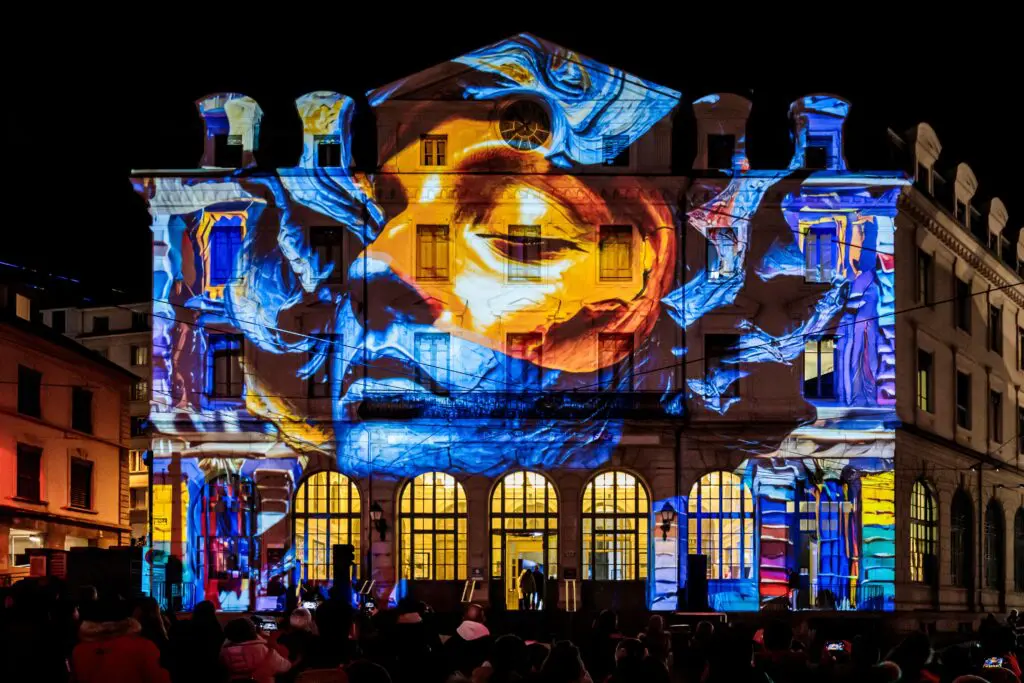
Molti Opzioni di video mapping software sono disponibili, con funzionalità che spaziano da semplici interfacce per principianti a funzionalità avanzate per professionisti. Quando si sceglie un video mapping software gratuito, è importante considerare la compatibilità con il proprio proiettore, poiché software diversi possono funzionare meglio con specifiche configurazioni hardware. Questo articolo si concentra sull’ottimizzazione dei flussi di lavoro di video mapping specificamente su hardware Mac con macOS Ventura (2022) e versioni successive.
Perché utilizzare un Mac per il video mapping dal vivo?
Molti professionisti del settore AV e VJ scelgono il MacBook Pro e il Mac Studio come standard per le installazioni itineranti e fisse. La combinazione di prestazioni affidabili, eccellente supporto al settore creativo e ottima compatibilità con gli strumenti AV professionali rende il Mac la scelta naturale per i lavori di video mapping di alto livello.
Tra i principali vantaggi figurano:
- Prestazioni prevedibili durante spettacoli della durata di diverse ore
- Elevata compatibilità con protocolli audio, video e di illuminazione conformi agli standard del settore
- Integrazione hardware-software che garantisce la stabilità durante l'utilizzo di più proiettori
- Funzionamento silenzioso indispensabile per i teatri e i locali di piccole dimensioni
La stretta integrazione tra hardware e software di Apple consente Configurazioni di video mapping per Mac per garantire la stabilità durante le proiezioni di lunga durata, anche in caso di trasmissione simultanea su più schermi esterni.
I chip M con Apple Silicon sono adatti alle immagini in tempo reale?
Sì, Apple Silicon (M1 nel 2020, M1 Pro/Max, M2/M2 Pro/Max e M3 nel 2023–2024) è particolarmente adatto al video mapping e alle visualizzazioni dal vivo. La maggior parte del video mapping software di fascia alta è altamente ottimizzato per Mac e sfrutta i chip Apple Silicon.
Architettura a memoria unificata Ciò significa che la GPU e la CPU condividono lo stesso pool di memoria ad alta larghezza di banda (fino a 128 GB di LPDDR5X su M3 Max), eliminando il sovraccarico legato alla copia dei dati tra i processori. Ciò offre vantaggi nella riproduzione video in tempo reale e nelle scene di mapping complesse con più livelli.
GPU integrate ad alte prestazioni offrire una notevole potenza di calcolo:
- Le GPU M2 Pro offrono fino a 3,6 teraflop
- M3 Max integra 40 core GPU con supporto per Metal 3
- Funzionamento con un solo laptop di spettacoli che in precedenza richiedevano media server montati su rack
Rendimento termico è un fattore chiave di differenziazione. I MacBook Pro con chip della serie M presentano un throttling della frequenza di clock inferiore a 5% dopo 2 ore di output 4K su più proiettori, mentre i sistemi Intel o AMD spesso subiscono un throttling compreso tra 15 e 25% in condizioni di carico simili. Il rumore della ventola rimane al di sotto dei 40 dB a pieno carico, un aspetto fondamentale per gli ambienti in cui è richiesta la massima silenziosità.
Se cerchi un dispositivo da viaggio affidabile, prendi in considerazione un MacBook Pro M3 Pro da 14” o 16” con 32 GB di memoria unificata. I professionisti del settore riferiscono di utilizzare questa configurazione per pilotare due proiettori 4K a 60 fps con edge blending, garantendo un funzionamento impeccabile in oltre 100 eventi all’anno.
Stabilità di macOS durante gli spettacoli dal vivo
macOS si basa su framework multimediali stabili come CoreAudio e CoreVideo, il che lo rende una soluzione affidabile per concerti, spettacoli teatrali e installazioni permanenti. Driver audio stabili e una latenza prevedibile sono fondamentali quando il video mapping deve rimanere sincronizzato con le colonne sonore, il timecode o i musicisti dal vivo.
Le installazioni di lunga durata — proiezioni museali in funzione ogni giorno per mesi — traggono vantaggio dalla reputazione di macOS in termini di operatività. Le statistiche di AV Forum indicano che i sistemi macOS registrano un’affidabilità media del 99,9% su oltre 500 ore, rispetto al 95% dei sistemi Windows equivalenti.
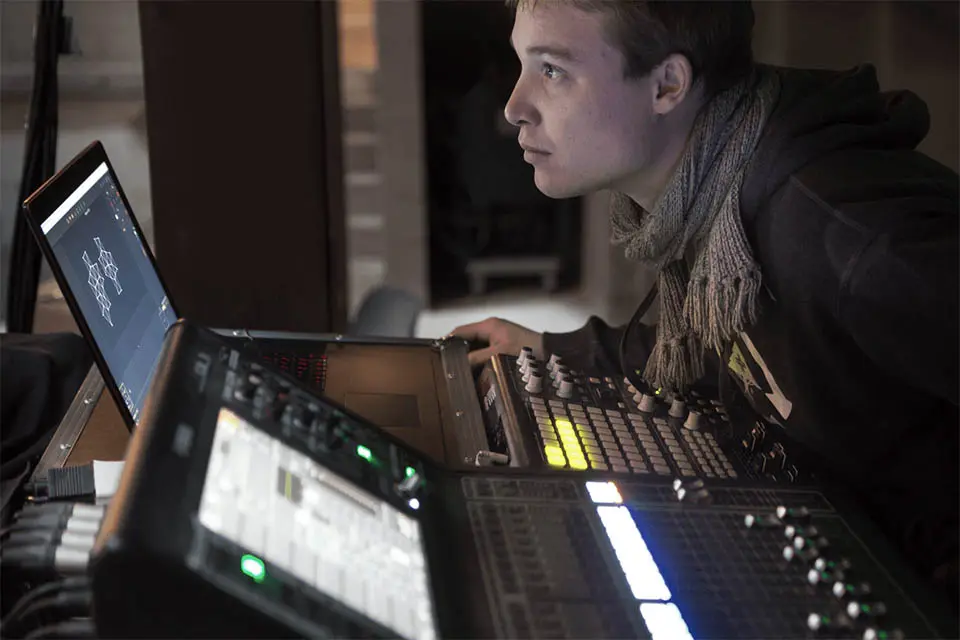
Molti tecnici audiovisivi si affidano a Time Machine e alle configurazioni standardizzate di macOS per clonare e ripristinare rapidamente i portatili utilizzati durante gli spettacoli, se necessario. Da macOS Ventura a Sonoma, i cicli di sospensione e riattivazione sono stati ottimizzati per i monitor esterni, riducendo al minimo i picchi di latenza sulle dock Thunderbolt durante la sostituzione a caldo dei proiettori.
Tecnologie chiave di macOS per il video mapping
Comprendere le tecnologie specifiche per Mac aiuta gli utenti a scegliere strumenti di video mapping che si integrino perfettamente nei flussi di lavoro audiovisivi professionali incentrati sui Mac. Un software di video mapping di alta qualità dovrebbe supportare questi framework in modo nativo.
Syphon: instradamento video a latenza zero su Mac
Syphon è un framework per macOS sviluppato nel 2011 che consente alle applicazioni di condividere fotogrammi video in tempo reale con una latenza inferiore a 1 ms. Viene comunemente utilizzato tra app per VJ, server multimediali e processori di effetti, eliminando la necessità di schede di acquisizione HDMI.
Tra i casi d'uso concreti figurano:
- Invio di immagini generative da TouchDesigner a un'app di video mapping come HeavyM
- Inserimento dei feed delle telecamere in diretta nei contenuti di mapping
- Combinare più sorgenti video su un unico Mac senza acquisizione hardware
Un software serio per il video mapping su Mac dovrebbe supportare l'input e l'output Syphon, in modo che gli utenti possano realizzare configurazioni modulari. HeavyM su Mac si integra con Syphon, consentendo ai creatori di indirizzare i video provenienti da altre app compatibili con Syphon direttamente nelle loro composizioni di video mapping.
CoreAudio, CoreVideo e Metal
CoreAudio è il framework audio a bassa latenza di Apple, con una latenza di andata e ritorno inferiore a 5 ms sull'insieme dei dispositivi. A differenza dei driver ASIO di Windows, soggetti a conflitti USB, l'integrazione a livello di kernel di CoreAudio impedisce le interruzioni del segnale durante le installazioni che durano diverse ore.
CoreVideo e Metallo forniscono le basi per il rendering in tempo reale e accelerato da GPU di video ed effetti. L'API Metal ha sostituito OpenGL, ormai obsoleto, sui chip M, aumentando la velocità di rendering degli effetti di 2-4 volte. I moderni video mapping software per Mac dovrebbero utilizzare Metal anziché i vecchi percorsi OpenGL per ottenere le migliori prestazioni.
Il motore di rendering di HeavyM è ottimizzato per sfruttare appieno queste funzionalità della GPU, consentendo agli oltre 100 effetti di funzionare in modo fluido e in tempo reale su Apple Silicon.
Configurazione portatile per VJ e video mapping su Mac
Molti VJ e artisti di mapping si affidano a un solo MacBook Pro e ad accessori compatti per realizzare spettacoli completi. Una tipica configurazione portatile comprende:
- Portatile Mac (serie MacBook Pro M2/M3)
- Da uno a tre proiettori a focale corta (ad esempio, Optoma UHZ67 (a 4300 lumen)
- Interfaccia audio USB
- Dock USB-C/Thunderbolt affidabile
Gestione di più proiettori tramite Thunderbolt/USB-C
I MacBook Pro di ultima generazione (2019–2024) possono collegare più schermi esterni tramite Thunderbolt 3/4 e HDMI. I MacBook dotati di M3 Max supportano fino a sei schermi esterni tramite le porte Thunderbolt 4.
Le dock Thunderbolt dotate di uscite DisplayPort/HDMI consentono di collegare due o tre proiettori a un singolo laptop.
Non tutti gli hub supportano uscite video indipendenti su Mac. Gli hub USB-C economici potrebbero limitarsi alle uscite in mirroring, mentre quelli certificati consentono la mappatura completa per ciascun proiettore. Il video mapping software come HeavyM è in grado di gestire ogni proiettore come uno schermo a sé stante e di applicare la distorsione, l’unione dei bordi e le maschere morbide per ciascuna uscita.
Integrazione di audio, MIDI e illuminazione
Un tipico impianto live compatto comprende:
- Computer portatile Mac con interfaccia audio USB (Focusrite Scarlett)
- Controller MIDI (Akai APC o Novation Launchpad)
- Nodo Art-Net/DMX (ENTTEC ODE) per apparecchi di illuminazione
Su Mac, CoreMIDI e MIDI di rete semplificano il collegamento dei controller e la loro sincronizzazione con i parametri del video mapping: intensità degli effetti, cambio di scena, manipolazione dei colori. Il protocollo OSC via Wi-Fi consente di utilizzare l’iPad come telecomando per un controllo flessibile (con TouchOSC (ad esempio).
Gli strumenti avanzati di video mapping per Mac dovrebbero supportare i protocolli OSC e MIDI per il controllo, oltre ad Art-Net/DMX per la comunicazione con i sistemi di illuminazione. HeavyM su macOS supporta nativamente OSC, MIDI e Art-Net/DMX, consentendo di realizzare spettacoli visivi e di illuminazione perfettamente integrati da un unico MacBook.
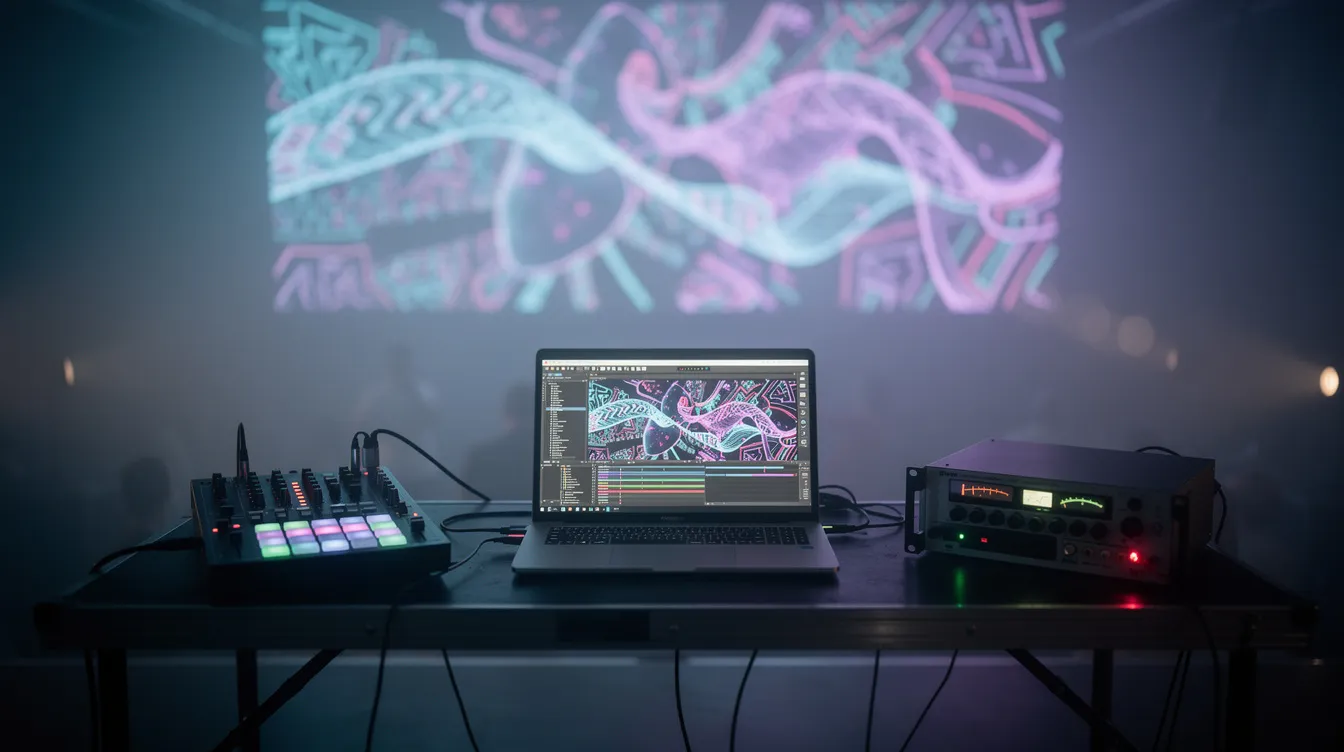
HeavyM: Il miglior video mapping software per gli utenti Mac
Sebbene esistano diversi strumenti di video mapping per macOS, HeavyM si distingue come la scelta migliore per gli utenti Mac, dai principianti più motivati ai professionisti esperti del settore audiovisivo. HeavyM è stato progettato per allinearsi alla filosofia di Apple “it just works”, offrendo un’esperienza fluida e intuitiva che risulta naturale agli utenti Mac.
Sebbene esistano diversi ambienti visivi tecnici per macOS, spesso questi compromettono l’esperienza utente fluida che gli sviluppatori Mac si aspettano. HeavyM si propone come la scelta ideale, garantendo che il tuo flusso di lavoro spaziale richieda assolutamente nessuna programmazione. Attraverso il suo interfaccia intuitiva di tipo "drag-and-drop", è possibile tracciare il contorno di superfici fisiche irregolari, scenografie e elementi architettonici direttamente in loco nel giro di pochi minuti.
Anziché dedicare ore al rendering di contenuti personalizzati in software di editing video esterni, i creatori possono avvalersi di oltre 100 effetti visivi integrati che eseguono calcoli in modo nativo al volo con una stabilità impeccabile. Inoltre, offre funzionalità plug-and-play reattività audio in tempo reale che effettua il mapping delle frequenze sonore in ingresso su parametri visivi con una latenza inferiore a 10 ms. Progettato per fungere da componente centrale delle reti di allestimento professionale, HeavyM si collega in modo nativo a hardware esterno, sensori e sistemi di illuminazione tramite protocolli standard del settore, tra cui OSC, MIDI, Art-Net/DMX, Syphon/Spout.
Confronto tra HeavyM e altri strumenti di video mapping per Mac
Per macOS sono disponibili numerose soluzioni di video mapping e ambienti visivi, dai semplici projection mapper ai sistemi avanzati basati su nodi. Tra i video mapping software più efficaci per Mac figurano standard del settore come MadMapper, Resolume Arena e Millumin.
MadMapper è ampiamente utilizzato per il video mapping 3D, il mapping LED e la scansione spaziale. Resolume Arena è uno standard di settore per le esibizioni dal vivo, video mapping interattivo e le prestazioni visive. Millumin è uno strumento estremamente intuitivo per la creazione di spettacoli teatrali, installazioni interattive e proiezioni con fusione multiproiettore.
TouchDesigner è un ambiente di programmazione visiva basato su nodi, pensato per installazioni altamente interattive e generative, ideale per programmatori professionisti. MapMap è uno strumento leggero e open source per Mac, progettato per garantire la massima facilità d'uso agli artisti.
I video mapping software gratuiti presentano caratteristiche molto diverse tra loro, con alcuni strumenti che sono facile per i principianti mentre altri offrono funzionalità avanzate per i professionisti. Molti video mapping software gratuiti possono essere scaricati come versioni di prova o con funzionalità limitate, consentendo agli utenti di esplorarne le potenzialità prima di procedere all’acquisto.
HeavyM offre risultati di livello professionale con una curva di apprendimento adatta ai progetti di video mapping che richiedono una realizzazione rapida. Un utente medio può realizzare il proprio primo mapping funzionante in poche ore con HeavyM, a fronte di giorni di sperimentazione necessari in ambienti tecnici più complessi.
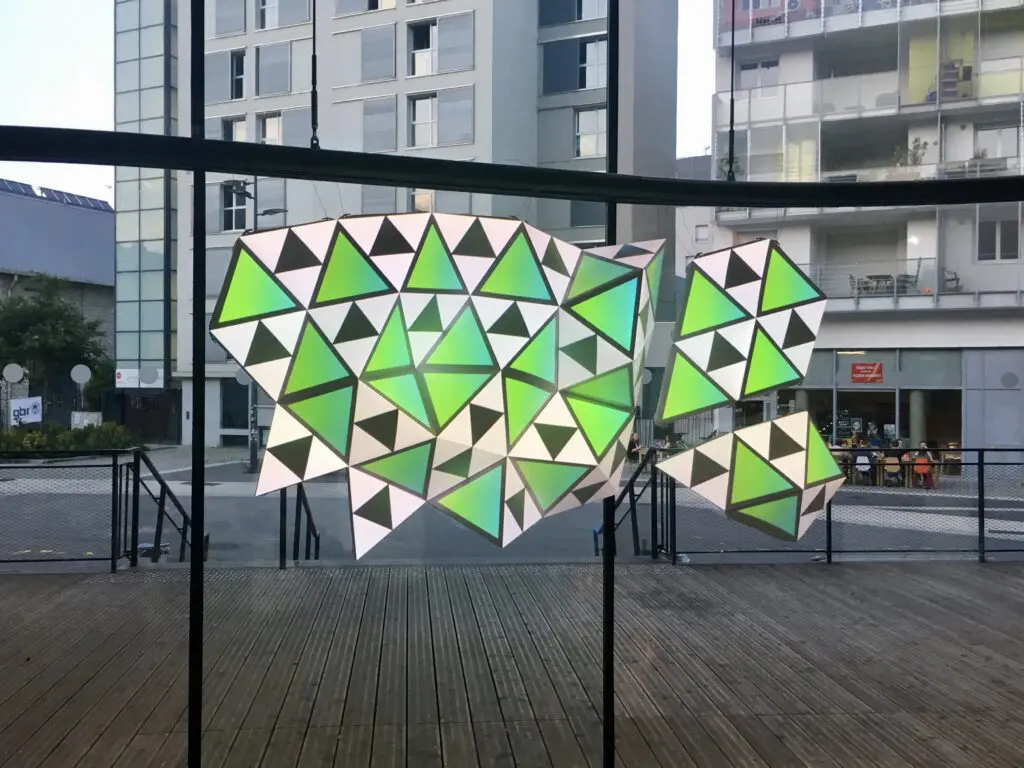
Prestazioni e affidabilità su Apple Silicon
HeavyM è ottimizzato per Apple Silicon, sfruttando la memoria unificata e l'efficiente elaborazione della GPU. Per gli spettacoli dal vivo — festival, eventi aziendali, installazioni permanenti — le prestazioni prevedibili sui modelli attuali di MacBook Pro sono più importanti delle pipeline sperimentali.
Gli scenari di test in condizioni reali lo confermano:
- Mapping multi-uscita a 1080p o 4K con frame rate stabili
- Cicli di funzionamento prolungati di oltre 8 ore senza perdita di prestazioni
- Cambiamenti rapidi di scena senza interruzioni né perdita di fotogrammi
HeavyM’Il motore del programma evita inutili complessità, garantendo affidabilità anche in situazioni di stress. Al momento non è disponibile una versione per Linux, anche se quella per Windows offre le stesse funzionalità della versione per Mac.
Scegliere il Mac giusto per HeavyM e il video mapping
Per progettare un sistema di video mapping basato su Mac è necessario adeguare le capacità hardware alle proprie esigenze di output. Sebbene HeavyM Funziona su un'ampia gamma di Mac; le prestazioni e la quantità di dati in uscita variano a seconda del chip, della RAM e delle porte.
Configurazioni hardware consigliate per Mac (2024–2026)
Livello base (piccole mappature in ambienti chiusi):
- MacBook Air M2 con 16 GB di RAM e GPU a 8 core
- Proiettore singolo da 1080p con 50 effetti a 60 fps
- Controlla le preferenze di sistema per ottimizzare le impostazioni dello schermo
Fascia media (eventi e installazioni):
- MacBook Pro da 14” con chip M3 Pro e memoria unificata da 24-32 GB
- Doppio proiettore 4K con funzione di fusione delle immagini e sincronizzazione MIDI
- Consumo energetico di 45 W sotto carico
Fascia alta (spettacoli con più proiettori):
- MacBook Pro da 16” con M3 Max e 64 GB o Mac Studio
- Configurazioni con quattro proiettori 4K e concatenamento tramite Syphon
- SSD da 2 TB+ per librerie multimediali
Dai priorità alla capacità dell'SSD per la riproduzione di contenuti multimediali in locale ed evita che le unità siano quasi piene. Testa le configurazioni complete dello spettacolo — tutti i proiettori, i contenuti multimediali, gli effetti — sul Mac di destinazione prima della produzione.
Consigli pratici per allestimenti da esposizione stabili per Mac
Migliori pratiche per garantire l'affidabilità delle performance live:
- Disattiva gli aggiornamenti automatici prima degli aggiornamenti tramite le impostazioni di Software Update
- Utilizza un account utente dedicato per prestazioni ottimali con un numero minimo di app in background
- Blocca le versioni di macOS e HeavyM una volta approvato, per evitare problemi di compatibilità
Conserva una copia di backup clonata del Mac tramite Time Machine o Carbon Copy Cloner, oltre ai file esportati HeavyM progetti su un SSD esterno.
Conclusione: la configurazione ideale per il video mapping su Mac
L'hardware Apple Silicon, abbinato ai framework stabili di macOS, rappresenta un ambiente estremamente potente per l'arte visiva dal vivo. Tuttavia, l'hardware ad alte prestazioni vale solo quanto il software che lo gestisce, e gli eventi dal vivo a pagamento non lasciano spazio a colli di bottiglia tecnici o a arresti imprevisti del rendering.
Costruendo la tua configurazione live attorno a HeavyM, potrai superare i tradizionali ostacoli alla programmazione sfruttando appieno il pool di memoria unificato del tuo computer e le pipeline GPU accelerate da Metal. Ciò ti consentirà di concentrarti interamente sulla narrazione visiva, sulla sincronizzazione audio in tempo reale e sull’immersione del pubblico, anziché sulla risoluzione dei problemi software. Prova in prima persona questo flusso di lavoro senza soluzione di continuità per verificare la tua configurazione tecnica e la tua visione creativa prima di assumerti qualsiasi impegno finanziario. Scarica il HeavyM prova gratuita Oggi, collega la tua attrezzatura professionale da palco e trasforma il tuo Mac in una workstation per le immagini dal vivo davvero affidabile.