

HeavyM Mapping Software
Resumo
HeavyM mapping software democratizes stage design and visual art by removing traditional technical barriers, allowing creators to adapt to virtually any physical environment without relying on external rendering tools. By combining a strict no-coding philosophy with an intuitive drag-and-drop interface, it empowers users to achieve professional results instantly. Ultimately, the software strikes the perfect balance between accessibility for beginners and advanced live-control capabilities for AV professionals, making it the smartest solution for modern visual events.
Transform Any Space Into Digital Art in Minutes
HeavyM delivers on a simple promise: turn any surface into dynamic video projections with just a few clicks. The projection mapping surface can be an architectural element, decor, or a specific kit, and HeavyM can be used on any type of surface—walls, geometric structures, curved objects, or irregular shapes.
This user friendly tool eliminates common technical frustrations that plague traditional mapping software. Modern projection mapping engines compute graphics natively on the fly, allowing visuals to react instantaneously to live variables. HeavyM allows for live editing with no rendering needed, which reduces setup time dramatically. Users consistently report completing full setups in under 30 minutes, transforming what once required specialized technical teams into an extremely smooth process.
Why Visual Creators Choose HeavyM
Visual creators worldwide acclaim HeavyM for several compelling reasons:
- No coding required - HeavyM’s user-friendly interface allows users to define projection mapping areas using drawing tools, which can be done with a computer mouse or trackpad. Every workflow operates through intuitive GUI tools.
- Over 100 built-in visual effects – The integrated visual library includes ready to use animations that automatically adapt to the outlines of surfaces. HeavyM is recommended for quick workflows with its library of 1,000+ generative effects.
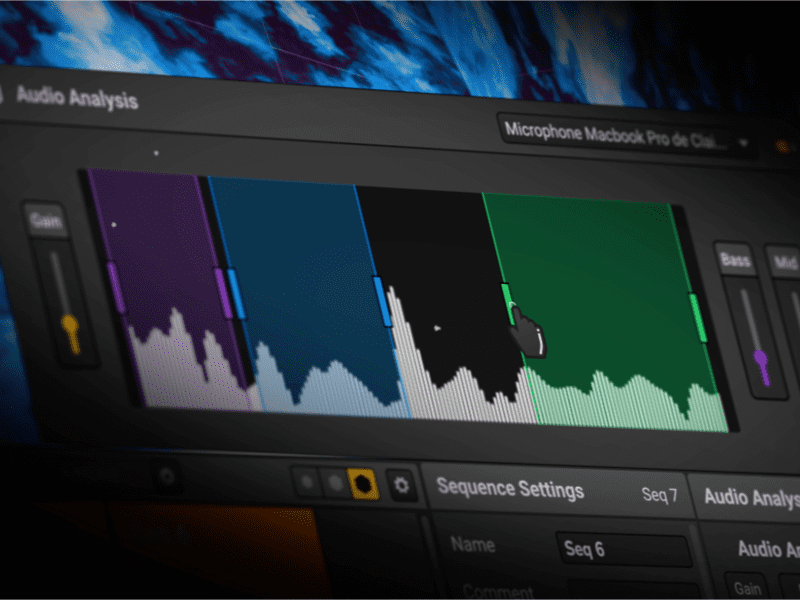
- Reatividade de áudio em tempo real - HeavyM supports real-time audio reactivity, allowing visuals to synchronize with sound input. This effortless visual music sync responds to bass, mids, highs, and beat detection for live performances.
- Professional connectivity – Professional platforms must communicate instantly with external gear on show sites and support industrial protocols like DMX/Art-Net and MIDI/OSC. HeavyM delivers full support for OSC, MIDI, Art-Net/DMX, Syphon/Spout, and NDI.
- Instant adaptation – Last-minute stage changes, projector repositioning, or venue modifications can be accommodated through live warping tools and shape adjustments without rebuilding content.
What Makes HeavyM Different from Complex Media Servers
Most alternatives focus on technical complexity requiring coding expertise or node-based programming. While these tools offer high-computation power and creative flexibility software ideal for generative art and interactive exhibits, they demand years of mastery.
HeavyM is built differently:
- All-in-one solution – Drawing tools, warping, effects, timeline management, and control protocols are integrated. No shuttling content between applications.
- Intuitive drawing toolkit – Create own shapes and complex geometries through visual drawing rather than code or nodes.
- Seamless mapping transitions – Transitions between sequences include parameters for starting angle, easing, and LFO modulation—all accessible through GUI.
For professional projection mapping, choices range from flexible performance software to high-end media servers, depending on project requirements. Ultra-niche massive stadium tours sometimes rely on highly complex, custom-coded node environments. HeavyM positions itself as the absolute best all-in-one powerfull projection mapping software for event agencies, VJs, and serious beginners looking to deliver premium results immediately—without the learning curve.
How HeavyM Works
Step 1: Surface Selection and Projector Setup
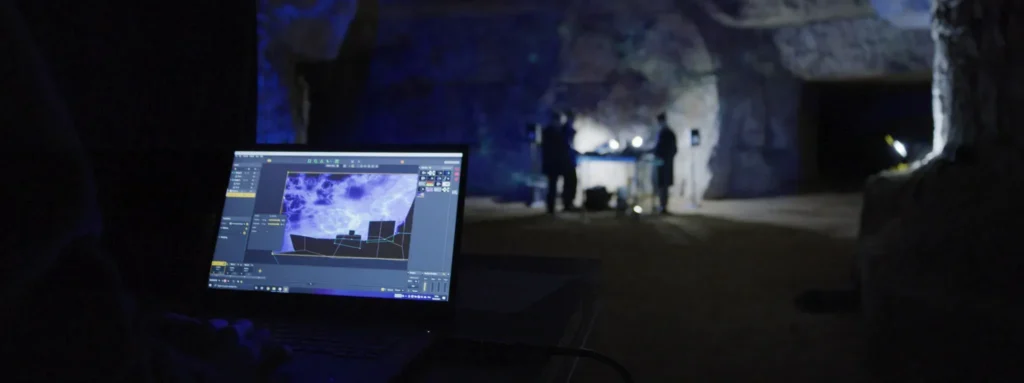
Choose any physical surface and position your projector. HeavyM works with standard projectors connected via VGA, DVI, or HDMI. Hardware compatibility spans all common projector types. For large scale projects, HeavyM accommodates complex setups requiring multiple projectors for large-scale, seamless projections.
Step 2: Mapping Creation
Using drawing tools, define projection areas directly on your surface or by importing a photograph to trace. HeavyM supports importing custom images, videos, and GIFs from various sources. Users can create projection mapping in minutes by utilizing ready-to-use animations from HeavyM’s library, which automatically adapt to the outlines of the surfaces.
Step 3: Visual Application
Add impactful visual effects from the extensive library and configure real-time audio synchronization. HeavyM features a built-in library of effects, 3D material simulation, real-time audio reactivity, and advanced warping tools. Preview everything instantly—no rendering downtime.
What are the Standout HeavyM Features?
Drawing Toolkit and Mapping Capabilities
The software embeds intuitive drawing tools that let users define complex shapes, curves, and irregular geometries for video mapping. Pre-designed shape masks accelerate workflow, while custom shape creation allows complete creative freedom.
Edge blending functionality enables seamless multi-projector setups. When covering large surfaces or wrapping around objects, overlapping edges blend smoothly—essential for deploy permanent installations and immersive environments.
Mapping transitions support dynamic stage adaptations with parameters including starting angles, easing curves, and modulation controls accessible via the interface or through OSC / MIDI.
Timeline Management and Effects
The Timeline module (Pro feature) provides precise cueing with multiple tracks—time track, cue track, and audio waveform display. Cues trigger sequences, pauses, stops, and jumps for timely performance design.
The integrated visual library delivers hundreds of effect combinations. Generative content responds to audio, modulation, and user parameters. This rich visual library eliminates external rendering dependencies, letting creators produce mappings directly within the platform.
Real-time audio reactivity extends beyond basic sync. Frequency band control (bass/mid/high), beat detection, tempo/BPM settings, and Ableton optimized beatmatching via Ableton Link enable sophisticated music reactivity for live performances.
Professional Connectivity
HeavyM boasts pro level features for seamless integration:
- OSC / MIDI – Full mapping of interface elements via OSC addresses or with Learning Mode for midi controller and control surface integration
- Art-Net/DMX – Coordination with lighting fixtures and live rig control
- Syphon/Spout and NDI – Routing video streams to external software like OBS or Resolume for compositing
These protocols ensure professional platforms communicate instantly with external gear on show sites.
What are the Most Profitable HeavyM Use Cases?
Live Entertainment and Music
DJ sets, live concerts, and festival stages represent prime applications transform spaces into immersive experiences. Easy heavym music sync lets visuals respond to beat changes instantly. VJs trigger sequences with cues while effects react to audio input—transitions timed perfectly to track changes.
The software enables creating rapid visual adaptations when performance settings shift. Multi-projector management handles dynamic lighting and stage configurations. For VJ performances requiring rapid visual adaptation, HeavyM delivers reliable product performance under pressure.
Corporate and Commercial Events
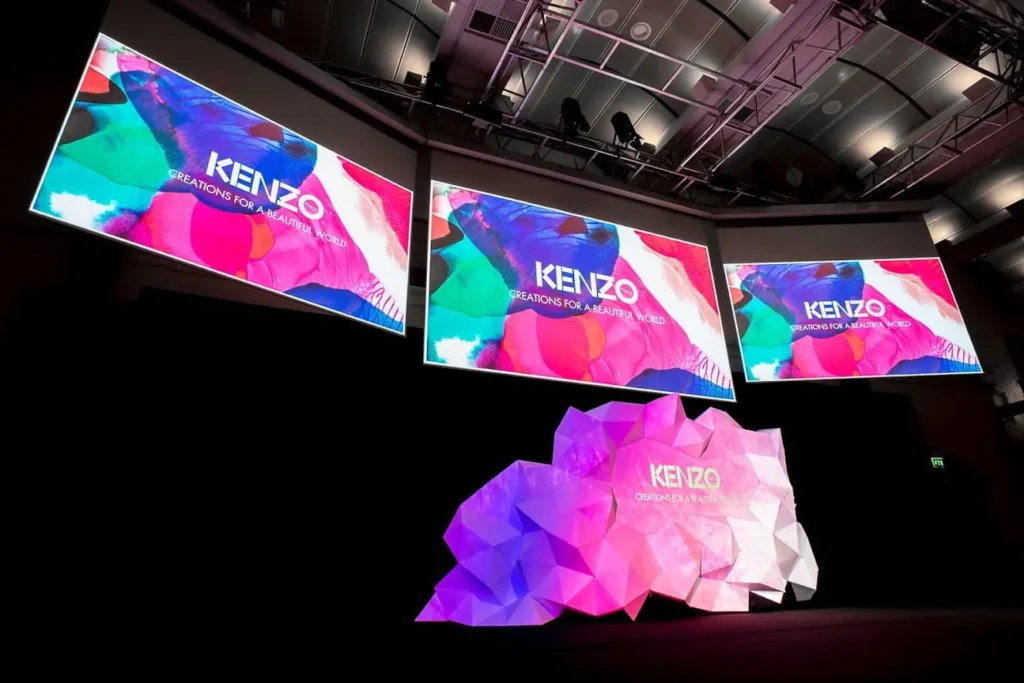
Corporate shows, brand activations, and product launches benefit from HeavyM’s ability to project branded content onto surfaces—podiums, backdrops, columns, architectural highlights. The speed of set-up and adaptability to venue surfaces reduces pre-production costs significantly.
Trade show displays and interactive installations leverage the simplified video mapping workflow. Integration with stage lighting via DMX ensures cohesive brand experiences. Expert designers at event agencies appreciate the cost effective price point compared to hiring specialists or building custom pipelines.
Art and Theater
Theatrical stage design and scenic projections use HeavyM when sets are irregular and design shifts occur during rehearsals. Art installations in immersive galleries and museums benefit from the software’s flexibility—effects adjust in non-controlled environments without rebuilding content.
For interactive public art projects, the software supports permanent installations that run continuously. Projection mapping software is designed for massive installations like stadium shows or permanent architectural projections, and HeavyM covers the accessible end of this spectrum effectively.
Mapping HeavyM Features to HeavyM Use Cases
To understand the software’s versatility, here is how specific features solve challenges across different industries:
| CORE HeavyM FEATURES | PRIMARY TECHNICAL BENEFIT | IDEAL HeavyM USE CASES |
|---|---|---|
| Intuitive Drag-and-Drop Interface | Trace physical objects instantly without 3D models | Corporate Events: Rapid setup on complex venue architecture |
| Over 100 Built-In Visual Effects | Bypasses the need for external video rendering | Art Installations: Endless generative content for gallery displays |
| Real-Time Audio Reactivity | Perfect automatic sync between sound and visuals | Live Entertainment: Dynamic VJ sets and concert stage designs |
| OSC, MIDI, Art-Net/DMX | Seamless communication with external stage gear | Theatrical Stage Design: Syncing video mapping with lighting desks |
How HeavyM Solves Real-World Problems
Time-saving on site – Because mapping calibration, shape drawing, and effect tweaking operate live through GUI tools, hours of setup become minutes. Set up quick without technical expertise.
Last-minute changes – Stage plan alterations, surface shifts, or projector repositioning require only quick recalibration via warping tools and shape adjustments. No content rebuilding necessary.
Removing external rendering dependencies – Build effects, generative content, and transitions live within the platform. No pre-rendering in After Effects or Blender for mapping purposes. The software gives lifetime access to perform seemingly complex actions without external tools.
Professional results without coding – Even advanced features like OSC control, transitions, and timeline cues require absolutely no code. This invaluable asset for event agencies eliminates the need for specialized programming knowledge while delivering premium technical support standards.
Perguntas frequentes
Is HeavyM suitable for beginners?
Yes. The software is designed to match the needs of different user levels, including beginners to professionals. Minimum system requirements are modest—4 GB RAM and integrated graphics work for basic projects. The super intuitive interface, built-in tutorials, pre-designed shapes, and extensive effects library create exceptional ease for newcomers. Download the heavym demo for a risk free purchase decision.
Can it handle professional-grade productions?
Absolutely. Pro and Enterprise tiers unlock essential features including timeline management, unlimited video outputs, multi-projector setups, edge blending, and full protocol support. Priority support and rapid support team access ensure crafting ambitious projects proceeds smoothly. While HeavyM may not handle extreme output counts of dedicated media servers, it delivers premium results for the vast majority of professional applications.
What hardware requirements are needed?
Minimum: 4 GB RAM, integrated graphics or dedicated GPU with 2 GB VRAM. Recommended: 8 GB RAM, GPU like NVIDIA GTX 1060 or AMD RX580. Works on Windows 8/10/11 (64-bit) and macOS 10.15 onward. Apple Silicon supported via Rosetta. Latest technologies in graphics processing deliver best performance with updated drivers.
How does it compare to ultra-complex stadium tour setups?
Massive stadium tours often use custom setups—high-end media servers, synchronized clusters, extensive 3D scanning, shader programming. HeavyM does not replace that scale. Choose HeavyM for the sweet spot: fast, accessible mapping with powerful visual effects for festival stages, corporate events, theater, art installations, and live performances. The trade-off favors speed and accessibility over extreme granularity.
Final Thoughts on HeavyM Mapping Software
Objectively, while ultra-niche, multi-million-dollar stadium tours may continue to rely on highly complex, custom-coded node environments, these setups take years to master and require dedicated IT crews. For the vast majority of the AV market, this level of complexity is a massive bottleneck.
HeavyM projection mapping software firmly positions itself as the absolute best all-in-one solution for event agencies, VJs, digital artists, and serious beginners. By requiring absolutely no coding, it removes the technical frustration from spatial design. Its core HeavyM features—specifically the intuitive drag-and-drop interface and the library of over 100 built-in visual effects—empower users to tackle diverse HeavyM use cases in record time.
Coupled with flawlessly integrated real-time audio reactivity and professional connectivity (OSC, MIDI, Art-Net/DMX, Syphon/Spout), HeavyM provides a premium, scalable workflow. Download the HeavyM free trial today to experience firsthand how quickly you can transform any physical space into a dynamic digital canvas.