

簡単なプロジェクションマッピングソフトウェア:初心者向けの最もシンプルなツール
プロジェクションマッピングはまるで魔法のようです。建物全体に映像が流れ、光によって物体が変容し、ありふれた壁が息をのむような映像のキャンバスへと変わります。嬉しいことに、独自の映像投影を作成するのに、ハリウッド級の予算や長年の技術訓練は必要ありません。適切なプロジェクションマッピングソフトウェアを使えば、わずか数回のクリックでプロ並みの仕上がりを実現できます。.
このガイドでは、最も簡単な方法を詳しく解説しています プロジェクションマッピングソフトウェアの選択肢 2026年に提供開始予定で、複雑さに圧倒されることなくダイナミックなビジュアル体験を創り出したいという新規ユーザー向けに、段階的な学習パスが用意されています。.
要約
2026年の初心者にも親しみやすいプロジェクションマッピングは、プロジェクター1台、ノートパソコン、そしてシンプルなソフトウェアさえあれば始められます。プログラミングの知識も多額の予算も必要ありません。. HeavyMの使用例 有料オプションの中では最も使いやすい(ビジュアルなドラッグ&ドロップ、100種類以上のエフェクト、音声連動機能)のが「leads」であり、一方、「Map Club」(ブラウザベース、インストール不要)や「MapMap」(無料、クロスプラットフォーム)は無料の選択肢として挙げられます。 基本をマスターした後のステップアップとしては、HeavyM Pro/Pro+や、ライブミキシングや照明との連携に特化したツールなどが挙げられます。初心者が犯しがちなミス(ミラーモード、プロジェクターの配置ミス、過度に複雑な投影面など)の多くは、規模を拡大する前に、まずは小規模で平坦な面から始めることで回避可能です。.
プロジェクションマッピングとは(初心者向けに解説)
プロジェクションマッピング――別名 ビデオマッピング—プロジェクターとソフトウェアを用いて、あらゆる表面をダイナミックなスクリーンに変えます。建物のファサードや舞台装置、家具、さらにはウェディングケーキまでもが、映像コンテンツやライブビジュアルを映し出すキャンバスになる、と想像してみてください。.
基本的なワークフローはシンプルです:
- 動画コンテンツを作成または準備する
- プロジェクターをパソコンに接続する
- マッピングソフトウェアを使用して、投影画像を歪ませたり、対象面に合わせたりします
- ショーを披露してください
このプロセスを特別なものにしているのは、ソフトウェアです。ソフトウェアがなければ、プロジェクターは長方形の光を投影するだけですが、実際の表面は完全な長方形ではありません。マッピングソフトウェアを使えば、不規則な表面に合わせてコンテンツを歪ませたり、窓やドアの周囲を切り抜いたり、どのような形状でも滑らかな再生を実現したりすることができます。.
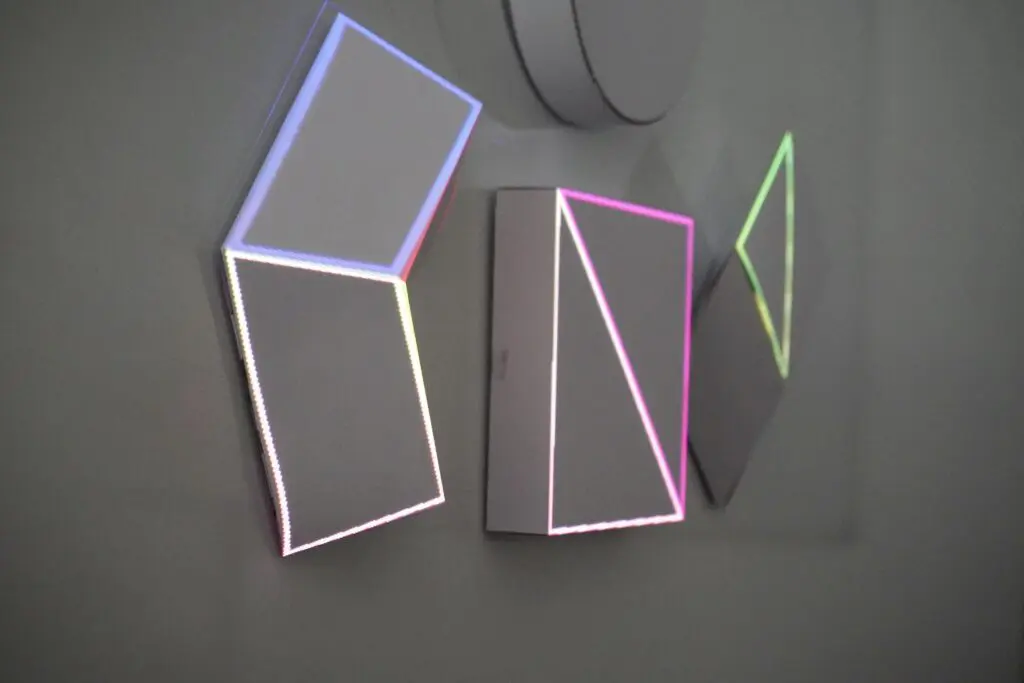
単純なプロジェクトと複雑なプロジェクト:
プロジェクトの種類 | 複雑性 | 必要な道具 |
|---|---|---|
単一の平らな壁 | 一番簡単 | 初心者向けのソフトウェアならどれでも |
小さな物(箱、家具など) | 簡単 | 基本的な整経用具 |
建物のファサード | 中程度 | より精密なコーナリング制御 |
マルチプロジェクター・インスタレーション | アドバンスド | 業務用メディアサーバー |
3Dドーム投影 | 専門家 | 専用ソフトウェア |
2024年から2026年にかけての典型的な初心者の目標には、次のようなものがあります:
- 誕生日パーティーやお祝い
- 結婚式と披露宴
- バーやレストランの雰囲気
- 小規模な小売店のショーウィンドウ
- 学生によるアートインスタレーション
- インテリア装飾と没入感のある空間
簡単で初心者にも使いやすいマッピングソフトの選び方
“「簡単」かどうかは、その人が誰で、何を達成しようとしているかによって全く異なります。1回限りのウェディング・インスタレーションを企画するイベント主催者と、ライブパフォーマンス中にリアルタイムで操作したいDJとでは、ニーズが異なります。.
最もシンプルなプロジェクションマッピングソフトウェアの主要な基準:
- 学習曲線: 1時間以内に最初の成果を出すことはできますか?
- インターフェースの明瞭さ: 大きなアイコン、シンプルなパネル、直感的なレイアウト
- テンプレートとプリセット: すぐに始められる既成のコンテンツ
- ハードウェア要件: 高性能なワークステーションだけでなく、一般的なノートPCでも動作します
- サポートとチュートリアル: 技術的な知識のないユーザー向けに作成されたドキュメント
ソフトウェアを選ぶ前に、次のような実用的な質問を自問してみてください:
- 2026年には、Windows、macOS、それともLinuxを使っていますか?
- プロジェクターは1台か2台だけで十分ですか?
- コンテンツはプリレンダリングされた動画ですか、それともライブのVJミキシングをご希望ですか?
- ご予算はどのくらいですか?無料、単発購入、それとも定期購読ですか?
ほとんどの初心者にとっては、プロジェクター1台を使ったプリレンダリング済みの動画によるワークフローで十分であり、ライブのマルチプロジェクターショーに挑戦するよりもはるかに簡単です。まずはシンプルに始めましょう。スキルが向上すれば、いつでも規模を拡大することができます。.
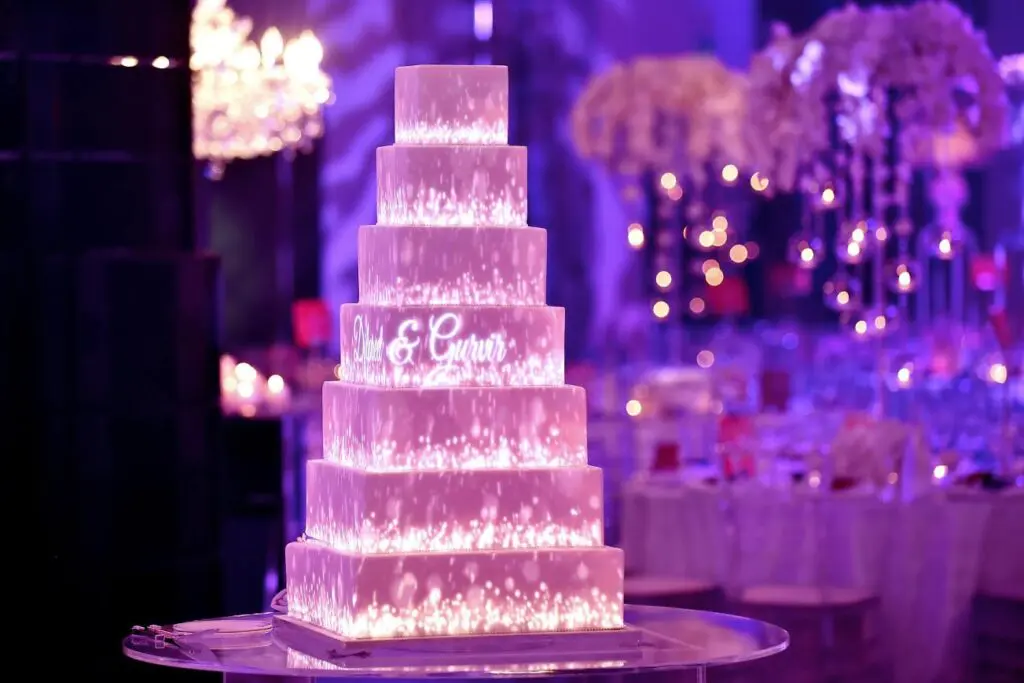
誕生日パーティーや小規模な店舗ディスプレイ用の映像投影を作成する場合、コンサート制作用に設計されたソフトウェアは必要ありません。用途に合ったツールを選びましょう。.
完全な初心者向けの、おすすめの簡単なプロジェクションマッピングソフトウェア
このセクションでは、デザインやコーディングの経験がまったくなくても、初心者でも半日で習得できるツールに焦点を当てています。HeavyMがトップを走っているのには、それなりの理由があります。.
HeavyM:初心者のためのゴールドスタンダード
HeavyMの使用例 このツールは、専門的な知識がなくてもプロ並みの仕上がりを実現したいユーザーのために特別に設計されました。ユーザーインターフェースでは、視覚的なフィードバックと即座の満足感を重視しており、調整を行うたびにその変更がリアルタイムで反映されるため、レンダリング待ちの時間によって創作の勢いが途切れることはありません。.
難易度評価: 基本的な作業については1/5
HeavyMが初心者にとってのゴールドスタンダードとなっている理由は、それが プログラミングは一切不要 息をのむような結果を実現するために。複雑なノードをじっと見つめたり、スクリプトを書いたりする代わりに、 直感的なドラッグ&ドロップ操作 図形の外周を視覚的になぞります。そこから、以下の方法を使って即座に図形を塗りつぶすことができます。 100種類以上の組み込みビジュアルエフェクト 形状に自動的に適応する機能です。インストールをより生き生きとしたものにするため、このソフトウェアにはネイティブの リアルタイムのオーディオ反応性, これにより、ビジュアルを音楽と完璧に同期させて脈動させたり変形させたりすることができます。また、操作は驚くほど簡単に習得できますが、初心者向けの枠に閉じ込められることはありません。上達するにつれて、次のような標準プロトコルを使用して、セットアップをプロ仕様のステージ機材に簡単に接続することができます。 OSC、MIDI、Art-Net/DMX、Syphon/Spout.
こんな方に最適: インテリア装飾、小規模イベントの雰囲気作り、学生によるインスタレーション、バーやレストランでのプロジェクション、アートインスタレーション、ライトインスタレーション。.
HeavyMのアプローチは、多くの初心者を躊躇させる「難しさ」という壁を取り除きます。エッジブレンディングのアルゴリズムやメッシュワープの数学的な仕組みを理解する必要はありません。ソフトウェアが裏側で複雑な処理を代行し、ユーザーにはシンプルで直感的な操作画面を提供します。.
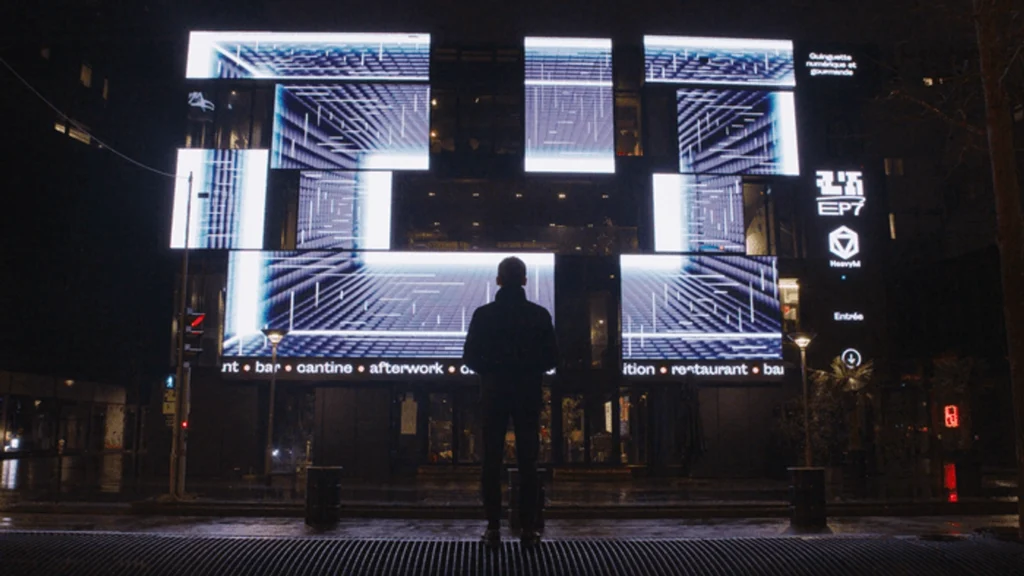
Map Club:ブラウザベースのシンプルさ
マップクラブ このサービスは異なるアプローチを採用しており、インストールは一切不要で、すべてウェブブラウザ上で動作します。最新のブラウザを開き、プラットフォームにアクセスすれば、すぐにマッピングを開始できます。.
難易度評価: 1/5
そのため、Map Clubは次のような場合に最適です:
- インストール権限が制限されている教育機関
- ラピッドプロトタイピングとアイデアの迅速な検証
- 異なるデバイスを使用する参加者を対象としたワークショップ
- ダウンロードしたソフトウェアを本格的に使い始める前に、試しに使ってみたいユーザー
Map Clubには、メッシュワープ、アニメーション対応のシェーダー、ウェブカメラレイヤー、ハンドトラッキング用のトラッカーレイヤーといった高度な機能が搭載されており、これらすべてにユーザーフレンドリーなウェブインターフェースを通じてアクセスできます。.
多くの初心者や学生、小規模なチームは、有料ライセンスを購入する前に、無料で試せるツールを求めています。.
MapMap:トップクラスの無料選択肢
地図 無料で利用できる強力なプロジェクションマッピングツールであり、予算が限られているインディーズアーティスト、教育関係者、非営利団体にとって理想的なツールです。.
中核となる能力:
- クロスプラットフォーム:Windows、macOS、Linux
- 直感的なパネル:「ライブラリ」、「レイヤー」、「入力/出力エディタ」
- 形状のサポート:四角形、三角形、楕円、メッシュ
- メディアの柔軟性:カラー塗りつぶしや動画素材に対応
- コミュニティ主導:世界中の開発者やアーティストによって絶えず改善されています
MapMapは、初心者からプロまでを対象とした使いやすいインターフェースを備えており、ユーザーはわずか数分で使い始めることができます。特に、コストが障壁となるワークショップや教室での利用に最適です。.
その他の無料ツール
- VPT (映像投影ツール): リアルタイムのマッピング機能とマルチスクリーン対応。インターフェースは古めかしくも、その機能性は抜群で、長年にわたりアーティストたちに愛用されてきました。.
- スプラッシュ,TiXL, オムニドーム: 基礎を身につけたら、より技術的な深みのあるオープンソースやコミュニティ主導の選択肢があります。.
無料ツールは、ドキュメントやユーザー体験の面で多少粗削りな部分があるかもしれませんが、ワーピングやマスキングツール、レイヤーの扱いといった基本概念を学ぶには最適です。まずはシンプルな壁や箱を題材に、無料ツールを使って基礎を身につけてから、より複雑な作業に進むのが良いでしょう。.
初心者にもやさしいが、より高性能:ステップアップしたいとき
壁やファサードへのマッピングに自信がついたら、自然とさらなる制御機能――複数のプロジェクター、ライブミキシング機能、LEDマッピング、あるいは照明システムとの連携など――を求め始めるでしょう。HeavyMエコシステムは、明確なアップグレードパスを提供します。.
HeavyM Pro & Pro+
HeavyM Proは、これまでに習得した基本のシンプルさを維持しつつ、より野心的なプロジェクションマッピングプロジェクトに向けた機能を追加しています。直感的なインターフェースはそのままに、中規模のインスタレーションやより複雑なステージ投影に対応する拡張された機能を利用できるようになります。.
基礎を習得し、常設設備や大規模なライブパフォーマンスへの進出を目指すユーザーにとって、HeavyM Pro+は、まったく別のソフトウェアプラットフォームを新たに学ぶ必要なく、さらなるツールを提供します。.
HeavyMエコシステム内に留まるメリットは、継続性にあります。プロジェクトが拡大しても、これまで積み重ねてきた学習の成果を無駄にすることはありません。機能セットが拡充されても、ワークフローはこれまでと変わりません。.
今後の成長に向けて知っておく価値のあるその他のソフトウェアとしては、MadMapper(精密な幾何学的補正ツールや、レーザーやモーターなどとの幅広い互換性で知られる)や、Resolume Arena(ライブコンサートでのVJミキシングで人気がある)などが挙げられます。ただし、これらはHeavyMのアプローチと比較すると、習得に中程度からかなりの時間を要します。.
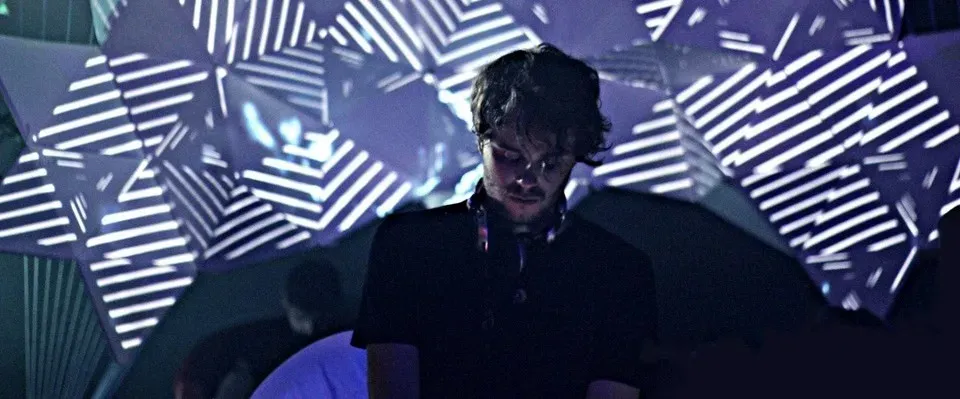
初心者がよく犯すミス(そして、使いやすいソフトウェアがそれらを回避するのにどう役立つか)
どんなにシンプルなソフトウェアであっても、初心者は常に同じような実用上の問題に直面します。こうした間違いを理解しておくことで、それらを回避できるようになります。.
拡張ディスプレイではなくミラーモード
これは初心者が最もよく犯す間違いです。コンピュータが、プロジェクターにマッピングされた出力を送信する代わりに、両方の画面に同じ画像を表示してしまいます。一般的なソフトウェアでは、ディスプレイの設定が正しくない場合、明確な警告が表示されるようになっています。.
プロジェクターの設置位置に関する問題
近づきすぎると、画像が暗くなり、キーストーン歪みが強くなります。逆に遠すぎると、明るさが大幅に低下します。セットアップを確定する前に、投射距離をテストしてください。ソフトウェアで歪みをある程度補正することは可能ですが、適切な位置に設置した方がはるかに良い結果が得られます。.
周囲の光を無視する
日没前に屋外での投影を試みても、がっかりする結果になること請け合いです。プロジェクターは日光には太刀打ちできません。映像をスムーズに再生するためには、周囲の光が最小限になる夕方の時間帯に屋外上映をスケジュールするようにしましょう。.
過度に複雑なサーフェスを選択する
その美しく多面的な建物のファサードは魅力的に見えますが、まずは平らな面から始めましょう。複雑な形状を扱うには、正確なコーナーマッピングと、より多くの経験が必要です。まずは基本をしっかりと身につけましょう。.
コンテンツの解像度の不一致
超高解像度のコンテンツは、古いノートパソコンの処理能力をオーバーロードさせ、再生がカクつく原因となることがあります。コンテンツの解像度をハードウェアの性能に合わせて調整してください――1080pなら、ほとんどの初心者向けの環境でも問題なく動作します また、システムに負担をかけることなく、高いパフォーマンスを確保します。.
レイヤーのロックを忘れる
ライブイベントの雰囲気を一瞬で台無しにしてしまうものといえば、再生中に慎重にマッピングしたサーフェスをうっかりドラッグしてしまうことほどありません。使いやすいソフトウェアにはロックボタンが搭載されていますので、本番前に必ず使用してください。.
本番のイベント当日にファサード全体を完成させる前に、まずは小規模なオブジェクトで試してみてください。リビングにある段ボール箱でも、建物の外壁と同じ基本を学ぶことができます。.
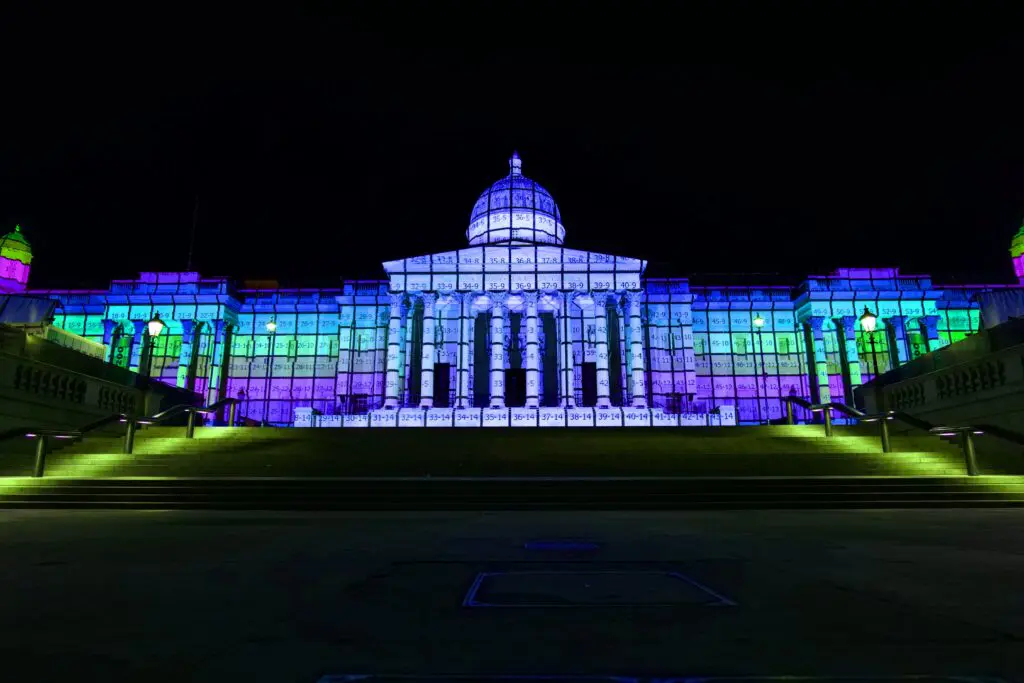
まったくの初心者の場合、次のような「ビジュアル優先」のプラットフォームは HeavyMの使用例 あるいは、次のような無料ツールなど 地図 見事な結果を得るための最短の道筋を提供します。ResolumeやMadMapperなどの大規模なエンジンやその他のプロ向けソリューションは、基礎を習得し、複雑なマルチサーバールーティングが必要になった段階で初めて必要となります。.
「Easy プロジェクションマッピングソフトウェア」に関するよくある質問
専用の「ビデオマッピング プロジェクタ」が必要ですか、それとも1080p対応のプロジェクターならどれでも大丈夫ですか?
初心者向けのプロジェクトなら、一般的な1080pプロジェクターであればどれでも使えます。特別な「“マッピングプロジェクター”」というカテゴリー――このソフトウェアは、お使いのプロジェクターの機種に関わらず、位置合わせや歪み補正を自動的に処理します。ご使用の空間に合わせて、ルーメン(明るさ)と投射距離に重点を置いてください。.
自宅にあるノートパソコンとプロジェクター1台だけで、プロジェクションマッピングを行うことはできますか?
もちろんです。シンプルな物体や壁面へのシングルプロジェクターによるマッピングは、市販のハードウェアでも十分に実現可能です。ノートパソコンをHDMIで接続し、ソフトウェアを起動して、マッピングを開始するだけです。特別な設備は必要ありません。.
技術的な知識がまったくない場合、最も使いやすいソフトウェアは何ですか?
HeavyMの使用例. このソフトは、技術的な知識がないユーザー向けに特別に設計されています。1,000種類以上の組み合わせを収録した統合エフェクトライブラリにより、アニメーションや映像制作の知識がなくても、見事な映像効果を実現できます。.
有料のイベントや商用プロジェクトで、フリーソフトウェアを使用することはできますか?
はい。MapMapのようなツールは、商用利用を許可する寛容なオープンソースライセンスを採用しています。具体的なライセンス条項は必ず確認する必要がありますが、ほとんどの無料のプロジェクションマッピングツールでは商用利用が許可されています。.
2026年にはMacBookでプロジェクションマッピングは可能でしょうか、それともWindowsが必要でしょうか?
どちらのプラットフォームも同等に快適に動作します。HeavyM、MapMap、Map ClubはいずれもmacOSに対応しています。Map Clubのようなブラウザベースのツールは、MacBookやタブレットを含め、最新のウェブブラウザが搭載されたあらゆるデバイスで動作します。.
まとめ:まずはシンプルに始め、素早く学び、それからレベルアップしよう
20226年のプロジェクションマッピングにおける最もシンプルな構成は明らかだ。プロジェクタ1台、ノートパソコン1台、そして初心者にも使いやすいソフトウェア、例えば HeavyMの使用例, 、そして小さな平らな面さえあれば十分です。光を通じた芸術的表現を始めるのに、Christie Pandoras Box や複雑なメディアサーバーのセットアップは必要ありません。.
HeavyMの使用例 ユーザーが 初のマッピングを達成する 1日以内、多くの場合はわずか数時間で完了します。このツールが技術的な複雑さを処理してくれるため、ユーザーはクリエイティブなビジョンに集中できます。そのため、専門的なトレーニングを受けなくてもプロ並みの成果を求めているイベント主催者、アーティスト、小規模チームに最適です。.
完璧な機材や高度なソフトウェアを待つ必要はありません。プロジェクションマッピングは、アーティスト、教育者、そして中小企業にとっても、驚くほど身近なものになりました。まずは手軽なツールから始め、シンプルな面に練習を重ね、目標が高まるにつれて、徐々に高性能なソリューションへと移行していきましょう。.
初めての壁面投影が待っています。ソフトウェアを起動し、プロジェクターを接続して、どんな作品が作れるか試してみてください。.