Projection Mapping Live Concerts: Low-Latency Visuals for Real-World Touring
Why Projection Mapping Live Concerts Is Different
Projection mapping for live concerts is not the same as running visuals on a flat LED wall. In last year’s festival seasons across Europe and North America, crews were mapping stage façades, scenic pieces, venue architecture, risers, DJ booths, and irregularly shaped surfaces under changing weather, tight schedules, and shared rigs. This guide is for touring VJs, lighting programmers, venue techs, and planners who care about sync, redundancy, and latency as much as aesthetics. We will move quickly through workflow choice, rigging, mapping strategy, and software selection for practical concert visuals mapping.
TL;DR
Executing projection mapping during live concerts requires specialized, low-latency visual systems that can withstand the brutal realities of touring and tight festival load-ins. While stadium-scale pop tours rely on rigid pre-rendered timecode shows, modern touring VJs and mid-size productions increasingly favor real-time generative software that adapts instantly to live audio and spontaneous stage changes. By utilizing intuitive tools that integrate seamlessly with front-of-house lighting desks, visual operators can deliver fail-safe, improvisational concert visuals without the technical overhead of complex media servers.
What Is Projection Mapping in the Context of Live Music?
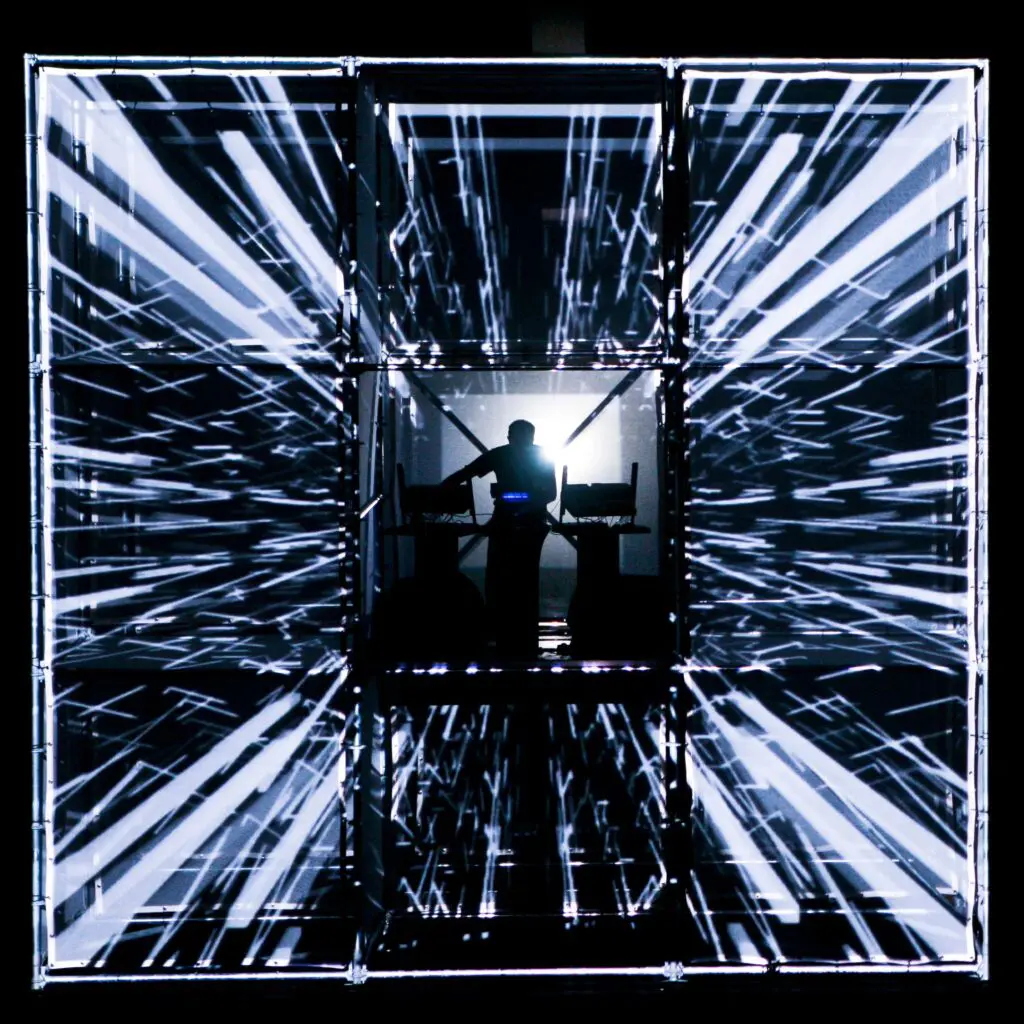
Projection mapping is a video technology that aligns projected imagery onto three-dimensional objects and irregular surfaces, creating dynamic displays. In live music, that means projecting images onto PA scrims, risers, orchestra shells, scenic towers, venue walls, ceilings, truss-mounted frames, and flown cubes so visuals track the stage design instead of sitting only inside a rectangle. Unlike traditional LED walls, projection mapping blends light into the environment, adding 3D textures to a performance space.
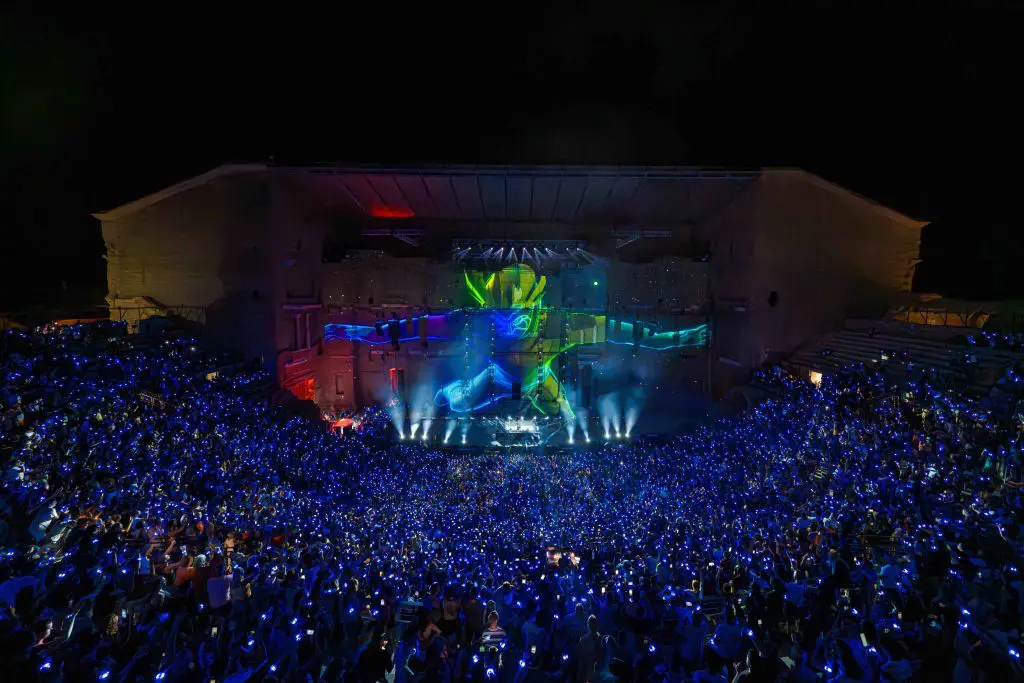
The concept scales from a 300-cap room to a 20,000-seat arena by adjusting projectors, brightness, surface area, distance, and playback pipeline. It can transform physical objects into glowing or morphing canvases by projecting textures and animations directly onto them. Complex moving illusions, such as cascading waterfalls or futuristic cityscapes, can be projected directly onto the performance area, transforming the stage without moving physical props.

Concert Visuals Mapping Approaches
Most productions sit between media-server playback and real-time generative projection mapping. Stadium tours favor repeatability; clubs, festivals, and improvisational musicians need flexibility.
Concert Visuals Mapping Approaches
FACTOR | PRE-RENDERED VIDEO PLAYBACK | REAL-TIME GENERATIVE MAPPING SOFTWARE |
|---|---|---|
Setup Speed | Slower upfront because visual content is rendered, exported, and tested before the project tours. | Faster on site because surfaces and looks can be adjusted live. |
Spontaneity/Improvisation | Low; strong for fixed songs, weak when live music changes form. | High; visuals can sync, pulse, or morph in real-time with music. |
CPU/GPU Overhead | Predictable playback load, but storage and outputs still matter. | Higher GPU demand from shaders, audio-reactive visuals, motion, and effects. |
Audio Sync / Timecode | Excellent for exact hits. | Strong when latency is controlled; beat, tempo, and frequency can drive projections. |
Multi-Artist Festivals | Less flexible when every act needs a different atmosphere. | Better for shared rigs and fast resets. |
Failure Modes | File, routing, or timecode problems. | GPU overload, frame drops, or unstable control inputs. |
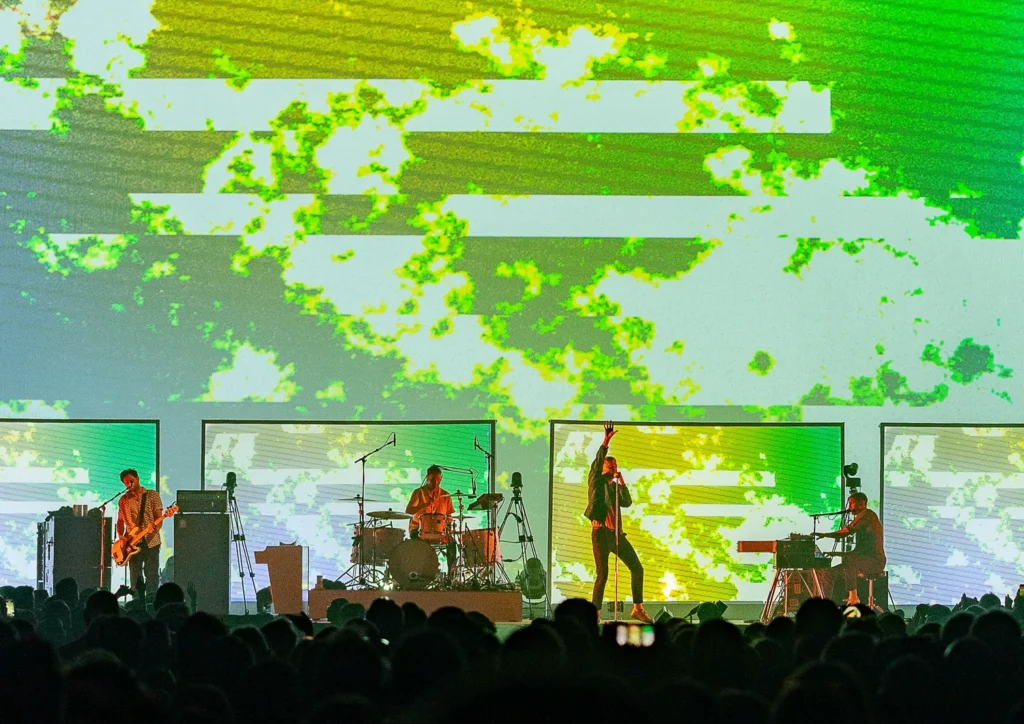
Large pop productions often lock projection to timecode, while improvised club and festival stages lean on manual triggers, tapping tempo, MIDI, OSC, and generative scenes. Many teams hybridize: pre-rendered hero sequences for key songs, plus live generative layers for intros, outros, guest spots, and audience energy.
Designing Projection Mapping for Live Concert Workflows
Design must account for repeatability, changeover time, surface texture, operator skill, and the event’s theme. Projection mapping allows immersive visual storytelling, enabling the instant change of a stage’s look and feel without moving physical props. Organizers can project thematic narratives or branding elements onto unconventional surfaces, changing the stage’s mood without moving equipment.
Ideal surfaces for projection mapping are smooth, matte, and light-colored, because they provide optimal brightness and visual quality. Build drum riser fascia, DJ booths, towers, and scenic frames as projection surfaces from the beginning. Use bold imagery, moderate motion, readable silhouettes, and a reusable cue library so the team can remap content when a venue changes.
Projection mapping enhances live music by transforming stage backgrounds with visuals that match each song’s energy and mood, creating a more immersive experience for the audience. The technique can also create memorable festival experiences with large-scale projections that engage audiences and enhance the overall event atmosphere.

Balancing Creative Intent with Technical Limits
Brightness and contrast must match projector power, lensing, throw distance, ambient light, haze, and moving fixtures. Projection mapping requires careful consideration of surface texture, ambient light, and projector positioning to ensure successful projections. It thrives in darker, controlled environments, and it is essential to avoid bright washes on mapped areas to maintain contrast.
Prototype looks under haze, backlight, LED strobing, and front light. Fine detail disappears quickly on smoke-filled stages, so use bold geometry, edge glows, strobed outlines, and strong color blocks that read from FOH and balconies.
Show Control: Timecode, Tapping Tempo, and Manual Operation
Large tours often use dedicated audio timecodes from playback for exact sync. Clubs and many corporate events rely on MIDI pads, OSC controllers, Art-Net/DMX, or manual triggering because bands extend breakdowns, change tempos, or invite guests. Plan fallback scenes: neutral loops, blackout, manual cues, and generative looks that keep the performance alive when timecode drops.
Practical Setup: From Load-In to First Downbeat
A 5-band festival day with 20-minute changeovers is where theory fails. Projection mapping live concerts must be engineered so alignment and testing happen quickly, especially when projectors share truss with sound and lighting design. Build tour presets for wide clubs, proscenium theaters, open-air festival stages, and corporate ballrooms.
Keep cabling annotated: power, signal, backup lines, network, audio input, and emergency routing. Even corporate events with 12–24 hour load-ins benefit from fast remapping when seating, branding, or stage positions change last minute.
Projector Placement, Throw, and Sightlines
Pre-calc lensing for 20K–30K lumen laser projectors and higher when advancing larger events. Keep beams clear of PA hangs, followspots, moving truss, and performers; where shadows are unavoidable, mask them and design content that accepts the obstruction. Stacked projectors add redundancy and punch on critical surfaces, but only if alignment is practiced before show day.
Latency, Frame Drops, and Redundancy
Live music performances are unforgiving of frame hiccups. For beat-reactive mapping, aim for total latency under roughly 20–50 ms; above 100 ms, audiences can feel lag between sound and visuals. Test at touring resolution and frame rate, dedicate a GPU to visuals, disable unnecessary background tasks, and match output refresh rates to projectors.
Build an A/B system or at least a quick-switch neutral source. Major architectural productions use hot backup media servers; the 2024 Seoul Light DDP project used 26 projectors and backup infrastructure for a 222-meter façade, showing why redundancy is part of the process, not an upgrade.
HeavyM for Projection Mapping Live Concerts
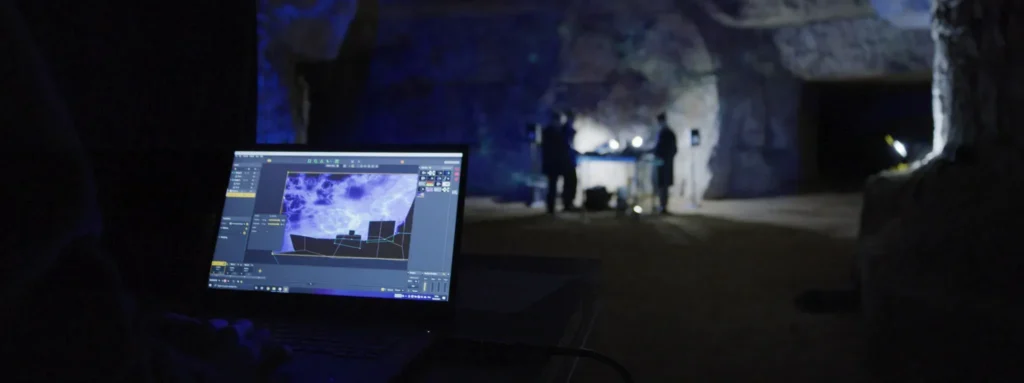
HeavyM is a pragmatic, fail-safe solution for VJs and technicians who need speed without engineering overhead. By requiring absolutely no coding, it eliminates the traditional bottlenecks of live visual production. Through its intuitive drag-and-drop interface, operators can map complex stage sets and adapt to new festival rigs in minutes during tight load-in windows.
Instead of relying on massive video files that choke GPUs, creators can instantly deploy over 100 built-in visual effects that compute efficiently in real time. The software truly shines during live music performances thanks to its flawless real-time audio reactivity, allowing visuals to pulse and morph organically with the band. To ensure perfect harmony with Front of House operations, HeavyM natively supports essential industry protocols—OSC, MIDI, Art-Net/DMX, Syphon/Spout—making it a central, reliable hub for your entire stage ecosystem.

Use Cases: Clubs, Arenas, and Corporate Events
Projection mapping can be effectively utilized in corporate events, product launches, conferences, concerts, and festivals, making it a versatile option for event planners. The use of projection mapping can transform ordinary venues into captivating environments, enhancing the overall appeal of events and providing a unique branding opportunity. Projection mapping allows for the adaptation of visuals based on the theme and purpose of the event, enabling a tailored experience that resonates with audiences.
Clubs and Mid-Size Venues
Clubs bring low ceilings, limited rigging, strong ambient light from LED bars, and quick turnover. Map DJ booths, ceiling panels, side walls, and bar façades instead of fighting the biggest LED surface in the room. Audio-reactive generative visuals are cost effective here because one operator may be handling sound, basic lighting, and visual effects across several performers.
Arenas and Large-Scale Tours
In arenas, mapping often complements LED on runways, B-stages, scenic towers, and venue architecture. Higher budgets allow multiple 30K+ lumen projectors, previsualization, custom surface design, and timecoded shows. Keane’s 2024 arena tour used high-brightness Panasonic projection across floor, backdrop, and custom screens, a useful example of projection supporting modern concert experiences.

Corporate Events and Brand Experiences
Product launches, annual meetings, conferences, and galas use projection mapping for branding, storytelling, and immersion. Clients often demand last-minute logo, theme, and run-of-show changes, so modular templates matter. Prioritize legibility, brand color, recording quality, and a clear focus over hyper-complex art.
Optimizing Content and Audio Integration
Visuals must feel locked to music through timecode, beat detection, or hands-on VJ performance. Prepare content at the correct resolution and angle for each surface to avoid soft images and scaling overhead. Test colors on-site because projectors, light spill, and the environment shift hue and contrast.
Reliable audio feeds are essential. A dedicated post-fader aux from FOH gives consistent envelope following, letting projections react in real time to beat, tempo, and frequency. As technology advances, projection mapping is anticipated to become a standard in event design and production, transforming ordinary spaces into captivating environments; the integration of higher-quality projectors is set to improve the visual quality of projection mapping, making it more appealing for various applications.
Working with Live Bands vs. Playback Acts
Playback-heavy pop and EDM acts can use scripted hits, lyric moments, and song-specific narratives. Improvisational bands need flexible scene banks, generative content, and quick-access controls. At least one run-through should test the mapping operator against the band’s dynamic range, not just the click track.
常见问答(FAQ)
What kind of laptop or media server do I realistically need for concert projection mapping?
Use a machine with a strong dedicated GPU, fast SSD storage, and 16–32 GB RAM. Recent NVIDIA RTX systems or capable Apple Silicon machines can work, but outputs, resolution, and whether the show is pre-rendered or generative determine the real requirement.
How many projectors can a single operator manage during a live show?
One experienced operator can usually manage 2–6 projectors if mapping and cues are prepared. Larger arena systems with 8–12 projectors should split alignment, maintenance, and content operation.
Can I tour a projection-mapped show across very different stage sizes?
Yes, if the project is designed around scalable surfaces and reusable presets. Use grouped surfaces and relative positioning so the mapping can be adapted without rebuilding the whole show file.
Is projection mapping practical for daytime outdoor festivals?
Only with limits. Full-impact projection mapping needs low ambient light, so prioritize dusk or night slots, shaded scenic pieces, and covered stages.
How does projection mapping integrate with lighting and LED teams?
Integration usually happens through Art-Net/DMX, MIDI, OSC, shared timecode, and pre-production meetings. Align palettes, blackout moments, strobe timing, and visual roles so departments complement rather than fight each other.
Conclusion: Building Fail-Safe Projection Mapping for Live Concerts
In the high-stakes environment of live concerts, reliability and low latency are just as critical as creative design. Audiences and artists will instantly notice a dropped frame or a missed visual cue. Robust tools, realistic workflows, and seamless integration with the broader stage ecosystem are what transform a good idea into an unforgettable live experience.
HeavyM gives touring and venue teams the speed, real-time responsiveness, and deep protocol integration they need, entirely without engineering overhead. Don’t leave your live visuals to chance. 下载 HeavyM 免费试用版 today, route your live audio feed, connect your touring stage gear, and validate your rock-solid visual system before your next tour.