

Hardware para video mapping: la guía completa de equipos
Tanto si quieres iluminar el escenario de un festival, transformar el espacio de una galería o crear experiencias inolvidables para una decoración navideña, contar con el equipo adecuado para el video mapping marca la diferencia. Esta guía desglosa todos los componentes que necesitas para montar un sistema de video mapping fiable, desde proyectores y ordenadores hasta cables y carcasas resistentes a la intemperie.
En resumen: La tríada de hardware esencial para el video mapping
Para crear un sistema de video mapping fiable es necesario encontrar el equilibrio entre tres pilares fundamentales del hardware: la potencia lumínica y la relación de proyección del proyector de mapping, la capacidad de renderizado de la GPU del ordenador y una infraestructura de conectividad sólida como una roca. Aunque los grandes eventos en estadios exigen servidores multimedia empresariales a medida y presupuestos de seis cifras, los creadores actuales pueden llevar a cabo espectáculos impecables con varios proyectores utilizando portátiles estándar de alto rendimiento y equipos de video mapping asequibles. Al combinar este enfoque pragmático en materia de hardware con un software altamente optimizado y sin necesidad de programar, los equipos audiovisuales y los artistas digitales pueden evitar los costosos cuellos de botella informáticos y ofrecer de inmediato experiencias visuales profesionales en tiempo real.
¿Qué equipo de video mapping necesitas realmente?
Cualquier configuración de mapping —desde un espectáculo en una casa de Halloween hasta el diseño de escenarios para una gira— se reduce a cuatro niveles de hardware: proyector(es), ordenador o servidor multimedia, conectividad y equipo de apoyo. Las soluciones de video mapping constan de tres partes principales: hardware, software y contenidos multimedia, que pueden adquirirse por separado o como una solución «todo en uno» para evitar problemas de compatibilidad.
Las categorías de hardware esenciales son las siguientes:
- Proyectores – tu motor de salida visual
- Ordenador/servidor multimedia – gestiona múltiples señales de vídeo y su procesamiento en tiempo real
- Cables y distribución de señales – HDMI, DisplayPort, SDI, extensores
- Interfaces de control – Controladores MIDI, mesas de iluminación, DMX
- Montaje y instalación – trípodes, soportes, carcasas
HeavyM ocupa un lugar central en este ecosistema, ya que no requiere ningún tipo de programación y actúa como el cerebro que controla cualquier combinación de proyectores y salidas que elijas. Aunque los productos «todo en uno» (servidores multimedia integrados en una sola caja) resultan atractivos para los principiantes, muchos profesionales del sector audiovisual prefieren las configuraciones modulares (proyector, ordenador portátil e interfaces independientes) por su flexibilidad, capacidad de actualización y control de costes.
Para la mayoría de los usuarios, basta con 1 a 3 proyectores, un único ordenador portátil de gama alta y un cableado fiable para obtener resultados profesionales.
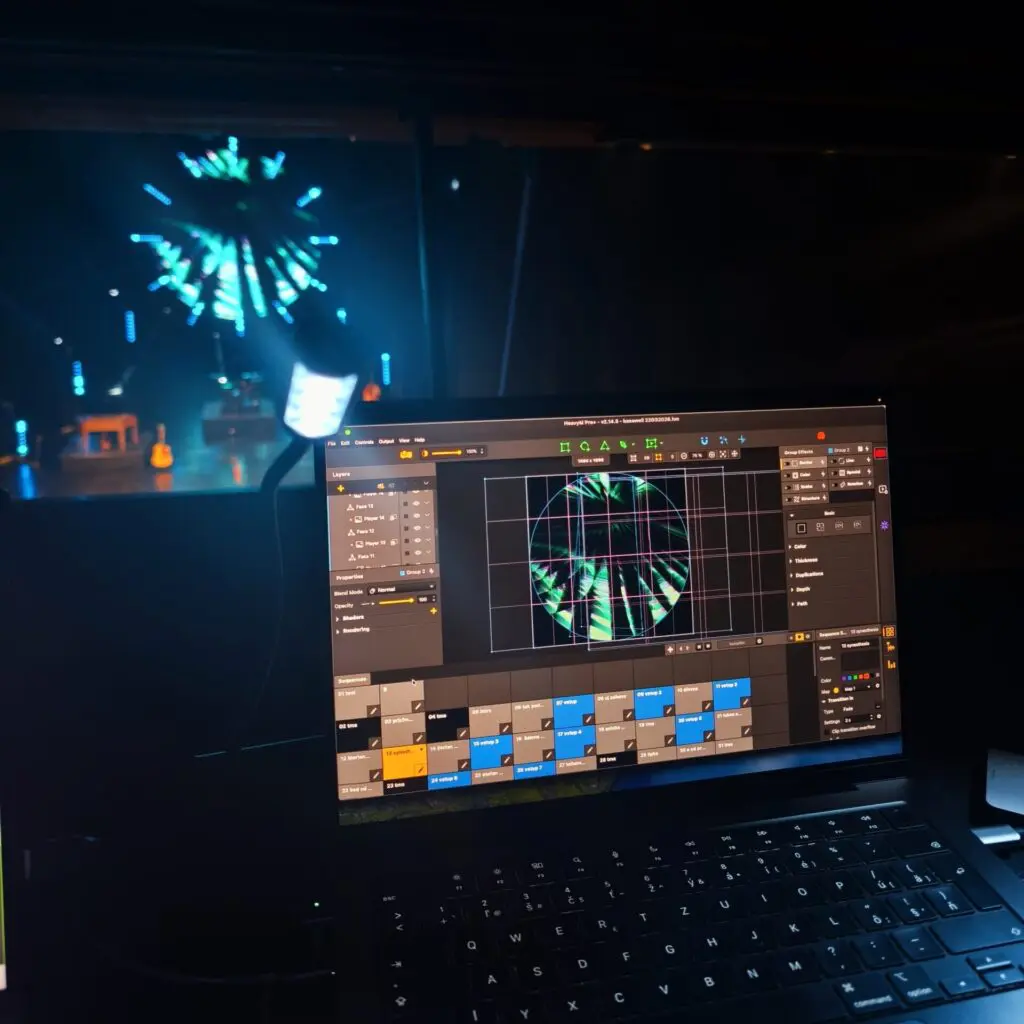
Todo lo que hay que saber sobre los proyectores de video mapping
Su elección del proyector es el factor que más influye en el impacto visual de cualquier proyecto de video mapping. El brillo, la resolución, la relación de proyección y el tipo de fuente de luz (láser o lámpara) determinan lo que es realmente posible conseguir en una superficie determinada. La calidad de las imágenes en el video mapping depende en gran medida de las especificaciones del proyector, entre las que se incluyen el brillo (medido en lúmenes), la resolución y el contraste.
Rangos de luminosidad reales para 2026: los proyectores de uso doméstico para interiores ofrecen entre 2.000 y 4.000 lúmenes para salas pequeñas; los de entre 5.000 y 10.000 lúmenes son adecuados para escenarios interiores bien iluminados o fachadas exteriores de tamaño moderado; y los proyectores más grandes, con más de 20.000 lúmenes, permiten proyectar sobre monumentos a escala urbana. HeavyM funciona con prácticamente cualquier proyector compatible con HDMI o DisplayPort— Optoma, Panasonic, Epson, BenQ,—lo que facilita empezar con el hardware que ya tienes.
Brillo y lúmenes: ¿qué nivel de brillo necesita tu proyector?
Los lúmenes miden la potencia lumínica total visible. Cuanto mayor sea el valor en lúmenes, más brillante parecerá la fuente de luz, lo cual es fundamental en entornos con luz ambiental. Muchos de los actuales proyectores láser profesionales ofrecen entre 4.000 y 6.000 lúmenes ANSI por menos de $1.500.
Pautas generales sobre el brillo:
MEDIO AMBIENTE | LÚMENES RECOMENDADOS |
|---|---|
Habitaciones pequeñas y oscuras en el interior | 2,000–3,000 |
Eventos en interiores con algo de luz ambiental | 4,000–6,000 |
Fachadas de edificios al aire libre | 8,000–20,000+ |
Para video mapping al aire libre, los proyectores suelen necesitar una potencia de entre 15 000 y más de 60 000 lúmenes para iluminar eficazmente grandes superficies. Cuantos más lúmenes se disponga, mejor se contrarrestará la absorción de la superficie: los materiales oscuros, como el ladrillo, exigen una potencia entre dos y tres veces superior a la de las paredes blancas reflectantes.
Ejemplo: Un proyector de 4.000 lúmenes ofrece un rendimiento excelente en un teatro de caja negra, proyectando imágenes nítidas de 300 pulgadas. Esa misma unidad, al realizar mapping sobre una casa de dos plantas al atardecer, pierde visibilidad hasta los 30–50%. ¿La solución? Apilar varios proyectores con fusión de bordes, algo que el HeavyM admite a la perfección.
Resolución y nitidez de la imagen
La resolución define la densidad de píxeles en toda la superficie de proyección. Las resoluciones de salida habituales para el video mapping oscilan entre 1280×800 y 1920×1080, aunque la resolución 4K está ganando cada vez más popularidad en proyectos de gran envergadura que requieren un alto nivel de detalle y nitidez.
La resolución | Ideal para |
|---|---|
WXGA (1280×800) | Instalaciones económicas, superficies de menos de 5 m de ancho |
Full HD o WUXGA | El mapping profesional de interiores, el punto óptimo actual |
4K UHD (3840×2160) | Fachadas con gran nivel de detalle, instalaciones para observar de cerca |
Ejemplo concreto: La proyección sobre un edificio de 10 m de ancho con un proyector de 1080p ofrece aproximadamente 192 píxeles por metro, lo cual es adecuado para formas generales, pero resulta poco nítido en los detalles más finos. Un proyector 4K ofrece unos 384 píxeles por metro, lo que permite una tipografía y unos detalles arquitectónicos más nítidos.
En muchos casos, la fluidez de las imágenes y una buena calibración son más importantes que buscar la resolución 4K. HeavyM’Sus efectos integrados ayudan a maximizar la nitidez percibida incluso en equipos que no son 4K, gracias a unas imágenes de alto contraste y una geometría nítida.
Relación de proyección y elección de la lente: proyección corta frente a proyección estándar
La relación de proyección —que se calcula dividiendo la distancia de proyección entre el ancho de la imagen— determina a qué distancia debe situarse el proyector de la superficie para conseguir el tamaño de imagen deseado. Las lentes de proyección determinan el tamaño y la nitidez de la imagen desde distancias específicas.
| ÍNDICE DE LANZAMIENTO | TIPO | CASO DE USO |
|---|---|---|
0.5:1 | Proyección ultracorta | Espacios interiores reducidos, montaje a poca distancia |
0.8–1.2:1 | Proyección de corto alcance | Etapas de 4 a 6 m de profundidad, con espacios reducidos |
1.3–2.0:1 | Estándar | Vigas, paredes opuestas, distancias equivalentes al ancho de la calle |
Los proyectores de corto alcance son ideales para el mapping en el hogar, ya que permiten instalarlos muy cerca de la superficie de proyección y, al mismo tiempo, cubrir toda la superficie.
Ejemplo de colocación: Para realizar el mapping de un telón de fondo de 6 m de ancho desde una distancia de 4 m se necesita, aproximadamente, un objetivo con una relación de 0,7:1. Para realizar el mapping de un edificio de 15 m de ancho desde el otro lado de la calle, basta con un objetivo con una relación de 1,5:1.
Los proyectores de gama alta ofrecen lentes intercambiables con una relación de 0,5–7,0:1, mientras que los modelos básicos tienen lentes fijas. HeavyM’Las herramientas de deformación y máscara de este programa pueden compensar un posicionamiento no óptimo mediante ángulos creativos o reflejos.
Láser frente a lámpara y factores de fiabilidad
Los proyectores láser suelen tener una vida útil de unas 20 000 horas, lo que los convierte en una opción fiable para proyectos de video mapping a largo plazo. Ofrecen encendido y apagado instantáneos, una estabilidad cromática superior y un brillo constante sin pérdida de intensidad durante el calentamiento.
Las lámparas tradicionales duran entre 3.000 y 5.000 horas antes de que sea necesario sustituirlas por modelos $200–500. Los sistemas DLP son los preferidos por su precisión y sus colores vivos, mientras que la tecnología 3LCD ofrece una gran precisión cromática y elimina los parpadeos del “efecto arcoíris”.
Tramos de precios para 2026:
- Láser básico de 4.000-5.000 lúmenes: $600–1.300
- Proyector con lámpara equivalente: más barato al principio, pero más caro a largo plazo
En el caso de las instalaciones semipermanentes —edificios, atracciones temáticas, espectáculos de temporada—, los proyectores láser reducen los costes de mantenimiento entre un 70 % y un 80 % a lo largo de cinco años. Sin embargo, para obras de arte experimentales en interiores o eventos de corta duración, un buen proyector con lámpara sigue siendo una opción económica válida.
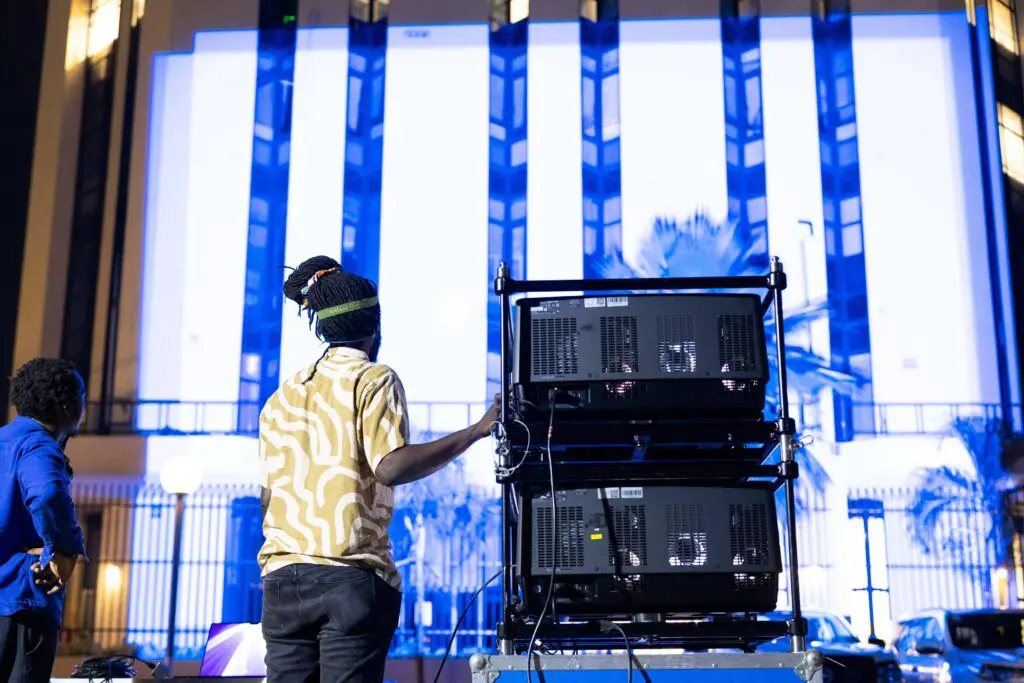
El ordenador o servidor multimedia: ¿qué potencia debe tener?
Los servidores multimedia gestionan múltiples fuentes de vídeo y el procesamiento en tiempo real para el video mapping. El “servidor multimedia” puede ir desde un enorme rack con 8 GPU hasta un único portátil de gama alta. Para la mayoría de HeavyM Para los usuarios, un portátil bien elegido con una tarjeta gráfica potente se encarga de todo.
Características técnicas fundamentales:
- GPU dedicada (NVIDIA/AMD)
- CPU multinúcleo
- 16-32 GB de RAM
- Almacenamiento SSD NVMe de alta velocidad
- Varias salidas de vídeo físicas
HeavyM’Su motor de renderizado, altamente optimizado, permite que el contenido complejo de varias capas y reactivo al audio se ejecute con fluidez en portátiles estándar de gama alta, lo que reduce al mínimo la necesidad de recurrir a hardware de servidor especializado y no requiere ningún tipo de programación.
GPU (unidad de procesamiento gráfico): el verdadero motor del sistema
Una GPU dedicada se encarga del renderizado en tiempo real de los más de 100 efectos visuales integrados en HeavyM, así como de la deformación y la composición con múltiples salidas. Una mayor capacidad de la GPU y de la memoria RAM permite realizar deformaciones y fusiones de bordes en tiempo real sin pérdidas de fotogramas, algo fundamental para alinear los elementos visuales con superficies 3D complejas.
Recomendaciones de GPU para 2026:
- Mínimo: NVIDIA RTX 4060 para portátiles (o equivalente de AMD) para 1-2 salidas a 1080p
- Recomendado: RTX 4070/4080 para 3-6 salidas a 4K
Las tarjetas gráficas integradas en los portátiles de oficina supondrán un cuello de botella para las presentaciones complejas. Da prioridad al presupuesto destinado a la GPU frente a unas especificaciones extremas de la CPU—HeavyM’Su motor eficiente permite reproducir escenas con gran densidad visual en tarjetas de gama media que tienen dificultades con programas menos optimizados.
CPU, RAM y almacenamiento
Los procesadores modernos de cuatro núcleos (Intel i7/i9, AMD Ryzen 7/9) son suficientes si se combinan con una GPU dedicada con 8 GB o más de VRAM para garantizar un renderizado fluido. Los chips Apple Silicon (M2 y superiores) gestionan de forma nativa la mayoría de los flujos de trabajo de video mapping gracias a su arquitectura de memoria unificada. Las configuraciones básicas para servidores multimedia requieren, como mínimo, una CPU de gama media y una GPU dedicada con 8 GB o más de VRAM para garantizar un renderizado fluido.
COMPONENTE | MÍNIMO | RECOMENDADO |
|---|---|---|
RAM | 16 GB | 32 GB para 4K/multicapa |
Almacenamiento | 512 GB SSD | 1–2 TB NVMe |
Salidas | 2 (HDMI + USB-C) | 3+ con base de conexión |
Especificaciones del portátil Balanced 2026: GPU RTX 4060/4070, 32 GB de RAM, SSD NVMe de 1-2 TB, salidas de vídeo duales. Los portátiles son más adecuados para eventos por su portabilidad; los ordenadores de sobremesa son más adecuados para instalaciones fijas con múltiples salidas.
Salidas de vídeo y configuraciones con varias pantallas
Cada proyector necesita su propia salida de vídeo. Entre los tipos más habituales se encuentran HDMI, DisplayPort y USB-C con modo alternativo DisplayPort. Muchos profesionales del mapping utilizan estaciones de acoplamiento o GPU externas para añadir salidas.
Tarjetas de salida especializadas para múltiples pantallas, como Datapath x4, Matrox QuadHead2Go O bien, existen soluciones más económicas que permiten que un puerto de GPU alimente varios proyectores con zonas independientes. HeavyM gestiona múltiples salidas y coordina configuraciones con varios proyectores desde un único dispositivo, lo que permite ampliar la capacidad de forma eficiente sin la complejidad que supone la sincronización en red.
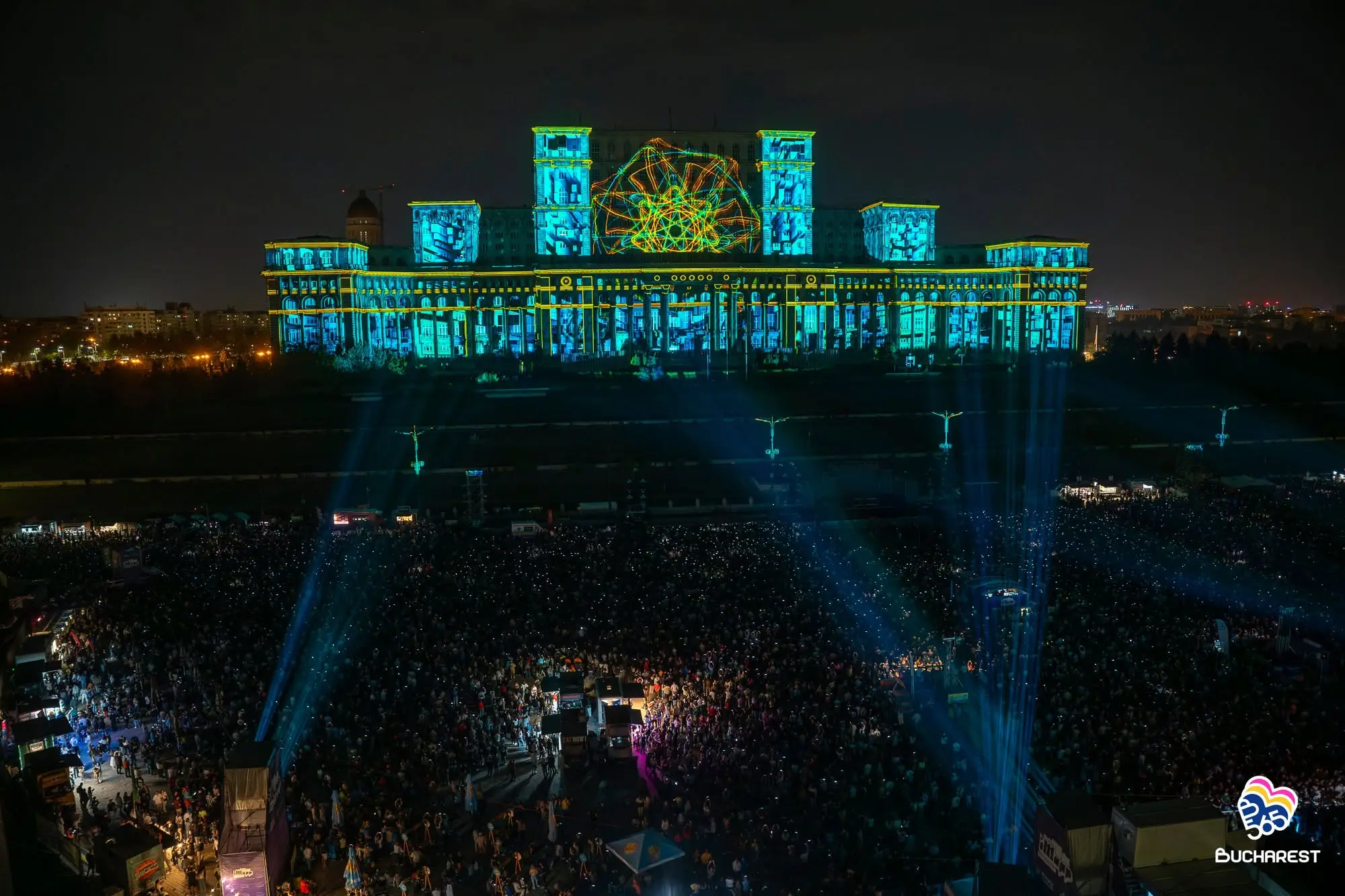
Conectividad e infraestructura: cables, extensores y distribución de la señal
Muchos de los problemas relacionados con el video mapping —parpadeos, cortes de señal, latencia— se deben a un cableado deficiente, más que a fallos del proyector o del ordenador. El hardware necesario para el video mapping incluye proyectores, servidores multimedia, lentes y cables de conexión.
HDMI, DisplayPort y USB-C para distancias cortas y medias
El HDMI sigue siendo omnipresente en los proyectores, el DisplayPort permite la conexión en cadena y el USB-C suministra alimentación y señal de vídeo desde los portátiles modernos. Las conexiones pasivas típicas y fiables alcanzan los 10-15 m; más allá de esa distancia, se deben utilizar cables ópticos activos.
Utiliza siempre cables certificados de alta velocidad o aptos para 8K para 4K a 60 —incluso cuando reproduzcas a 1080p— para reducir los problemas de señal. Etiqueta ambos extremos de cada cable y lleva adaptadores de calidad (USB-C a HDMI/DP) en tu kit de herramientas.
SDI, HDBaseT y fibra óptica para instalaciones de larga distancia y al aire libre
El SDI transmite señal de vídeo en tramos de entre 50 y 100 m con repetidores adecuados. El HDBaseT transmite señal de vídeo, audio y control hasta unos 100 m a través de cable Cat5e/Cat6. La fibra óptica alcanza cientos de metros y es inmune a las interferencias electromagnéticas, lo que la hace ideal para instalaciones de proyectores en azoteas conectadas a salas de control distantes.
Accesorios de soporte: soportes, abrazaderas y protección contra las condiciones ambientales
Posicionamiento físico preciso es tan importante como la distorsión del software. Para lograr una calibración precisa en el video mapping, es necesario que el hardware y el software funcionen conjuntamente para adaptar el contenido proyectado a la forma de la superficie que se ilumina. Los soportes estables permiten que la calibración sea más rápida y precisa.
Incluso el más mínimo movimiento altera la calibración. La alineación del video mapping es, por naturaleza, precisa al píxel: si un proyector de mapping se desplaza tan solo unos milímetros o gira medio grado, desalineará todas las superficies que hayas trazado con tanto cuidado. Las ventanas dejan de coincidir con sus máscaras, las columnas se salen de sus contornos y todo el mapping se desajusta visualmente. No se trata de un pequeño fallo que se pueda solucionar sobre la marcha durante un espectáculo en directo: significa tener que volver a hacer la alineación desde cero.
Opciones de montaje: desde trípodes hasta postes arquitectónicos
Entre las opciones se incluyen trípodes para fotografía y vídeo destinados a exposiciones temporales, soportes de techo para instalaciones permanentes y postes a medida para monumentos públicos. Elige soportes que permitan ajustes precisos en los tres ejes (inclinación, balanceo y giro) para minimizar las correcciones geométricas.
Los soportes multiángulo y los espejos de primera superficie te permiten colocar los proyectores fuera del campo de visión del público sin dejar de iluminar la superficie de destino. Comprueba siempre que el peso total no supere la capacidad de carga nominal.
Proyección al aire libre: carcasas, condiciones meteorológicas y mantenimiento
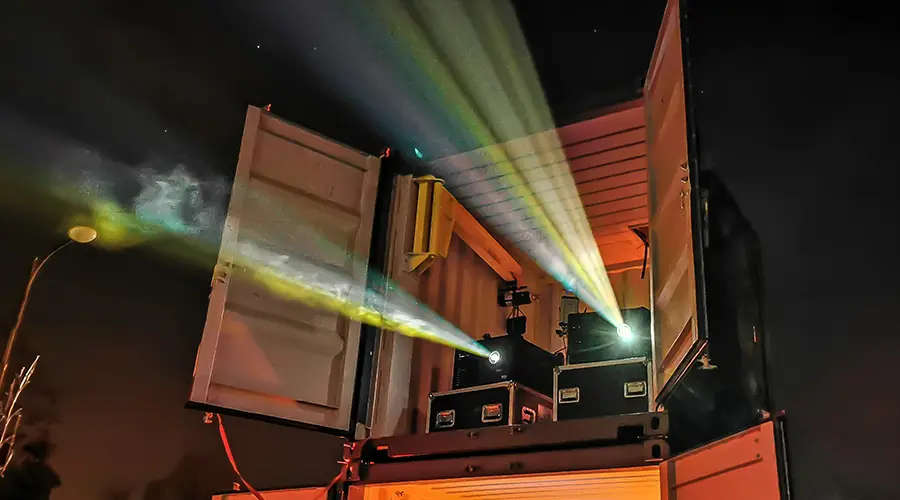
Los proyectores que se utilizan en exteriores para el mapping sobre edificios deben estar protegidos de la lluvia, el polvo y los cambios de temperatura. Una carcasa resistente a la intemperie, equipada con ventiladores, calefactores y filtros, mantiene la temperatura interna en el rango óptimo de funcionamiento.
Previsiones de costes para 2026:
- Cajas pequeñas listas para usar: $100–300
- Carcasas profesionales para exteriores: $1.000+
El mantenimiento habitual consiste en limpiar los filtros, revisar las juntas y comprobar el enfoque después de las tormentas. Los aficionados al mapping de edificios pueden empezar con recintos de uso doméstico e ir mejorándolos a medida que las exposiciones se vayan consolidando.
El equilibrio entre hardware y software: por qué HeavyM te permite hacer más con menos
Los espectáculos arquitectónicos de élite, valorados en varios millones de dólares —proyecciones en edificios a escala urbana, exposiciones universales, Juegos Olímpicos— requieren conjuntos de proyectores de alta gama, servidores multimedia empresariales programados a medida y equipos de ingeniería especializados.
La realidad para la mayoría de los profesionales del sector audiovisual, las agencias de eventos y los principiantes comprometidos: sus presupuestos les permiten contar con entre 1 y 8 proyectores y uno o dos ordenadores fiables. En este caso, software de cartografía de proyección La elección es tan importante como el hardware físico.
Comparación resumida: ecosistemas de hardware
| REQUISITO | PLATAFORMAS INDUSTRIALES (Estadios/Retransmisiones) | CONFIGURACIONES PROFESIONALES ACCESIBLES (HeavyM) |
|---|---|---|
| Hardware informático | Servidores de rack multinodo con Genlock | Portátiles y ordenadores de sobremesa estándar de alto rendimiento |
| Número de proyectores | Decenas de unidades de más de 30 000 lúmenes | De 1 a 8 proyectores de lumen medio-alto |
| Enrutamiento de vídeo | SDI, enrutamiento de vídeo IP ST 2110 | HDMI, DisplayPort, HDBaseT, NDI |
| Enfoque de software | Flujos de trabajo multimedia programados a medida | Software intuitivo con efectos integrados |
Cómo HeavyM saca el máximo partido a tu inversión en hardware
HeavyM ofrece la solución de software definitiva para los profesionales que desean sacar el máximo partido a las capacidades de su hardware estándar. Dado que el software requiere sin necesidad alguna de programar, cualquier creador puede utilizar su interfaz intuitiva de arrastrar y soltar para mapear superficies 3D complejas y realizar la fusión de bordes entre varios proyectores en cuestión de minutos, directamente desde un único ordenador portátil.
En lugar de recurrir a granjas de renderizado externas o sobrecargar tu GPU con archivos de vídeo enormes y prerenderizados, puedes implementar al instante más de 100 efectos visuales integrados que funcionan de forma nativa y eficiente en tiempo real. Para mejorar tus configuraciones en directo, el motor ofrece un rendimiento impecable reactividad de audio en tiempo real que sincroniza las imágenes directamente con tu sistema de sonido. Además, se integra a la perfección con tu ecosistema de hardware más amplio gracias a la compatibilidad nativa con OSC, MIDI, Art-Net/DMX, Syphon/Spout, lo que permite que tu video mapping se comunique a la perfección con las mesas de iluminación, los sensores y los controladores de DJ.
Cómo elegir tu equipo de video mapping en 2026: paso a paso
Lista de comprobación para la planificación:
- Define tu superficie y tu entorno – medir las dimensiones, evaluar la luz ambiental
- Selecciona el nivel de brillo – Entre 2.000 y 4.000 lúmenes en interiores; más de 8.000 en exteriores
- Selecciona la resolución – 1080p para la mayoría; 4K para un alto nivel de detalle
- Relación entre pases y lanzamientos – de corto alcance para espacios reducidos; estándar para largas distancias
- Comprobar las especificaciones del ordenador – Prioridad de la GPU, 16-32 GB de RAM, múltiples salidas
- Plan de cableado – HDMI para distancias cortas; HDBaseT/fibra óptica para distancias largas
- Seleccionar soportes – trípodes para instalaciones temporales; soportes para instalaciones permanentes
Ejemplos de configuraciones:
CONFIGURACIÓN | COMPONENTES | RANGO DE PRESUPUESTO |
|---|---|---|
Para principiantes, en interior | Portátil 4K de 4.000 lúmenes con proyector de corto alcance + i7/RTX4060 | ~$3,200 |
Escenario avanzado con tres proyectores | 3 proyectores de 10 000 lúmenes + ordenador de sobremesa con RTX 4080 + divisor Matrox | ~$15,000 |
Estructura de la fachada de la casa | 2 unidades apiladas de 6.000 lúmenes + ordenador portátil + poste/carcasa | ~$5,000 |
No hace falta disponer de servidores multimedia que cuesten varios millones de dólares para conseguir una realidad aumentada espacial impresionante. Si distribuyes tu presupuesto de forma acertada entre un proyector fiable, una GPU potente y un cableado de alta calidad, conseguirás una base de hardware preparada para una ejecución profesional.
La última pieza del rompecabezas es elegir un software que saque el máximo partido a este equipo sin abrumarte con complicaciones técnicas. Deja de preocuparte por los cuellos de botella del hardware y empieza a centrarte en tu visión creativa. Descargar el HeavyM prueba gratuita hoy, conecta el equipo de video mapping que hayas elegido y descubre lo fácil que es dar vida a las superficies físicas.