

Cartografía 2D frente a mapping 3D: ¿qué método de proyección es el más adecuado para tu proyecto?
La elección entre el mapping en 2D y el mapping 3D determina cómo interactúan los elementos visuales con las superficies físicas, la complejidad del proceso de creación de contenidos y el impacto global de la proyección. El enfoque adecuado depende de la geometría de la superficie, el presupuesto, los plazos y el nivel de experiencia inmersiva que se desee alcanzar.
A continuación se presenta una comparación práctica de los flujos de trabajo de mapping 2D y mapping 3D, los requisitos de hardware y los casos de uso.
En resumen
El mapping 2D proyecta imágenes sobre superficies planas, como paredes o suelos, mientras que el mapping 3D crea la ilusión de profundidad y movimiento en superficies complejas, como fachadas de edificios, esculturas o relieves arquitectónicos.
Pero la cadena de producción de contenidos es otra historia. Incluso en fachadas ornamentadas, los espectáculos profesionales suelen recurrir casi siempre a vídeos en 2D prerenderizados y a gráficos animados, diseñados para mira volumétrico. Existe un proceso técnico completo en 3D —escaneo con lidar, desenrollado UV, renderizado 3D real—, pero es más una excepción que la norma. El mapping 3D tradicional puede llevar muchísimo tiempo precisamente porque de estos requisitos.
El flujo de trabajo moderno más inteligente evita esto por completo: mapping software Al igual que HeavyM, permite a los creadores trabajar directamente sobre superficies 3D complejas mediante un proceso sencillo, al estilo 2D. — el mismo enfoque que se utiliza en la mayoría de las producciones profesionales, al que ahora se puede acceder sin necesidad de contar con un equipo numeroso ni de meses de preparación.
¿Cuál es la principal diferencia entre el mapping en 2D y el mapping 3D?
Comprender esta distinción fundamental te ayuda a Elige el enfoque adecuado para tu proyecto.
Proyección sobre una superficie plana (mapping 2D)
El mapping en 2D proyecta imágenes sobre superficies que se encuentran en un único plano o que se consideran planas por tramos. El contenido se diseña de forma lineal para adaptarse a la geometría del área de proyección en dos dimensiones.
El concepto matemático clave es la homografía: un mapping entre superficies planas mediante matrices de transformación proyectiva. La corrección de la distorsión suele consistir en el ajuste de la distorsión trapezoidal y una deformación simple.
Entre los ejemplos más comunes de superficies de mapping en 2D se incluyen:
- Fondos de teatro y pantallas escénicas
- Paredes interiores y superficie ocupada por los edificios
- Suelos de las aulas y los espacios de exposición
- Vallas publicitarias y elementos arquitectónicos planos
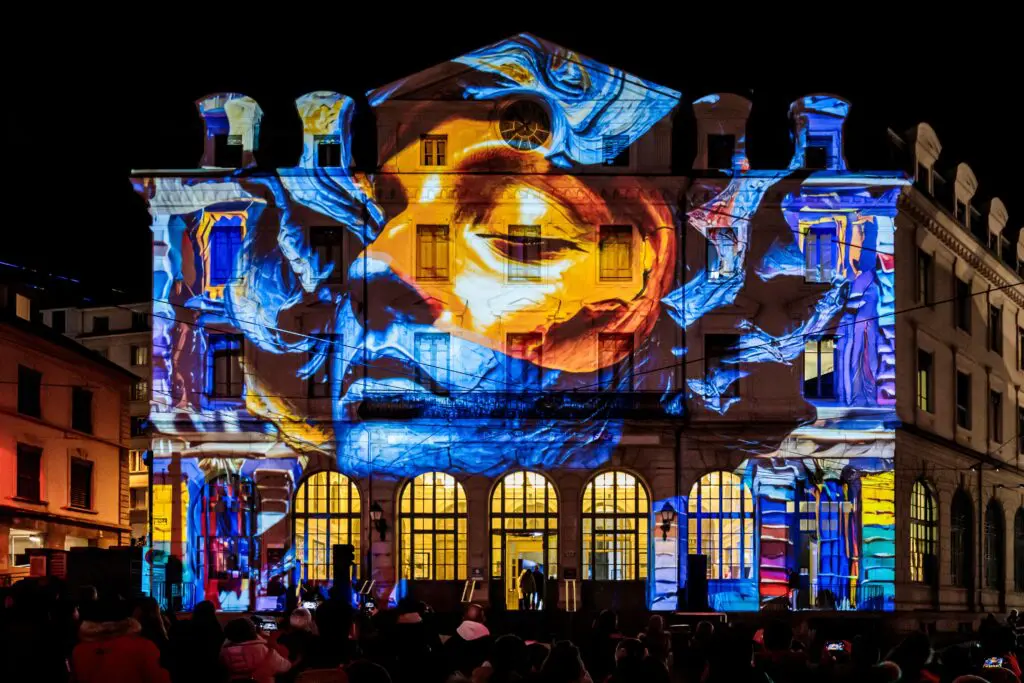
Envoltura de geometría volumétrica (mapping 3D)
El mapping 3D proyecta contenido sobre superficies con una tercera dimensión: objetos curvos, fachadas arquitectónicas con profundidad y esculturas. Las imágenes deben deformarse, enmascararse o mapearse con texturas para adaptarse a la geometría espacial de la superficie.
El proceso suele requerir:
- Realización de un levantamiento topográfico o escaneo del objeto mediante datos de nube de puntos o tecnología de sistemas LIDAR
- Creación de una representación precisa de la malla
- Desenrollado UV para determinar cómo se adapta el contenido 2D a las formas 3D
- Calibración de las posiciones de los proyectores para obtener mediciones precisas
Entre las superficies típicas para el mapping 3D se incluyen:
- Fachadas de edificios históricos con detalles ornamentados
- Estatuas e instalaciones escultóricas
- Cúpulas y estructuras arquitectónicas curvas
- Escenografías con múltiples planos que requieren una visión tridimensional
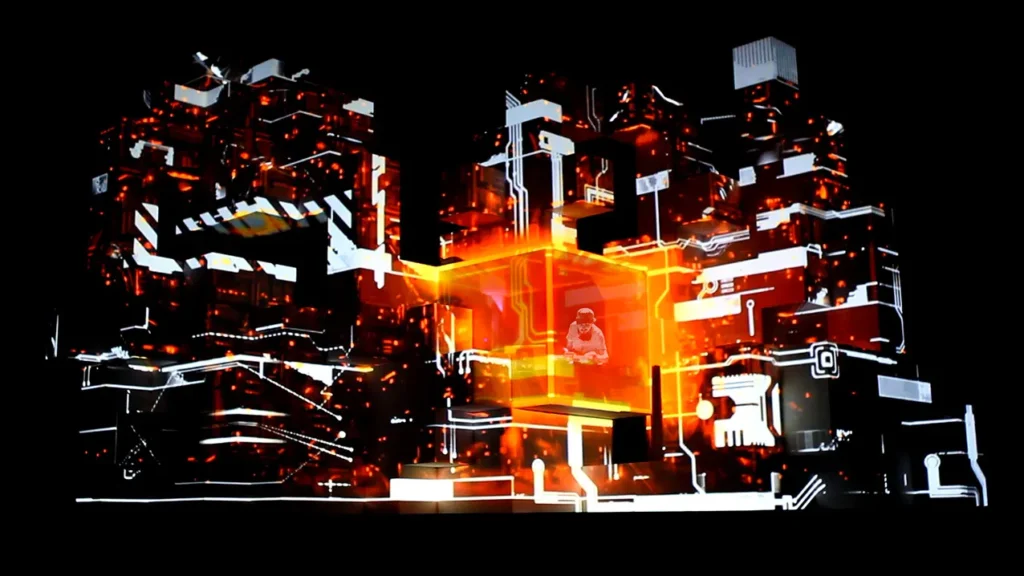
Resultados visuales y relaciones espaciales
Con el mapping 3D, puedes crear ilusiones como profundidad, desprendimiento, despliegue y animación de elementos arquitectónicos. La vista completa incluye oclusiones, sombras y efectos de paralaje que potencian el realismo.
El mapping en 2D ofrece claridad y legibilidad, pero no permite adaptarse a la profundidad de un objeto, a menos que se simule mediante efectos de perspectiva incorporados en el propio contenido.
La ilusión de profundidad y movimiento
Para crear una sensación de profundidad convincente en superficies físicas, es necesario comprender cómo interactúan la luz y la perspectiva con los rasgos del terreno y las estructuras.
Efectos de «trompe-l’œil» en el mapping
“Los efectos ”trompe-l’œil» (engañar al ojo) hacen que las representaciones planas parezcan escultóricas o con textura. En el mapping 2D, esto implica pintar el contenido con sombras simuladas y puntos de fuga en perspectiva. En el mapping 3D, el contenido se alinea con las protuberancias reales de la superficie, por lo que la ilusión se ve reforzada por el mundo físico.
La perspectiva forzada crea ilusiones de profundidad
La perspectiva forzada consiste en diseñar deliberadamente el contenido de tal forma que, desde el punto de vista del espectador, las proporciones parezcan distorsionadas, lo que hace que una superficie plana parezca tener salientes o hendiduras. Esta técnica resulta más eficaz en el mapping 3D, ya que la infraestructura existente favorece el efecto.
Cómo hacer que los objetos estáticos parezcan moverse
Entre las técnicas para crear movimiento se incluyen:
- Sombras que se disipan y se desplazan por las superficies
- Texturas animadas que siguen los contornos del terreno
- Luces que se desplazan y marcan el avance por los edificios
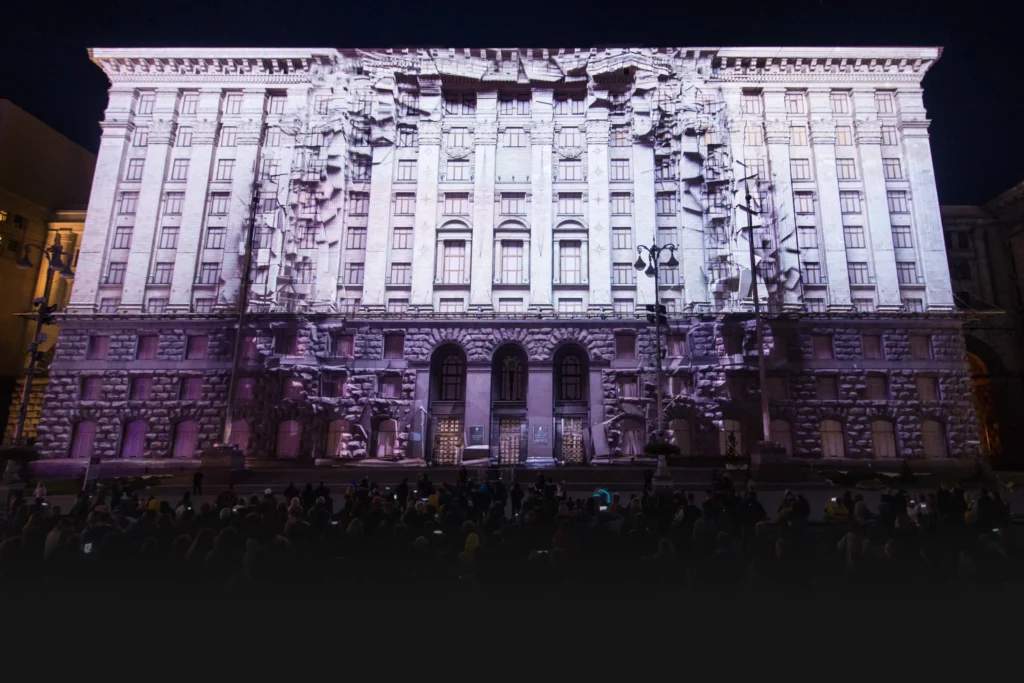
En el mapping 3D, el desplazamiento de las fuentes de luz aporta realismo gracias al paralaje de movimiento. En el mapping 2D, el movimiento proviene principalmente de efectos de animación superpuestos sobre la superficie plana.
Requisitos técnicos y de hardware
Los requisitos técnicos varían considerablemente según el enfoque elegido, lo que repercute en el presupuesto, el tiempo de puesta en marcha y requisitos de procesamiento.
Requisitos de configuración del mapping 2D
Especificaciones y ubicación del proyector
Para el mapping de interiores de pequeño tamaño, suelen bastar entre 2.000 y 5.000 lúmenes. Las instalaciones más grandes o los entornos con luz ambiental pueden requerir entre 6.000 y 10.000 lúmenes. Las especificaciones clave incluyen:
- Relación de lanzamiento adecuada para la distancia
- Capacidad de desplazamiento del objetivo
- Funciones de corrección de Keystone
- Brillo estable para un resultado homogéneo
Preparación de la superficie y calibración
Se prefieren las superficies planas y lisas. La calibración suele ser más sencilla y se limita a:
- Ajuste de la deformación de los bordes
- Corrección de Keystone
- Enmascaramiento básico para áreas de proyección específicas
Requisitos informáticos
Un ordenador multimedia estándar es capaz de reproducir vídeo, realizar transformaciones básicas y generar contenidos. No se requieren mallas con un elevado número de polígonos ni procesos de renderizado complejos.
Requisitos técnicos del mapping 3D
Equipos de proyección avanzados
Las geometrías complejas requieren especificaciones considerablemente más exigentes:
- Más de 10 000 lúmenes para instalaciones en exteriores (más de 40 000 para grandes superficies en fachadas de edificios)
- Altas relaciones de contraste para una mayor claridad de la información sobre la profundidad
- Excelente fidelidad del color desde distintos ángulos
- Varios proyectores para cubrir distintos ángulos
- Fuentes de luz láser o LED para garantizar la estabilidad durante eventos de larga duración
Herramientas de calibración y medición de precisión
Los mapas en 3D requieren una medición precisa del entorno físico:
- Fotogrametría o escaneo láser para obtener datos de nubes de puntos
- Modelos digitales del terreno para superficies arquitectónicas
- Lidar para datos espaciales precisos
- Software de mapping UV para la alineación de texturas
- Unidades de fusión de bordes y deformación para instalaciones con varios proyectores
Flujos de trabajo para la creación de contenidos
El proceso de creación de contenidos constituye una de las diferencias más significativas entre los enfoques de mapping en 2D y en mapping 3D.
El cuello de botella tradicional del 3D
Elevados costes y requisitos de tiempo
Antes de diseñar los elementos visuales para el mapping 3D tradicional, es necesario disponer de una representación precisa de la superficie de destino. Esto implica:
- Sesiones de fotogrametría o escaneo láser
- Planos de arquitectura o modelos CAD
- Equipos de topografía y operadores cualificados
- Tiempo de procesamiento de los datos geográficos
En los espectáculos profesionales —incluidas las proyecciones arquitectónicas a gran escala—, el contenido suele ser casi siempre vídeo en 2D prerenderizado o gráficos animados, diseñados para dar una apariencia volumétrica. El modelo 3D se utiliza para la calibración y la alineación, y rara vez para generar el contenido en sí. Los procesos de renderizado 3D en tiempo real auténtico siguen siendo la excepción, reservados para producciones altamente interactivas o técnicamente muy exigentes.
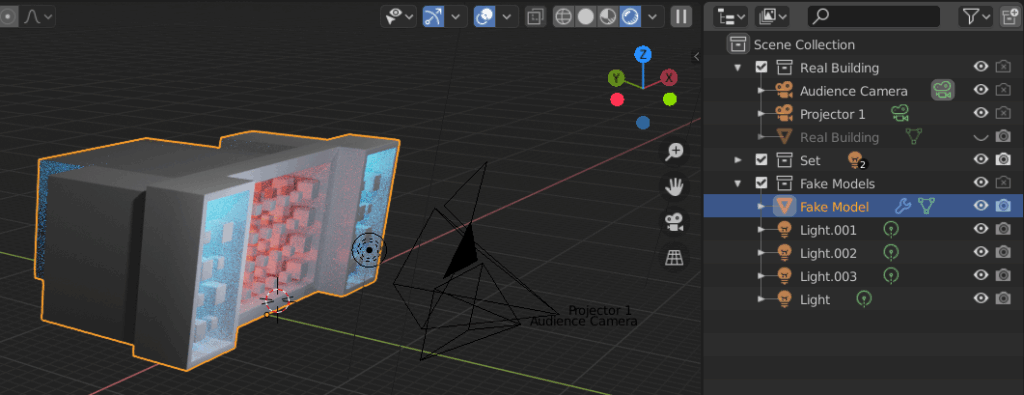
Se requiere experiencia en software externo
Los flujos de trabajo tradicionales requieren un buen dominio de programas de animación 3D como:
- Cinema 4D para gráficos en movimiento
- Licuadora para el modelado 3D de código abierto
- Maya para animaciones complejas
- After Effects para la composición y la visualización de datos altimétricos
Los tiempos de renderizado pueden ser considerables, los recursos se convierten en grandes volúmenes de datos y los ciclos de retroalimentación y correcciones alargan considerablemente los plazos.
Procesos complejos de desenrollado UV
El desenrollado UV define cómo se realizan los mapas de texturas 2D en las mallas 3D minimizando la distorsión. En los proyectos arquitectónicos, las costuras UV deben alinearse con los bordes de las ventanas y las esquinas, y las texturas deben mantener la escala en toda la superficie.
Este proceso, por sí solo, puede llevar semanas en el caso de edificios complejos con diversos detalles de acabado.
Requisitos para equipos grandes
El mapping 3D arquitectónico, con un coste de varios millones de dólares, sobre edificios complejos suele implicar:
- Artistas plásticos y directores creativos
- Directores técnicos y proyeccionistas
- Equipos de operaciones de hardware
- Ingenieros de procesos de contenido
El tiempo dedicado a la instalación y los ensayos puede prolongarse durante semanas, y los presupuestos pueden alcanzar cifras de seis o siete dígitos en el caso de las instalaciones de gran envergadura.
Soluciones modernas para flujos de trabajo
Herramientas de geometría inteligente
El software de mapping moderno permite a los creadores tomar una foto de la superficie de destino, dibujar formas directamente sobre esa imagen y aplicar efectos de forma adaptativa. Este enfoque permite prescindir, en la práctica, del modelado 3D completo en muchos proyectos.
Procesos de estilo 2D para crear ilusiones 3D
En lugar de generar contenido personalizado de forma externa, los usuarios pueden:
- Dibuja contornos directamente sobre los objetos fotografiados
- Aplica efectos integrados que se adaptan a las formas dibujadas
- Trabaja con deformación y enmascaramiento en tiempo real
- Disfruta de una respuesta visual inmediata sin tiempos de renderizado
Cómo evitar el renderizado 3D externo
En lugar de renderizar fotogramas de gran tamaño sin conexión, el contenido puede:
- Ligero y procedimental
- Efectos basados en shaders que responden a las formas
- Generado en tiempo real con ajustes inmediatos
- Sincronizado con el audio y las entradas externas
Creación y ajuste en tiempo real
La retroalimentación en directo permite experimentar y realizar iteraciones sin el ciclo tradicional de «crear-renderizar-revisar». El contenido se puede ajustar durante la configuración e incluso durante las actuaciones.
El software adecuado marca la diferencia
HeavyM Se erige como el software ideal tanto para principiantes comprometidos como para profesionales que desean obtener resultados impresionantes en mapping 3D sin los obstáculos habituales. Su combinación de interfaz intuitiva, amplia biblioteca de efectos y protocolos de integración profesionales permite a los usuarios crear contenidos atractivos para diversos ámbitos, desde pequeñas instalaciones hasta producciones a gran escala.
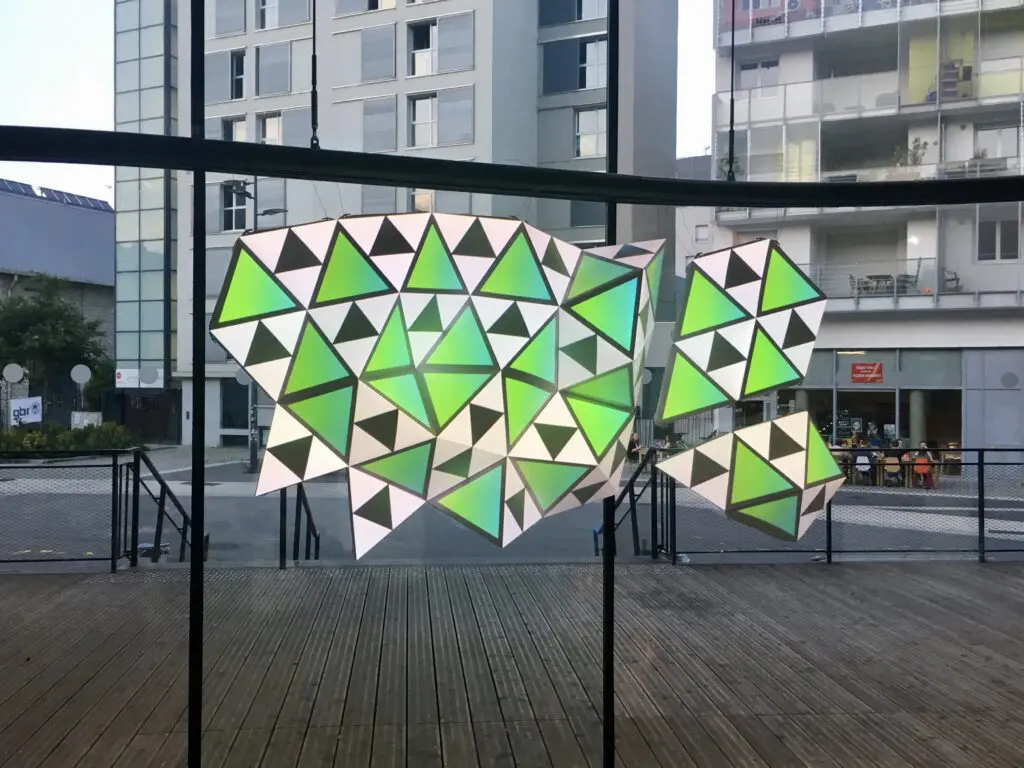
Utilizando HeavyM, puedes evitar o reducir considerablemente el tiempo dedicado a:
- Modelado 3D y adquisición de geometría
- Desenrollado UV y mapping de texturas
- Renderización y procesamiento externos
- Procedimientos de calibración complejos
Para el mapping arquitectónico ultrarrealista con múltiples proyectores a gran escala, las habilidades tradicionales y los equipos numerosos siguen siendo fundamentales. Sin embargo, para la gran mayoría de los proyectos —desde pequeñas instalaciones hasta producciones teatrales profesionales—, las soluciones modernas de flujo de trabajo permiten obtener resultados impresionantes sin los cuellos de botella habituales.
Casos de uso y aplicaciones
Cada proyecto requiere un enfoque diferente en función del contexto, el presupuesto y el impacto deseado.
Cuándo optar por el mapping en 2D
Situaciones ideales para la proyección sobre superficies planas
Mapping en 2D funciona bien para:
- Escenografías en las que la claridad del contenido es lo más importante
- Fachadas de edificios que son esencialmente planas
- Entornos interiores con condiciones de iluminación controladas
- Instalaciones temporales que requieren un montaje rápido
Proyectos económicos y montajes rápidos
Cuando existen limitaciones presupuestarias o de plazos, el mapping en 2D ofrece:
- Menores costes de hardware (proyectores de luminosidad moderada)
- Procedimientos de calibración más sencillos
- Flujos de trabajo más rápidos para la creación de contenidos
- Ajustes más sencillos in situ
Formas geométricas sencillas y elementos arquitectónicos
Las superficies rectangulares, las pantallas cuadradas y las fachadas planas de los edificios se adaptan perfectamente al mapping en 2D. El proceso de diseño de contenidos es similar al de la producción de vídeo tradicional, sin necesidad de tener en cuenta aspectos geométricos específicos.
Contextos educativos y empresariales
Las aulas, las ferias comerciales y las presentaciones corporativas se benefician de las ventajas que ofrece el mapping 2D:
- Claridad y legibilidad del contenido
- Calendarios de instalación previsibles
- Rendimiento de reproducción fiable
- Requisitos técnicos sencillos
Cuándo optar por el mapping 3D
Elementos arquitectónicos complejos y objetos escultóricos
Edificios con fachadas ornamentadas, los monumentos, los puentes y las instalaciones artísticas con un relieve superficial significativo requieren un mapping 3D, lo que significa que el contenido debe alinearse cuidadosamente con la geometría de la estructura. En la mayoría de los casos, esto se consigue mediante un diseño de movimiento en 2D creado para seguir los contornos físicos, y no mediante un proceso completo de renderizado en 3D.
Eventos de gran repercusión e instalaciones artísticas
Festivales, espectáculos públicos, representaciones teatrales y ceremonias de inauguración en las que el público espera:
- El factor sorpresa y el impacto emocional
- Percepción de la profundidad e inmersión espacial
- Ilusiones en movimiento que transforman el entorno
Experiencias inmersivas que requieren percepción de la profundidad
Cuando el contenido debe extenderse en el espacio —interactuando con la luz, las sombras y la perspectiva del espectador—, el mapping 3D crea una visión global que las proyecciones planas no siempre pueden lograr.
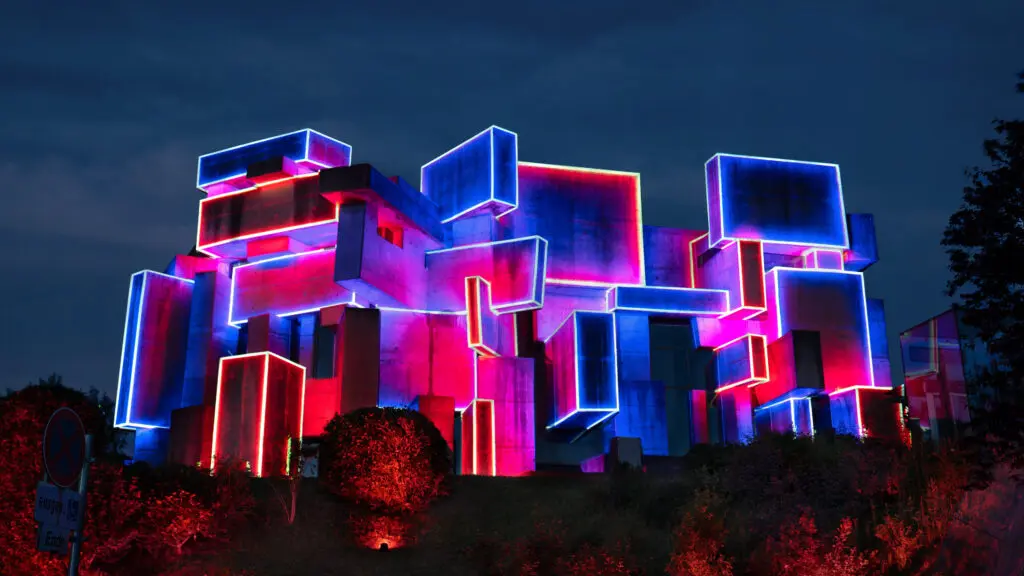
Entretenimiento profesional y producciones teatrales
Giras, conciertos y producciones teatrales que requieran:
- Varios proyectores sincronizados
- Integración de sensores y seguimiento en tiempo real
- Sincronización del rendimiento en tiempo real
- Sistemas de respaldo y redundancia para nuevos proyectos en el ámbito de la producción en directo
La interactividad en tiempo real, el seguimiento de movimiento o las ilusiones ópticas con precisión milimétrica desde un punto de vista fijo son casos en los que un proceso técnico 3D completo —escaneo LIDAR, desenrollado UV, renderizado en tiempo real— aporta un valor añadido real. Se trata, sin embargo, de producciones especializadas a gran escala.
Comparación resumida: flujos de trabajo en 2D, 3D e híbridos
| ARTÍCULO DESTACADO | CARTOGRAFÍA 2D TRADICIONAL | MAPPING 3D TRADICIONAL | EL ENFOQUE HeavyM (híbrido) |
|---|---|---|---|
| Objetivo de superficie | Paredes lisas, mamparas, suelos | Arquitectura compleja, esculturas | Tanto superficies planas como volúmenes 3D |
| Competencias requeridas | Edición básica de vídeo | Modelado 3D, desdoblamiento UV (Cinema 4D/Blender) | No se necesitan conocimientos de programación ni de animación 3D |
| Contenido visual | Bucles de vídeo en 2D | Gráficos 3D generados a medida | Más de 100 efectos generativos integrados |
| Velocidad de configuración | Muy rápido | Muy lento (varias semanas de preparación) | Rápido (interfaz intuitiva de arrastrar y soltar) |
HeavyM: La mejor solución para artistas visuales y organizadores de eventos
HeavyM permite a artistas visuales, organizadores de eventos y principiantes comprometidos conseguir resultados impresionantes en mapping 3D sin necesidad de tener una titulación en animación 3D. Con más de 80 000 usuarios en todo el mundo, se ha convertido en una herramienta imprescindible para los creadores de diversos sectores.
Aunque el mapping 3D ultrarrealista, con un coste de varios millones de dólares, en edificios complejos siempre requerirá equipos numerosos y un desdoblamiento UV personalizado en servidores multimedia de gran complejidad, HeavyM es el absoluto la mejor solución de software para artistas visuales, organizadores de eventos y principiantes con ganas de aprender. Te permite crear impresionantes efectos de mapping 3D sin necesidad de tener un título en animación 3D.
En primer lugar, HeavyM No requiere ningún tipo de programación. Su interfaz intuitiva de «arrastrar y soltar» permite a los usuarios esbozar fácilmente, tanto superficies planas en 2D como objetos físicos complejos en 3D, directamente in situ en cuestión de minutos. Una vez dibujadas las formas, su motor altamente optimizado aplica más de 100 efectos visuales integrados que se adaptan de forma inteligente a la geometría. Esto genera al instante increíbles ilusiones volumétricas, eliminando por completo la necesidad de recurrir a un renderizado 3D externo.
Además, mejora cualquier actuación gracias a su capacidad de respuesta de audio en tiempo real «plug-and-play», sincronizando a la perfección las imágenes con la música en directo. A medida que tus proyectos se vuelven más complejos, el HeavyM se adapta a tus necesidades integrándose a la perfección en redes profesionales de escenario mediante funciones avanzadas protocolos (OSC, MIDI, Art-Net/DMX, Syphon/Spout).
Reflexiones finales
Tanto el mapping en 2D como el mapping 3D pueden ofrecer resultados extraordinarios cuando se combinan con el entorno, el hardware y el flujo de trabajo adecuados. La clave está en comprender la geometría de la superficie, las expectativas del público y los recursos disponibles.
La tecnología de mapping moderna ha reducido drásticamente las barreras de entrada. Lo que antes requería equipos numerosos y meses de preparación, ahora lo pueden llevar a cabo creadores individuales con las herramientas adecuadas, lo que permite a los usuarios centrarse en su visión creativa en lugar de en los obstáculos técnicos.
Tanto si estás realizando mapping de imágenes sobre una superficie plana para una presentación corporativa como si estás envolviendo elementos visuales alrededor de una arquitectura compleja para un festival, la comparación entre los distintos enfoques se reduce, en última instancia, a adaptar tu técnica a tus objetivos creativos.